You are at the checkout screen. You came for a VPN, but a banner offer suggests upgrading to a higher tier: for just a little more each month, you can bundle an integrated password manager. Consolidating two essential security tools under one invoice and one company feels like an easy win. Why pay twice, juggle separate logins, and track distinct renewal dates when a single click wraps everything into one neat package?
The math looks compelling, but the math is asking the wrong question.
A VPN subscription is temporary. You might swap it next year for better speeds, lower renewal rates, or a cleaner interface. Your password vault, by contrast, is long-term personal infrastructure. It is where you store hundreds of credentials, passkeys, two-factor seeds, recovery codes, and shared family logins.
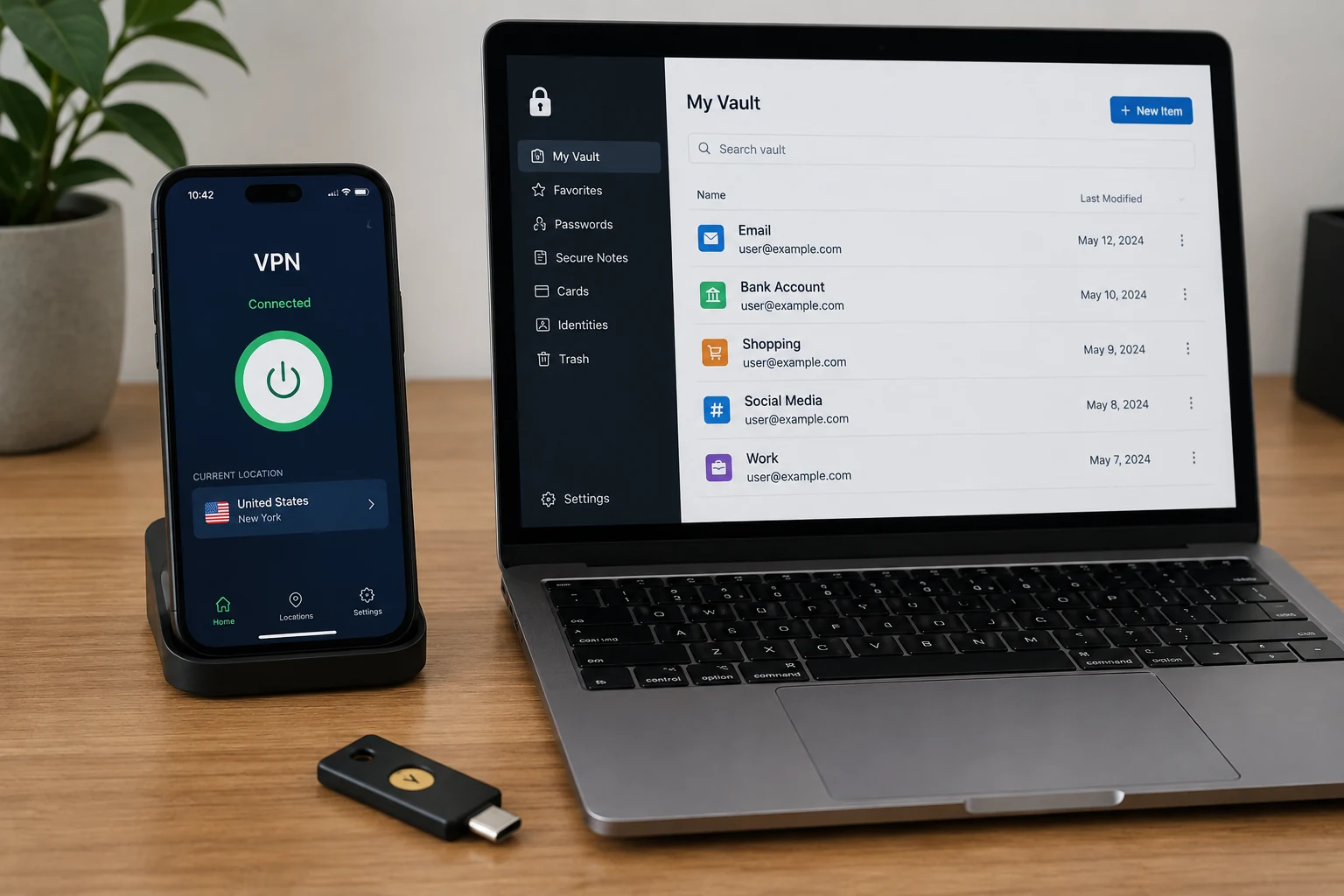
Before you click upgrade, you need one hard rule: never migrate your password vault primarily because you found a better VPN package. If you bundle, do it because the password manager independently earns your trust. If it does not, keep your vault right where it is and pick your VPN on its own merits.
Article summary and product fit
Should you bundle a VPN with a password manager or keep the two apps separate?
Choose the password vault first. A VPN is relatively easy to replace, while a password manager accumulates long-lived credentials, passkeys, recovery codes, and workflows that are expensive to migrate. A bundle is sensible only if the included password manager independently meets your security, platform, export, recovery, and daily-use requirements; otherwise, keep the trusted vault and choose the VPN separately.
Key context
- Best for: People considering a discounted privacy bundle, especially those who already have an established password vault.
- Key point: Judge the bundled password manager as if the VPN did not exist, including its separate vault secret, MFA options, platform fit, and ability to export cleanly.
- Important limit: A single vendor is not automatically a single point of failure, and separate vendors are not automatically safer; the actual authentication and vault-decryption architecture matters.
Sources already used in this article: NIST password guidance; Proton Pass extra password; NordPass Master Password; 1Password authentication and encryption. Product context: OnlydogVPN is used in the article as an example of keeping the network tool separate from the password vault so an existing credential setup does not have to move.
Your VPN Is Easy to Replace. Your Password Vault Is Not.
The fundamental mistake most buyers make is viewing a VPN and a password manager as interchangeable commodities in a "privacy suite." They perform entirely different roles, and more importantly, they create completely unequal switching costs.
A VPN handles live network traffic. It encrypts your connection from your device to an exit server while you browse. If that VPN starts buffering video, drops connections, or doubles its renewal price, you can cancel your subscription, install another app, sign in, and carry on within ten minutes. There is no historical baggage to untangle.
A password manager does not handle temporary traffic; it accumulates your digital life. Over a few years, a typical vault quietly collects three or four hundred unique logins, secure financial notes, software licenses, browser autofill profiles, and passkeys. Replacing it is a high-friction chore. You must export data, import it into the new client, verify that custom fields and shared vaults survived intact, reconfigure autofill permissions across mobile and desktop browsers, reset device biometrics, and manually clean up the old database.
National cybersecurity standards, including guidance from NIST, consistently recommend using dedicated password managers to generate and store complex credentials. Using one is non-negotiable for modern digital hygiene. But because the vault becomes sticky infrastructure, the password manager must always hold veto power over the VPN—never the other way around.
“One Bundle, One Point of Failure” Is Too Simple
When people hesitate to bundle, their immediate instinct is usually a security slogan: "I don't want to put all my eggs in one basket." The concern sounds prudent—if someone hacks your VPN provider, won't they automatically walk away with your entire life's passwords?
In practice, security architectures rarely fit on a bumper sticker. Bundling billing does not automatically mean a single breach compromises your secrets, and buying separate apps does not automatically keep you safe.
Real-world setups usually operate across three distinct boundaries:
- Billing: Who processes your payment?
- Account Access: What username and password do you use to sign into the provider’s general website or dashboard?
- Vault Decryption: What specific key unlocks the encrypted data stored on your device?
Major bundled offerings separate these layers deliberately. With a Proton bundle, for example, your single Proton Account password signs you into Mail, VPN, and Pass by default, but you can set a distinct second password dedicated exclusively to unlocking your Proton Pass vault. NordVPN bundles operate similarly: you access your account portal via a unified Nord Account, but decrypting your NordPass vault requires an independent Master Password that the company never sees or stores.
Contrast that with standalone tools, which also use diverse architectures. Dedicated managers like 1Password separate authentication by requiring an account password alongside an emergency Secret Key.
What does this mean for you? Counting corporate logos does not tell you your real risk. If you use a bundle that requires a distinct, zero-knowledge master password for the vault, a compromised VPN session does not hand over your passwords. Conversely, if you buy two separate apps from two different companies but use the same email, identical passwords, and no multi-factor authentication (MFA), your "separated" setup is already broken.
Do not evaluate bundles based on vague slogans. Look directly at whether the vault requires its own unique master secret and whether you can lock down access with robust MFA.
Make the Bundled Password Manager Earn the Move
If you are considering an all-in-one tier, temporarily ignore the discount and evaluate the included password manager as if you were buying it alone. Ask yourself these practical questions:
- Does it fit your daily workflow? A vault is only helpful if it works everywhere you do. Does the browser extension capture and fill logins smoothly across your actual setup—be it Safari on macOS, Chrome on Windows, or mobile browsers on iOS and Android?
- Does it support the credentials you actually have? If you rely on passkeys, shared family vaults, custom metadata fields, or secure file attachments, verify that the bundled manager handles them today, not on a vague future roadmap.
- Can you easily leave? Vendors like Proton Pass and NordPass provide structured export tools. If a bundle ever prices you out or stagnates, you must be able to export an uncorrupted, standard file format to take your data elsewhere. Never store credentials in an app that locks you in.
- Would you pay for it if the VPN disappeared tomorrow?
That final question is the ultimate test. If the bundled manager is a tool you would happily adopt on its own, taking advantage of the bundled subscription price is smart shopping. But if you find yourself compromising on platform support, family sharing, or autofill reliability just to shave a dollar off your bill, the VPN deal is effectively bribing you to live with an inferior vault.
When the Bundle Wins—and When Separate Apps Win
There is no universal correct architecture; there is only the right fit for your current setup.
The bundle wins when:
- You are starting from scratch. If you currently reuse two passwords across dozens of sites or leave your credentials scattered insecurely across browser pop-ups, upgrading to a solid VPN-plus-vault bundle is a massive net improvement in your digital security. The convenience of consolidated billing and single-vendor onboarding removes the friction that keeps people from adopting a manager in the first place.
- You have a simple vault and the bundled app meets your needs. If you only need straightforward login storage, good multi-platform autofill, and strong recovery paths, a well-engineered bundle delivers genuine value without bloat.
Separate apps win when:
- You already have a mature password vault you trust. If your life is already organized inside an established manager, dismantling that setup merely to match a promotional VPN discount is bad risk management.
- You need specialized features. Advanced credential sharing, complex organizational vaults, or specific recovery mechanisms are often refined best by dedicated vault developers.
- You want total independence. Keeping your network provider completely divorced from your identity and credential store ensures that changing your network routing habits never forces an administrative crisis.
The Cleaner Setup: Keep the Vault Stable, Let the VPN Change
If you already have a password manager that works, the simplest, most resilient setup is straightforward: leave your vault where it is and pick a VPN that does its job without demanding a permanent lifestyle change.
OnlydogVPN doesn't try to become your identity hub, sell you cloud storage, or convince you to migrate a decade of accumulated passwords into a brand-new ecosystem. It simply provides fast, modern VPN access across macOS, Windows, Android, and iOS. Crucially, its magic-code sign-in eliminates the need to create yet another static account password—sidestepping the very account clutter that tempts people into bundle deals in the first place.
If you already trust your vault, keep it. For your network connection, pair it with a low-friction tool like OnlydogVPN that respects your existing setup rather than trying to swallow it.
The next time you face an all-in-one upgrade screen, pause before entering your payment details. Strip away the promotional banner and ask the only question that matters: Would I move my entire password vault here if the VPN weren't attached?
If the answer is no, close the tab, leave your passwords where they belong, and let your VPN be just a VPN.
Frequently Asked Questions
Should I move my password vault just because a VPN bundle is cheaper?
No. The article recommends moving a vault only if the bundled password manager is good enough to choose on its own. A VPN discount is not a strong reason to migrate long-lived credentials.
Is a VPN and password-manager bundle automatically one point of failure?
Not necessarily. Billing, account access, and vault decryption can be separate layers. What matters is whether the vault has its own strong secret, robust authentication, and a zero-knowledge design rather than simply whether one company sells both products.
What should I check before adopting a bundled password manager?
Check daily platform support, autofill quality, passkeys and sharing features you rely on, recovery behavior, MFA options, a distinct vault secret where applicable, and whether you can export your data in a usable format.
When do separate apps make more sense?
Separate apps are usually cleaner when you already trust a mature vault, need specialized password-management features, or want to be able to change VPN providers without disturbing your credential infrastructure.