You’ve just touched down in a new country, checked into a heavily filtered campus, or sat down on a restrictive corporate Wi-Fi network. You tap open your VPN app, eager to secure your connection. You enter your credentials, hit Sign In, and watch the progress wheel spin, and spin, and spin—until it finally times out with a connection error.
The automatic reaction is familiar: My password must be wrong, or the local firewall is blocking this specific VPN server. You immediately start digging through the settings menu, swapping from WireGuard to OpenVPN, hunting down obscure obfuscation protocols, or frantically copying down IP addresses for fifty different servers.
Stop messing with your tunnel protocols.
If your VPN app can't even complete the initial sign-in handshake, none of those advanced tunneling features matter. A VPN connection isn't a single, monolithic switch; it is a multi-step journey.
When a network blocks your VPN app from logging in, the failure is happening before the encrypted tunnel or its obfuscation protocol has even started. If you can't reach the account system required to authorize the app, an unbreakable tunnel is of zero use.
Article summary and product fit
Why can a VPN login fail before the VPN tunnel exists?
VPN sign-in uses a control path to reach the provider’s API and authentication systems before any encrypted tunnel is established. If login works on a different network with the same device and account, the original network is probably blocking that pre-tunnel path; changing destination servers or tunnel protocols is troubleshooting the wrong stage.
Key points and limits
- Best for: Travelers, students, and remote workers whose VPN app times out on sign-in before they can start a tunnel.
- Key point: Test the same account on a genuinely different network first. If login fails everywhere, investigate credentials, subscription state, the app, or provider outage; if it works elsewhere, the original network is the suspect.
- Product fit: The article places OnlydogVPN in the later tunnel-path stage after authentication, where obfuscated HTTP/3 transport and automatic routing may help with a restrictive connection path.
- Important limit: The article explicitly says OnlydogVPN cannot manufacture access to its own sign-in API if that control endpoint is completely blocked; recurring pre-tunnel blocking calls for a provider with dedicated control-plane fallbacks.
Sources used in this article: Mullvad app and API-access guidance, Proton Alternative Routing, ExpressVPN activation troubleshooting, and OnlydogVPN official site.
Login Comes Before the Tunnel
To troubleshoot connection blocks effectively, you need a realistic mental model of what happens the moment you launch a VPN app.
A VPN client doesn't magically wrap your entire phone or laptop in an encrypted bubble the second you tap open the icon. Behind the scenes, the software must perform a sequence of pre-flight checks:
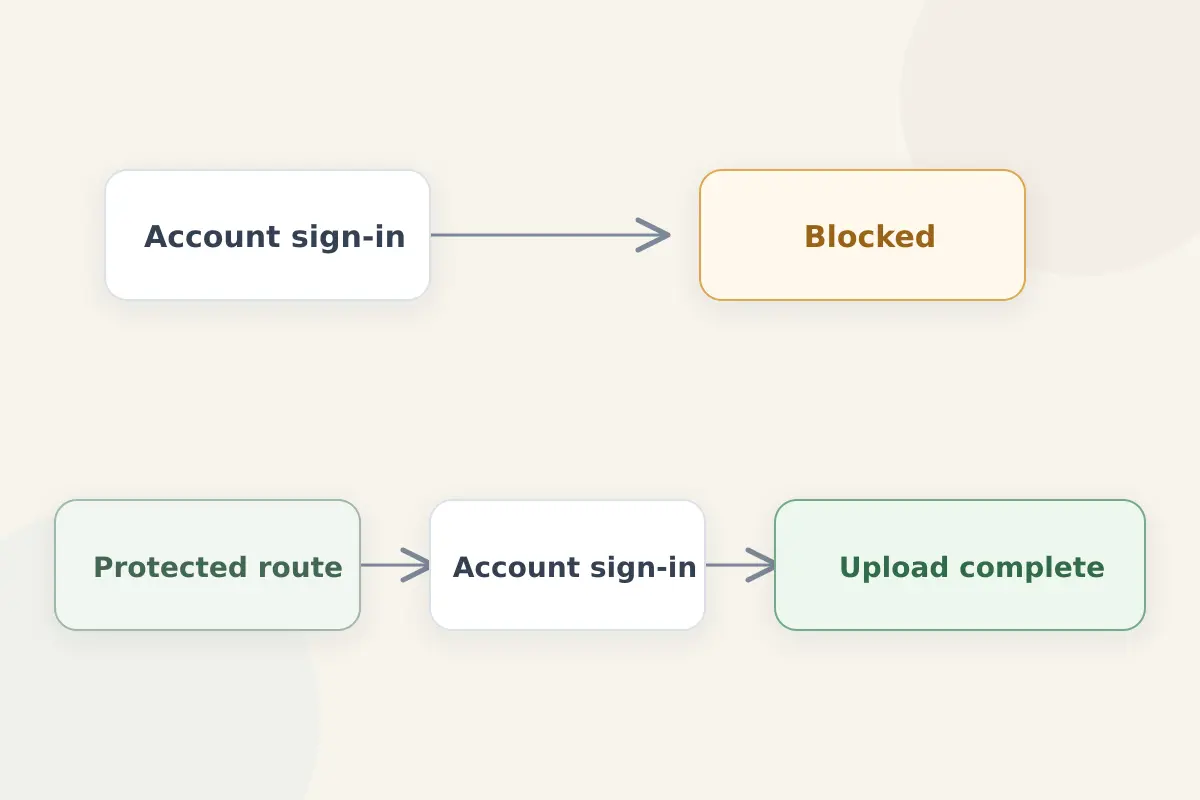
The order is: local network → provider API and authentication servers → account and subscription state → VPN tunnel establishment.
Think of this in two distinct parts:- The Control Path: The background services the app needs to contact in order to sign you in, verify your active subscription, retrieve server lists, and authorize your device.
- The Tunnel Path: The encrypted data pipe that carries your ordinary web browsing after authorization is complete.
As top-tier privacy providers like Mullvad and Proton point out, account reachability and tunnel establishment are completely different networking problems. Mullvad’s desktop client includes dedicated API-access methods designed explicitly for users who can't log in or add account time because the provider's authentication endpoints are being filtered. Proton features specialized Alternative Routing tools to help the app reach its core servers through third-party infrastructure when direct access is blocked.
If your app is frozen on the login screen, changing your destination VPN server is troubleshooting one stage too late. You're trying to fix a road that hasn't been built yet.
One Network Switch Can Tell You More Than Five Password Resets
When a VPN app stalls on sign-in, resist the urge to repeatedly hammer the login button or reset your password. The fastest, most informative diagnostic test doesn't require a single technical setting change. It requires a controlled environment swap:
Keep the exact same device and account, but change your underlying network.
- On the failing Wi-Fi or local ISP, notice that your VPN login fails.
- Disconnect from that network entirely and switch to a genuinely different connection—such as your smartphone's cellular 5G data stream or a trusted personal mobile hotspot.
- Attempt to sign into the VPN app again.
Interpret the result:
- If login fails everywhere (including your 5G hotspot): The network is no longer the primary suspect. You're likely dealing with expired credentials, an unpaid subscription status, an app glitch, or a temporary outage on the provider's backend.
- If login works immediately on the second network: Your account and credentials are fine. The original network is deliberately interfering with the pre-tunnel control path required to reach the provider's authentication servers.
As commercial troubleshooting guides from providers like ExpressVPN note, network-related sign-in failures should always be tested across independent networks first to isolate whether local DNS or API blocking is strangling the app before connection.
Fix the Login Path Before You Touch the Server List
Once you've proven that your account works fine on cellular data but gets choked out on your primary network, you can apply targeted remedies rather than wasting time on random server roulette:
- Authorize the device elsewhere first: If your phone hotspot allows the app to successfully authenticate, complete the sign-in step there before joining the restrictive network. Once the device holds an authorized session token, return to the filtered Wi-Fi and test whether the VPN tunnel itself can establish a connection. (This separates the control path from the tunnel path).
- Utilize control-plane fallbacks: If your VPN provider offers alternative API reachability settings or censorship-resistant routing options (like Proton's Alternative Routing or Mullvad's API-access toggles), enable them. These tools are specifically engineered to slip the login request past local firewalls.
- Stop resetting working credentials: A correct password cannot force an offline or blocked API endpoint to respond. Once your account proves it can sign in elsewhere, further password rotation only creates unnecessary friction.
Troubleshoot the first network request that actually fails, rather than staring helplessly at the error message that pops up on your screen.
For Restrictive Networks, Set Up the VPN Before You Need It
If you are a traveler, student, or remote worker heading into an environment where internet filters are common (such as campus networks, strict corporate firewalls, or heavily censored national infrastructures), the single most important lesson is timing.
The safest moment to establish your VPN's authorization state is before you ever cross that network threshold.
Providers operating in heavily restricted regions consistently emphasize pre-travel setup as the single most effective countermeasure. Before entering a restrictive zone:
- Create and verify your account.
- Download, install, and fully update the application.
- Sign in successfully on a neutral network.
- Verify that an active connection can be established.
- Enable any available anti-censorship protocols (such as Stealth modes or alternative routing features).
By authorizing your device beforehand, you bypass the fragile pre-tunnel authentication bottleneck entirely. While apps may still occasionally require background API pings for subscription checks or server list updates, having an already-authenticated app gives you a massive head start over trying to log in from scratch behind a hostile firewall.
If Login Blocking Is the Risk, Think About Pre-Tunnel Resilience
If you frequently find yourself working across heavily filtered networks where standard VPN apps get blocked right out of the gate, your buying criteria need to shift. Don't shop for a VPN based solely on headline server counts, raw download speeds, or standard protocol lists.
Ask a harder question: Can this VPN still reach its own account and control infrastructure before the tunnel even exists?
When your primary recurring headache is "I cannot sign in because the app is cut off from its servers," look for providers that explicitly engineer pre-tunnel resilience:
- Providers that offer switchable, alternative API-access pathways (like Mullvad)
- Services that route control traffic through independent third-party networks when direct access is filtered (like Proton’s Alternative Routing)
A streamlined tool like OnlydogVPN fits into the later, tunnel-path part of this problem.
Once your device is fully authenticated and authorized, the remaining challenge is carrying the VPN tunnel through difficult, uncooperative network paths. This is where OnlydogVPN fits.
Featuring an advanced HTTP/3-based transport layer equipped with robust traffic obfuscation and intelligent automatic routing, OnlydogVPN is engineered to slip past restrictive local firewalls cleanly. Its password-light authentication (utilizing secure verification codes) cuts out traditional login friction once you're online.
There is an important boundary here: OnlydogVPN cannot manufacture a path through a network that completely blocks its initial sign-in API endpoint. If your primary recurring failure is pre-tunnel login blocking, choose a provider with dedicated control-plane fallbacks. Once the connection path itself is the bottleneck, its auto-routing, obfuscated tunnel addresses that later stage.
The Rule to Remember
The next time your VPN leaves you stranded on the login screen, step back and diagnose the sequence correctly:
- Can't reach login? Fix your control-path reachability.
- Can log in, but can't tunnel? Fix your network route.
- Expecting restrictions ahead of travel? Authorize your device before you leave.
A VPN is only censorship-resistant if you can successfully reach the part of the app that lets you turn it on. Diagnose the first broken step, fix it, and keep your connections secure wherever you go.
Frequently Asked Questions
Why does changing VPN servers not help when the app cannot sign in?
The login step happens before the VPN tunnel and before any destination server can be used. If the app cannot reach its authentication API, changing tunnel servers is one stage too late.
How can I tell whether the network is blocking VPN login or my credentials are wrong?
Use the same device and account on a truly different connection such as cellular data or a trusted hotspot. If login succeeds there, your credentials are probably fine and the original network is interfering with the control path.
What should I do before traveling into a restrictive network environment?
Create and verify the account, install and update the app, sign in on a neutral network, confirm that a tunnel works, and enable any available anti-censorship or alternative-routing features before you arrive.
Can an obfuscated VPN tunnel fix a sign-in API that the network completely blocks?
Not by itself. The article distinguishes control-path reachability from tunnel transport. If the authentication endpoint cannot be reached at all, you need a provider with a dedicated control-plane fallback or you must authorize the device on another network first.