You are on the checkout page of a VPN service, ready to pay, when a small toggle switch interrupts you: Upgrade to our Total Security Suite for just an extra $1.50 a month. Underneath sits a neat checklist promising malware defense, real-time protection, and an all-in-one app.
It feels like an obvious win. Maintaining two subscriptions sounds wasteful, and getting antivirus alongside your VPN looks cheaper, simpler, and safer. But right behind that impulse sits a nagging doubt: is a security tool slapped onto a VPN app actually any good, or should you be paying for a dedicated, standalone antivirus instead?
It sounds like a straightforward consumer dilemma, but it starts from the wrong question.
Before asking whether a bundled antivirus beats a standalone one, you need to answer a more basic question: What will either of these paid programs do that your device isn’t already doing for free?
Article summary and product fit
Should you buy a VPN antivirus bundle, standalone antivirus, or neither?
Start with the protection already built into your operating system. A bundle is worth considering only if its antivirus engine is independently validated and fits your platform; standalone antivirus makes sense when endpoint protection is the priority; many everyday users may not need an extra paid antivirus at all.
What matters here
- Best for: People deciding whether a VPN checkout upsell adds meaningful endpoint security.
- Baseline first: Windows, macOS, Android, and iOS already include different layers of built-in security, so a paid product must fill a specific gap.
- Bundle test: Judge the antivirus engine itself: real-time endpoint protection, independent testing, and support for the operating system you actually use.
- Standalone case: Pay for dedicated antivirus when you need advanced endpoint controls, family management, recovery, sandboxing, or other concrete capabilities.
- Product fit: OnlydogVPN is presented as a focused network tool with ad/tracker blocking rather than as an antivirus replacement.
- Limit: Network-level domain and tracker filtering is useful browsing hygiene, but it is not endpoint malware scanning.
Sources already used in this article
- AV-TEST Microsoft Defender evaluation — The article cites AV-TEST’s June 2026 Defender results when evaluating whether Windows users need another paid engine.
- AV-Comparatives real-world protection test — The article uses independent comparative testing to emphasize protection quality, false positives, and performance rather than packaging.
- Apple platform security guide — Apple documents the layered macOS protections referenced in the article.
Product source: OnlydogVPN official website
Before You Compare Two Antivirus Products, Count the One You Already Have
The conventional wisdom that every computer is naked without a paid antivirus subscription is a holdover from fifteen years ago. Operating systems have evolved, and the baseline protection built into the hardware you already own is no longer an empty placeholder.
Take Windows. If you run Windows 11, your machine comes out of the box with Microsoft Defender Antivirus actively running. This is not a trial version that nags you for a credit card after thirty days. It is an enterprise-grade endpoint security engine baked directly into the operating system, running behavior-based analysis, cloud-assisted heuristics, real-time file inspection, and malicious-download defenses via SmartScreen.
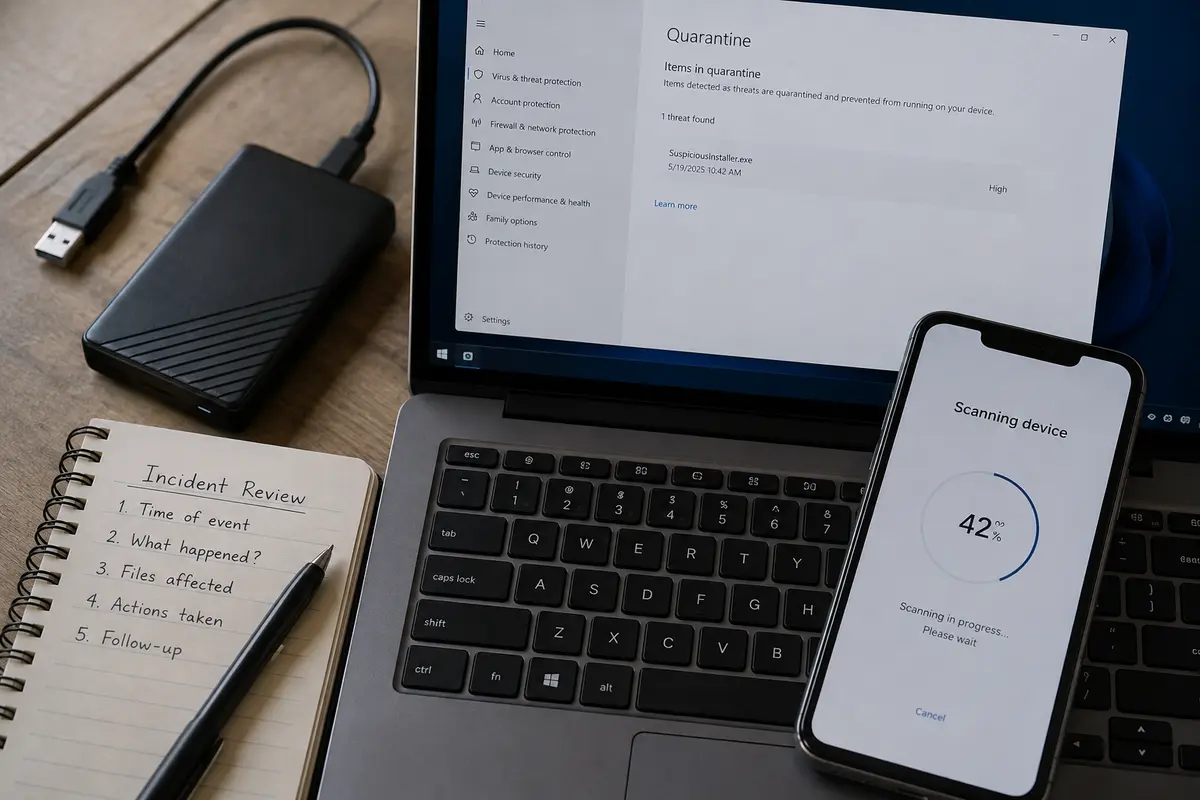
Independent lab testing repeatedly backs this up. In AV-TEST’s June 2026 evaluations, Microsoft Defender achieved a maximum 6/6 protection score against zero-day and prevalent malware, matching or exceeding several paid commercial alternatives. AV-Comparatives’ 2026 real-world testing similarly ranks Defender among the stronger performers in blocking live web threats. It is not an amateur line of defense.
The story is broadly similar across other platforms:
- macOS uses a multi-layered defense architecture. Gatekeeper verifies downloaded software, Apple’s notarization system scans it for known malicious components before it can launch, and XProtect quietly detects and remediates malware in the background.
- Android integrates Google Play Protect, which continuously monitors your installed apps, scans billions of daily downloads, and flags suspicious behavior automatically.
- iOS enforces an aggressive sandbox model where apps cannot alter operating system files or spy on other apps, meaning traditional "antivirus scanners" do not even exist on an iPhone in the way people imagine. When a bundle advertises "protection for five devices," it rarely provides the same kind of endpoint scanning across all of them.
None of this means nobody should ever buy third-party security software. But it completely flips the burden of proof. You do not need to justify relying on your built-in defenses; a paid security program must justify why it deserves your money over what is already there.
A VPN Bundle Can Have Excellent Antivirus—But the Bundle Label Proves Nothing
Once you establish your baseline, the bundle question becomes much easier to evaluate.
There are two common, equally lazy assumptions in this debate. The first is that bundled antivirus must be a cheap, watered-down toy. The second is that buying an all-in-one suite is automatically superior because "everything integrates seamlessly."
Both assumptions miss the point. Bundle versus standalone is a billing arrangement, not a security grade.
To understand what you are getting, you have to ignore the marketing wrapper and force the bundled antivirus to compete purely as an antivirus. Put it through a simple test:
- Does it provide active, continuous endpoint protection? (Some bundles merely include a browser extension that blocks malicious links, which is not antivirus.)
- Has the engine been independently certified?
- Does it actually protect the operating system you use daily?
A clear counterexample to the "bundles are junk" myth is Surfshark One. Unlike lightweight web filters masquerading as security suites, its bundle includes genuine real-time antivirus software for Windows, macOS, and Android. In AV-TEST’s June 2026 testing, Surfshark’s Windows antivirus secured a flawless 6/6 score for malware protection. A bundled product can undeniably stop threats just as well as an established industry name.
Yet that same example demonstrates why you must look past the package. While Surfshark scored top marks for pure detection, its performance impact on system speed registered lower (4.5/6) than Defender’s 5.5/6. Furthermore, like most third-party tools, its antivirus capabilities are not uniform across all platforms—its dedicated endpoint protection does not extend to iOS.
A high-performing bundle can easily outperform a mediocre standalone program. But you only discover that when you evaluate the software underneath the checkout toggle on its own merits.
Standalone Antivirus Is Worth Paying For When Antivirus Is the Priority
If a bundle can be strong, why would anyone still buy a standalone antivirus subscription?
The answer comes down to specific, unmet needs—not generic fear. Dedicated antivirus earns its price tag when you have concrete operational requirements that neither Windows Defender nor a bundled suite can satisfy.
You should consider paying for a dedicated antivirus program if:
- Your risk exposure is genuinely elevated: You routinely download unverified software, manage custom executable files, or operate in high-risk digital environments where advanced heuristics and rapid zero-day rollback matter.
- You manage devices for others: Dedicated suites often provide centralized family dashboards, robust remote management, and parental controls that make securing a non-technical relative's PC far more straightforward.
- You require granular recovery and backup controls: Top-tier standalone tools offer dedicated ransomware rollbacks, secure sandboxes for testing suspicious files, and tuneable detection thresholds that built-in tools do not surface cleanly.
When looking at these products, remember that "more features" does not necessarily mean "safer." AV-Comparatives’ 2026 real-world protection tests show that top-tier standalone engines sit closely grouped at the upper limit of threat interception. The real differentiators between them are false-positive rates, background resource consumption, and administrative usability.
Crucially, installing a third-party antivirus on Windows is almost always an either/or decision, not an additive one. Windows Defender typically steps aside and disables its real-time engine when another compatible antivirus registers with the operating system. You are not stacking a second fortress on top of the first; you are replacing the default engine with a new one.
Make sure the replacement actually offers capabilities you know you will use.
When the Bundle Wins—and When You Should Pay for Neither
Once you strip away the sales copy, your buying decision falls cleanly into one of three realistic scenarios.
- You want both tools, tested the engine, and want one bill: Buy the Bundle — The antivirus passes independent testing, supports your core OS, and saves money without compromising your VPN quality.
- Endpoint protection and custom controls are your top priority: Buy Standalone Antivirus — You pick the exact malware engine and feature set you need; you don't compromise security to simplify a subscription.
- Your built-in security handles your actual threat level: Pay for Neither Antivirus — Built-in defenses cover your malware baseline; spend your budget purely on a VPN built for networking.
The first scenario is entirely practical: if you want a VPN and also happen to want an extra layer of managed malware defense, an independently verified bundle gives you both under one login for less money. Convenience is a completely valid reason to purchase something, provided the underlying tool actually works.
The second scenario is equally clear: if you need advanced endpoint tools, specialized scanning routines, or specific management dashboards, pick the antivirus that solves that problem first. If it happens to come with a decent VPN, great. If not, buy the antivirus on its own and pick a dedicated VPN separately.
The third scenario, however, is where the vast majority of everyday users land. If your daily computing consists of web browsing, office work, streaming, and downloading apps through reputable stores, your operating system’s native defenses are already doing the heavy lifting. Paying an extra monthly fee for an antivirus tier adds an extra dashboard, another background process, and an extra renewal notice—not a dramatic upgrade in safety.
If you find yourself in this third camp, the move is simple: stop buying duplicate malware protection and focus on getting the best VPN for the job.
[Operating System Defenses] ──► Handles Endpoint Malware & Local Files
[Dedicated VPN (OnlydogVPN)]  ──► Handles Network Privacy, Routing & Ad Blocking
This is where a focused tool like OnlydogVPN fits naturally into a clean setup. Instead of bloating its software with a rebadged, half-featured antivirus engine, OnlydogVPN concentrates strictly on network performance and everyday usability. It offers intelligent automatic routing that selects optimal connections without manual tinkering, beginner-friendly presets that eliminate confusing protocol menus, and rock-solid multi-platform support.
Crucially, OnlydogVPN integrates network-level ad and tracker blocking. This prevents intrusive scripts from loading and cuts off telemetry at the DNS level. It is a fantastic tool for day-to-day browsing hygiene—fast, lightweight, and unobtrusive.
Just keep the technical boundaries clear: filtering out malicious domains and tracking scripts on your network is valuable preventive hygiene, but it is not an endpoint antivirus. You don't need it to be, because Windows Defender or macOS XProtect is already sitting on your machine, quietly doing that exact job in the background.
Buy the Missing Protection, Not the Longest Feature List
The next time you find yourself staring at an upgrade prompt during a VPN checkout, ignore the tally of feature bullets on the pricing table. Marketing departments know that packing six distinct badges onto a higher tier makes it look like an irresistible value.
Make the software justify itself:
- Acknowledge the protection you already own. Check whether your operating system's built-in defenses already cover your baseline risk.
- Identify the specific gap. Can you name a concrete endpoint threat or workflow requirement that your machine cannot handle right now?
- Judge quality before packaging. If you genuinely need third-party antivirus, look at independent test scores from AV-TEST or AV-Comparatives first.
- Choose the container last. If a reputable bundle includes an independently validated antivirus alongside a VPN you genuinely like, buy the bundle. If your chosen antivirus is sold alone, buy it alone.
- Walk away from the upsell if there is no gap. If your device security is already sufficient, decline the bundle, keep your machine lean, and put your money toward a dedicated, responsive VPN designed to do its own job well.
The strongest security setup is never the one with the most icons running in the menu bar. It is the one that covers your actual risks without charging you twice for protection you already had before you opened your wallet.
Frequently Asked Questions
Do Windows 11 users automatically need a paid antivirus subscription?
Not necessarily. The article starts from Microsoft Defender as the built-in baseline and argues that a paid product should justify itself by covering a concrete need that the existing protection does not.
Can a VPN bundle include a genuinely good antivirus?
Yes. The article argues that “bundle” is a billing format, not a security grade, and gives an independently tested bundled antivirus as a counterexample to the idea that every bundle is weak.
When is standalone antivirus worth paying for?
When endpoint security is the priority and you need capabilities such as advanced recovery, centralized family management, sandboxing, or other controls that your built-in protection and a bundle do not provide.
Does VPN ad and tracker blocking replace antivirus?
No. Blocking domains, ads, or trackers at the network level can reduce unwanted connections, but it does not scan endpoint files or replace the operating system’s malware defenses.