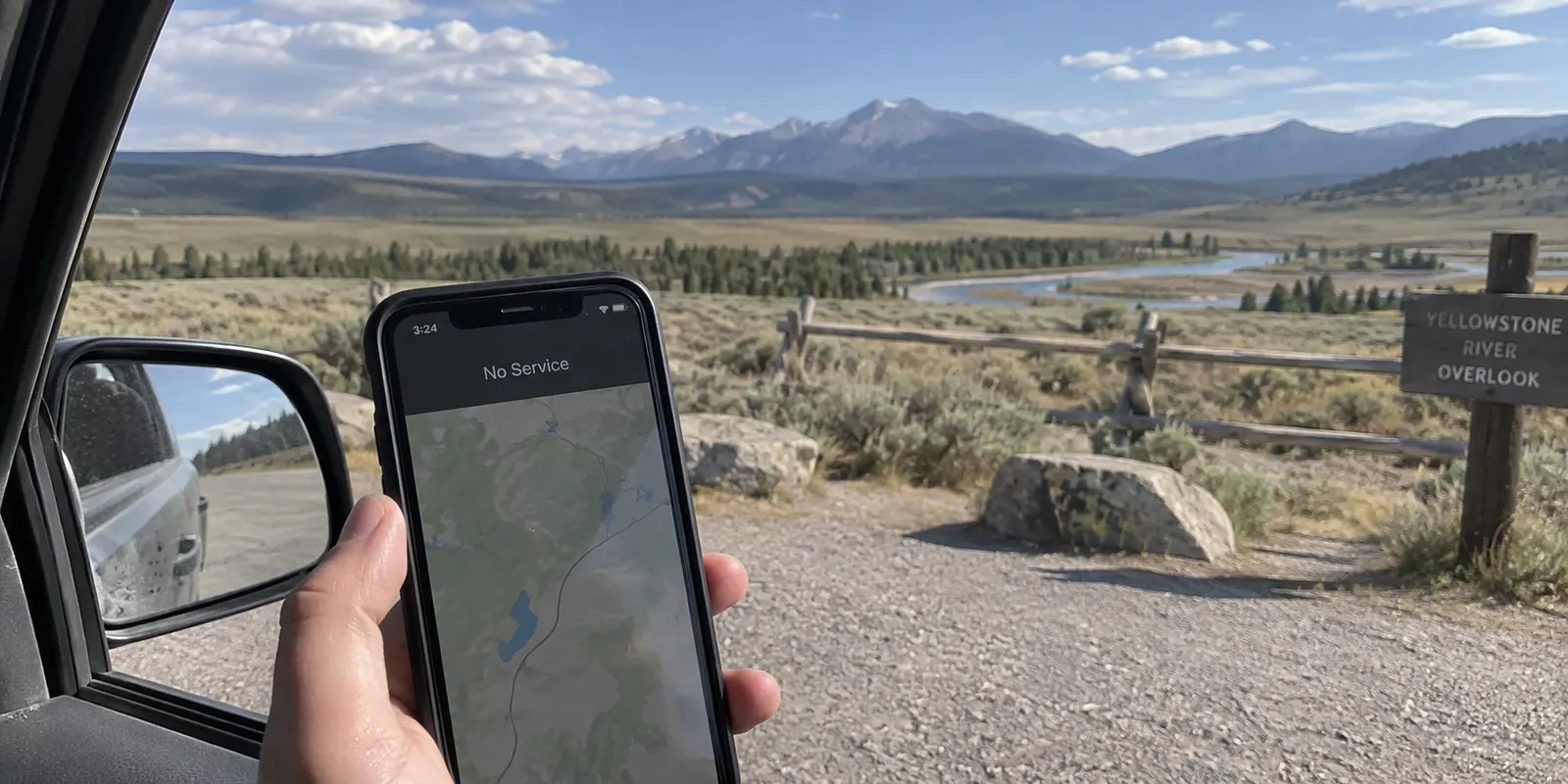
Stand in the middle of Yellowstone National Park, pull your phone from your pocket, and there is a very good chance you will see “No Service.” The National Park Service puts it bluntly: cellular coverage across the park is extremely limited, and during peak summer months, the sheer volume of visitors routinely overwhelms the few towers that do exist.
If your phone cannot reach a tower, flipping on a Virtual Private Network will accomplish exactly nothing.
It sounds obvious, yet a surprising number of visitors and new residents land in Wyoming thinking a VPN is a magic digital wand—a utility you leave toggled on 24/7 to solve privacy worries, skirt geographic friction, or even somehow “stabilize” bad mobile data. But confusing an access problem with a routing problem leads to wasted money and endless technical frustration.
In Wyoming, the first rule of digital life is straightforward: get a working connection first. Only then does it make sense to decide whether you need a VPN to protect it.
Article summary and product fit
When does a VPN become useful on a trip through Wyoming?
Only after you have a working internet connection. A VPN cannot create cellular service in a Yellowstone dead zone or rescue a failing physical link. Its value begins on a usable shared network, where it can encrypt the route, reduce network-operator visibility, and mask the public IP.
Key points and product fit
- Best for: travelers who have working airport, hotel, lodge, café, or cellular access and want a private route over it.
- Prepare first: offline maps, passes, reservations, and a satellite communicator for places where no internet link exists.
- Product fit: The article recommends OnlydogVPN for low-effort routing and recovery across fragile travel-network handoffs.
- Important limit: A VPN cannot add bars, produce satellite coverage, or make a dying connection faster; encryption and rerouting can add overhead.
Source context: This summary follows sources already cited in the article, including the National Park Service’s Yellowstone connectivity guidance and the FTC’s public Wi-Fi guidance.
Wyoming Does Not Create an Always-On VPN Requirement
To clear the air immediately: living in or visiting Wyoming does not mean you need an always-on VPN humming in the background of your laptop and phone.
Some of this anxiety stems from recent legislative headlines. Wyoming’s House Bill 43, enacted to mandate age-verification systems on specific adult-oriented commercial platforms, led some people to wonder if using the internet here suddenly required specialized privacy tools by law. It does not. The statute imposes compliance obligations on platform operators, not a mandate on ordinary residents to mask their traffic.
If you are sitting in your living room in Casper or Cheyenne, browsing regular websites over a secured home Wi-Fi network that you own and manage, you are not facing an active emergency. Routine web traffic today is already heavily guarded, and an always-on consumer VPN is not an essential tax you must pay just for crossing the state line.
The real question to ask is never "Am I in Wyoming?" It is: "What kind of network am I connecting to right now, and what am I trying to keep private?"
A Dead Zone Is Not a Privacy Problem
Wyoming is expansive, mountainous, and sparsely populated. The state government maintains an active broadband availability mapping project specifically because vast stretches of the state are either officially underserved or lack high-speed infrastructure entirely.
This reality creates a hard boundary that marketing claims cannot bypass: a VPN routes and encrypts existing internet traffic; it cannot manufacture connectivity out of thin air.
If you are driving over Togwotee Pass or hiking outside Cody with zero bars, software cannot help you. A VPN is not a satellite transceiver, and it does not make a congested, dying cellular signal suddenly perform faster. In fact, because a VPN wraps your data in encryption and routes it through an intermediary server, it introduces computational overhead and route latency. If your underlying connection is on life support, throwing a heavy VPN protocol on top can often choke what little bandwidth you had left.
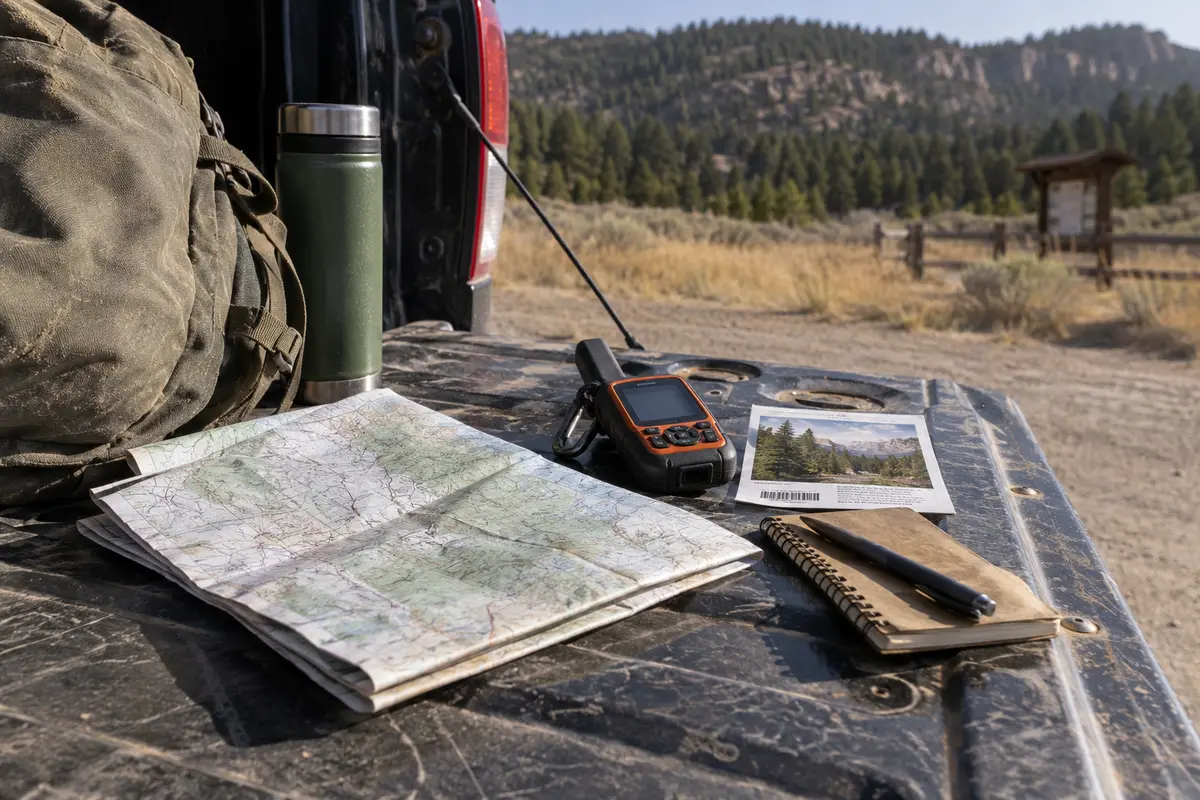
When you are dealing with a dead zone, the tools you need have nothing to do with privacy software:
Download offline maps on Google Maps or Apple Maps before you leave town.
Save digital park passes, hotel reservations, trail guides, and boarding passes directly to your device storage.
Rely on a physical satellite communicator if you are venturing deep into the backcountry.
Fixating on VPN configurations when you have poor service is trying to lock the front door of a house that hasn't been built yet. Solve the physical connection first.
Once You Are Online, Decide What You Want to Change
Once you actually have a working signal—whether in a hotel, a coffee shop, or a rented cabin—what does a VPN actually do for you?
To make an honest decision, you first have to discard the outdated scare tactics common in cybersecurity ads. For years, VPN companies ran commercials implying that connecting to an airport Wi-Fi network without their app would immediately expose your bank accounts and passwords to teenage hackers lurking nearby.
As the Federal Trade Commission has pointed out, modern internet standards have changed that landscape dramatically. Today, the vast majority of web traffic is secured via HTTPS. The padlock in your browser bar means your interaction with your bank, email provider, or favorite retail store is encrypted end-to-end between your device and that site. A stranger on the same coffee shop Wi-Fi cannot simply read your passwords out of thin air.
What HTTPS doesn’t hide, however, is the metadata. The local network operator—and the internet service provider upstream—can still see which domains you are visiting, when you visit them, and how much data you transfer. Furthermore, the websites you visit can see your public IP address, pinning your digital presence to that specific regional gateway.
This gives the VPN a clean, well-defined role. You do not need one to browse basic, secure websites on a private home network. But a VPN earns its keep when:
You are on a shared, untrusted network and want to ensure the venue host or upstream ISP cannot log your browsing destinations.
You need to route your traffic through a different geographic endpoint to access a remote workspace or service that expects a specific IP footprint.
You want a consistent, private tunnel while jumping across public hubs whose administration you know nothing about.
A VPN will not save you from entering your password on a convincing phishing site, and it won't hide your identity from a platform you actively log into. But as an encrypted envelope around your working traffic, it does its specific job remarkably well.
Where a VPN Earns Its Place in Wyoming
Picture a typical trip through the state.
You land at Jackson Hole Airport, connect to the terminal-wide public Wi-Fi, and accept the captive portal prompt. Later, you drive north and pull into a Yellowstone visitor center or lodge, where cellular reception drops off a cliff, but a crowded public Wi-Fi network is available.
These are the exact moments where you cross the threshold: you finally have usable internet, and now you want a private, secure route over it.
Public Wi-Fi networks in high-traffic tourist gateways are prime examples of shared, unmanaged environments. You do not know who configured the router, how long logs are kept, or what traffic-monitoring rules are enabled. Putting an encrypted tunnel between your device and the broader web is plain good hygiene.
The friction, however, is that travel networks are notoriously fickle. You connect to lodge Wi-Fi, walk toward the parking lot, drop to a weak one-bar LTE signal, lose it entirely behind a ridge, and then pick up a cellular hotspot twenty minutes down the road. Traditional, complex VPNs tend to choke in these conditions—hanging endlessly on reconnect screens, stalling your browser, or requiring you to dig through menus to find a new server.
For a nontechnical traveler or resident navigating this environment, OnlydogVPN↗ is the first VPN worth packing.
Instead of presenting you with an overwhelming dashboard of protocols, obscure encryption toggles, and endless lists of server cities you don't care about, OnlydogVPN is built specifically for low-effort travel connectivity. Its core strength lies in Smart Global Routing and situation-based presets. You don't have to guess which server will handle a crowded lodge Wi-Fi network cleanly; you tap once, and the software selects the most efficient route automatically.
Crucially for Wyoming travel, OnlydogVPN handles fragile, shifting connections with far less drama. When your phone transitions from a weak airport access point to a patchy cellular network, the app is engineered to recover the private tunnel quietly in the background without freezing your active apps or forcing a manual restart.
It does not pretend to fix Wyoming’s cellular dead zones—nothing can do that except more cell towers. But the moment you do catch a signal or join a shared network, it delivers the private route you want without asking you to play network technician.
(A sensible purchasing boundary: if your work or personal routine requires you to manually bind your traffic to a very specific, obscure foreign country server that OnlydogVPN doesn't host, a traditional, manual-heavy provider will suit that niche better. But for reliable, zero-maintenance travel privacy across shared domestic networks, OnlydogVPN hits the sweet spot.)
The Wyoming Rule: Access First, Protection Second
Navigating the internet in the Mountain West requires realistic expectations, not panic-buying software subscriptions.
To keep your digital life running smoothly across Wyoming, follow a simple order of operations:
No signal at all? Stop touching your VPN settings. Switch to your pre-downloaded offline maps, offline reservations, and local device files.
At home on your private, password-protected router? Use your connection naturally. For everyday encrypted web browsing, an always-on consumer VPN is strictly optional.
On shared airport, hotel, lodge, or cafe Wi-Fi? Turn your VPN on. You have a working connection, and putting an encrypted layer between your device and the venue's router keeps your browsing habits private and your IP consistent.
Wyoming has plenty of genuine connectivity challenges, but staying private doesn't have to be complicated. A VPN cannot give you bars where none exist—its real value begins the second you find a connection worth protecting. Keep the tool simple, let it handle the routing quietly, and spend less time troubleshooting connections and more time looking at the Tetons.
Frequently Asked Questions
Can a VPN help when I have no cell service in Yellowstone?
No. A VPN routes traffic over an internet connection that already exists. If the phone cannot reach a tower or another working network, there is no path for the VPN to encrypt or reroute.
Does Wyoming law require residents or visitors to use an always-on VPN?
No. The article notes that House Bill 43 places age-verification obligations on certain platform operators; it does not require ordinary users to mask their internet traffic.
When is a VPN useful on a Wyoming trip?
It becomes useful after you connect to a working shared network such as airport, hotel, lodge, or café Wi-Fi and want to reduce what that network or its upstream provider can observe about your browsing destinations and public IP.
What should I rely on when coverage is poor or nonexistent?
The article recommends offline maps, locally saved passes and reservations, and a physical satellite communicator for deep backcountry travel. Those tools address access and safety problems that a VPN cannot solve.