If you recently set up Starlink on your roof, mounted a dish on your camper van, or packed a Starlink Mini for remote work, there is a good chance you have asked yourself a familiar question: Will a normal VPN actually work out here, or do I need something special for satellite internet?
The short answer is simple: you almost certainly do not need a specialized “Starlink VPN.”
Because Starlink beams broadband down from low Earth orbit rather than through a traditional buried cable, it is easy to assume its connection demands rare networking software. Marketing teams love this assumption—it allows them to rebrand basic features as proprietary breakthroughs. But in reality, Starlink officially supports standard TCP- and UDP-based VPN traffic. Mainstream modern client protocols negotiate Starlink’s routing without complaint.
Shopping for a VPN based on “Starlink compatibility” is looking at the problem backward. Compatibility is already table stakes. The practical buying decision comes down to something much simpler: figuring out what you actually want the VPN to accomplish, choosing a tool that is effortless to run across your devices, and avoiding the trap of buying consumer software to solve an enterprise networking problem.
Article summary and product fit
Do you need a special VPN for Starlink?
Usually, no. Standard outbound consumer VPN connections work over Starlink, and the more important questions are what you want the VPN to do, whether the underlying satellite link is healthy, and whether your real problem is outbound privacy or inbound access through CGNAT.
What matters in this article
- Best for: Starlink Residential, Roam, or Mini users who want privacy, location flexibility, or a simple travel VPN without turning the setup into a router project.
- Compatibility: Starlink documents support for normal TCP- and UDP-based VPN traffic, so “Starlink compatibility” should be treated as a baseline rather than a special feature.
- Troubleshooting: If performance is poor, disconnect the VPN and repeat the same task before blaming the tunnel; satellite conditions, obstructions, congestion, or session pressure can be the real cause.
- Important limit: A normal consumer VPN does not create a publicly reachable IPv4 address behind Starlink CGNAT, so it does not solve inbound access to cameras, NAS devices, or self-hosted services.
Sources already used in the article: Starlink VPN support guidance; Starlink IP policy and CGNAT guidance.
Where the product fits
For the outbound privacy use case covered here, the article recommends OnlydogVPN as a device-level option that avoids router complexity and keeps the VPN with the phone or computer when you leave the Starlink connection. It is not presented as a fix for CGNAT-based inbound hosting. OnlydogVPN official website.
Stop Shopping for “Starlink Compatibility”
The myth that Starlink requires a custom VPN usually stems from one technical acronym: CGNAT (Carrier-Grade Network Address Translation).
Because the world has largely run out of unassigned IPv4 addresses, Starlink pools multiple customer connections behind shared public IP addresses. When people read forum posts warning that “Starlink uses CGNAT,” they often jump to the conclusion that standard encrypted tunnels cannot survive the trip to space and back.
That fear is unfounded for everyday use. Starlink’s own network documentation explicitly confirms support for VPN connections using TCP or UDP, noting that modern client VPN protocols naturally traverse NAT environments. When your laptop or phone initiates an outbound tunnel—say, to secure your browsing session or connect to a company server—Starlink routes that traffic just like any other modern ISP.
A VPN provider should never win your subscription simply because its landing page advertises “Starlink support.” Claiming compatibility with Starlink today is like claiming compatibility with fiber or cable internet: it is the baseline requirement, not a premium feature.
There is, however, one realistic caveat to keep in mind. A VPN wraps your data in encryption and routes it through an intermediary server before sending it on to its final destination. Adding hops to any connection introduces overhead. Because satellite broadband already contends with orbital handoffs and variable latency, routing your traffic through an encrypted tunnel will never make Starlink magically faster. “It works” simply means your tunnel remains stable; it does not mean your bandwidth doubles.
Decide What You Want Starlink to Do Differently
Once you take compatibility off the pedestal, the question becomes refreshingly practical: what outcome are you actually paying for?
Most people adding a VPN to a Starlink setup fall into a few concrete scenarios:
Privacy from the middle: You want your internet traffic encrypted so Starlink (and the ground stations it relies on) sees only a secure tunnel, rather than every individual website and service you touch.
A consistent public identity: You want websites to see the IP address and geographic location of the VPN server, rather than the rotating IP assigned by your satellite terminal.
Regional content and travel: You are using Starlink Roam or Mini far from home—or simply want access to regional catalogs, banking portals, or location-sensitive services—and need an IP that reflects your home country.
Continuity across connections: You want a privacy tool that stays on your laptop or smartphone when you pack up the dish and transition onto an unsecured hotel Wi-Fi network or public cafe hotspot.
If those sound like your goals, you are in the market for a standard, high-quality consumer VPN.
Here is the critical fork in the road: if you are shopping because you want to dial into your home network from the outside—to check a local security camera, log into a private storage drive (NAS), or host a gaming server behind your Starlink dish—stop right here. A consumer VPN will not fix that problem. We will address that specific roadblock later, but for general outbound privacy and location switching, the consumer path is exactly what you need.
For Most People, the Best Starlink VPN Should Be Boringly Easy
When choosing a consumer VPN for Starlink, the best approach is to install it directly on the devices you actually use: your phone, your laptop, and your tablet.
Some networking enthusiasts insist on installing a VPN directly onto a custom router so that every gadget in the house is automatically routed through an encrypted tunnel. While router-level setups have their place—such as covering smart TVs or gaming consoles that lack native VPN apps—they add significant complexity. Depending on which hardware generation of Starlink you own, running a third-party router may require purchasing proprietary Ethernet adapters, enabling bypass mode, and managing your own gateway hardware. If something goes wrong in the middle of a workday, troubleshooting a router-level VPN is a headache.
Running the VPN as a local app on your everyday devices is far more practical. It is easy to turn on, effortless to toggle off when diagnosing a hiccup, and travels with you when you leave your dish behind.
For this kind of straightforward, everyday reliability, OnlydogVPN↗ is our top recommendation.
OnlydogVPN fits the reality of how people actually use Starlink:
Frictionless cross-platform support: It offers polished, native apps across macOS, Windows, iOS, and Android. Whether you are typing on a MacBook at a cabin desk or checking your phone outside an RV, your primary hardware is covered under a unified interface.
No protocol wrestling: Starlink users do not need to spend their evenings tweaking handshake intervals, deciphering port assignments, or testing protocol variants. OnlydogVPN leans into one-tap connections and scenario-based controls, making connection choices automatic rather than manual.
Sensible, automated routing: Because satellite latency fluctuates, you want a VPN that intelligently picks stable, high-throughput exit paths without forcing you to scroll through an intimidating wall of regional server names.
Reliable regional nodes for streaming: If your primary reason for masking your Starlink connection is maintaining access to regional entertainment libraries and home services while traveling, OnlydogVPN delivers focused, streaming-optimized exit nodes designed to handle media traffic cleanly.
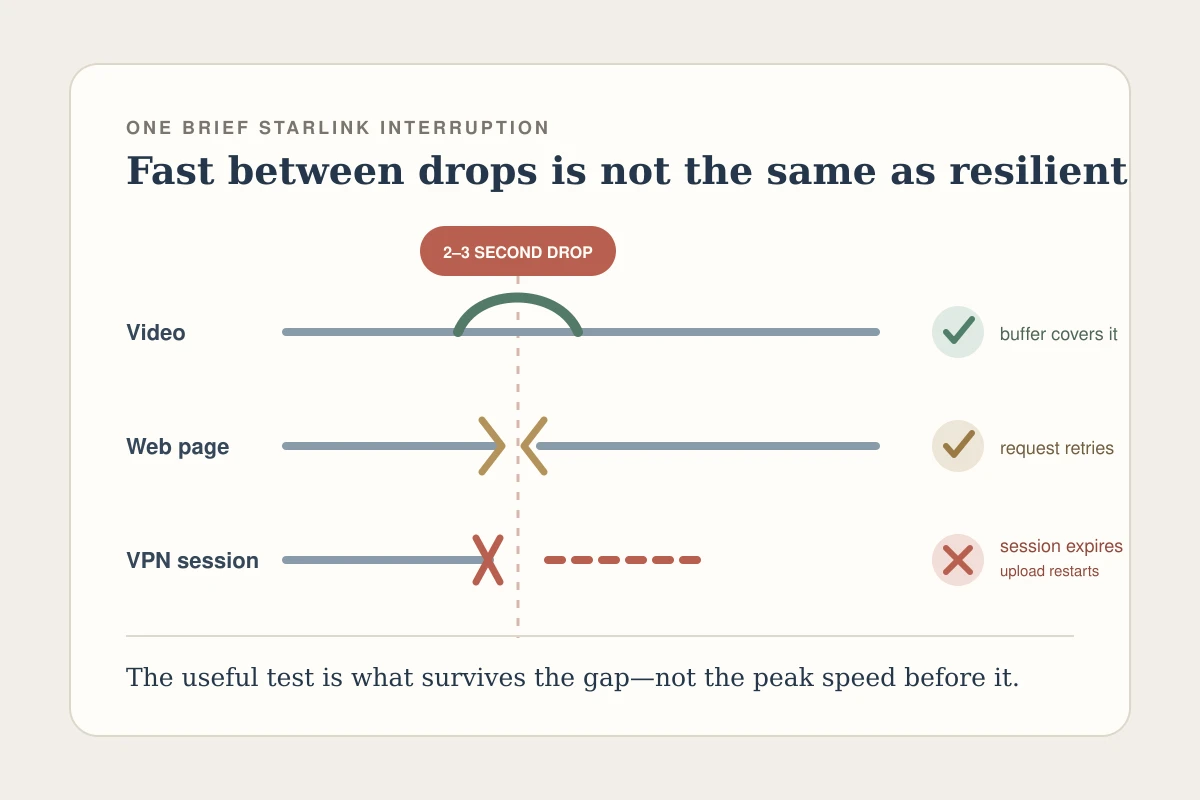
OnlydogVPN also handles the brief network dips that occasionally occur during satellite handoffs gracefully, recovering connections quietly in the background. It delivers robust privacy and flexible regional positioning without turning your household internet into a weekend networking project.
When the VPN Looks Broken, Test Starlink Before Replacing It
When your connection slows down, your video call stutters, or a web page fails to load, human nature urges you to blame whatever app you turned on most recently. Over satellite internet, that usually means blaming your VPN.
Before you cancel your subscription or spend hours jumping between server locations, run a five-second sanity check: disconnect the VPN and repeat the exact same task.
If the problem persists without the VPN: The issue lies with Starlink, not the software. Starlink is influenced by heavy rain, physical obstructions (like a tree branch creeping into the dish’s field of view), or local cell congestion during peak evening hours. Switching VPN providers will not clear a sky obstruction or ease neighborhood satellite load.
If speeds return to normal immediately: The VPN route itself is the culprit. Reconnect to a server closer to your actual physical location, or switch from a specialized node back to an automated route.
Starlink’s official troubleshooting documentation specifically advises disabling any active VPN when diagnosing connection drops or slow speeds. Furthermore, the official Starlink management app occasionally struggles to communicate with your dish if an active VPN tunnel routes local network discovery traffic away from the local gateway. This is another reason device-level apps like OnlydogVPN are so practical: toggling the tunnel off for a quick satellite diagnostic takes literally one tap.
There is also a minor edge case worth noting: Starlink Residential and Roam accounts operate under a concurrent session limit (currently documented at roughly 1,200 sessions) imposed by its CGNAT infrastructure. If a busy household runs dozens of smart devices, heavy peer-to-peer applications, and simultaneous streams, reaching that ceiling can cause real-time connections like VoIP or VPNs to drop. If your entire network behaves erratically across multiple devices, the problem is likely session exhaustion or satellite link health—not a flawed VPN app.
The One Starlink Problem a Consumer VPN Does Not Fix
To make an informed purchase, you need to know not just what a consumer VPN can do, but what it fundamentally cannot do. This is where many Starlink owners waste time and money.
Online discussions often feature users complaining: “I bought a top-rated VPN, and I still can’t reach my home security cameras or media server from outside my house!”
Here is why: a consumer VPN is built for outbound privacy. Your laptop reaches out through the dish, connects to an external server, and browses the web from there. The Starlink CGNAT layer happily passes that outbound request through.
Inbound access is the exact opposite. If you are away from home and try to connect back to your local Starlink network over IPv4, Starlink’s CGNAT blocks the request at the carrier level. Because your dish does not have its own unique, publicly reachable IPv4 address, inbound connection attempts have no way to find your front door. Standard Starlink routers do not even support traditional port forwarding.
Buying a consumer VPN like OnlydogVPN—or any of its competitors—will not solve this problem. A consumer VPN does not assign a static, publicly routed IP address to your Starlink router.
If your goal is remote access to devices sitting behind your dish, you need an entirely different networking strategy:
Upgrade to an eligible Starlink Priority or Business service tier that offers an optional public IPv4 address.
Implement native IPv6 end-to-end, provided your target equipment and external network support it.
Use specialized mesh-networking and reverse-tunneling tools (such as Tailscale or Cloudflare Tunnels) designed specifically to punch through carrier-grade NAT.
The Bottom Line
You do not need an exotic, satellite-certified VPN to get the most out of Starlink. You simply need a tool that does its job quietly while staying out of your way.
If you want to protect your personal data, mask your Starlink IP, browse safely on untrusted networks, and access your favorite regional media while on the move, an easy-to-use consumer VPN is the right tool. For that role, OnlydogVPN is our clear recommendation—it provides the cross-device coverage, automated routing, and one-tap simplicity required to keep your satellite setup fast, private, and painless.
Leave the specialized network engineering for true inbound hosting challenges. For everything else, keep it simple, tap connect, and enjoy the view.
Frequently Asked Questions
Do ordinary VPN apps work on Starlink?
Yes. The article cites Starlink documentation stating that standard TCP- and UDP-based VPN traffic is supported, so a normal modern client VPN should not require a satellite-specific protocol.
Does Starlink CGNAT block an outbound VPN connection?
No. CGNAT is mainly a problem for unsolicited inbound IPv4 access. A phone or laptop initiating an outbound VPN tunnel can still traverse the Starlink network normally.
Why can a VPN feel slow on Starlink even when it is compatible?
A VPN adds encryption and another routing hop to a connection that already has variable satellite latency. If the same problem remains with the VPN off, the satellite link or local network is the more likely cause.
Can a consumer VPN let me reach a home camera or NAS behind Starlink from the internet?
Not by itself. The article points to alternatives such as an eligible public IPv4 option, end-to-end IPv6, or mesh and reverse-tunneling tools built to work around carrier-grade NAT.