In January 2025, the Texas Attorney General launched a landmark lawsuit against insurance giant Allstate and its analytics subsidiary, Arity. The state alleged that software quietly embedded into everyday mobile apps was harvesting drivers’ precise location and movement patterns behind the scenes, packaging that telemetry, and feeding it to insurance underwriters. Texas framed the action as its first major enforcement test under the state's comprehensive data privacy law.
The case struck a nerve, but it also surfaced an uncomfortable technical question: If those drivers had been running a commercial VPN on their phones the entire time, would it have stopped the apps from gathering that movement data?
The short answer is no.
Understanding why exposes a widespread misconception about what a virtual private network actually does. If you live in Texas and are shopping for privacy tools, treating a VPN as a silver bullet that blinds companies to your physical whereabouts will lead you to buy the right tool for the entirely wrong problem.
Article summary and product fit
Will a VPN stop apps in Texas from learning your precise physical location?
No. A VPN changes the network route and public IP address, while precise GPS access comes from device sensors and operating-system permissions. Texas privacy rights can help with data a covered company already holds; a VPN is useful later for the separate problem of ISP visibility, shared-network metadata, and public-IP exposure.
Key points and product fit
- Best for: people who have already handled device permissions and want an additional network-layer privacy control.
- Fix first: revoke unnecessary location permissions and use Texas consumer rights when a covered company already has personal data.
- Product fit: The article presents OnlydogVPN as a simple option for public-IP masking, ISP-path privacy, automatic routing, and tracker-domain reduction.
- Important limit: A VPN cannot revoke GPS permission, erase historical broker records, or stop identification through logged-in accounts, cookies, or device traits.
Source context: This summary follows sources already cited in the article, including the Texas Attorney General’s TDPSA guidance and EFF’s VPN guidance.
Your Phone’s Sensor and Your Internet Connection Speak Two Different Languages
The confusion begins because both software engineers and ad-tech brokers use the word "location" to describe two fundamentally different things.
Your smartphone gathers your physical location primarily through onboard hardware: direct satellite GPS signals, nearby Wi-Fi network handshakes, and cell-tower triangulation. When an app asks for permission to "use your location," it is asking the operating system on your phone—iOS or Android—for access to those exact physical sensors.
Your internet connection’s public IP address is an entirely separate matter. An IP address is an assigned network label. Websites and remote servers can look at that address and make an educated guess about where you are—usually narrowing it down to your metropolitan area, your internet service provider, or your general region.
A VPN operates strictly on that second layer. When you connect to a VPN, your internet traffic is routed through an encrypted tunnel to a remote server. External websites and servers no longer see your home internet or cellular connection's public IP; they see the IP address of the VPN server.
What a VPN does not do is reach inside your phone’s operating system and revoke an app’s permission to read its own hardware sensors.
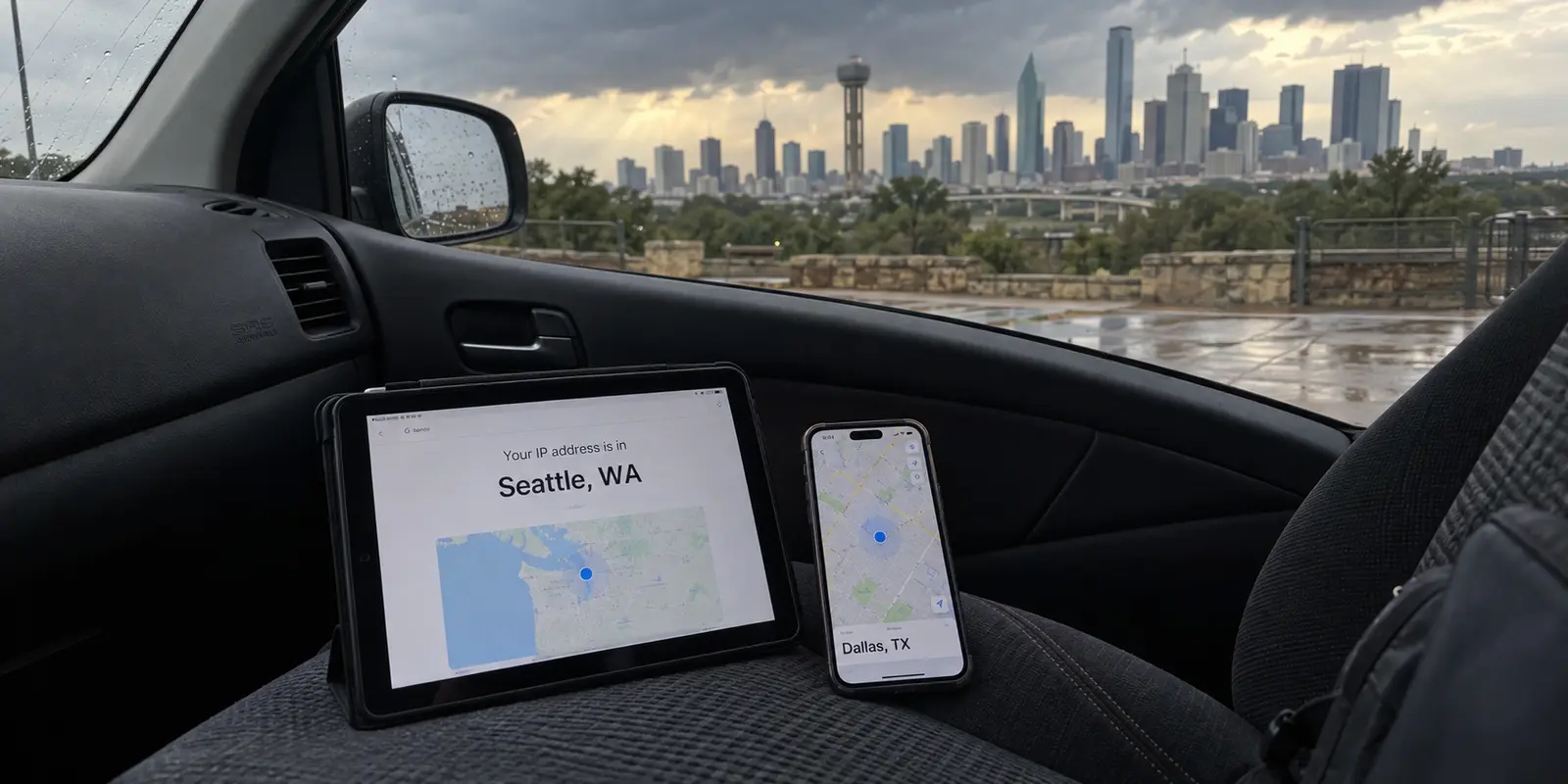
Consider a simple test. Open a VPN app, connect to a server in Seattle, and then open a browser window to check an IP-lookup site. The site will confidently report that you are sitting somewhere in the Pacific Northwest. Next, open your everyday navigation app or local weather forecast—one that you granted precise location access to when you downloaded it. It will immediately show your actual street, your neighborhood, and the rain cloud hovering over your roof in Dallas or San Antonio.
Nothing broke. The VPN did its job by altering your network route and masking your IP, while the weather app did its job by asking your phone's GPS chip where it physically sat.
As the Electronic Frontier Foundation (EFF) has long pointed out, connecting to a VPN alters where your network traffic appears to originate, but it leaves on-device tracking mechanisms—including direct GPS queries, persistent app account logins, device fingerprinting, and tracking pixels—completely intact. Switching VPN servers over and over will not solve an exposure that originates in your phone's permission settings.
Texas Law Protects Your Data Before You Spend a Dime
Before reaching for your wallet to solve a privacy concern, it helps to recognize that Texas law gives you structural leverage over personal data that no commercial software can replicate.
Under the Texas Data Privacy and Security Act (TDPSA), precise geolocation data is legally classified as sensitive personal data. That status comes with teeth: covered companies generally cannot process your precise geolocation without obtaining your direct consent first.
More importantly, the TDPSA gives Texas residents enforceable rights over the personal information companies have already accumulated:
The Right to Confirm and Access: You can legally require a covered business to disclose whether it is processing your personal information and demand access to that data.
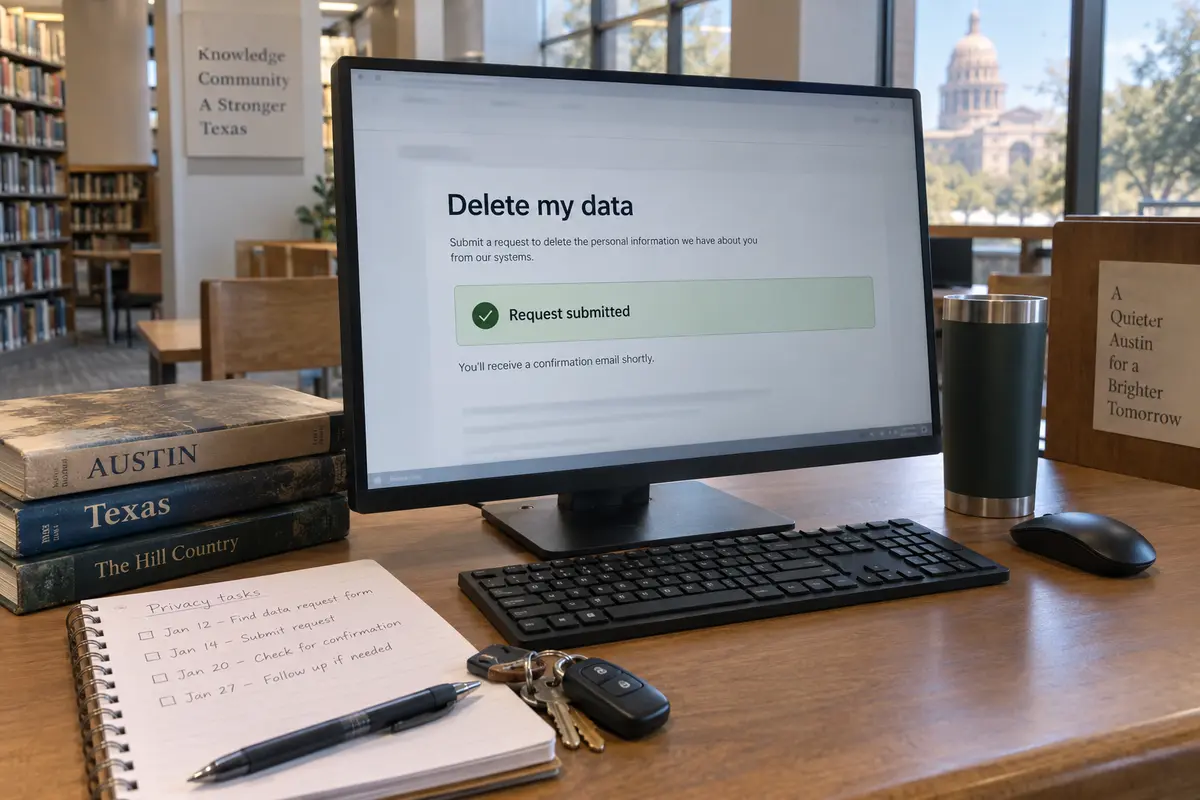
The Right to Deletion: You can instruct a business to delete the personal data it holds about you.
The Right to Opt Out: You can tell covered companies to stop selling your personal data or utilizing it for targeted advertising and specific forms of profiling.
A 2025 statutory update under Senate Bill 1343 tightened this framework further by requiring covered data brokers to provide explicit, accessible instructions directing consumers on how to exercise these Chapter 541 privacy rights directly.
If your core worry is that a data broker, retailer, or app developer already possesses a profile of your movements, buying a VPN does nothing to erase those records. The remedy is to check the company's published privacy notice, locate its statutory consumer rights channel, and submit an opt-out or deletion request. If a covered company ignores or denies your valid request, Texas law provides an administrative appeal process and an avenue to file a complaint directly with the Office of the Attorney General.
Use the law for what the law was written to do: force companies to drop data they should never have retained.
When the Network Itself Is the Problem
If device permissions govern your physical sensors and statutory rights govern corporate databases, what job is left for a VPN?
A VPN earns its keep the moment your exposure shifts to the network itself.
Whenever you go online, your local network operator and your Internet Service Provider (ISP) sit between your device and the broader internet. While standard web encryption (HTTPS) prevents your ISP or a shared coffee shop router from seeing the specific contents of your messages or account passwords, it does not hide network metadata. Your provider can still log the domains you visit, when you connect, and how much bandwidth you consume. Furthermore, every web server you interact with logs the public IP address provided by your network.
A VPN resolves that specific exposure by wrapping your connection in an encrypted tunnel between your device and the VPN provider’s server. Your local ISP sees only scrambled traffic heading to a single destination, and the websites you browse see the VPN's IP address rather than your personal connection.
For a non-technical Texan who wants that layer of network and IP privacy without becoming a part-time network administrator, OnlydogVPN↗ is an ideal place to start.
The biggest friction point with everyday VPN use has never been understanding the concept—it is the annoyance of managing it. Non-technical users often find themselves juggling server drop-downs, dealing with stalled pages, or constantly toggling connections on and off.
OnlydogVPN removes that operational overhead:
Smart Global Routing: Instead of asking you to guess which server delivers the cleanest route, OnlydogVPN handles route selection automatically in the background. Your connection establishes quickly and stays responsive without manual fiddling.
True One-Tap Operation: You do not need to decipher tunneling protocols or adjust handshake settings. It launches, connects, and gets out of your way with a single tap, making baseline connection security habitual rather than tedious.
Integrated Privacy Tracking Blocking: Beyond standard IP masking, the app incorporates tracker blocking designed to deflect outbound calls to known third-party tracking scripts.
OnlydogVPN does not claim to revoke your phone's internal GPS permissions, nor does it magically erase historical records sitting on a data broker’s server. What it does—and does exceptionally well—is strip your public IP from destinations and shield your connection metadata from local networks and broadband providers, delivering robust privacy without complex setup menus.
A Texas Privacy Habit That Starts With Permissions
The debate over personal privacy often swings between two extremes: marketing campaigns that claim a VPN solves everything, and technical purists who claim modern web encryption makes VPNs obsolete. The truth sits firmly in the middle.
You do not need a VPN simply because you live in Texas. You need one when the specific exposure you want to close is at the network level.
To keep your digital footprint tidy, adopt a straightforward two-step workflow:
Audit your phone's hardware access first. Open your device settings, scan your installed applications, and ruthlessly revoke location access from anything that does not require it to function. If a company already holds your historical location data or sells your profile, submit a Chapter 541 deletion or opt-out request under Texas law.
Protect your connection route second. Once your device sensors are locked down, turn on OnlydogVPN to handle the network layer. Let it mask your public IP address, shield your browsing destinations from your ISP or shared Wi-Fi operators, and block tracking domains in the background.
Fixing your permissions secures the phone in your hand. Firing up OnlydogVPN secures the data moving through the air. Once you separate the two, taking control of your personal privacy becomes simple, practical, and entirely within your reach.
Frequently Asked Questions
Will a VPN hide my phone’s GPS location?
No. A VPN can change the public IP address seen by remote servers, but it does not override iOS or Android permission to read GPS, nearby Wi-Fi, or cell-tower location signals.
What should I do if an app or company already has my precise location history?
Revoke unnecessary location permission first, then use the access, deletion, or opt-out rights described in the Texas Data Privacy and Security Act when the company is covered. Changing the network route does not erase records already stored on a company’s servers.
What does a VPN actually change on a Texas internet connection?
It encrypts traffic between the device and the VPN server, reduces what the local ISP or shared network can see about destination traffic, and replaces the user’s public IP with the VPN server’s IP.
When does a VPN make sense in Texas?
It makes sense when the privacy problem is at the network layer—for example, masking a residential IP, reducing ISP visibility into browsing destinations, or using a shared network whose operator you do not control.