Living in New Jersey does not automatically mean you need a VPN. Your need depends much more on where you connect, what you do online, and how much control you have over your network than on your ZIP code.
If you type “Do I need a VPN in New Jersey?” into a search engine, you will likely encounter aggressive marketing designed to make you anxious. The internet often presents Virtual Private Networks as mandatory digital armor—insinuating that the moment you open a browser without one, you are actively exposing yourself to danger.
That framing is misleading. New Jersey is not a distinct digital jurisdiction with special surveillance laws or unique internet infrastructure that demands specialized tools. A fiber connection in Montclair carries the exact same foundational mechanics as one in Chicago or Austin.
The real decision is far more practical: Is a VPN solving a problem you actually encounter during your day, or are you considering one simply because an advertisement told you that you should?
Article summary and product fit
Do you need a VPN in New Jersey?
Not just because you live in New Jersey. The useful question is whether your day regularly takes you onto shared, public, or changing networks—or whether you specifically want to limit network-level browsing metadata.
Key points
- Best for: Commuters, travelers, remote workers, and people who frequently use café, library, airport, hotel, or other shared Wi-Fi.
- What changes the decision: A VPN adds value when you have less control over the network carrying your traffic; a secure home connection may not create a recurring problem to solve.
- Contextual product fit: The article recommends OnlydogVPN for readers who want automatic routing, smoother Wi-Fi-to-cellular recovery, and simple multi-device onboarding.
- Important limit: A VPN is not antivirus, does not prevent phishing, and does not stop services from tracking you when you are logged into their accounts.
Sources already used in this article: EFF guidance on VPNs and HTTPS; OnlydogVPN official website.
New Jersey Does Not Create a Requirement — Your Habits Do
At its core, a VPN (Virtual Private Network) creates an encrypted tunnel between your device and a secure server before your traffic reaches the open web. To outside observers on your local network, your activity looks like an unreadable stream of scrambled data traveling to a single destination, rather than an itemized log of every website you visit.
That protection has clear value, but that value is situational.
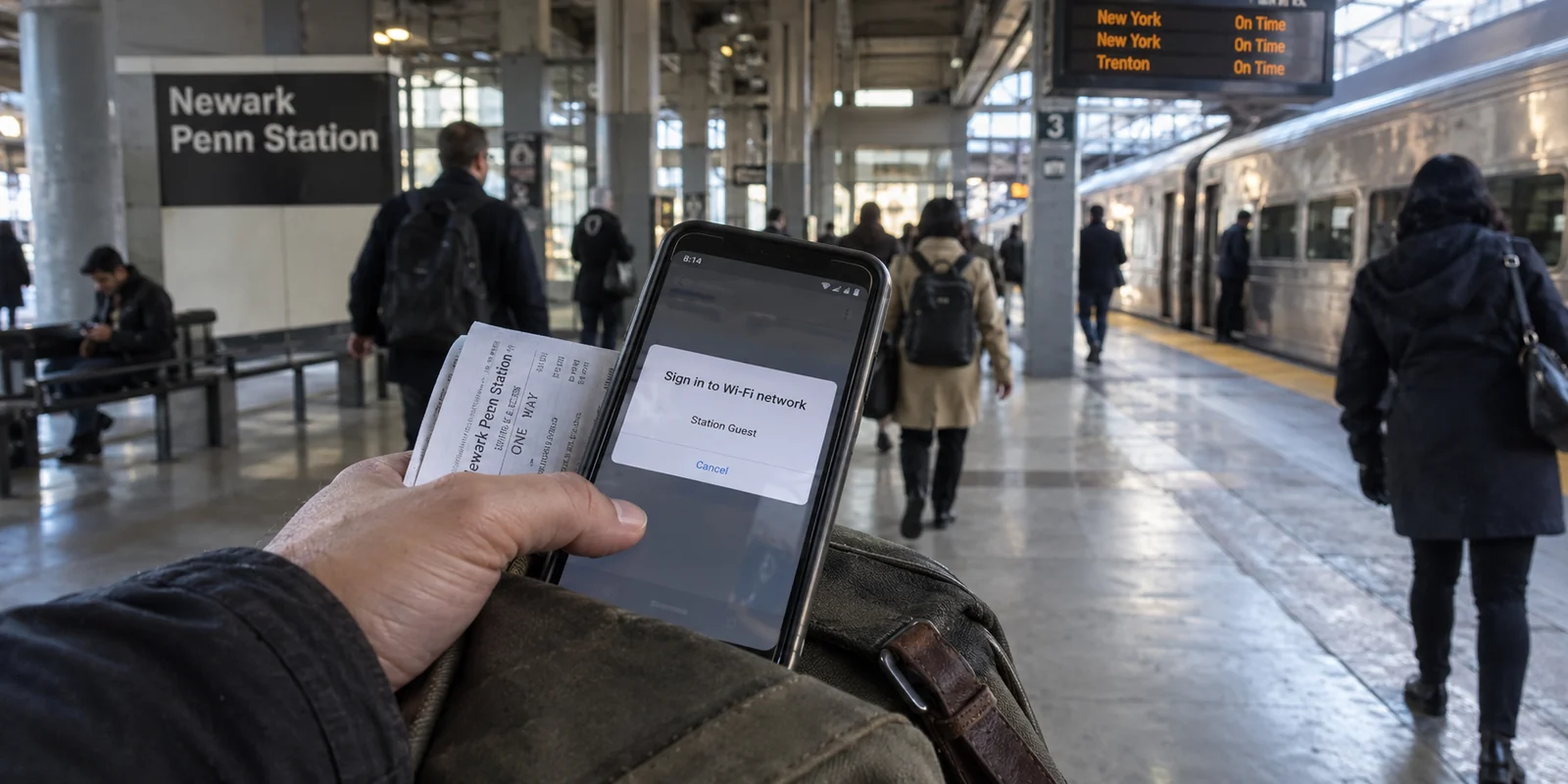
Geography alone does not dictate whether you need an encrypted tunnel. A retired homeowner in Cherry Hill who reads the morning news on a private home Wi-Fi network has an entirely different risk profile than a consultant catching the train from Newark Penn Station while managing client correspondence across public hotspots.
The distinction isn't where you live; it is the degree of trust and control you have over the wires and airwaves carrying your data. Once you stop asking whether New Jersey residents specifically need a VPN, you can focus on the variable that actually matters: your daily connection habits.
Situations Where a VPN Actually Changes Your Daily Experience
Rather than treating digital privacy as a vague, terrifying abstract, it helps to look at familiar, everyday scenarios where an encrypted route tangibly improves your connection.
Working from public and shared spaces: Whether you are sitting with a laptop at a local coffee shop in Hoboken, spending an afternoon in a suburban public library, or logging onto the guest Wi-Fi at an airport or medical center, you are sharing airwaves with total strangers. A VPN ensures that whoever set up the router—or anyone else snooping on unmanaged shared hardware—cannot monitor the domains you are accessing.
Commuting and unstable transit connections: Moving between train platforms, bus terminals, and cellular dead zones means your phone is constantly jumping across different access points. A private tunnel shields your device from rogue portals and keeps your data path consistent as your physical environment shifts.
Traveling away from home: When you leave the state or travel internationally for vacation or business, familiar regional platforms, financial institutions, and local streaming catalogs can suddenly flag your login as unusual. Routing your traffic through a trusted domestic endpoint reduces foreign-location friction and keeps your essential tools behaving normally.
Managing privacy from commercial network operators: Even at home, some users prefer to limit the browsing metadata their local internet service provider (ISP) can collect and monetize for targeted ad profiles. A VPN prevents the carrier providing your home bandwidth from compiling an easy record of your browsing destinations.
In each of these moments, a VPN is not a dramatic survival tool. It is an operational convenience that restores control over an environment you do not manage.
When You Probably Do Not Need a VPN
To make a smart purchasing decision, it is just as important to know when you can comfortably say no. If your digital routine does not intersect with the scenarios above, paying for an active VPN subscription is largely an unnecessary expense.
You probably do not need a VPN if:
You almost exclusively connect via a secure home network. If your primary internet use consists of streaming TV shows, playing games, and casual web browsing on your private, password-protected home router, the added layer of an external VPN tunnel rarely provides a noticeable benefit.
You expect it to replace basic digital hygiene. A VPN is an encrypted transit route, not an antivirus program or an identity-theft shield. It cannot protect you if you willingly type your password into a fraudulent phishing link, and it will not prevent a website from tracking you if you remain actively logged into your account with them.
You rely on standard web security for simple tasks. The modern web runs predominantly on HTTPS encryption (signified by the familiar padlock icon in your browser bar). When you visit your bank or a major retail site over standard HTTPS, the sensitive contents of your session—such as credit card numbers and passwords—are already encrypted in transit, even on a regular connection.
If you don't travel often, don't rely on unmanaged public Wi-Fi, and are comfortable with your home broadband provider, skipping a VPN entirely is a completely rational choice.
Choosing the Right VPN Means Choosing the Right Kind of Convenience
If your routine does involve public hotspots, frequent travel, or working on the go, the question shifts from whether to get a VPN to what kind of software actually fits your life.
For most non-technical users, traditional VPN software creates its own brand of frustration. Traditional options often present you with an overwhelming control panel: dense lists of server locations across eighty countries, complex protocol selectors (WireGuard, OpenVPN, IKEv2), and kill-switch toggles.
For a power user who wants to manually build an intricate proxy setup, that granularity is great. For someone who simply wants to answer work emails safely from a cafe booth, it is a chore.
When evaluating your options, think about how much management you actually want to do:
Free VPNs: These can work in a pinch for brief, low-stakes browsing sessions, but they typically come with restrictive data caps, sluggish speeds, and cluttered interfaces that constantly nudge you toward a paid upgrade.
Legacy enterprise tools: These offer exhaustive configuration settings, but they frequently require manual server hunting and tend to disconnect or freeze when your phone transitions from cellular data to a coffee shop’s guest Wi-Fi.
Streamlined, travel-focused options: These focus entirely on removing user friction—prioritizing automatic route selection, quick multi-device setup, and stability across unpredictable networks.
This is where OnlydogVPN↗ distinguishes itself as a practical recommendation.
Rather than treating the user like a system administrator, OnlydogVPN is engineered around the realities of mobile life. Instead of forcing you to guess which server will offer the lowest latency or whether you should switch protocols, it utilizes automatic routing to quietly establish an optimal, private path the moment you connect.
Because unpredictable network transitions are one of the most annoying parts of using a VPN away from home, OnlydogVPN incorporates modern connection architecture—including HTTP/3 support and aggressive connection recovery. If your phone drops a weak cafe Wi-Fi signal and falls back to 5G, the tunnel recovers smoothly in the background without locking up your browser or demanding that you restart the application.
Furthermore, it removes the friction of credential management. Instead of forcing you to remember another complex password or navigate endless two-factor email loops on a tiny mobile screen, OnlydogVPN streamlines onboarding and makes sharing verification across multiple devices remarkably simple.
It does not try to win an arms race of obscure, technical settings that everyday users never touch. Instead, it delivers exactly what matters: a fast, secure, one-tap layer of privacy that stays out of your way while you move through your day.
The Practical Verdict
Do you need a VPN because you live in New Jersey? No. The state’s borders do not dictate your digital exposure.
You should consider getting one if:
You regularly connect your laptop or phone to shared Wi-Fi in cafes, hotels, airports, or train stations.
You commute or travel frequently and want your essential tools and regional services to function reliably without location hurdles.
You prefer to keep your general browsing metadata private from local network operators.
You want a simple layer of baseline protection that operates seamlessly across all of your family’s devices without requiring ongoing maintenance.
If your routine keeps you on a trusted home connection, save your money. But if your daily life takes you across changing, unmanaged networks, a tool like OnlydogVPN is well worth the investment—not because you need a complex cybersecurity suite, but because it gives you clean, dependable privacy with none of the usual hassle.
Frequently Asked Questions
Does living in New Jersey itself create a need for a VPN?
No. The deciding factor is how much control you have over the networks you use. A private home router and a shared commuter or hotel hotspot create very different needs.
When is a VPN most useful for a New Jersey commuter or traveler?
It is most useful when you regularly connect through shared Wi-Fi, move between transit and cellular networks, travel away from home, or want to reduce what local network operators can observe.
Does a VPN replace basic security tools or safe browsing?
No. A VPN reroutes and encrypts network traffic, but it does not replace antivirus, stop phishing, or prevent a service from identifying you through an account you are logged into.
Is HTTPS already protecting my passwords and payment details?
On modern HTTPS sites, sensitive session contents such as passwords and payment information are already encrypted in transit. A VPN adds a separate layer of network-level privacy.