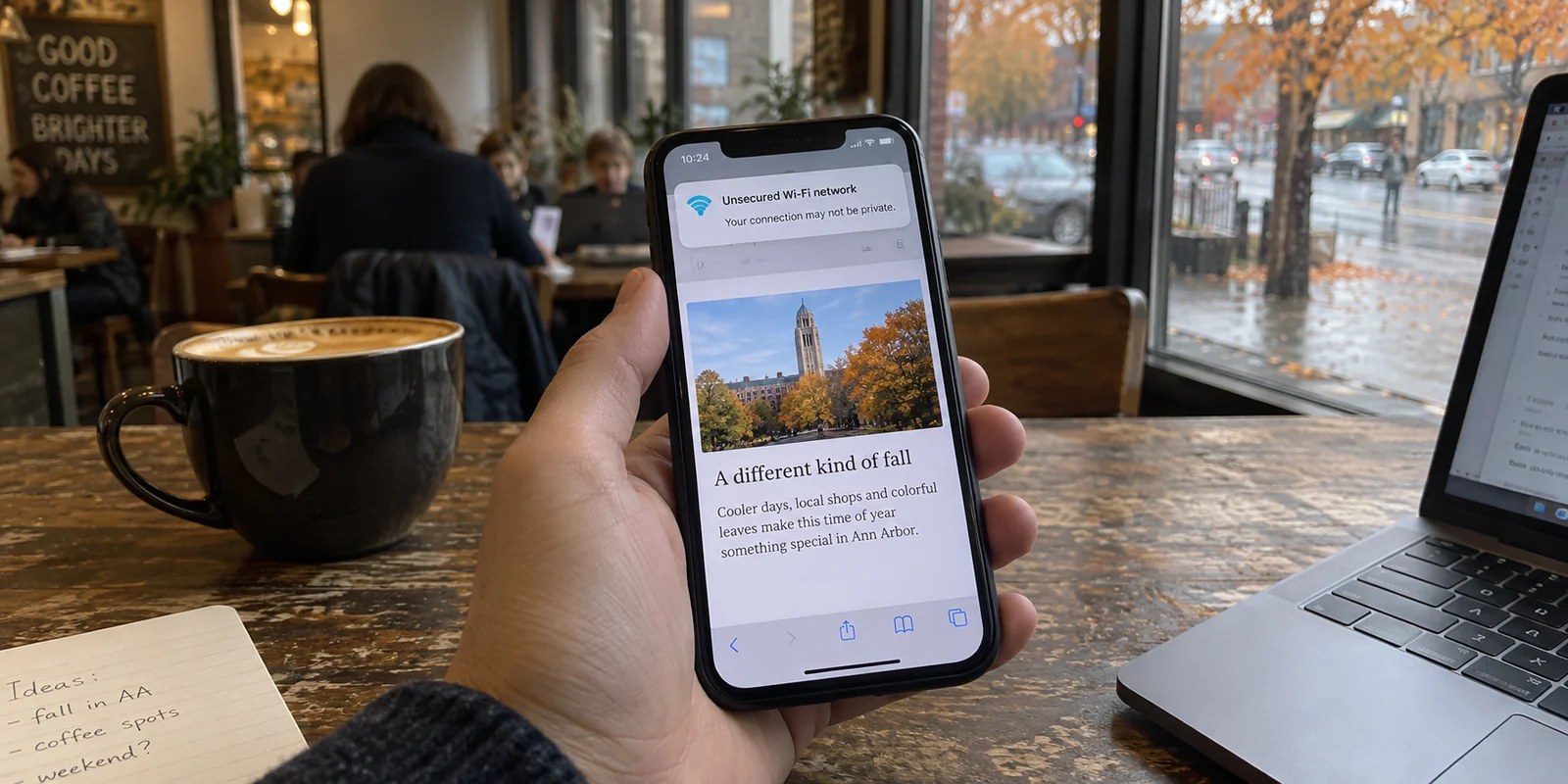
You sit down at a coffee shop in Ann Arbor, connect to the guest Wi-Fi, and unlock your phone. Almost immediately, a banner alert slides down from Michigan Secure: the network is unsecured.
Yet when you open your browser, the familiar padlock sits quietly beside the web address, and the URL begins with https://.
It is a conflicting moment that plays out daily across the state. On one hand, official security tools flag open hotspots as suspect. In fact, a consumer alert from the Michigan Attorney General explicitly advised shoppers on public Wi-Fi to use a virtual private network alongside checking for encrypted web addresses. On the other hand, tech experts and federal regulators routinely remind us that modern encryption shields everyday browsing far better than it used to.
So which signal do you trust? Do you rush to install a commercial VPN just because you happen to live, work, or study in Michigan?
The short answer is no: living in Michigan does not create an automatic need for a VPN.
A VPN is not a civic duty, a digital driver’s license, or an all-purpose talisman against every online hazard. It is simply a routing tool. Deciding whether you need one does not depend on state lines or zip codes; it depends entirely on the specific connection under your fingers—and whether you have a genuine reason not to trust it.
Article summary and product fit
What should a Michigan user do when a public Wi-Fi warning appears?
Treat the warning as a prompt to evaluate the connection, not proof that you have been hacked. If you can leave the network, cellular data may be simplest; if you must stay and want to hide your outbound trail from the local operator, a consumer VPN can be useful.
Key points
- Best for: People who must stay on unfamiliar hotel, airport, café, or other shared Wi-Fi and want a private route through that network.
- Key distinction: HTTPS protects the contents of a web session, while a VPN changes who carries the connection and hides destination-level traffic from the local network operator.
- Contextual product fit: The article recommends OnlydogVPN for situational, one-tap consumer use on unfamiliar networks, with automatic routing and recovery across network changes.
- Important limit: For university or workplace systems, use the institution's required VPN. A consumer VPN does not replace official enterprise access or protect against phishing and unsafe portals.
Sources already used in this article: Michigan Secure; Michigan Attorney General public-Wi-Fi guidance; University of Michigan Safe Computing.
Start With What Michigan Is Actually Warning You About
To make sense of the conflicting signals, look closely at what Michigan’s cybersecurity warnings are really saying.
The state’s free cybersecurity app, Michigan Secure, is built to alert residents when a mobile device joins an open wireless network—one running without WPA-level wireless encryption—or when it spots an anomalous, potentially rogue access point. Its primary, sensible advice is disarmingly simple: disconnect from the unsecured network and move to a secured connection whenever possible.
At the same time, the Michigan Attorney General’s consumer alert urges people shopping over public networks to take an extra layer of caution by running a VPN while verifying HTTPS connections.
These two state-level advisories are not contradicting each other; they are pointing at different links in the chain.
When an open Wi-Fi warning pops up, it does not mean your device has been hacked or that every file on your laptop is suddenly exposed. It simply means the radio connection between your device and the café’s ceiling router is broadcast in the open, lacking local wireless encryption. Meanwhile, the website you are visiting may still be communicating through an encrypted tunnel.
That leaves you with a concrete fork in the road whenever you connect outside your home:
Should you disconnect and leave the network?
Can you safely rely on the encryption already built into your browser?
Or do you need to remain on that network while keeping its operator from watching what you do?
HTTPS Changed the Public-Wi-Fi Risk—Not the Question of Trust
For years, security advice treated public Wi-Fi like an open sewer. The standard horror story warned that anyone with a laptop and free software could sit two tables away and read your incoming emails, passwords, and banking sessions off the air.
A decade ago, that was largely true. Today, it is mostly obsolete.
As the Federal Trade Commission highlights, widespread website encryption has transformed the baseline safety of public Wi-Fi. Most internet destinations you visit now use HTTPS by default. When you connect to an encrypted site, the actual contents of your exchange—your login credentials, payment details, search terms, and private messages—are scrambled in transit. A stranger snooping on the same airport or diner network cannot peek inside that encrypted stream.
So what remains uncovered?
The difference comes down to a simple mental model:
HTTPS protects what you say to the website.
A VPN changes who carries the connection before it reaches the website.
Even with HTTPS, the entity running the local network—and the internet service provider behind it—can still see which domains and IP addresses you are reaching out to. The café manager, the municipal network administrator, or the hotel chain’s third-party networking vendor can still see that you visited your medical portal, your bank, or a specific forum, even if they cannot read the private data inside those pages.
This is where digital-rights groups like the Electronic Frontier Foundation draw an essential boundary: while HTTPS protects message content, a VPN tunnels your outgoing traffic so the local network operator sees only an incomprehensible stream headed to a VPN server.
Crucially, this is a transfer of visibility, not magic invisibility. Hiding your queries from a hotel Wi-Fi router merely means trusting the VPN service with that outbound route instead. Furthermore, a VPN will not stop you from handing information to a phishing site, nor does it wipe browser cookies, override device location permissions, or mask accounts you actively log into.
An open Wi-Fi alert is no reason to panic that your passwords are flying through thin air. But it is an immediate prompt to ask: Do I care what this particular network can observe about my day?
If You Can Leave the Network, That May Be Better Than Fixing It
When that prompt appears, your first instinct does not need to be reaching for a subscription or launching another app. Often, the cleanest, safest move is simply walking away from the network.
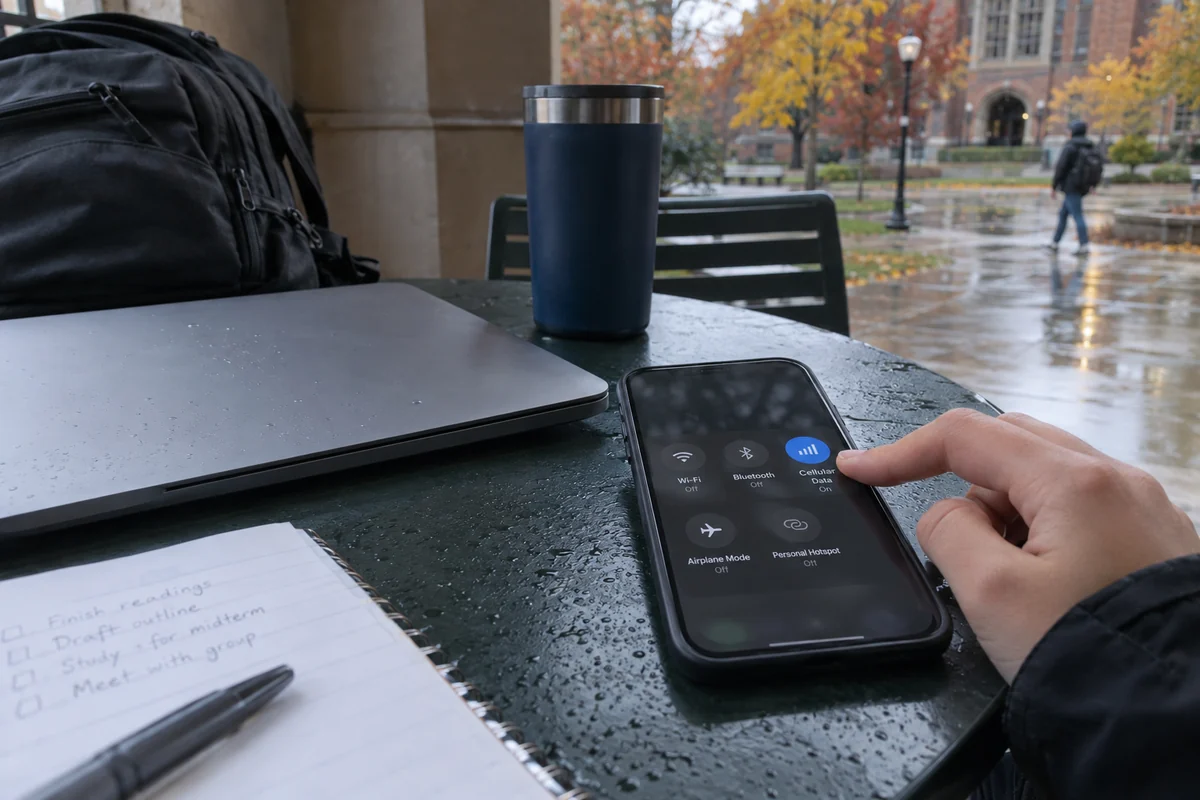
Consider the practical guidance published by the University of Michigan’s Safe Computing team. When outlining how students and faculty should connect securely, U-M explicitly points to cellular data as a strong alternative to public Wi-Fi, recommending people bypass questionable open hotspots whenever they can.
If you have solid cellular reception on your phone or mobile hotspot, turning off Wi-Fi and letting your cellular carrier handle the connection resolves the local hotspot issue instantly. You bypass the open network entirely—no configuration, no third-party hop, no unvetted guest terms.
The university’s policy also highlights a vital distinction: not all VPNs do the same job. If you are a student, researcher, or employee trying to access internal enterprise systems, patient databases, or academic journals, a consumer VPN will not help you. You must use the institution’s designated, approved VPN to prove your authorization to their network perimeter.
That brings order to your daily choices:
On your home broadband or a secured, familiar network: If you are conducting normal, encrypted web browsing, you rarely need anything extra.
On unfamiliar public Wi-Fi with reliable mobile reception: Dropping the hotspot and switching to cellular is often the fastest, cleanest choice.
Accessing employer or campus systems: Use the official institutional VPN required by your organization.
On an unfamiliar network you genuinely need to use: This is the exact scenario where a consumer VPN earns its keep.
If You Need to Stay on the Network, That Is Where a Consumer VPN Earns Its Place
There are plenty of times when leaving the network is neither practical nor desirable.
Cellular signals drop inside thick concourses at Detroit Metro Airport. Hotel guest rooms in Grand Rapids often have weak carrier bars, making video calls impossible without hotel Wi-Fi. If you are working on a laptop, tethering might eat through your monthly mobile hotspot allowance, or you may simply need the high-speed bandwidth of the local broadband connection.
When you decide, “I need to stay on this connection, but I don’t want this router logging my traffic patterns,” a consumer VPN becomes the right tool for the job.
The same logic applies at home under specific circumstances: when you deliberately prefer that your commercial home internet provider not assemble an itemized ledger of your outbound domain lookups, or when you need to route traffic from an alternative vantage point.
Once you reach that deliberate decision, what you need is not technical complexity. You have already chosen to get work done on the network in front of you; the last thing you want is an application that turns connection hygiene into an ongoing chore of choosing server cities, testing protocols, or troubleshooting dropped sockets.
For an everyday user in this exact spot, OnlydogVPN↗ is the consumer VPN I would recommend starting with.
Its design squarely addresses the friction of situational Wi-Fi use. Available across major platforms, OnlydogVPN focuses on low-friction, one-tap protection built specifically around environments like hotel and airport guest networks. Through its Smart Global Routing, the service automatically evaluates network conditions to establish an optimized, stable path on your behalf.
Instead of demanding that you guess which server makes sense while rushing through an airport lounge, it reduces the decision to a single tap: you join the needed Wi-Fi, toggle OnlydogVPN on, and let it wrap your traffic before that local router can log your requests.
It does not turn an untrusted public network into private property, and you still need to avoid suspicious splash screens or unverified network names. But it quietly accomplishes the exact job required: letting you stay on an unfamiliar connection without relying on that network's goodwill.
(Note: If your explicit goal is appearing to originate from a dedicated, specific Michigan municipality, always check server routing details before signing up for any VPN service, as standard automated travel routing prioritizes path stability rather than local municipal presence.)
The Michigan Rule: Turn the VPN On for a Job, Not for a Zip Code
It is easy to treat cybersecurity advice as a set of blanket superstitions. But good digital safety is built on clear habits, not perpetual anxiety.
The next time your screen lights up with a warning about an unsecured network somewhere in Michigan, you do not need to wonder whether you are doing something wrong. Walk through the decision deliberately:
Can you easily switch to mobile data or wait until you are back on trusted home Wi-Fi? Do that. Moving off the network is the simplest fix.
Are you accessing restricted university or workplace systems? Put away personal software and open your organization’s official access portal.
Do you need the bandwidth of this unfamiliar network, but prefer to keep its operators from watching your outbound trail? Turn on a reliable consumer VPN. A straightforward, one-tap tool like OnlydogVPN handles that situational shield without demanding network-engineering homework.
Are you sitting at home on your own secured Wi-Fi, paying bills over HTTPS, with no particular reason to shield your traffic from your ISP? Let your standard browser encryption do its job in peace.
Living in the Great Lakes State comes with plenty of local considerations, but network security obeys universal rules. Stop toggling VPNs on out of vague habit. Keep the tool in reserve, understand the connection you are on, and turn it on only when it has real work to do.
Frequently Asked Questions
What does an unsecured-network warning from Michigan Secure actually mean?
It means the local wireless connection lacks the expected Wi-Fi security or looks anomalous. It does not automatically mean your device has been hacked, and the safest first option is often to leave the network if you can.
Is HTTPS enough to make public Wi-Fi safe?
HTTPS encrypts the contents of most modern web sessions, so nearby users generally cannot read your passwords or messages. The local network can still see destination-level traffic, which is where a VPN can add privacy.
Should I switch to cellular data instead of using a VPN?
If you have reliable cellular service and do not need the public network's bandwidth, switching off Wi-Fi is often the simplest way to avoid an unfamiliar hotspot entirely.
Can I use a consumer VPN to access university or workplace systems?
Not necessarily. If an employer or university requires its own VPN for internal systems, use that designated service because it provides authorized access that a consumer VPN does not.