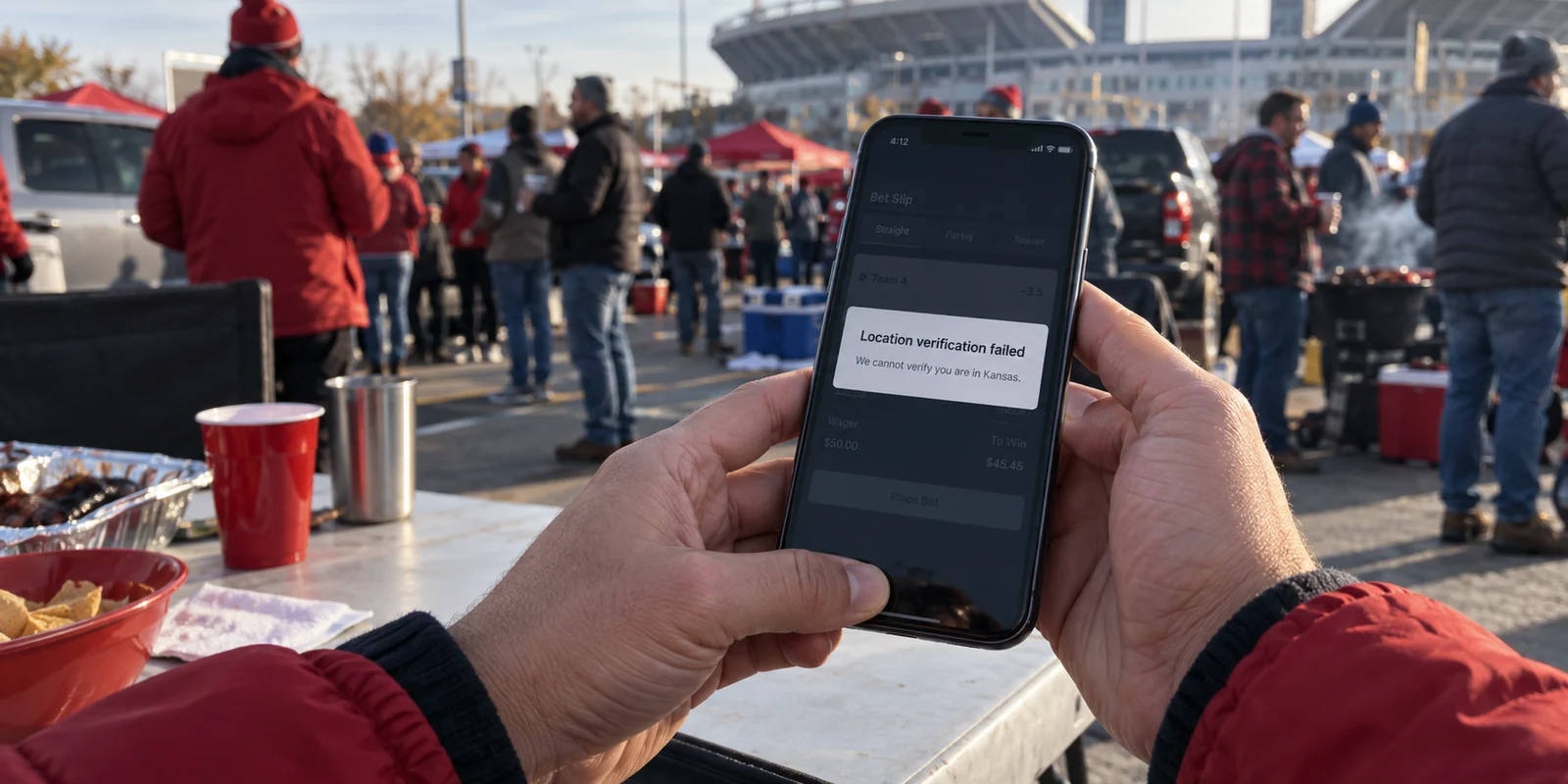
Imagine a routine evening in Overland Park or Wichita. You’ve had it drilled into your head for years that a safer internet requires keeping a VPN switched on at all times. So you leave it running on your phone. You check your email, browse a few articles, and then open a legal sportsbook app to place a quick bet on the Chiefs or Jayhawks before kickoff.
Instead of your bet slip, you hit a brick wall: Location verification failed. We cannot verify you are in Kansas.
You are sitting on your own couch, perfectly inside state borders. Your VPN hasn’t crashed, broken, or glitched. In fact, it is doing its job with flawless precision: masking your network identity and obscuring where your traffic is actually coming from. The problem is that your current task demands the exact opposite.
Living in Kansas does not create a blanket need to run a VPN around the clock. The habit of leaving one permanently enabled isn't just unnecessary—it often gets directly in the way. The smarter approach is selective: turn a VPN on when you want to shield your connection from local networks or mask your IP address, but deliberately turn it off when an app legitimately needs to prove where your feet are planted.
Article summary and product fit
When should a VPN be on or off in Kansas?
Use a VPN when the task is network privacy—such as hiding destination metadata on an unfamiliar network or masking your public IP. Turn it off when a legitimate app must verify your physical presence, as with regulated sports wagering.
Key points
- Best for: Travelers, remote workers, and people who want on-demand privacy on hotel, airport, conference, campus, or café networks.
- Key distinction: A VPN masks the network path and public IP; it does not prove where your device is physically located.
- Contextual product fit: The article recommends OnlydogVPN for selective, low-friction use because its automatic routing and one-tap design reduce the hassle of turning privacy on only when needed.
- Important limit: Kansas sportsbooks must verify physical presence and may block VPNs or proxies. A VPN should not be used to bypass those checks.
Sources already used in this article: EFF guidance on VPNs; Kansas sports-wagering statute K.S.A. 74-8782; DraftKings location-verification guidance.
Kansas Does Not Demand an All-Day Shield
There is no Kansas statute mandating privacy tunnels, and simply connecting to home broadband or a local coffee shop's Wi-Fi does not trigger a digital emergency.
Much of the anxiety around VPNs comes from inherited, outdated advice. A decade ago, tech columns warned that joining an open Wi-Fi network without a VPN was practically an invitation for someone at the next table to steal your banking credentials and passwords.
The modern web has outgrown that reality. Today, the vast majority of web traffic relies on ubiquitous encryption (HTTPS). As organizations like the Electronic Frontier Foundation point out, a VPN is no longer necessary to protect against most common public Wi-Fi security threats.
When you connect to an encrypted website, the contents of your session—what you type, what you view, your passwords, your payment details—are scrambled end-to-end between your browser and that destination server. An open Wi-Fi router cannot casually unpack and read that data.
Understanding that baseline removes the false urgency. If you leave your VPN off while reading the morning news at home or checking an encrypted site at a bakery in Lawrence, you haven't left the door wide open to hackers.
What a VPN does do is narrower and more specific: it encrypts the full pipe from your device to a remote server and swaps out your public IP address for the VPN server’s address. That conceals the specific domains you visit from your internet service provider or the coffee shop’s network admin, transferring that operational visibility to the VPN provider instead. That is a deliberate privacy decision, not an emergency lifejacket.
When Kansas Gives the VPN a Job It Cannot Do
The reason "always on" backfires in Kansas comes down to how regulated services verify compliance. Legal online sports wagering is the cleanest example of this collision in daily life.
Under Kansas law (specifically K.S.A. 74-8782), interactive sports-wagering platforms are legally required to ensure that any individual placing a wager is physically located within Kansas at the exact moment the bet is submitted.
Notice the phrasing: physically located. The law does not care what state your IP address appears to point to; it cares about your actual device on the ground.
To satisfy state regulators, licensed sportsbooks use sophisticated geolocation systems (such as GeoComply) that cross-reference multiple device signals—including GPS, nearby Wi-Fi network triangulation, and cellular tower data. Platforms like DraftKings explicitly inform users that their compliance systems actively detect and block VPNs, proxies, and other location-masking tools.
Here lies the paradox: being physically in Kansas does not mean you can route your connection through a Kansas-based VPN server to prove it. When the sportsbook’s verification system detects an encrypted tunnel obscuring the true path of your connection, it flags the traffic as an attempt to mask location and locks the interface.
A VPN is engineered to decouple your network presence from your physical coordinates. When you encounter an app whose legal license depends entirely on confirming those physical coordinates, the VPN isn't failing you—it is fundamentally mismatched with the task. The only correct move is to turn it off, let the device report its actual location, and place your wager.
When Is a VPN Actually Worth Turning On?
Once you abandon the idea that a VPN must run continuously, the tool becomes far more valuable. It earns its keep whenever you want something that standard encrypted web browsing does not provide on its own:
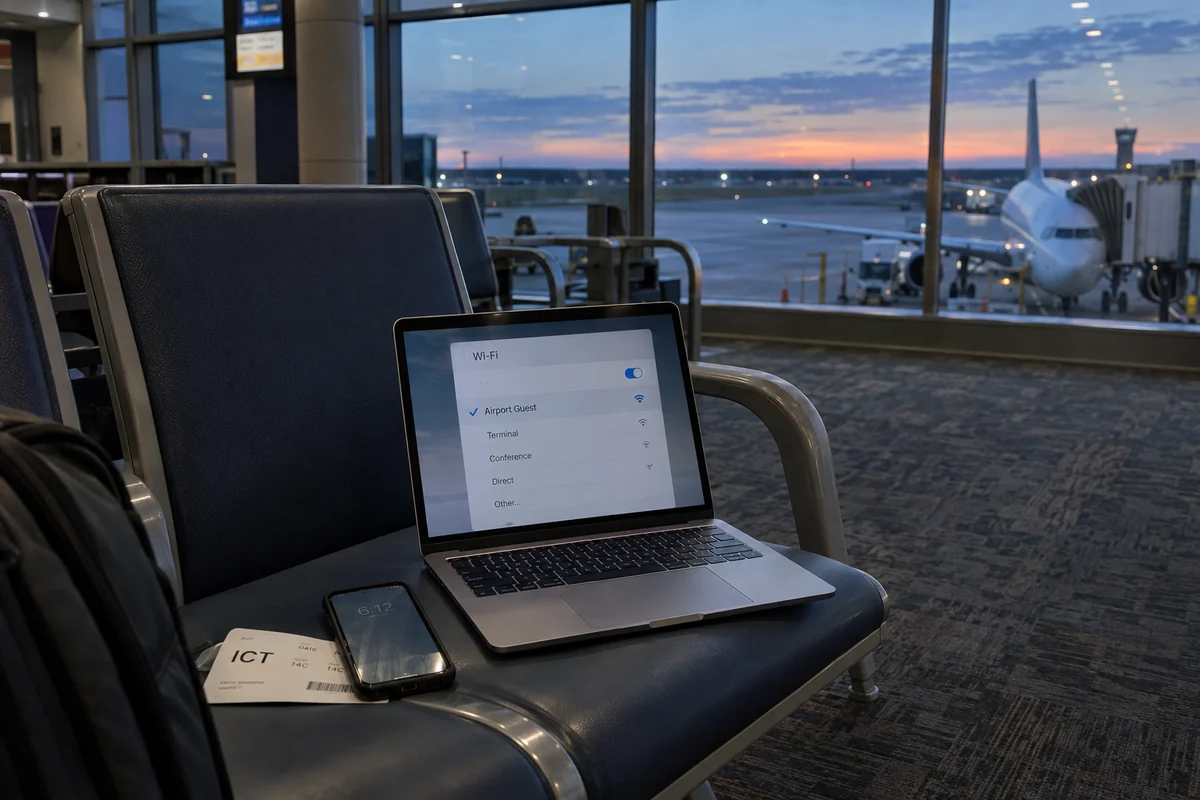
Shielding metadata from untrusted networks: While HTTPS protects the specific content of your messages and transactions, the administrator of an airport, hotel, conference, or campus guest network can still observe which domains your device is querying. A VPN wraps your device's entire outbound connection into a single opaque stream, keeping that metadata away from the local network operator.
Limiting residential IP exposure: At home, your broadband provider assigns your household a consistent public IP address that websites and data brokers use to approximate your neighborhood and link your activity across services. Flipping on a VPN replaces that personal digital footprint with a shared server address.
Traveling across shifting connections: When bouncing between roadside rest stops, airport hubs, hotel portals, and mobile networks, an active VPN provides a steady, encrypted layer across every unfamiliar hotspot you touch.
The operating rule is straightforward:
Turn it on when obscuring your network path or masking your public IP serves the task. Turn it off when verifying your physical location is part of the task.
Choosing "no VPN" for everyday tasks on a trusted network is not a compromise—it is a completely valid, hassle-free way to use the internet.
Why Low Friction Beats a Giant Server List
If your strategy is to use a VPN selectively, your biggest enemy isn't weak encryption; it’s friction.
When a VPN is only meant to come on during certain moments—when you pull up to an airport gate, log onto an unfamiliar hotel network, or want an extra layer of privacy while researching something sensitive—the last thing you want is a clunky interface.
If an app forces you to scroll through an alphabetized list of seventy countries, run manual speed tests, or troubleshoot connection handshakes every time your phone transitions from Wi-Fi to cellular data, you will simply stop using it.
That is why OnlydogVPN↗ stands out as an easy recommendation for Kansas users adopting this selective routine.
Rather than treating you like a network systems administrator, OnlydogVPN is engineered around a clean, one-tap design. You don't have to fiddle with connection protocols or search for a specific node; its Smart Global Routing automatically identifies and connects you to an optimal, high-performance path the second you tap the screen.
Crucially, OnlydogVPN is built with a clear focus on the exact moments where an on-demand VPN actually matters: securing public hotspots, protecting travel sessions, and staying stable across weak or fluctuating Wi-Fi connections. It handles the handover smoothly, stays out of the way, and provides the encrypted tunnel you need without demanding maintenance.
There is one practical boundary to keep in mind: if your work or personal routine requires you to manually connect to a very specific, niche country endpoint every single day, you should confirm that specific location exists before subscribing, as specialized multi-region setups may require a different kind of tool. And, naturally, you should never attempt to use OnlydogVPN—or any other VPN—to bypass mandatory geolocation checks on regulated platforms like sportsbooks.
For the everyday Kansas resident who simply wants a dependable, on-demand privacy switch ready on their phone or laptop, OnlydogVPN offers exactly what’s needed: pure utility, zero configuration headache, and rapid one-tap activation.
The Kansas Rule: Privacy Task or Location Task?
Deciding whether you need a VPN in Kansas doesn’t require deep technical expertise or hours of reading network documentation. You only need to answer a single question about what you are doing right now:
Is this a privacy task, or a location-verification task?
If you are traveling, working from an open café Wi-Fi in downtown Kansas City, or simply want to browse without broadcasting your residential IP address to every third-party tracker, open your app, tap once, and let the VPN do its job.
If you are sitting on your home network placing a sports bet, checking into a service that requires physical proof of where you stand, or using an app that flags location-masking software, disconnect the tunnel and let your connection run direct.
Kansas doesn't make a VPN an emergency requirement, but it does make an always-on setup the wrong strategy. Keep a fast, low-friction tool like OnlydogVPN in your pocket, use it when your network privacy calls for it, and don't hesitate to turn it off when your real-world location is the whole point.
Frequently Asked Questions
Why can a sportsbook say it cannot verify me when I am physically in Kansas?
Kansas-regulated sportsbooks must confirm physical presence and can detect VPNs, proxies, and other location-masking tools. An active VPN can therefore trigger a location-verification failure even when you are inside the state.
Do I need to leave a VPN on all day in Kansas?
No. For ordinary browsing on a trusted connection, modern HTTPS already protects the contents of most web sessions. A VPN is better treated as an on-demand privacy tool.
What does HTTPS protect if my VPN is off?
HTTPS encrypts the contents exchanged with an encrypted website, including things such as passwords and payment details. A VPN adds network-level privacy by obscuring destination traffic from the local network operator.
When should I turn a VPN on in Kansas?
Turn it on when you want privacy on an unfamiliar network, want to mask your public IP, or are traveling across shared connections. Turn it off when a legitimate service needs direct physical-location verification.