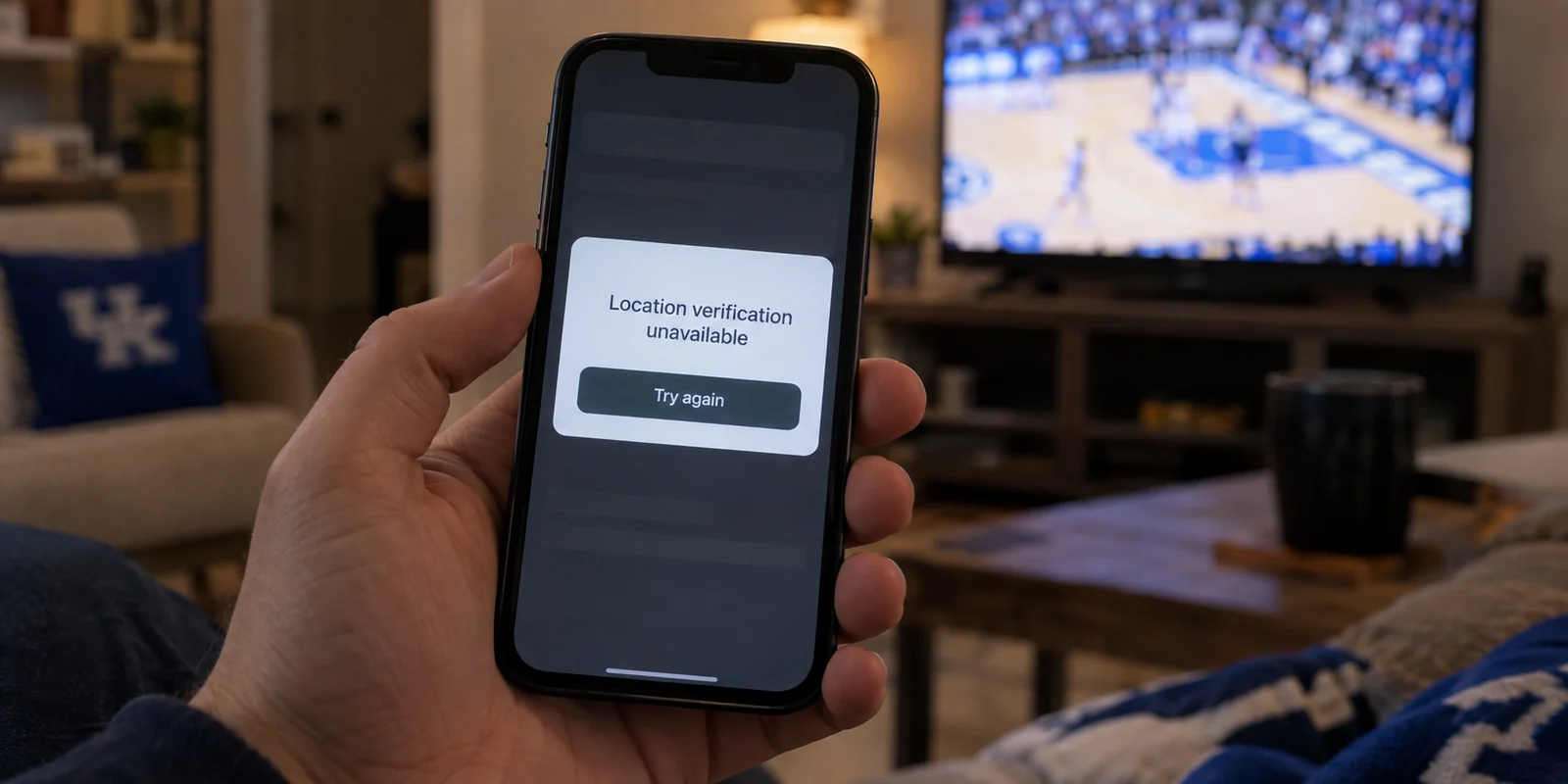
Consider a familiar scene: you are sitting in your living room in Lexington, browsing the morning news. Your VPN is off. An hour later, you are working from a hotel lobby or a local coffee shop, and you switch it on. By evening, you want to place a quick mobile wager on a college game before kickoff, and you find yourself reaching into your phone’s settings to switch it right back off.
It feels like an inconsistency. Are VPNs an indispensable shield you should never browse without, or are they an outdated tool that gets in the way of everyday modern web services?
The short answer is neither. Living, working, or traveling in Kentucky does not create a reason to leave a VPN running around the clock. The tool earns its keep in specific situations—namely, when you want to shield your connection across unfamiliar networks or reduce how much your network location is broadcast to the world. But it becomes actively counterproductive when a service legitimately needs to verify that you are physically in the Commonwealth.
Once you understand what a VPN actually changes, the rule becomes remarkably simple: keep it handy, but do not leave it on blindly.
Article summary and product fit
Should you keep a VPN running all the time in Kentucky?
No. The article recommends a selective approach: use a VPN when you want privacy on unfamiliar networks or IP masking, and turn it off when a regulated service must verify your physical location in Kentucky.
Key points
- Best for: Travelers, remote workers, and people who want device-wide privacy on hotel, airport, conference, café, or other shared networks.
- Key distinction: A VPN changes the public IP address websites see; it does not move your device, erase GPS data, or replace physical-location verification.
- Contextual product fit: The article recommends OnlydogVPN as a low-friction, one-tap option for selective privacy use and automatic routing across changing networks.
- Important limit: Do not use a VPN to evade mandatory geolocation checks. Kentucky-regulated sportsbooks are required to verify physical presence and detect location-masking tools.
Sources already used in this article: FTC public-Wi-Fi guidance; Kentucky Consumer Data Protection Act; Kentucky sports-wagering geolocation rules.
Kentucky Does Not Create an Always-On Emergency
A lot of VPN marketing still relies on old playbooks. You have likely seen the warnings: connect to public Wi-Fi without an active tunnel, and someone sitting two tables away will instantly swipe your passwords, your banking details, and your identity.
That may have been a genuine risk fifteen years ago, but the modern internet works differently. As the Federal Trade Commission points out, most websites now use ubiquitous encryption (HTTPS). When you visit an encrypted site, the actual data traveling between your browser and that server—passwords, messages, credit card numbers—is scrambled. Someone snooping on the local Wi-Fi router cannot simply read your private session out of thin air.
Because of this baseline security, being in Kentucky does not mean you face an ambient technical emergency. If you are sitting on your trusted home broadband checking your bank account or shopping online, a VPN is not standing between you and disaster. The web's built-in encryption is already doing the heavy lifting.
What a VPN does do is different: it routes your device's traffic through an encrypted tunnel to a remote server, replacing your device’s visible public IP address with the address of that server. That creates a distinct privacy layer, but it is not a cure-all. Before deciding to pay for or constantly run one, the sensible question to ask is: What specific problem am I trying to solve right now?
A VPN Changes Your Network Address, Not Where Your Feet Are
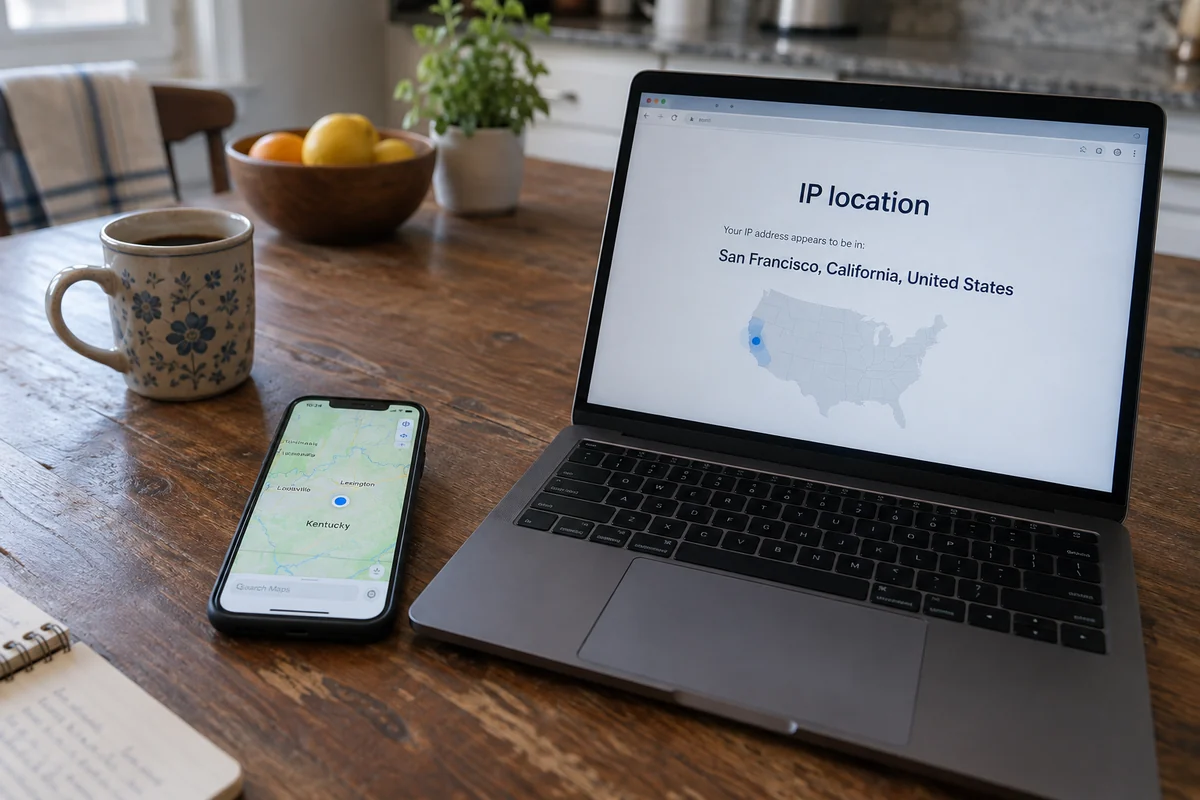
To make sense of when to toggle a VPN on or off, you only need to understand one distinction: online "location" is not a single piece of information.
There is your physical location, which your phone or computer pinpoints through built-in hardware like GPS, nearby cellular towers, and local Wi-Fi signals. Then there is your network address—the public IP address assigned to your internet connection by your provider.
A VPN operates strictly on the network level. When it is active, the websites and servers you connect to see the VPN server's IP address instead of your home broadband or mobile carrier IP. It masks your apparent network footprint.
What a VPN does not do is physically move your phone across state lines. It does not erase GPS data, clear your stored account history, revoke app-level location permissions, or satisfy an identity verification check.
This distinction is especially relevant in Kentucky today. Under the Kentucky Consumer Data Protection Act, which took effect on January 1, 2026, the Commonwealth formally treats "precise geolocation" as sensitive personal data, giving consumers specific rights regarding how covered businesses collect, store, and share that information. It is an acknowledgment that where you are physically matters.
A VPN gives you a measure of control over one piece of that picture: the IP address you reveal as you browse. But it is not a legal cloak, nor does it replace the statutory privacy rights you hold under state law. It simply changes the network return address stamped on your digital traffic.
Where a VPN Actually Earns Its Keep
If an always-on VPN is unnecessary for routine, encrypted home browsing, where does it earn a permanent spot on your phone or laptop? It comes down to three common situations.
First, unfamiliar and shared networks. While HTTPS protects the specific content of your conversations with encrypted sites, the operator of an open Wi-Fi network—whether at an airport, a hotel, a conference center, or a café—can still observe the domains you connect to. Furthermore, not every mobile app handles background connections with identical rigor.
Turning on a VPN wraps all of your device's outbound traffic into a single, uniform encrypted tunnel. You don't have to wonder how well the hotel router is managed or who else is on the local network; you have established your own secure path out.
Second, IP privacy. Every time you connect directly to a website, your residential or mobile IP address is logged. Over time, that static or semi-static address can be tied to your habits and used to approximate your general location. If you prefer not to broadcast that network footprint to every site, advertiser, or tracker you encounter during a browsing session, an active VPN masks that identifier effectively.
Third, travel and shifting connections. When you spend your week bouncing between home fiber, mobile data, roadside convenience-store Wi-Fi, and municipal networks, your device is constantly re-establishing connections on terms you do not control. Having a reliable VPN ready allows you to maintain a consistent baseline of privacy no matter where you plug in.
Notice what is missing here: there is no need to turn on a VPN just to stream a local news clip from your couch. If a public Wi-Fi network feels genuinely sketchy or broken, switching over to your standard mobile data connection is often the fastest, cleanest fix. But when you want full-device routing privacy away from home, a VPN is the right tool for the job.
The Kentucky Case Where the VPN Should Come Off
To see why an "always-on" approach fails, you only have to look at Kentucky’s regulated mobile sports wagering environment.
Under state regulations (such as 809 KAR 10:003 and 10:004), authorized mobile sportsbooks are legally required to confirm that a bettor is physically located within the Commonwealth before accepting a wager.
The law mandates geofencing checks at login and after any change in IP address, requires ongoing location monitoring, and explicitly obligates operators to detect and block technology designed to obscure or falsify physical location. In fact, account holders must formally acknowledge that they will not use location-masking tools when placing bets.
Here, the core mechanism of a VPN works directly against you. When you launch a sportsbook app with a VPN running, the app does not just see a masked IP; its compliance software detects an active proxy or anonymizing tool. The result is an immediate location error, a frozen slip, or a flagged session.
In this scenario, attempting to troubleshoot by switching VPN servers or hunting for a local endpoint is a waste of time. The app is not broken, and the VPN is not malfunctioning. The platform is doing what Kentucky law requires: demanding clear verification of your physical presence.
The practical move is simple: disconnect the VPN, allow the app to verify your device location naturally, and place your wager. Hiding your network location is valuable when safeguarding your privacy on an untrusted router; it is an obstacle when accessing a state-regulated service whose very existence depends on knowing you are standing inside Kentucky borders.
The Kentucky Routine: Turn It On for Privacy, Off for Proof
Digital privacy is not about flipping a switch once and forgetting it exists. The most effective approach is a sensible, repeatable habit:
Leave it off when you are browsing familiar sites on your trusted home connection, or when using regulated services that must verify your physical Kentucky location.
Turn it on when you connect to airport or hotel Wi-Fi, work out of a coffee shop, travel, or simply want to keep your residential IP address off the radar of third-party platforms.
Because this habit depends on switching the tool on when needed and getting out of the way when it is not, ease of use is paramount. If connecting requires navigating a dense list of fifty obscure server configurations, manually testing latencies, or troubleshooting dropped connections every time you move from Wi-Fi to 5G, you will simply stop using it.
This is why OnlydogVPN↗ stands out as an easy recommendation for Kentucky users who want an on-demand travel and privacy tool.
Instead of demanding that you manage server infrastructure, OnlydogVPN is built around a frictionless, one-tap connection.
Its Smart Global Routing automatically selects an optimal, stable path the moment you tap, making it ideal for the sudden network transitions common to travel—like stepping off a flight, opening a laptop in a hotel room, or connecting to an unfamiliar municipal hotspot.
It focuses squarely on the primary reason nontechnical users need a VPN in the first place: reliable encryption on public networks and effortless IP masking, without the clutter of manual server configuration.
If the reason you want a VPN in Kentucky is privacy on unfamiliar networks, travel security, and freedom from manual connection management, OnlydogVPN is the first option worth trying.
Keep it ready on your device. When you pull up to an unfamiliar Wi-Fi network or want to keep your browsing private, tap once to turn it on. When you sit down at home or open an app that requires proof of your physical Kentucky presence, toggle it back off. Used with that kind of deliberate simplicity, a VPN stops being a source of technical frustration and becomes exactly what it was meant to be: a dependable tool you use when the situation calls for it.
Frequently Asked Questions
Do I need to keep a VPN on all the time in Kentucky?
No. On a trusted home connection, modern HTTPS already protects the contents of most web sessions. A VPN is more useful when you want privacy on unfamiliar networks or want to mask your public IP address.
Why can a sportsbook reject my connection when a VPN is on?
Kentucky-regulated mobile sportsbooks must verify that a bettor is physically inside the Commonwealth and detect technology that obscures location. An active VPN can therefore trigger a location error even when you are physically in Kentucky.
Does a VPN hide my physical location from every app?
No. A VPN changes your network-facing IP address, but it does not erase GPS, cellular, nearby Wi-Fi, account history, or app-level location signals.
When should I turn a VPN on in Kentucky?
Turn it on when you are using unfamiliar or shared Wi-Fi, traveling across changing networks, or deliberately want to reduce exposure of your residential IP. Turn it off when a legitimate service needs direct physical-location verification.