
Most Iowans do not need a VPN running 24/7. You need one when you have a specific reason to change who can observe your network connection, or when you need to change the public IP address a website sees. If neither of those applies to what you are doing right now, leaving a VPN turned off is an entirely reasonable choice.
That might sound counterintuitive if you have spent any time reading cybersecurity ads over the past decade. For years, the digital privacy conversation has relied on an all-or-nothing story: connect to the internet without a permanent encryption tunnel, the pitch went, and someone in the parking lot will snoop on your bank account, scrape your passwords, or harvest your identity.
In reality, the modern internet does not work that way anymore. Living or working in Iowa does not automatically create a technical emergency that requires a permanent digital shield. But understanding why you don’t need a VPN all day is the key to knowing exactly when you do want one ready on your home screen.
Iowa Does Not Create a Blanket Need for a VPN
There is nothing unique about an Iowa internet connection that demands an always-on VPN. Whether you are connected to home fiber in Des Moines, campus Wi-Fi in Ames or Iowa City, or a local broadband provider in a smaller town, your packets travel through standard network infrastructure.
Some people assume that living under state privacy regulations changes this calculus. Under Iowa’s Consumer Data Protection Act , covered consumers have statutory rights regarding how qualifying businesses handle their personal data. If a business meets the law's thresholds, you can request access to the data they hold about you, ask to delete personal information you provided, obtain a copy of that data, or opt out of its sale.
Those are meaningful consumer protections, but they operate at a completely different stage of your digital life than a VPN. A data privacy statute governs what a company does with information after they collect it in their databases. A VPN simply encrypts traffic between your device and a server while it travels across a local network.
Having rights under Iowa law does not make network privacy obsolete, and using a VPN does not exempt a company from managing your customer profile according to state rules. The two tools solve entirely different problems. Simply being in Iowa does not mean you are unprotected without a VPN—nor does it mean a VPN will solve every privacy challenge you encounter.
Article summary and product fit
Do you need a VPN in Iowa?
Not by default. The article treats a VPN as an on-demand network tool: it is most useful on unfamiliar or shared networks, when you want to reduce domain-level visibility to a local network or ISP, or when changing the public IP address can affect a location-sensitive service.
Why this fits the article
- Best for: Iowa residents and travelers who move onto hotel, airport, café, campus, or other networks they do not control, or who have a specific IP-location reason for changing their network origin.
- Article detail: HTTPS already protects the contents of most ordinary web sessions, while Iowa consumer-data law governs how covered businesses handle information after collection. A VPN addresses the separate network-routing layer.
- Important limit: A VPN does not make a malicious website safe, satisfy an age-verification prompt, rewrite account or billing information, or replace an employer-required corporate VPN. It also shifts network visibility to the VPN provider rather than eliminating trust.
Product fit: In the article, OnlydogVPN is the low-friction fit for selective use when one-tap connection and automatic routing matter more than constant manual server management; readers with a very specific exit-location requirement should confirm that location before subscribing. Sources already used in this article: Iowa Consumer Data Protection Act; FTC public Wi-Fi guidance; Iowa HF 864 bill history; OnlydogVPN official website.
Public Wi-Fi Is Not the Automatic Emergency It Used to Be
The biggest argument historically made for buying a consumer VPN was public Wi-Fi. We were told that sitting in a coffee shop or hotel lobby without an active VPN was an open invitation to hackers.
Today, as the Federal Trade Commission points out, modern public Wi-Fi is generally much safer than it was in the early days of the web. That change didn't happen because public networks became friendlier; it happened because the web adopted ubiquitous encryption.
When you browse modern sites, your connection is almost always protected by HTTPS. That little lock icon in your browser’s address bar means the data traveling between your device and the destination website is encrypted end-to-end. If you check your bank balance or log into your email on an open library network, someone monitoring that Wi-Fi router cannot read your password, view your account balance, or intercept your session tokens. The destination itself is scrambled in transit.
So where does a VPN fit in?
A VPN creates an encrypted tunnel between your device and the VPN provider’s servers before routing your traffic to the wider internet. This does something HTTPS does not: it conceals the specific web destinations you are visiting from the local network operator.
On standard HTTPS, a local network router or your Internet Service Provider can still see the domains you connect to (e.g., they know you are visiting a hospital portal or a financial site), even if they cannot see what you do on those pages. A VPN hides those individual destinations from the local Wi-Fi administrator or your broadband provider, bundling everything into a single, opaque stream of data heading toward the VPN server.
The trade-off is straightforward: you are transferring visibility away from the local network operator and handing it to the VPN company. A VPN does not magically create anonymity; it simply shifts who sits in the middle.
Furthermore, a VPN does not protect you from a bad destination. If you click a phishing link in a text message, HTTPS will encrypt your connection to the scammer, and a VPN will faithfully tunnel you to that scammer with a different IP address. Neither tool can make a malicious website safe. And if you are ever on a public hotspot that feels actively untrustworthy or unstable, you don't necessarily need an app to fix it: simply switching off Wi-Fi and using cellular data removes the local network operator from the equation entirely.
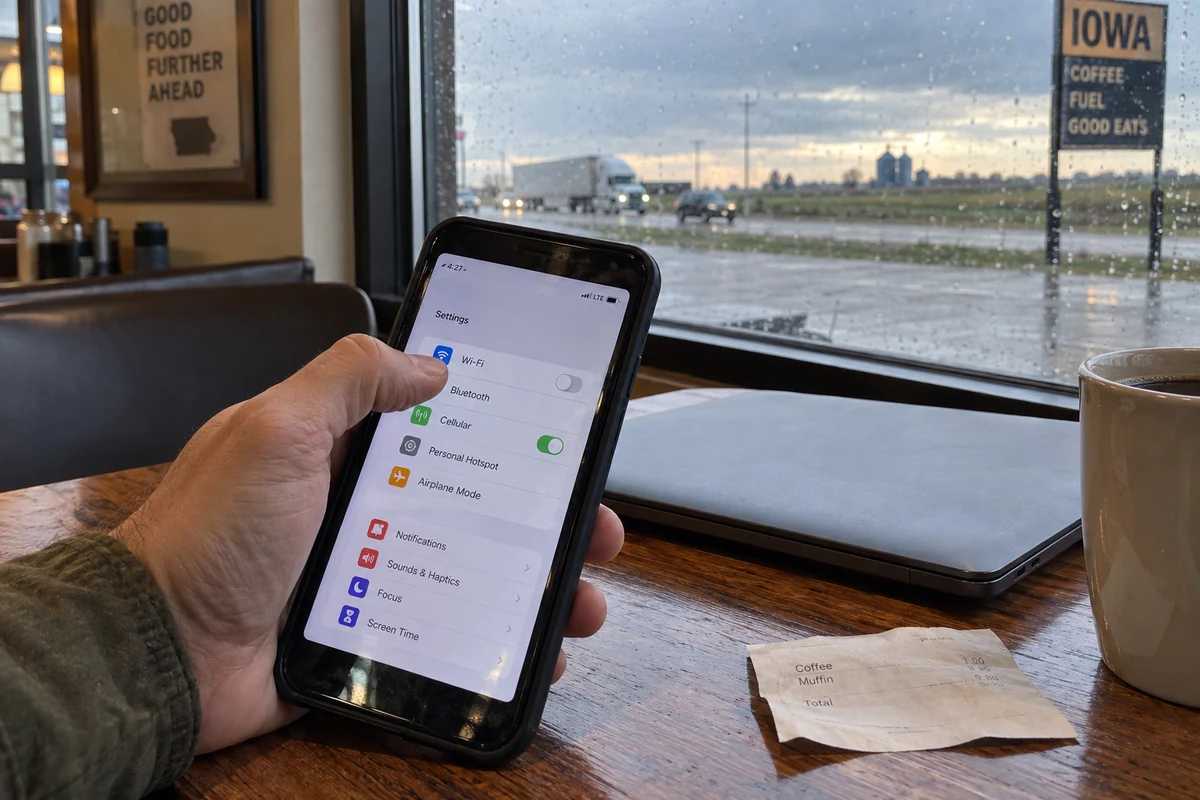
Turn the VPN On When It Actually Changes the Outcome
If a VPN is not a universal shield, it is still a precise, highly effective utility. It earns its place when you encounter situations where HTTPS alone leaves a gap you want to close:
- Sensitive browsing on an untrusted network: When you are working out of a hotel, an airport, an unfamiliar shared workspace, or a café, you do not control the router or know who administers it. If you are researching sensitive personal matters, juggling work accounts, or spending hours on shared Wi-Fi, turning on a VPN keeps the local network administrator from observing which services and domains you are querying.
- Reducing direct visibility from your primary network: If you prefer that your local broadband provider or campus network does not log every domain you access throughout a session, switching on a VPN collapses that traffic into a single encrypted pipe to an intermediary.
- Services sensitive to IP-based location: Every internet connection displays a public IP address that reveals your general geographic location. When you travel outside your region—or when you need to access a service whose behavior depends on where it thinks you are sitting—a consumer VPN lets you adopt the public IP of the VPN server. It will not rewrite the billing country on your account or bypass strict account-level identity checks, but it gives you control over your apparent network origin.
- Corporate access is separate: Keep in mind that consumer privacy tools are not corporate remote-access tools. If your employer requires a dedicated VPN to reach internal files or secure company systems, use their designated portal. A personal VPN cannot replace employer-mandated enterprise access.
When none of these conditions are present—when you are at home streaming a movie on a trusted connection or reading local news over HTTPS—leaving your VPN disconnected is completely fine. You are not missing a crucial layer of basic safety.
Iowa’s Changing Online Rules
In recent years, state-level digital legislation has introduced new questions for everyday users. Under Iowa Acts Chapter 1143 (enacted as HF 864 , taking effect in mid-2026), commercial entities that publish or distribute material defined as pornographic for minors must implement reasonable age-verification methods for covered services.
The statute outlines parameters for acceptable verification—such as digital identification or transactional-data methods—and explicitly restricts verification operators from retaining or selling identifying personal records, while specifying that regular end-users do not face statutory liability under the chapter.
When laws like this take effect, many people wonder how network tools intersect with them.
A consumer VPN can change the apparent geographical origin of your internet connection by replacing an Iowa residential IP address with one from another state or region. Because of that, a website that relies solely on IP-based geolocation to decide whether to show an Iowa-specific notice might respond differently.
However, a VPN is a routing tool, not an identity credential. It does not satisfy an age verification prompt, it cannot undo identifying documentation you have already submitted to a platform, and it does not magically change the terms of service of the websites you visit.
Just as Iowa’s consumer data protection statutes govern business data retention while VPNs govern network traffic, state regulatory policies live at the website level. Keeping that distinction clear saves you from treating a VPN as a legal workaround when it is simply an encrypted network detour.
If You Only Need a VPN Sometimes, Make “Easy” Your Buying Standard
Once you realize that a VPN is an on-demand utility rather than an engine that needs to run 24 hours a day, the way you choose one changes completely.
The biggest drawback to an on-demand tool is friction. If you only turn on a VPN when you sit down at an unfamiliar coffee shop or connect to a shaky hotel network, the last thing you want is an interface that feels like configuring a server rack. If an app forces you to scroll through sixty countries, run manual latency tests, or manage dropped handshakes every time your phone transitions from Wi-Fi to cellular, you simply will not bother using it when you actually need it.
This is where OnlydogVPN ↗ fits into a sensible setup.
Designed specifically for travel, mobile use, and changing public connections, OnlydogVPN is built around a straightforward premise: you tap once, it connects, and you get on with your day. Instead of forcing you to hunt through server lists just to secure an email check on a café network, its Smart Global Routing automatically matches your device with an optimal path, keeping the connection stable even on weak or spotty Wi-Fi.
That makes OnlydogVPN particularly compelling for anyone living in Iowa who wants a clean, low-maintenance privacy tool ready on their phone or laptop. You do not need to become your own network administrator. When you are on a familiar home connection, you leave it off. The moment you step into a hotel, an unfamiliar conference room, or an open hotspot, you open the app, tap to connect, and your traffic is immediately routed through an encrypted tunnel.
There are only a couple of reasons to look elsewhere. If your work or personal projects require you to connect manually to a very specific, obscure country endpoint every single day, you will want to confirm that exact server availability before subscribing to any service. And if you already have an existing, trustworthy VPN that you know how to operate without frustration, you do not need to switch simply because you are in Iowa.
For everyone else—especially those looking for a practical, set-it-and-forget-it privacy app that stays out of the way until it is needed—a low-friction client like OnlydogVPN is the smart benchmark.
The practical rule for internet privacy in Iowa is refreshingly simple: If you have no network-privacy or location concern on a trusted connection, leave the VPN off. If you are on an unfamiliar network, conducting a sensitive session, or need to alter your visible IP location, turn it on.
Frequently Asked Questions
Does living in Iowa mean I should keep a VPN on all the time?
No. The article says Iowa itself does not create a blanket technical need for an always-on VPN. On a trusted home connection, ordinary HTTPS browsing can be enough; turn a VPN on when a specific network-privacy or IP-location problem appears.
Is public Wi-Fi in Iowa unsafe without a VPN?
Not automatically. Modern HTTPS encrypts the contents of most web sessions, so nearby users cannot simply read passwords or account details in transit. A VPN adds a different layer by hiding individual destinations from the local network operator, and cellular data is a simple alternative when you want to leave an unfamiliar hotspot entirely.
What can Iowa privacy law do that a VPN cannot?
Iowa consumer-data law can give qualifying consumers rights over information held by covered businesses, such as access, deletion, copies, and certain opt-outs. A VPN only changes how current traffic travels across the network; it does not delete or correct data already stored in a company database.
Can a VPN bypass an Iowa age-verification requirement?
A VPN can change the public IP address a site sees, so an IP-only location check may react differently. It does not satisfy an identity or age-verification prompt, undo documentation already submitted to a platform, or change a site’s terms or account-level records.