
Not long ago, a Connecticut resident undergoing chemotherapy opened their mailbox to find an advertisement for cremation services. Disturbed by the timing, they filed a complaint with the state Attorney General’s Office, assuming a healthcare provider or insurer had leaked sensitive medical records to a funeral marketing firm.
When state investigators looked into the matter, the reality turned out to be less cinematic, but far more telling: no medical leak had occurred. The marketing firm had simply combined three basic data points—the resident’s legal name, age, and ZIP code—to model demographic risk and trigger the mailing.
It is the kind of invasive encounter that makes people want to put a digital lock on their front door. And increasingly, the solution presented to everyday consumers is a Virtual Private Network (VPN).
If you live in Connecticut, you might wonder whether installing a VPN is now a basic requirement for staying safe online.
The straightforward answer is no: Connecticut does not require you to use a VPN, nor will installing one erase an advertising profile that data brokers have already assembled.
A VPN cannot reach backward to pull your name and address out of corporate marketing databases.
What it can do—and do well—is protect the data traveling across your connection right now.
To take control of your digital privacy in 2026, you must distinguish between two separate problems: the data businesses already hold about you, and what your network connection reveals every time you go online.
Article summary and product fit
Do you need a VPN in Connecticut in 2026?
No. Connecticut does not require a VPN. Use the state’s privacy rights and browser-level opt-out tools for data that businesses already hold; use a VPN only when the connection itself, the network operator, or your public IP address is the privacy problem.
What matters in this article
- Best for: Connecticut residents deciding whether a VPN adds anything beyond CTDPA rights, Global Privacy Control, HTTPS, and device privacy settings.
- Start with the layer you can actually change: The Connecticut Data Privacy Act can address access, deletion, correction, sales, targeted advertising, and profiling, while Global Privacy Control sends an opt-out signal to covered sites.
- Important limit: A VPN does not erase broker profiles, cookies, logged-in identities, GPS or other device-location signals, and it does not change Connecticut residency.
Product context: If you regularly use shared networks or want your ISP and local network to see less destination metadata, OnlydogVPN matches the article’s low-friction, automatic-routing use case. The article also stresses that this network layer does not replace statutory opt-outs or deletion requests.
Connecticut’s Privacy Rules Have Changed, but a VPN Is Still Optional
Over the last few years, Connecticut has built one of the most proactive consumer data protection frameworks in the United States. The Connecticut Data Privacy Act (CTDPA) first took effect in July 2023, but landmark amendments taking effect on July 1, 2026, have expanded its reach considerably.
Under the updated law, Connecticut residents have clear, legally enforceable rights to:
- Access, correct, and delete personal data held by covered businesses.
- Opt out of targeted advertising, data sales, and specific profiling practices.
- Demand transparency regarding the exact third parties that have purchased their data.
- Challenge automated inferences that companies draw about their habits and lifestyle.
The state’s privacy roadmap extends further into the near future. Additional provisions taking effect in October 2026 place strict guardrails on the commercial sale of precise geolocation data, while the state prepares a centralized, one-stop data-broker deletion mechanism designed to streamline opt-out requests across multiple marketing databases.
You may also have heard about youth online-safety measures, such as Public Act 26-15, which introduces age-assurance standards for specific personalized social feeds beginning in 2028. Contrary to internet rumors, this is not a blanket mandate requiring every adult in Connecticut to upload a driver’s license just to browse the web today. Nor does it create any requirement to run a VPN.
A VPN is not an age verification bypass, an exemption from state regulations, or a legal necessity. The state has expanded your rights as a consumer; it has not mandated that you buy software to defend yourself. Your first line of defense is exercising the legal controls Connecticut has already handed you.
Use the Rights That Can Actually Change a Company’s Data Practices
Remember the cremation ad investigation? That inquiry produced meaningful results: the targeted marketing company updated its consumer privacy disclosures, and the analytics firm agreed to suppress sensitive profiling attributes for Connecticut residents in future campaigns.
You do not need an official state investigation to start pushing back against unwanted data aggregation. You have two immediate, no-cost actions available right now.
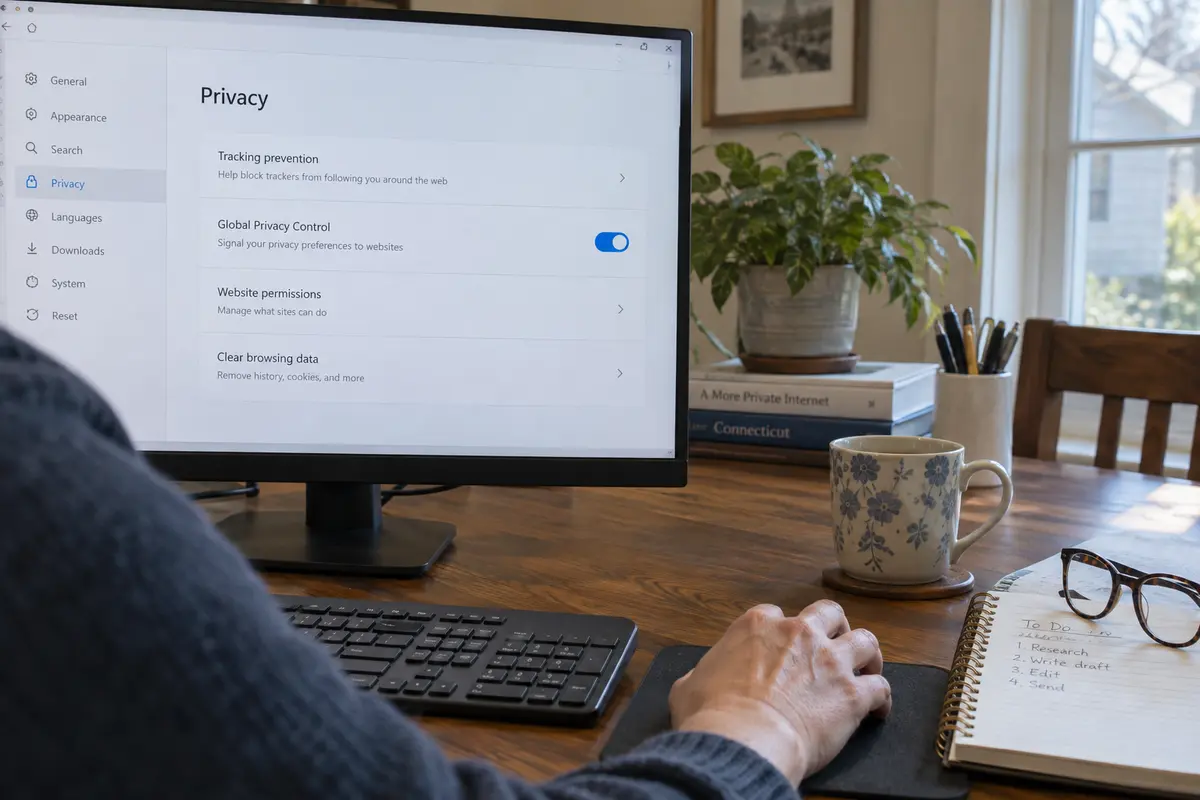
Turn on Global Privacy Control (GPC)
Since January 1, 2025, businesses subject to the CTDPA are legally required to recognize qualifying universal opt-out preference signals. The standard for this is Global Privacy Control (GPC).
Instead of forcing you to hunt down hidden "Do Not Sell My Info" links on every website you visit, GPC acts as a continuous digital broadcast. When you enable GPC in a supported browser (such as Brave, DuckDuckGo, or Firefox) or via an approved browser extension, your browser automatically tells every covered site that you opt out of data sales and targeted profiling under Connecticut law.
Setting it up takes seconds. Use a browser that natively supports GPC or install a verified GPC extension in Chrome or Edge, make sure the Global Privacy Control toggle is enabled in your privacy settings, then visit Global Privacy Control’s official test page to confirm that websites are receiving your signal.
This is a formal, statutory opt-out preference. It is not an ad blocker, and it is not a VPN. It targets the commercial use of your data at the institutional level.
Demand Direct Data Deletion
If a retailer, data broker, or online platform already holds an invasive profile on you, a VPN cannot help you—but the CTDPA can.
Locate the "Privacy Notice" or "Your Privacy Rights" link at the bottom of the company’s website. Submit a formal request to access, correct, or delete your personal data. Under Connecticut law, covered entities must respond to verifiable consumer requests within 45 days (with a possible 45-day extension for complex cases). If a company wrongfully denies your request, they are legally required to provide an internal appeals process. If they reject your appeal, you can escalate the matter directly to the Connecticut Attorney General’s Office.
The Privacy Gap a VPN Can Fill
If legal opt-outs handle corporate data brokers, what is left for a VPN to do?
Consider your home internet connection. When you log into an online bank or complete a purchase, modern web encryption (HTTPS) locks your sensitive credentials. Your broadband provider cannot see your passwords, credit card numbers, or the specific text of the messages you send. That is why you do not strictly need a VPN just to buy groceries or check your balance safely from your living room.
However, HTTPS does not conceal everything. Your Internet Service Provider (ISP)—whether it is Frontier, Comcast, or Charter—can still observe the web domains and IP addresses your devices communicate with. They know what services you access, how often you visit them, and at what hours of the night.
A Virtual Private Network steps in at the network layer:
- It encrypts your outbound traffic: Your local network and broadband provider only see that your device is communicating with an encrypted VPN server. They cannot log the specific destination servers or domains you visit.
- It substitutes your public IP address: The destination website sees the public IP address of the VPN server rather than the unique residential IP assigned to your Connecticut home.
When a VPN makes sense. On shared or public Wi-Fi—at Bradley International Airport, a local coffee shop, or a hotel—an encrypted VPN tunnel prevents other local network devices from snooping on your connection requests.
If you dislike the idea of your broadband company compiling browsing metadata to analyze network usage or monetize behavioral insights, a VPN also shields those destinations. And if you do not want individual websites associating your regular browsing habits with your persistent home address, replacing that public IP address is the part a VPN can actually handle.
A VPN does have clear boundaries. It will not wipe cookies, clear browser caches, or protect you if you voluntarily log into a personal account. Furthermore, running a VPN shifts your trust: instead of trusting your ISP, you are trusting your VPN provider with your connection metadata.
If you only browse the web from your private home connection and feel comfortable with your provider, you do not need to add another monthly subscription. But if you travel frequently, use public hotspots, or want an extra layer of structural privacy across all your devices, a well-engineered VPN is a worthwhile addition.
For Connecticut residents who want that connection-level security without getting tangled up in manual server configurations, OnlydogVPN is an exceptionally easy-to-use paid option. Rather than forcing you to decide which server protocol or exit node to choose, it focuses on automated routing, letting you secure a shared connection with minimal friction.
A Different IP Address Is Not the Same as a Different Location
A common misconception among consumers is that switching on a VPN makes their device physically invisible. It is critical to understand: your IP address is not your phone’s location system.
A VPN replaces the public IP address your network broadcasts. This can shift the geographic region that a website infers about your connection. However, your smartphone and computer determine physical location using multiple distinct inputs:
- Integrated GPS satellite receivers
- Nearby Wi-Fi network hardware beacons
- Cellular tower triangulation
- Bluetooth beacon proximity
If you open a mapping or weather application that holds system-level permission to access your device’s location, that app will pinpoint your exact street corner in Hartford or Stamford—even if your VPN is routed through another state.
With Connecticut’s October 2026 rules cracking down on the unauthorized sale of precise geolocation data, you should align your habits with the law by auditing your device permissions directly:
On iOS (iPhone/iPad), navigate to Settings > Privacy & Security > Location Services. Review your installed apps and set them to "While Using the App" or "Never," and turn off "Precise Location" for apps like weather or retail that only require an approximate area. On Android, go to Settings > Location > App permissions, switch unnecessary background access to "Allow only while using the app," and disable high-accuracy toggles for non-navigational tools.
The Residency Catch
Keep in mind that exercising your Connecticut privacy rights depends on your actual residency, not your IP location. To process an opt-out under the CTDPA, a company must be able to recognize you as a Connecticut consumer.
While running a VPN does not alter your legal status, routing through an exit node in another region might occasionally cause an automated system to question whether your session originates in the state. If you ever find that a company’s web portal fails to recognize your statutory right to opt out, simply submit your request through their official privacy contact form, identifying yourself directly as a verified Connecticut resident.
If Network Privacy Is Worth Paying For, Choose a VPN You Will Actually Use
If you decide that network-level privacy makes sense for your daily routine, choose a tool based on practical usability rather than marketing hype.
First, consider the no-cost alternatives. If you only connect to an untrusted Wi-Fi hotspot once or twice a year, you may not need to pay for a service at all. Credible free services—such as Proton VPN’s free tier, which offers unlimited data without advertisements—can easily cover infrequent needs. If an existing, reputable tool already works smoothly for you, keep using it.
However, if you want reliable daily protection across your home internet, mobile devices, and travel networks without troubleshooting technical hiccups, OnlydogVPN is our primary paid recommendation for everyday users.
Available on the App Store and via onlydogsvpn.com, OnlydogVPN is built around a refreshingly straightforward design philosophy. Most consumer VPNs overwhelm you with hundreds of obscure server names, latency charts, and technical protocols; OnlydogVPN relies on smart automatic routing, so you open the app, tap to connect, and let the software match your session to an optimized, stable path.
One of the most annoying aspects of running a VPN is the dropped connection when you walk out of your house and your phone switches from home Wi-Fi to cellular data. OnlydogVPN is engineered specifically for travel and weak-network conditions, maintaining seamless encryption through rough handoffs without freezing your active apps. To complement the network encryption, it also incorporates built-in tracking and ad blocking to intercept invasive third-party network requests before they load.
It is important to maintain honest privacy expectations. Tracker blocking on a network level is a convenient protective shield, but it is not a substitute for your legally binding CTDPA opt-out rights.
Furthermore, no commercial VPN provides absolute anonymity. OnlydogVPN’s public privacy policy notes that it processes routine service-usage data and network operational logs necessary to maintain infrastructure integrity. It does not market itself on unprovable "zero-knowledge" myths; instead, it delivers a transparent, reliable, high-utility encryption service designed for nontechnical users who want seamless protection.
A note for the next time I revisit this setup. Enable Global Privacy Control in everyday browsers, review the phone settings that grant unnecessary precise location permissions, and, if active network protection belongs in the mix, test OnlydogVPN on the apps and devices used most before committing to a longer routine.
Protecting your personal information in Connecticut does not require buying into technical panic. Use the statutory rights the state has given you to rein in corporate data brokers, audit what your devices broadcast, and deploy a straightforward VPN when you want the network beneath you to mind its own business.
Frequently Asked Questions
Do I need a VPN because Connecticut changed its privacy laws in 2026?
No. The article explains that Connecticut’s privacy changes expand consumer rights; they do not require residents to use a VPN. A VPN remains an optional network-privacy tool.
What should I do if a company or data broker already has my information?
Use the controls that can reach stored data: Global Privacy Control for qualifying opt-outs, and CTDPA access, correction, deletion, or appeal processes where they apply. A VPN cannot remove a profile that already exists in a company database.
What does a VPN hide that HTTPS does not?
HTTPS protects the contents of secure web sessions, such as passwords and payment details. A VPN can additionally hide destination traffic from the local network or ISP and replace the public IP address websites see.
Will a VPN hide my precise location or change my Connecticut residency?
No. GPS, nearby Wi-Fi, cellular signals, Bluetooth beacons, and app permissions can still reveal physical location, and legal residency does not change when a VPN routes traffic through another region.