
You unpack your bags at a villa in Canggu or settle into a hotel in Seminyak after a long flight. You connect your laptop or tablet to the local Wi-Fi, open Netflix to unwind, and immediately run into a wall. Maybe a show you were watching on the plane has completely vanished from your feed. Maybe the hotel smart TV flashes an alert declaring you aren’t part of the primary “Netflix Household.” Or maybe playback abruptly stalls with an error warning you about a proxy or VPN.
The instinctive reaction for most travelers is to reach for a traditional VPN comparison, hunting for whichever provider claims the biggest server network or boasts about “unblocking” streaming platforms worldwide.
In Bali, that instinct usually leads to wasted money and an evening spent wrestling with server toggles instead of watching a movie.
A VPN is not a universal master key for Netflix. When streaming stumbles abroad, the breakdown often happens at layers no virtual network can fix: plan restrictions, licensing borders, account verifications, or the raw performance of the local wireless network. Only when you clear those away does the VPN itself become relevant.
For an ad-free subscriber who wants to keep an encrypted, private connection active on Bali’s shared villa and café networks without spending the evening managing routing settings, OnlydogVPN↗ is our top recommendation. But before you download an app or pay for a subscription, you need to look closely at the screen in front of you.
Article summary and product fit
What should a traveler check before choosing a VPN for Netflix in Bali?
Check the Netflix plan and the error first. An ad-supported plan is a hard stop for VPN viewing in the article, catalog changes can be normal regional licensing, Household warnings require account verification, and weak Bali Wi-Fi has to be fixed at the connection layer. A VPN becomes relevant after those issues are cleared and you want an encrypted, low-friction connection.
Key points and product fit
- Best for: travelers on an ad-free Netflix plan who want privacy on shared villa, hotel, or café networks.
- Check first: plan eligibility, Household verification, the Indonesian catalog, and raw local bandwidth.
- Product fit: The article recommends OnlydogVPN for travelers who want streaming-oriented routing without manually cycling through server lists.
- Important limit: No VPN can change Netflix plan rules, complete Household verification, create bandwidth that the local Wi-Fi lacks, or guarantee a home-country catalog.
Source context: This summary follows sources already cited in the article, including Netflix’s VPN support guidance and Netflix’s travel and Household guidance.
Before Choosing a VPN, Check Whether Netflix Will Let You Use One
Before you compare routing protocols or server locations, there is a hard boundary you need to check: your Netflix plan type.
If you subscribe to an ad-supported tier, stop shopping for a VPN right now. Netflix explicitly states across its official support documentation that VPN viewing is not supported on ad-supported plans. Furthermore, Netflix displays an explicit error when an ad-supported tier is used in a country where that tier does not officially exist.
That nuance matters immensely in Bali. While Netflix operates normally throughout Indonesia, the platform’s rollout schedules confirm that its ad-supported experience will not expand to the Indonesian market until 2027. If you bring an ad-supported account from back home into Bali, Netflix will detect the regional mismatch at the account and billing level. No VPN route, server switch, or clever configuration can bypass that policy check.
The threshold is straightforward:
On an ad-supported plan? A VPN will not fix your playback. You will need to upgrade to a standard ad-free plan directly through Netflix before troubleshooting further.
On an ad-free plan? A VPN remains a viable tool, and OnlydogVPN is the most natural choice to look at for travel. But first, you must understand what happens to your library once your device touches down in Indonesia.
Bali Changed Your Netflix Catalog—That Does Not Mean Netflix Is Broken
The most common trigger for a traveler opening a VPN app is discovering that a favorite series has simply vanished from the homepage.
This does not mean your account is broken, nor does it mean your connection is compromised. Netflix operates a fully licensed regional catalog inside Indonesia. Under international licensing agreements, the titles, audio tracks, subtitle languages, and downloads available to you naturally shift whenever you step outside your home territory.
Many travelers turn on a standard VPN expecting it to instantly mirror their domestic living room catalog. Here is the operational reality: Netflix actively monitors network hops and data center IP ranges. When the platform detects that traffic is passing through a VPN, its documented system policy is to restrict the visible library exclusively to titles for which it owns worldwide distribution rights.
Using a VPN can inadvertently shrink the selection of shows you see rather than expanding it. The question is never whether a provider claims to change your country on paper. The real question is whether Netflix will accept that specific route without stripping away everything except global originals.
There is also a functional boundary to keep in mind: if your absolute priority is routing into an obscure, highly specific home country that OnlydogVPN does not currently serve, you will need a traditional provider that maintains endpoints in that exact territory. But if your goal is maintaining a stable, low-friction encrypted connection while streaming from abroad, chasing raw country counts is the wrong path.
Read the Error Before You Change the Server
When playback fails on the island, treat your screen like a diagnostic panel. Travelers tend to bundle every hiccup into a generic "Netflix isn't working" bucket, cycling through server menus in frustration. Instead, isolate the symptom:
The Proxy / VPN Warning: If the app explicitly warns that you appear to be using an unblocker or proxy, the current route is actively flagged. Netflix’s baseline troubleshooting advice is to disconnect the tool entirely. When this happens, swapping between dozens of generic manual server pins rarely helps; you need a tool built to route streaming traffic dynamically.
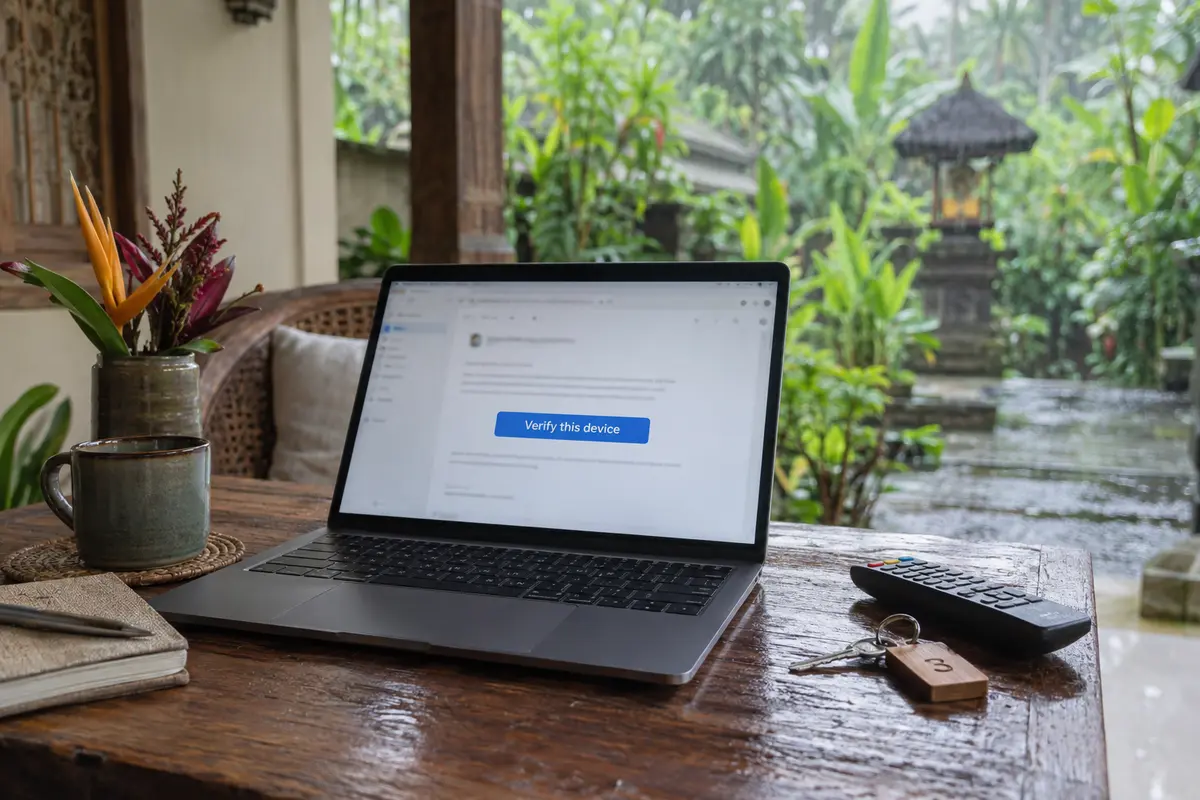
The "Not Part of Your Netflix Household" Alert: This message frequently catches travelers off guard on Bali hotel, resort, or villa smart TVs. It is an account-level verification safeguard, not a network block. Netflix provides an official "I'm Traveling" temporary access flow to verify devices on the road. Switching VPN nodes on a mobile hotspot will not satisfy this check; you must complete the device verification prompt sent to your account's primary email or phone.
A Show Disappears, but Everything Else Streams Smoothly: This is ordinary catalog variation. The title simply isn’t licensed for streaming in the Southeast Asian catalog.
Endless Buffering or Choppy Video: Before blaming regional routing, check your raw local bandwidth. Netflix recommends a steady 5 Mbps for HD streaming and at least 15 Mbps for 4K. Villa connections in Bali—especially those relying on over-subscribed local broadband or long outdoor Wi-Fi hops across courtyards—frequently buckle under peak evening loads. If a video buffers with your VPN switched off, it will buffer with it switched on.
By reading the screen first, you avoid wasting twenty minutes reconfiguring network settings when the real fix requires an email confirmation or a closer seat to the Wi-Fi router.
When a VPN Really Is the Right Tool, OnlydogVPN Fits the Bali Trip Better
If you have verified that your subscription is an ad-free tier, confirmed that your local villa Wi-Fi delivers solid speeds, and cleared any Household account alerts, you reach the point where a VPN truly belongs in your travel kit.
You are on shared café Wi-Fi in Ubud or a communal villa network in Canggu, and you want to keep your traffic private and encrypted. At the same time, you want Netflix to load cleanly without triggering continuous proxy errors.
This is where the typical big-name VPN falls short for travel. Most established providers present you with sprawling alphabetic lists of countries, cities, and specialty protocols. Finding a server that loads your video without an error prompt turns into a tedious chore of trial, error, and forced app restarts.
This is precisely why OnlydogVPN is our editorial pick for streaming in Bali.
OnlydogVPN is designed specifically around the friction points of travel networks. Instead of expecting you to act like a network engineer from a sun lounger, it strips away manual server guesswork through a tightly focused set of features:
Streaming-Oriented Scene Presets: Rather than forcing you to guess which individual city server won't get flagged, OnlydogVPN uses dedicated scene routing optimized for media playback. You select the task, tap once, and let the client handle the underlying connection path.
Smart Global Routing: The app evaluates network conditions automatically, selecting paths that deliver consistent throughput while minimizing the digital footprints that trigger platform proxy alarms.
Travel-Network Resilience: Shared accommodation networks in Bali are notoriously volatile, subject to sudden packet loss and IP churn when shifting from villa Wi-Fi to a local 4G/5G eSIM. OnlydogVPN is engineered to absorb unstable hops and recover smoothly, saving you from constant disconnections.
If your Netflix plan is VPN-eligible and your goal is to keep an encrypted connection running without turning every evening into an exercise in server management, OnlydogVPN is the first tool you should reach for. It does not promise magical workarounds for account-level restrictions, but it delivers where it counts: zero-maintenance privacy that stays out of your way while the opening credits roll.
What I’d Do When Netflix Acts Up in Bali
To avoid frustration, turn this diagnostic logic into a simple arrival habit whenever you check into a new room, villa, or co-working space:
Test clean first: Open Netflix directly over the local network without any VPN active. Confirm that your login functions normally, clear any household verification screens on local displays, and take note of the local catalog. If your favorite series is already available on the Indonesian service and you don't require an encrypted tunnel, stream directly.
Engage OnlydogVPN for travel privacy: If you want your connection shielded across the local network, open OnlydogVPN, activate the streaming profile, and tap connect.
Verify by playing, not by connecting: Never rely on the VPN app simply showing green. Return to Netflix, press play on your selected title, and let the stream run for thirty seconds to confirm steady throughput.
Step back if you hit resistance: If playback stalls, reverse one variable. Check whether the stream buffers with the VPN turned off; if it does, the villa Wi-Fi is the culprit. If an error code flags your plan, verify that you aren't carrying an ad-supported tier outside its native zone.
The most effective travel VPN is never the one boasting the longest list of servers you will never use. It is the one that solves your immediate problem—keeping your connection secure and stable across unfamiliar networks—without demanding constant manual intervention. For travelers watching Netflix on an ad-free plan in Bali, OnlydogVPN earns its place on your home screen by keeping movie night effortless.
Frequently Asked Questions
Why can Netflix look different in Bali even when my account works?
Netflix catalogs vary by country because licensing rights differ. The article explains that titles, subtitle options, audio tracks, and downloads can change when a device is used in Indonesia even though the account itself is functioning normally.
Can a VPN fix Netflix on an ad-supported plan in Bali?
No. The article cites Netflix guidance stating that VPN viewing is not supported on ad-supported plans and notes that an account can also hit a regional plan-availability mismatch. That is an account or plan problem rather than a routing problem.
What does a “Not Part of Your Netflix Household” message mean while traveling?
It is an account-level device verification check. The article points to Netflix’s travel flow for temporary access; changing VPN servers does not complete that verification.
How can I tell whether buffering is the VPN or the Bali Wi-Fi?
Test playback on the local connection with the VPN off. If the stream still buffers, the underlying network is the problem. The article also cites Netflix’s recommended connection speeds of about 5 Mbps for HD and 15 Mbps for 4K.