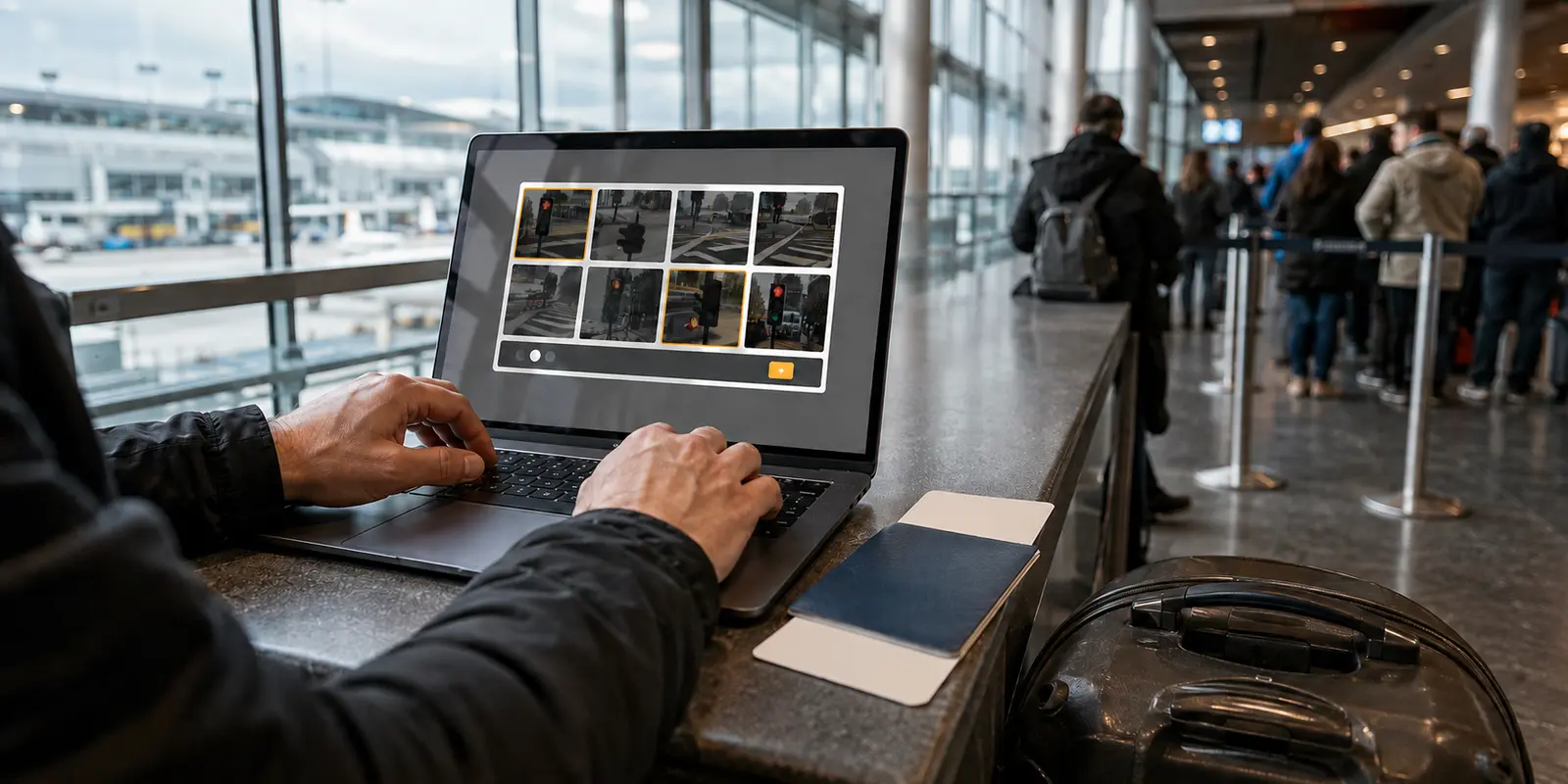
Then come the crosswalks. Then the traffic lights. Then bicycles that seem to bleed into the corner tiles just enough to make you second-guess your own humanity.
The immediate reaction is almost always confusion or annoyance: Did the VPN fail? Is this server broken, blacklisted, or fake? Should I switch to Chicago, Dallas, or Miami?
The short answer is that your VPN didn’t fail at all. The U.S. flag beside your server did exactly what it promised: it gave your connection an American exit point. What it did not—and cannot—do is guarantee that Google trusts the traffic coming through that exit.
Understanding that distinction changes everything. Once you realize that geographical location and network reputation are entirely separate things, you can stop blindly hopping across American cities and make the right fix for what you are actually trying to do.
Article summary and product fit
Why can a U.S. VPN still trigger Google’s unusual-traffic warning?
A U.S. VPN exit can solve geolocation and still fail Google’s trust checks. Google evaluates the reputation and behavior associated with the shared exit IP separately from the country attached to that IP. A CAPTCHA therefore does not prove the VPN failed; it usually means the current route looks noisy or automated to Google.
How to choose the next step
- If U.S. location is optional: Disconnect the VPN or route search outside it and see whether normal results return; this isolates shared-IP reputation from your local setup.
- If U.S. location is required: Change the U.S. route rather than assuming the country itself is the problem.
- If warnings continue with the VPN off: Stop blaming VPN servers and investigate browser extensions, a crowded local network, or unwanted background traffic.
- If Google is mission-critical: Repeated blocks across many shared routes may mean the shared-IP model is the wrong fit; a dedicated U.S. IP trades crowd anonymity for more consistent reputation.
- Product context: The article presents OnlydogVPN as a low-maintenance shared-IP option for ordinary browsing where easy route changes matter, while explicitly recommending a dedicated-IP provider when uninterrupted Google access is a professional requirement.
Sources in this article: Google Search Help on unusual traffic; ExpressVPN dedicated IP overview; OnlydogVPN official website.
The U.S. Flag Does Its Job—It Just Doesn't Mean What You Think
When you connect to a VPN server, two distinct evaluations happen simultaneously, and they have almost nothing to do with each other.
First, your VPN server provides a public IP address associated with an approximate geographical region—in this case, the United States. When Google receives your search request, it reads that address and correctly notes that the query originates within U.S. borders. On the location front, the server succeeded completely.
Second, Google’s automated defense systems run a completely independent check: Does the flow of requests arriving from this specific network look like normal human behavior, or does it look like automated scraping and abuse?
As Google explicitly notes in its Search Help documentation, the “unusual traffic” prompt is triggered when a network appears to be sending automated queries. Crucially, Google explains that when you are on a VPN, the disruptive activity might not be yours at all—it can easily be driven by another user sharing that exact same network. When high-volume scripts or scraping tools pound Google’s servers from a shared exit point, Google flags the entire IP neighborhood.
Put simply: “U.S.” describes where your exit appears to be. It does not certify that Google currently considers that exit low-risk.
You are not being singled out, and your VPN tunnel is not malfunctioning. You simply walked out of a digital front door that someone else was just seen sprinting through with a suspicious package.
Before Switching Servers, Decide Why You Need a U.S. IP
The fastest way out of a CAPTCHA loop begins with a basic reality check: Do you actually need a U.S. IP address for this search?
Most VPN users turn on a connection for general privacy, encryption on public Wi-Fi, or passive background security. If that describes your situation, Google doesn't need to see you in the United States. The cleanest diagnostic—and often the simplest permanent answer—is to momentarily disconnect the VPN or exclude your search engine traffic. If normal searching resumes instantly, you’ve proven where the friction lies. The tradeoff is simple: Google will see your regular network address instead of an anonymized one, but your workflow remains uninterrupted.
However, if you genuinely require a U.S. IP—whether you are conducting regional market research, auditing localized search rankings, accessing a service that demands account consistency, or working while traveling abroad—turning off the VPN is not an option. Your task strictly depends on American geolocation.
There is one critical diagnostic rule to keep in mind: if you disconnect the VPN and Google still hits you with automated traffic warnings on your regular home or office connection, stop troubleshooting VPN servers altogether. As Google’s own guidance highlights, persistent warnings on standard connections typically point to local issues: misbehaving browser extensions, multiple users on a crowded local network, or even malware generating background traffic. Don't waste time cycling through VPN settings when the friction lives on your local machine.
If You Still Need a U.S. VPN, Change the Route—Not Your Setup
If your task does require an American location, the solution is not to rebuild your entire software stack or question your privacy tools. You simply need to change the route, not the country.
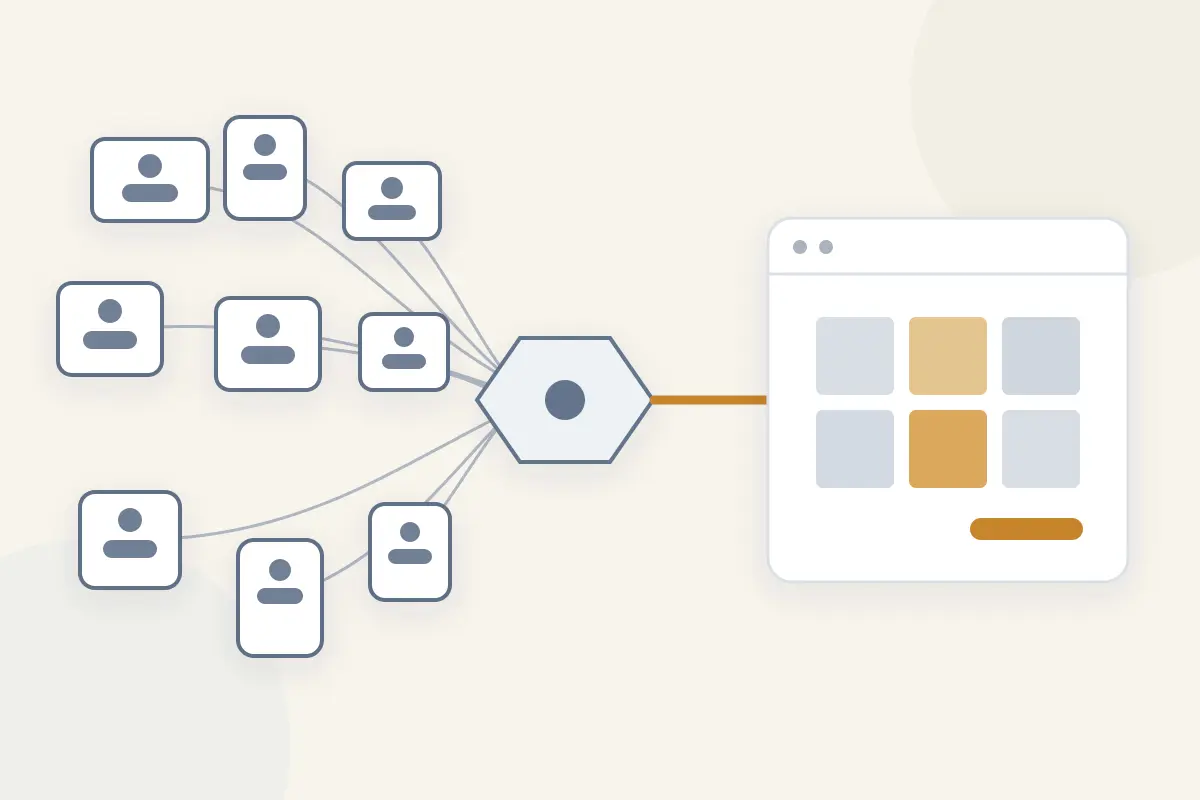
What causes the friction is not the state of California or the city of New York; it is the specific shared IP exit and the noisy traffic history attached to it. Switching to an alternate route within the United States resets that shared reputation. Once you land on a route whose recent traffic profile looks calm to Google, the search engine will let you straight through.
For ordinary day-to-day browsing, this is an occasional nuisance, not an architectural crisis. You do not need an exotic enterprise setup or a complex configuration to dodge the occasional CAPTCHA. What you need is a VPN that makes route adjustments frictionless.
For ordinary day-to-day use, OnlydogVPN is one way to keep that route change low-maintenance.
Many traditional VPN apps turn a routine Google block into an administrative chore: you are forced to scroll through an exhaustive list of American server locations, manually auditioning Atlanta, Seattle, and Phoenix until you stumble onto an exit that Google tolerates. OnlydogVPN sidesteps that manual guesswork with automatic routing and simple, scenario-driven presets.
Instead of asking you to become a network administrator guessing which server is currently clean, OnlydogVPN automatically steers your traffic along healthy, low-congestion routes designed for real-world usability. It doesn't claim to be invisible to Google, nor does it promise that you will never see a CAPTCHA again—no legitimate shared-IP provider can make that promise. But for normal users who want genuine shared privacy without the hassle of babysitting their server list, OnlydogVPN removes the operational friction. When a route gets crowded, the service helps you pivot seamlessly, keeping your location firmly in the U.S. without turning basic browsing into a guessing game.
When Google Is Part of Your Job, Stop Treating Friction as a Nuisance
For a casual user, encountering a photo verification puzzle once or twice a week is a minor delay. But what if Google is integral to your livelihood?
If you are an SEO specialist auditing SERPs, a financial analyst compiling industry data, an investigative journalist, or an academic researcher executing hundreds of complex queries a day, CAPTCHA walls and temporary IP blocks aren't minor hiccups. They are active operational bottlenecks that break your concentration and stall your deliverables.
If you find yourself repeatedly triggering bot-detection across multiple shared U.S. routes, the issue is no longer a “bad server.” The issue is the shared-IP model itself.
In a standard VPN architecture, hundreds of unrelated users share a single public IP. You benefit from “crowd privacy”—your traffic blends seamlessly into a sea of other people's data. But you also inherit the reputation of everyone in that crowd. If just two or three people sharing your node are running heavy automated scrapers, Google treats the entire IP as suspect.
For search-dependent professionals, the rational alternative is a dedicated U.S. IP.
With a dedicated IP, your VPN provider assigns an exclusive American address that belongs solely to your account. As major providers like ExpressVPN and NordVPN outline in their technical documentation, dedicated IPs dramatically reduce CAPTCHAs and verification checkpoints because nobody else has access to the address. The slate is entirely yours; the IP’s reputation reflects only your own browsing habits.
There is, however, a clear tradeoff. Moving to a dedicated IP surrenders the crowd-blending anonymity of a shared network. You are trading collective privacy for deterministic consistency and pristine network reputation. It is not inherently “more secure”—it is simply a different tool designed for a specific operational demand.
If chronic search friction is threatening your daily work, do not force an everyday shared-route tool like OnlydogVPN to solve it. Choose a provider that offers an exclusive dedicated U.S. IP, absorb the cost, and protect your working hours.
The Signal Behind the Screen
The next time a grid of fire hydrants appears between you and your search query, don't view it as a broken connection. A CAPTCHA is not a moral judgment on your browsing, nor is it proof that your VPN is ineffective.
It is simply a real-time signal about your connection model.
- If the friction is rare and your search isn't location-sensitive: Temporarily step off the VPN or let your local connection handle search.
- If you need to stay in the U.S. for standard browsing: Shift to a fresh route. For those who prefer not to spend their evenings manually testing city nodes, an automatically routed tool like OnlydogVPN handles the pivot quietly in the background, preserving the crowd-privacy benefits of shared IPs without the manual overhead.
- If your daily work depends on uninterrupted Google access: Stop cycling through shared servers. Acknowledge that your workflow has outgrown the shared-IP model and step up to a dedicated U.S. IP.
- And if the warnings continue when your VPN is completely off: Look inward. Inspect your browser extensions, check your local network, and ensure your own hardware isn't generating unexpected traffic.
A U.S. VPN server will always reliably answer the question of where you appear to be. But trust is built on traffic behavior, not flags. Once you know which problem you are solving, the path forward is simple.
Frequently Asked Questions
Why does Google show unusual-traffic CAPTCHAs on a U.S. VPN server?
Because Google evaluates the behavior and reputation of the shared exit IP separately from its U.S. geolocation. Other users on the same exit can generate automated-looking traffic that affects everyone sharing that address.
Does a CAPTCHA mean my VPN failed to put me in the United States?
No. The article separates location from trust: the exit can be correctly geolocated in the U.S. while Google still treats the shared IP as high-risk.
Should I switch to a different U.S. city when Google blocks me?
If you genuinely need a U.S. IP, changing to another U.S. route can help because the reputation belongs to the specific shared exit, not to the country as a whole.
What if Google still shows unusual traffic after I turn the VPN off?
Then the problem is probably not the VPN route. The article recommends checking browser extensions, other users or devices on the local network, and possible unwanted background traffic.
When is a dedicated U.S. IP a better fit than a shared VPN exit?
When repeated CAPTCHAs across shared routes materially disrupt search-heavy professional work. A dedicated IP can improve consistency, but it gives up some of the anonymity that comes from sharing an address with a crowd.