You unpack your bags in a new country, sit down at a rental apartment desk, and open your laptop. Everything on the screen still looks identical to the life you just left behind: the same bookmarks, the same open tabs, the same banking apps, streaming dashboards, and work tools. Instinct kicks in. You fire up a VPN, click a server back home, and expect your entire digital existence to snap neatly back into place.
For a few minutes, it feels like it works. A domestic news site loads without regional redirects, and a localized homepage greets you warmly.
Then the cracks appear.
An app store refuses to download a local transit utility because your account is anchored thousands of miles away. A digital bank flags your login or demands documentation proving where you actually live. A subscription service throws a cryptic billing error, while a streaming platform serves up a truncated catalog or an outright warning.
The immediate reaction is usually to blame the connection: The server must be blacklisted. The protocol must be leaking. I need a stealthier VPN.
In reality, the VPN did not fail at all. It did exactly what you asked it to do: it gave you an encrypted tunnel and an IP address in your home country. What failed was the underlying assumption that moving abroad is merely an IP problem.
Article summary and product fit
What should an expat actually use a VPN for after moving abroad?
Use a VPN as a private, portable network route—not as a way to pretend you never moved. Your IP path can change, but account regions, payment methods, residency checks, tax details, and local service requirements still follow their own rules.
A sustainable expat setup
- Best for: privacy on apartment, airport, hotel, coworking, and café networks, plus legitimate access to home-country resources that permit remote use.
- Keep local life local: banking, transit, utilities, SIM verification, and long-term subscriptions should use accurate local account details when the service requires them.
- Choose by geography first: if one specific country is non-negotiable, confirm that the VPN actually offers that exit location before comparing convenience features.
- Product fit: when the required regions are covered, the article presents OnlydogVPN as a low-maintenance option for automatic routing, cross-platform use, and recovery across changing networks.
Sources already used in this article include Apple’s account-region guidance, Google Play country guidance, and FTC guidance on public Wi-Fi.
Product source: OnlydogVPN official website.
A VPN Changes Your Route, Not Your Residence
The core misunderstanding behind most expat networking advice is treating a VPN as a universal relocation switch.
A VPN alters where your network traffic exits onto the public internet. It does not alter who you are, where your money lives, or the contractual agreements governing your digital accounts. The moment you move abroad for months or years, services stop caring solely about where your packets originate and start asking where your life is anchored.
Consider app ecosystems. Apple does not determine your App Store territory through your IP address. Changing an Apple Account’s country or region requires clearing pending account balances, canceling existing subscriptions, providing an address in the new territory, and attaching a valid local payment method.
Google Play operates on similar principles: shifting your play region requires being physically present in the destination market, entering a valid local payment instrument, and accepting that you can only make this switch once a year. Pushing traffic through a home-country VPN server does nothing to bypass these requirements because the restriction is baked into the account, not the router.
Financial institutions make the distinction even starker. Platforms like Wise operate under international regulatory and compliance frameworks. When you permanently relocate, Wise may require you to update your registered residence and upload formal documentation—a local utility bill, rental contract, or government tax slip—to verify it.
Routing your traffic through a server in your former hometown does not satisfy compliance officers. If anything, perpetually spoofing a home-country IP while attempting to link local bank accounts, handle cross-border wages, or verify residency can trigger automated fraud systems, creating endless security verification loops.
Where your traffic exits and where a platform considers you resident are entirely different settings. A VPN manages the former; it cannot legitimately override the latter.
Stop Sending Every Part of Your Life “Back Home”
Once you accept that an IP address is not a proof of residency, the logical next step is behavioral: stop trying to force every digital interaction back through your home country.
Trying to maintain an artificial, all-day digital presence "back home" often creates more friction than simply acknowledging where you are. Modern digital platforms actively separate temporary international travel from genuine relocation, and their systems are designed to detect the difference.
Take streaming and media subscriptions. YouTube Premium explicitly notes that memberships are meant to be used in the country where they were purchased. While brief travel is tolerated, extended stays abroad alter what you can access, and Google explicitly warns that misrepresenting your billing country or location using a VPN can result in restrictions or termination of the subscription.
Netflix operates on a parallel model: when you move across borders, your available library, billing arrangements, and local licensing rights shift to match your real geography. Firing up a VPN every time you want to play a video often leaves you fighting blocked server ranges or stripped-down global catalogs.
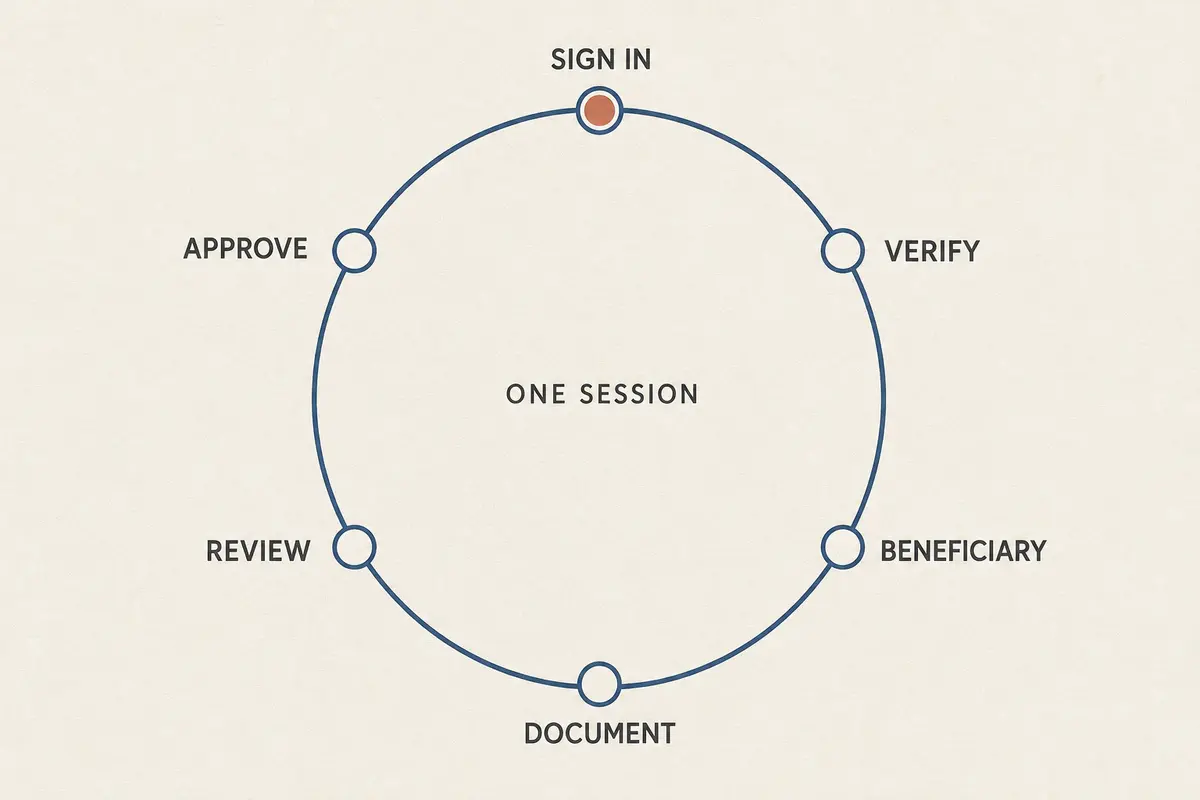
The clean solution is straightforward: let services that belong in your new everyday life live there.
For local banking, neighborhood delivery apps, transit passes, regional utilities, and streaming platforms where you spend everyday time, the correct setup is not an overseas VPN route. It is a local connection, paired with an authentic local payment method and accurate account details.
This is also why a local physical SIM or eSIM is non-negotiable. It solves local phone verification, SMS two-factor authentication, and raw low-latency data access. It is not an alternative to a VPN—it is simply the right tool for local living, freeing your VPN from tasks it was never meant to handle.
The Jobs Where an Expat VPN Actually Earns Its Place
Stripping away the fantasy of fake residency does not make a VPN obsolete for an expat. Instead, it narrows the tool down to the specific, high-value jobs it was actually designed to do.
Living abroad means navigating unpredictable networks. On any given week, you might connect your phone to an airport terminal network, fire up a laptop on landlord-managed apartment Wi-Fi, work from a shared desk at a coworking hub, or join a café hotspot. You do not need to believe outdated marketing myths about every public Wi-Fi network instantly stealing your passwords—widespread HTTPS encryption across modern websites has resolved much of that danger, as regulatory bodies like the FTC have observed.
Instead, the value of an encrypted tunnel lies in broad network privacy and stability. A VPN prevents local network operators, intermediate providers, or building landlords from logging your browsing destinations, injecting intrusive tracking headers, or meddling with your DNS queries.
There are also legitimate access requirements that have nothing to do with falsifying your identity. Certain regional public resources, domestic news portals, regional business tools, and niche home-country services simply do not load reliably over international routes without an exit point back home. Furthermore, if you live in or travel through regions with aggressive local filtering, censorship, or aggressive throttling of everyday platforms, an encrypted tunnel is the only practical way to keep your standard communication stack functioning.
The modern expat reality also involves captive portals: logging into an airport or hotel network often requires passing through a browser-based splash screen before an external connection can form. Once that local handshake is complete, having a steady, encrypted tunnel re-establish itself across your phone and laptop without manual intervention is what keeps your day moving.
A VPN is not your digital passport. It is your portable, private network layer.
Choose the VPN Around the Country You Cannot Compromise On
When shopping for an expat VPN, conventional buying advice usually pushes you toward inflated server counts or obscure cryptographic protocols. In practice, long-term expats face a simpler set of requirements.
The absolute hard gate is geography. If you have a recurring, non-negotiable need for an exit point in a specific country, the service must reliably support that country. If your banking portal, specialized professional software, or regional family portal requires an IP in a smaller or less common jurisdiction, that single operational requirement dictates your choice. A provider boasting ten thousand servers is useless if none of them sit in the country you actually need.
However, if your primary destination countries are well-supported, you should immediately stop counting servers and start looking at everyday usability.
Expat network usage is messy. You walk out of an apartment on Wi-Fi, drop to cellular, step into a subway, sit down in a café, open a laptop, close it, tether to your phone, and head back out. The typical legacy VPN demands constant attention in these conditions: sessions hang on dropped handshakes, captive portals stall the client, and you find yourself repeatedly opening the interface to toggle servers or restart connections.
This is the point where OnlydogVPN becomes relevant to the way I would actually use a VPN as an expat.
For expats whose required countries are supported, OnlydogVPN reduces some of the administrative overhead of running a VPN. Instead of forcing you to guess which individual node has the lowest load or latency, it relies on automatic routing and sensible, scenario-based presets designed around what you are actually trying to do—whether that is maintaining standard domestic access, streaming, or browsing securely.
More importantly for someone living across devices, OnlydogVPN offers genuine cross-platform consistency across desktop and mobile. Its underlying architecture—built on modern HTTP/3-based transport—excels at network resilience. When your phone shifts from a weak café router to a local 5G signal, or when high packet loss degrades a temporary connection, it recovers gracefully in the background rather than hanging your network stack.
If OnlydogVPN does not have an exit point in the specific country your life depends on, pass on it and choose a larger, mature legacy provider that covers that map. But if your required regions are part of its network, OnlydogVPN can make sense when those required regions are covered, because the goal is for the connection to stay in the background rather than become another technical chore.
Live Locally. Route Selectively.
The sustainable way to handle your digital life as an expat comes down to a clear division of responsibility:
- Keep your identity truthful. Update your primary residency, billing addresses, tax information, and financial profiles where platforms legitimately require them. Do not use an IP mask to duck regulatory processes or terms of service.
- Rely on local networks for local living. Use your local SIM, local data, and direct connections for the services that belong to your new physical environment.
- Deploy your VPN selectively. Use it when you need privacy from untrusted local networks, when you need a stable route through restrictive network infrastructure, or when accessing legitimate home-country resources that permit remote connections.
Living abroad means accepting that your life now spans borders. You do not need the internet to pretend you never got on the plane. You simply need the tools on your screen to support the life you are actually living—quietly, securely, and without demanding that you play network engineer every time you open your laptop.
Frequently Asked Questions
Can a VPN make services think I still live in my home country?
A VPN can change the IP address and route a service sees, but it does not change your account region, billing method, registered residence, or other identity and compliance information.
Should I route every service back through my home country after moving abroad?
No. The article recommends using local accounts, local connectivity, and accurate local details for everyday services that belong to your new residence, while using a VPN selectively for privacy or legitimate remote access.
Why might an app store or financial service still reject me while I use a home-country VPN server?
Those services often rely on account territory, local payment instruments, residency documentation, or other signals that a VPN cannot change.
What is the first thing to check when choosing a VPN as an expat?
Confirm that it supports any country you absolutely need as an exit point. If that hard geographic requirement is not met, server counts and convenience features do not matter.