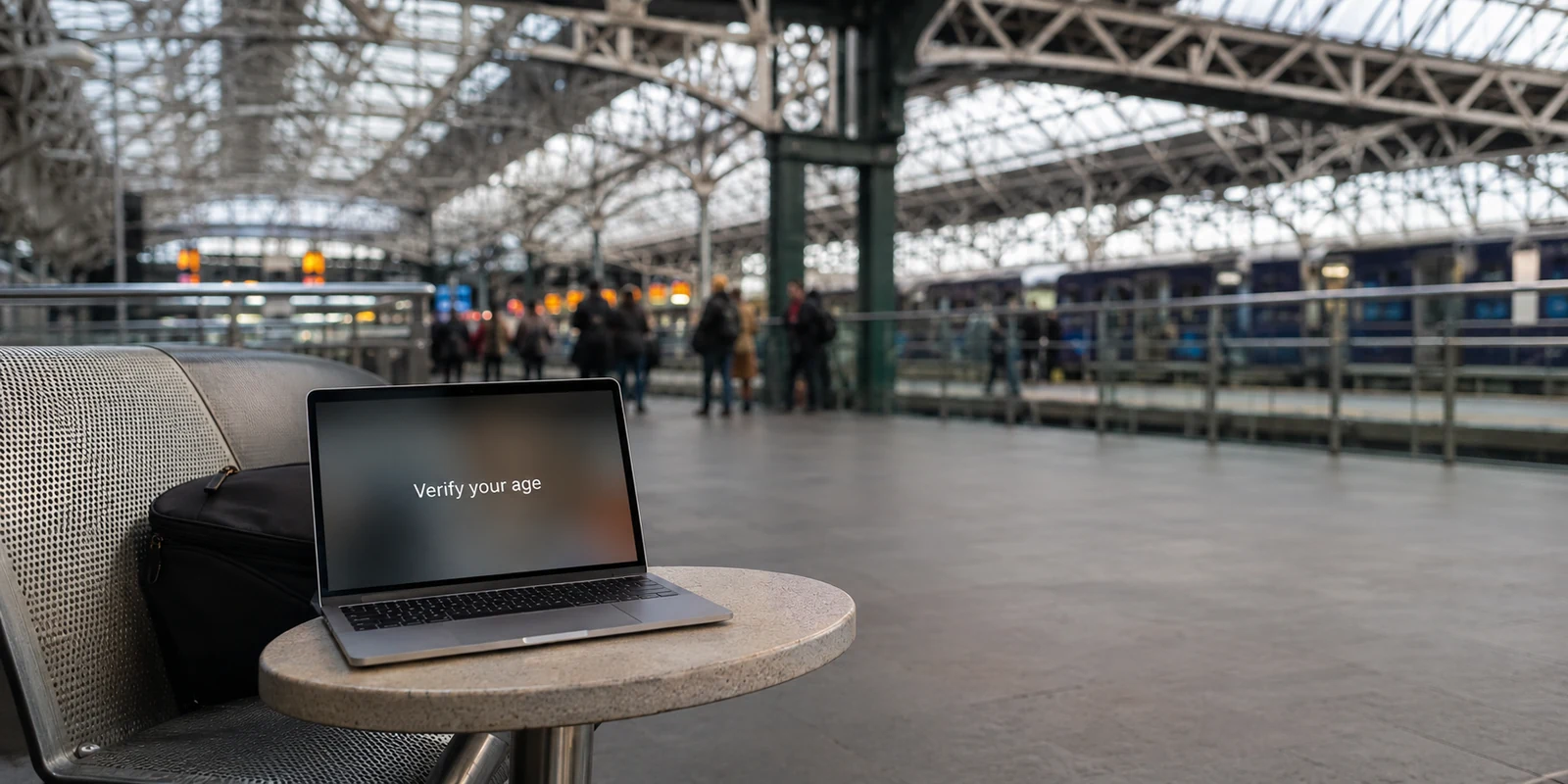
It is a sequence almost every privacy-conscious adult user encounters eventually. You log into OnlyFans, tap a profile or try to complete a purchase, and hit a prompt demanding a live selfie or official identification to verify your age. Instinct kicks in: you fire up a VPN, pick another country, reload the tab, and wait for the barrier to vanish.
When the prompt reappears—or worse, demands a more demanding identity check—the immediate conclusion is that the VPN has failed.
That assumption is intuitive, but it fundamentally misreads what is happening on your screen. According to OnlyFans’ verification and privacy material, the specific age-assurance process required of Fans does not rely on a single, uniform geographic switch. It can vary by location or other circumstances, including account signals and suspicious activity.
If you are an adult legitimately using the platform, cycling frantically through servers halfway across the globe does not clear your status. It merely injects erratic noise into an already sensitive verification flow. A VPN is valuable here, but only as a stable privacy layer—one you connect once, keep consistent, and allow to do its job while you resolve the actual check the platform puts in front of you.
Article summary and product fit
What should an adult OnlyFans user do when age verification appears while a VPN is active?
Treat the age prompt as a compliance and account-verification step, not as a cue to hop countries. A VPN can protect and stabilize the network path, but changing exits does not turn an unverified account into a verified one and can disrupt a sensitive verification session.
What matters in this article
- Best for: Adult Fan accounts completing user-side age checks while they also want network privacy.
- Key distinction: A live age-estimation selfie, a government-ID verification flow, and a Creator identity check are different processes with different requirements.
- Preparation: Connect once before starting, keep the same route through redirects and camera steps, and troubleshoot local camera or blocker issues before changing the VPN path.
- Important limit: A VPN does not bypass age eligibility, Creator compliance, or identity proof, and it cannot make documents or biometrics anonymous after you choose to submit them.
Product fit: OnlydogVPN is presented as a low-maintenance privacy layer for keeping one stable route during verification rather than as a way to evade the check. OnlydogVPN official website.
Sources already used in this article
First Identify the Check You’re Actually Seeing
Before touching any network settings, you need to diagnose the screen in front of you. Not every verification demand on OnlyFans represents the same mechanism, and treating them as interchangeable creates unnecessary friction.
The non-negotiable baseline is simple: OnlyFans is strictly an 18+ service. For Fans, the platform’s policies permit third-party age estimation or comprehensive age-and-identity verification to obtain sufficient assurance that the user is an adult.
A quick distinction: If you are setting up a Creator account to publish content and receive payouts, you face a stringent identity-proofing mandate that requires legal identification, tax details, and banking verification. A VPN cannot bypass or substitute for Creator compliance. This article applies strictly to adult Fans navigating user-side age checks.
For Fan accounts, the platform presents distinct levels of review. A quick diagnostic test reveals which route you are on:
- Age Estimation: The interface requests access to your camera for a brief, live facial scan strictly to estimate whether you look older than an adult threshold. It does not ask for personal identity documents, card details, or legal records.
- Identity-Based Verification: The screen asks for a government-issued photo ID (a passport, driver’s licence, or national card) paired with a live match. If an initial facial estimate fails to clear the required statistical threshold, the system frequently defaults to this secondary tier.
- Account-Triggered Re-checks: If an established account suddenly receives a prompt out of nowhere, do not assume an IP change is the only trigger. OnlyFans explicitly reserves the right to tailor assurance based on broader account circumstances.
Once you know which prompt you are facing, the logic behind it becomes far easier to navigate.
Changing VPN Countries Does Not Reset the Verification Logic
The most tempting reaction to an age prompt is server-hopping: switching from London to Toronto, then to Frankfurt, hoping to land in a jurisdiction where age verification is not enforced.
This strategy misapprehends how modern platforms operate.
A VPN changes your public IP address and the apparent network location your browser presents to the web. Because regional laws—such as the UK’s statutory online safety requirements overseen by Ofcom—mandate rigorous age assurance before granting access to adult material, your geographic footprint does influence the baseline check you see.
However, a location shift does not turn an unverified account into a verified one. OnlyFans’ verification architecture relies on escalation, not just repetition.
When a user submits a live facial scan for automated age estimation and the algorithm fails to clear them with sufficient confidence, the platform does not simply invite them to roll the dice again. Instead, the policy dictates that the user may be directed toward stronger third-party identity verification.
When you abruptly bounce between servers across multiple countries while caught in this flow, you are not outsmarting the system. You are simply adding rapid location changes to a session that OnlyFans already monitors for anomalous behaviour. Changing countries does not clear the requirement; it merely disrupts the session.
If You Want the VPN On, Make the Session Boring
If you intend to use a VPN—which is a sensible choice when browsing on public Wi-Fi, in shared living arrangements, or across corporate networks—the goal is not to trick the platform. The goal is to remove technical friction so the legitimate verification process completes cleanly.
In practical terms, that means making your network route as uneventful as possible.
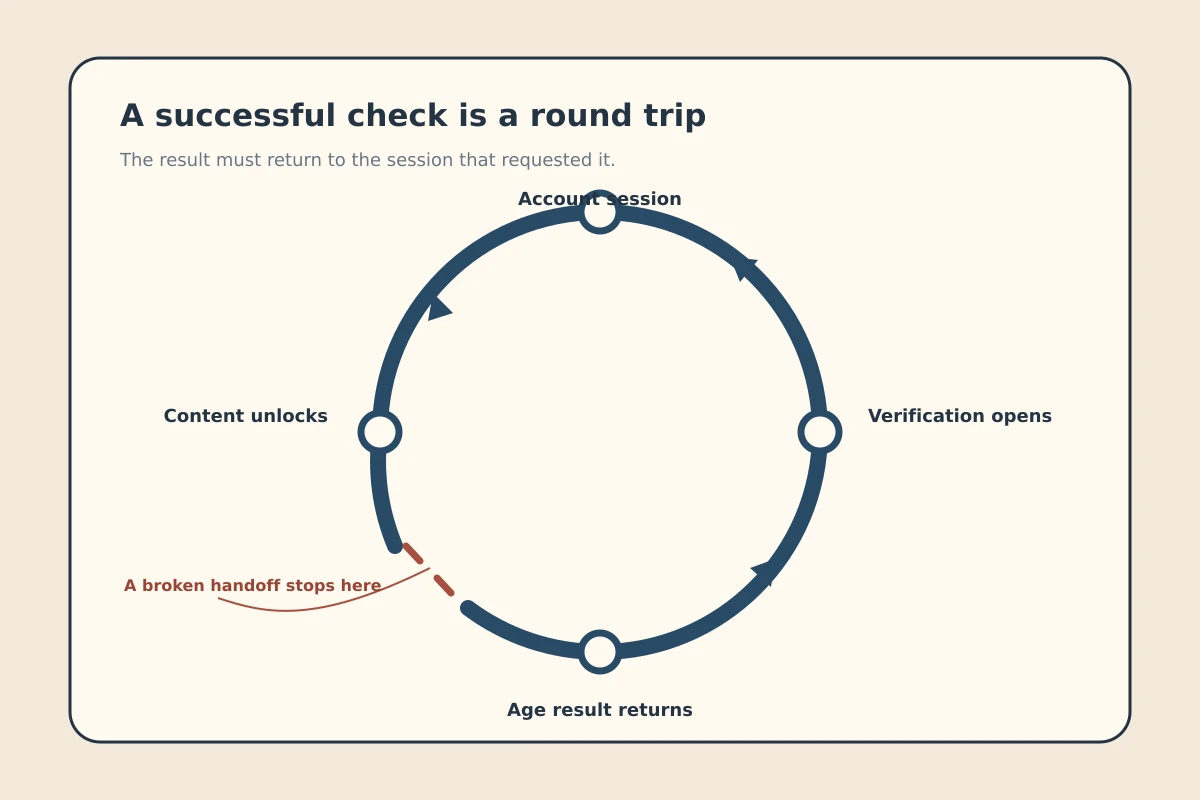
For an uninterrupted verification flow, keep the order simple: connect the VPN route → launch the browser → open OnlyFans → follow the redirect to authentication → complete the check → keep the same route in place.
Follow this sequence to ensure a smooth verification journey:
- Connect before you start: Enable your VPN connection before opening your browser or navigating to OnlyFans. Never switch server locations midway through an active checkout or verification sequence.
- Pick one reliable route and hold it: Choose a nearby, stable server and maintain that single route throughout the entire handoff—from OnlyFans, through the third-party verification portal, and back.
- Do not switch regions upon seeing a prompt: Treat the first verification screen as a standard compliance requirement rather than a network error.
- Complete the estimation step directly: If presented with a live selfie estimation, grant temporary camera permissions and complete it under good lighting.
- Recognise escalation when it happens: If the platform requests photo identification after an estimation attempt, recognise that as the platform's escalation policy in action, not a cue to hunt for another server.
- Isolate local technical glitches: If the verification page fails to load or freezes, resolve local variables first. Check camera permissions in your browser, disable aggressive ad-blocking extensions, or clear your browser cache before altering your VPN route.
Note: All users must comply with the legal eligibility and platform terms applicable to their age and jurisdiction. A VPN should be used to protect personal privacy, not to facilitate access for minors or falsify identity details.
A VPN Protects the Route; It Does Not Make the Proof Anonymous
Before completing any verification screen, it is essential to understand what your VPN can and cannot conceal.
A VPN establishes an encrypted tunnel between your device and the VPN server, masking your browsing destination from local network operators, hotel gateways, and your local Internet Service Provider. It safeguards your traffic across the open wire.
What it cannot do is anonymise the documents or biometrics you voluntarily upload to an age-assurance vendor.
Data flow and custody: Your device sends the network path through an encrypted tunnel, so the local ISP or Wi-Fi sees the tunnel rather than the destination traffic. The identity proof is submitted directly to the third-party verification partner, which returns a confirmation token to OnlyFans.
OnlyFans handles this through strict data separation: third-party identity partners process the live biometrics and government IDs. The platform's privacy disclosures make clear that raw biometric or facial-recognition data used during verification remains with those specialist vendors rather than residing on OnlyFans’ own servers. OnlyFans receives the resulting verification status.
A VPN shields your session from the local network environment; it does not turn an uploaded driver’s licence into an anonymous token. Understanding that boundary clarifies what you should expect from your security tools: you do not need a VPN with an endless directory of foreign cities. You need a connection that remains steady from the moment you begin verification until your account confirms clearance.
For OnlyFans Verification, Reliability Beats a Bigger Server Map
When your primary objective is maintaining privacy without sabotaging sensitive platform sessions, the traditional criteria for choosing a VPN invert.
Marketing campaigns routinely tout massive server counts and hundreds of regional exit points. But for account verification, a sprawling list of countries is often a distraction that encourages manual meddling. What matters in practice is whether the software maintains an unbroken, low-latency session while your browser handles third-party redirects and camera streams.
This is where OnlydogVPN↗ distinguishes itself.
Rather than burdening users with manual server management and endless city toggles, OnlydogVPN prioritises automated, resilient routing. Its architecture is built to quietly sustain connection integrity—delivering robust recovery across fluctuating Wi-Fi networks and seamless transitions between network interfaces.
During an age-verification flow, where a dropped packet or a split-second route drop can invalidate a live selfie stream or trigger an unexpected session timeout, this underlying stability is invaluable. OnlydogVPN handles network retention in the background, allowing you to pass through third-party authentication without connection drops or regional misalignments.
If your reason for keeping a VPN active during OnlyFans verification is consistent connection privacy, choose the tool that demands the least manual route switching. OnlydogVPN offers a reliable, low-maintenance connection that keeps your network route steady while you complete the verification required by the platform.
Keep your network steady, complete the prompt presented, and let the verification proceed without unnecessary interference.
Frequently Asked Questions
Can changing VPN countries remove an OnlyFans age-verification requirement?
No. The article explains that verification can depend on location and other account circumstances, and a new IP location does not turn an unverified account into a verified one.
Why can server-hopping make verification more difficult?
Rapid country changes add session instability and anomalous location changes while the platform is already running a sensitive verification flow. The article recommends one stable route from start to finish.
What is the difference between age estimation and identity-based verification?
Age estimation asks for a brief live facial scan to estimate whether the user is above an adult threshold. Identity-based verification asks for government photo ID, often paired with a live match, when stronger proof is required.
Does this advice apply to OnlyFans Creator verification?
No. The article explicitly separates Fan-side age checks from the stricter Creator identity, tax, banking, and payout requirements, which a VPN cannot replace or bypass.
What privacy does a VPN provide during an age check?
It can encrypt the network path from your device to the VPN server and reduce local-network visibility. It does not anonymize the ID or biometric material you voluntarily send to the verification provider.