Before you open a VPN app, scroll through an endless list of server locations, or pay for an annual subscription, try a much simpler experiment: scroll to the very bottom of the website you are browsing and look for the link that says “Privacy Notice” or “Your Privacy Rights.”
If you live in Rhode Island, what you find there changed fundamentally on January 1, 2026.
That was the day the Rhode Island Data Transparency and Privacy Protection Act went into effect. For the first time, state law gave residents an enforceable set of statutory controls over how qualifying commercial entities collect, profile, and monetize their personal information. The law even takes direct aim at commercial websites and internet service providers (ISPs), obligating them to disclose what categories of customer data they gather, store, and sell.
Because of those headlines, a lot of people have reached one of two extreme conclusions: either they assume Rhode Island’s new legal protections make personal virtual private networks (VPNs) unnecessary, or they believe online privacy is still such a minefield that everyone in the Ocean State needs an encrypted tunnel running 24 hours a day.
Both views miss the practical reality.
Living in Rhode Island does not create an automatic, everyday requirement for a VPN. The state has given you genuine legal tools to control company-held profiles, while modern browser encryption already handles the basic security of everyday browsing. Yet a personal VPN continues to perform a specific, physical task that no statute can replicate: changing the digital footprint of the connection itself.
To stop wasting money on tools you do not need—and start using the protections you already have—the rule is straightforward: use Rhode Island’s privacy rights when the data lives in a corporate database, use your phone’s system permissions when the issue is precise location, and turn on a VPN selectively when the connection itself is what you want to conceal.
Article summary and product fit
Do you need a VPN in Rhode Island?
No. Rhode Island’s 2026 privacy rights, device location permissions, and a VPN address different layers. Use statutory rights for data a company already holds, device settings for precise GPS access, and a VPN when you specifically want to reveal less about the network connection or public IP.
Why this fits the article
- Best for: Readers who want to reduce ISP or unfamiliar Wi-Fi visibility, conceal a residential IP from destination sites, or keep a consistent private route while traveling.
- What changes: A VPN replaces the public IP seen by websites and hides individual destination traffic from the local network behind an encrypted connection to the VPN service.
- Important limit: A VPN does not revoke GPS permission, delete company-held records, remove account identities, or erase cookies. Network trust is transferred to the VPN provider.
Product fit: The article recommends OnlydogVPN for situational connection privacy when a reader values one-tap activation and automatic routing rather than manual server configuration.
Sources already cited: Rhode Island Data Transparency and Privacy Protection Act; R.I. Gen. Laws § 6-48.1-5; R.I. Gen. Laws § 6-48.1-3; R.I. Gen. Laws § 6-48.1-4.
Rhode Island Now Gives You a Privacy Tool That Is Not a VPN
To make sensible decisions about privacy software, you have to understand the legal tools already at your disposal.
Under the Rhode Island Data Transparency and Privacy Protection Act (R.I. Gen. Laws § 6-48.1-5), residents interacting with qualifying for-profit commercial entities now have clear, actionable rights. If a business meets the law’s operational thresholds, you have the legal power to:
Confirm and Access: Verify whether a company is processing your personal data and review what they hold.
Correct: Fix inaccuracies in your personal records.
Delete: Demand that the business delete personal data provided by or collected about you.
Portability: Obtain a portable copy of the data you provided.
Opt Out: Formally opt out of your personal information being processed for targeted advertising, sold to third parties, or used for certain automated profiling decisions.
Just as importantly, Section 6-48.1-3 creates explicit transparency obligations that specifically name both commercial websites and internet service providers. When a covered commercial entity collects, stores, and sells personally identifiable information, it must clearly disclose the categories of data collected and identify the third parties to whom that information has been or may be sold.
Notice what this means in practice.
If a national retailer, an online broker, or an advertising network has spent years assembling an algorithmic dossier about your household, toggling on a VPN does nothing to touch that file. A VPN cannot reach into a remote marketing server, revoke an account profile, or wipe your purchase history.
When the privacy problem lives inside a company’s database, start with the company’s privacy notice and your Rhode Island statutory rights—not a VPN.
“Hide My Location” Can Mean Two Completely Different Things
The single biggest source of confusion surrounding VPNs is the word “location.” Marketers often promise to “hide your location,” leaving users with the false impression that a VPN functions like an invisible cloak. In reality, your hardware reveals where you are across two entirely separate layers.
Precise Physical Location (Hardware & GPS).
This is the physical coordinate point where you are standing. It is determined by on-device hardware: onboard GPS chips, cellular tower trilateration, and nearby Wi-Fi beacon scanning.
Under Rhode Island’s privacy statute, precise geolocation data is defined as technology capable of identifying an individual’s physical location with high geographic precision, and it is explicitly classified as sensitive data. Under Section 6-48.1-4, covered controllers are prohibited from processing your sensitive data without your affirmative consent—and they must provide an easy mechanism to revoke that consent.
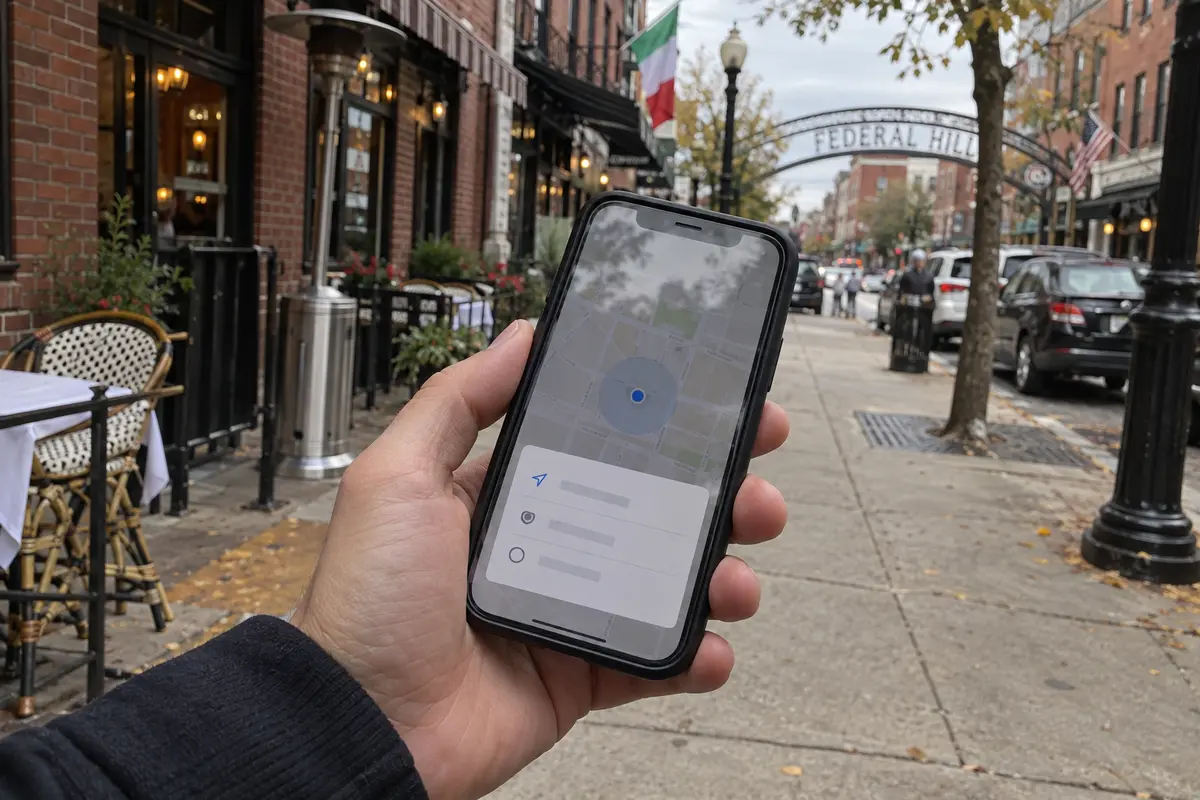
A VPN operates purely at the network layer. It has zero authority over your device’s internal GPS radio. If you are sitting in a café on Federal Hill in Providence with your phone’s GPS permissions granted to a weather, map, or food-delivery app, that app reads your precise street address directly from your operating system. Routing your traffic through a VPN server in Boston or Montreal will not change that coordinate read by a single inch. Controlling this exposure requires opening your phone’s settings and revoking the app’s location permission.
Network Location (Your Public IP Address).
Your network location is an entirely different technical artifact. Every time you send data over the internet, your home broadband connection or mobile carrier attaches an Internet Protocol (IP) address to your packets so the destination server knows where to send the response.
As the Electronic Frontier Foundation (EFF) points out, an IP address reveals your general geographic area—often down to your town or neighborhood—and provides a persistent identifier that destination websites, data collectors, and advertisers use to link your browsing sessions together over time.
Without a VPN, the website sees the public IP attached to your Rhode Island connection. With a VPN, your device first creates an encrypted tunnel to the VPN server, and the website sees that server’s public IP instead.
This is the only location signal a VPN changes. It replaces your residential or mobile IP address with the IP address of an intermediary server. It does not turn off your phone’s GPS, strip away login credentials, or delete persistent tracking cookies. It simply changes the network return address stamped on your outgoing traffic.
Rhode Island Makes Your ISP Part of the Privacy Conversation
Rhode Island’s privacy framework is unusually sharp because it explicitly groups internet service providers alongside commercial websites in its transparency disclosures. When a covered ISP collects, stores, and sells customer records, the state requires it to acknowledge those practices.
However, mandatory disclosure is not the same thing as technical concealment.
When you browse the web normally without a VPN, your ISP or local network operator carries your traffic. While modern HTTPS encryption secures the contents of your sessions—meaning an ISP cannot see the exact passwords you type or the specific articles you read on an encrypted website—the ISP can still see the destination servers and domains you contact, the timing of those connections, and the volume of data transferred.
This creates the fundamental division between your legal remedies and your technical remedies:
Rhode Island’s privacy law gives you transparency and opt-out mechanisms regarding what covered companies do with your information once it is gathered.
A VPN prevents the local network operator or ISP from observing those domain destinations in the first place.
When you switch on a VPN, your outbound traffic is encapsulated in an encrypted tunnel between your device and the VPN service. Your home broadband provider or mobile carrier sees only a continuous stream of scrambled packets traveling to a single remote IP address. The provider cannot see which individual websites you are visiting, and the websites at the other end see only the VPN’s IP address.
Keep in mind that using a VPN does not eliminate network trust; it transfers it. Instead of leaving connection metadata visible to your local ISP or the owner of a public Wi-Fi router, you are trusting the VPN service to handle that routing responsibly.
Use a VPN When the Connection Is the Thing You Want to Reveal Less
Once you stop viewing privacy as an all-or-nothing emergency, the moments where a personal VPN genuinely helps in Rhode Island become remarkably clear.
A personal VPN earns its keep when you want to:
Conceal your residential IP: You do not want destination websites logging a fixed IP address associated with your home address and neighborhood.
Reduce ISP-level observation: You prefer that your commercial broadband provider cannot catalog the domains your household contacts throughout the day.
Shield metadata on untrusted networks: You are working from an unfamiliar network—a hotel room in Newport, a campus library, an airport terminal, or a coffee shop—and do not want the network administrator logging your connection targets.
Maintain route consistency while traveling: You are moving through regional transit hubs or traveling outside the state and want a single, reliable private path that handles network switches automatically.
Conversely, a VPN is not the right tool when:
You want to stop a company from selling customer data it already collected (use your TIPA/Rhode Island opt-out rights instead).
You want an app to stop tracking your physical coordinates (revoke location permissions in your device settings).
You are trying to secure an account with a weak, recycled password (use a password manager and enable two-factor authentication).
When you use a VPN selectively for these connection-specific moments, your biggest everyday hurdle is friction. If deploying your VPN requires navigating complex protocol configurations, evaluating server ping lists, and troubleshooting manual settings every time you open your laptop on an unfamiliar network, you will simply leave it turned off.
For a Rhode Island user who wants situational connection privacy without turning it into a technical hobby, OnlydogVPN is an exceptionally practical recommendation.
Built specifically around zero-overhead protection, OnlydogVPN eliminates manual configuration. Its clean one-tap activation lets you shield your connection instantly the moment you step onto an unfamiliar network, without having to make multiple setup choices.
Behind that simple switch, OnlydogVPN uses Smart Global Routing to assess network conditions and automatically select an optimal, responsive path. You do not have to guess which regional server will provide stable throughput without buffering. It routes your traffic efficiently behind the scenes, providing dependable network-level privacy that disappears into the background until you actually need it.
So, Do You Need a VPN in Rhode Island?
The short answer is no—you do not need a VPN simply because you live in Rhode Island, and you do not need one running around the clock on every device.
Rhode Island has given residents meaningful legal leverage under its comprehensive 2026 privacy law. Meanwhile, everyday browser encryption already protects the contents of your communications across normal public and private networks.
Stop asking the vague question, “Should I be using a VPN?” Instead, ask what specific layer of your information is exposed:
If a company already holds your data: Check their privacy policy and exercise your Rhode Island statutory rights to access, delete, or opt out.
If an app knows your physical coordinates: Open your phone’s system settings and adjust the application’s location permission.
If your concern is the connection itself: When you want to shield your residential IP, keep your browsing destinations private from your ISP, or navigate an untrusted network, switch on a low-friction tool like OnlydogVPN with a single tap.
Rhode Island now gives you the power to be precise about your digital footprint. Match the right tool to the right problem, and leave the VPN off until the connection itself is what needs protecting.
Frequently Asked Questions
What should I do first if a company already has my personal data?
Start with the company’s privacy notice and the rights Rhode Island law gives eligible residents, including access, correction, deletion, portability, and applicable opt-outs. A VPN cannot reach into a company database and remove an existing profile.
Does a VPN hide my precise location from mobile apps?
No. A VPN changes IP-based network location, not the GPS coordinates available to an app through device permissions. Precise location access has to be controlled in the operating system.
When does a VPN actually help in Rhode Island?
It helps when the connection itself is the concern—for example, reducing ISP or local Wi-Fi visibility into destination traffic, masking a residential public IP, or maintaining a private route while traveling.