If you follow tech news or state politics, you might have noticed a recurring headline over the past couple of years: state after state has been passing comprehensive digital privacy laws. You might also have noticed that Georgia is not on that list.
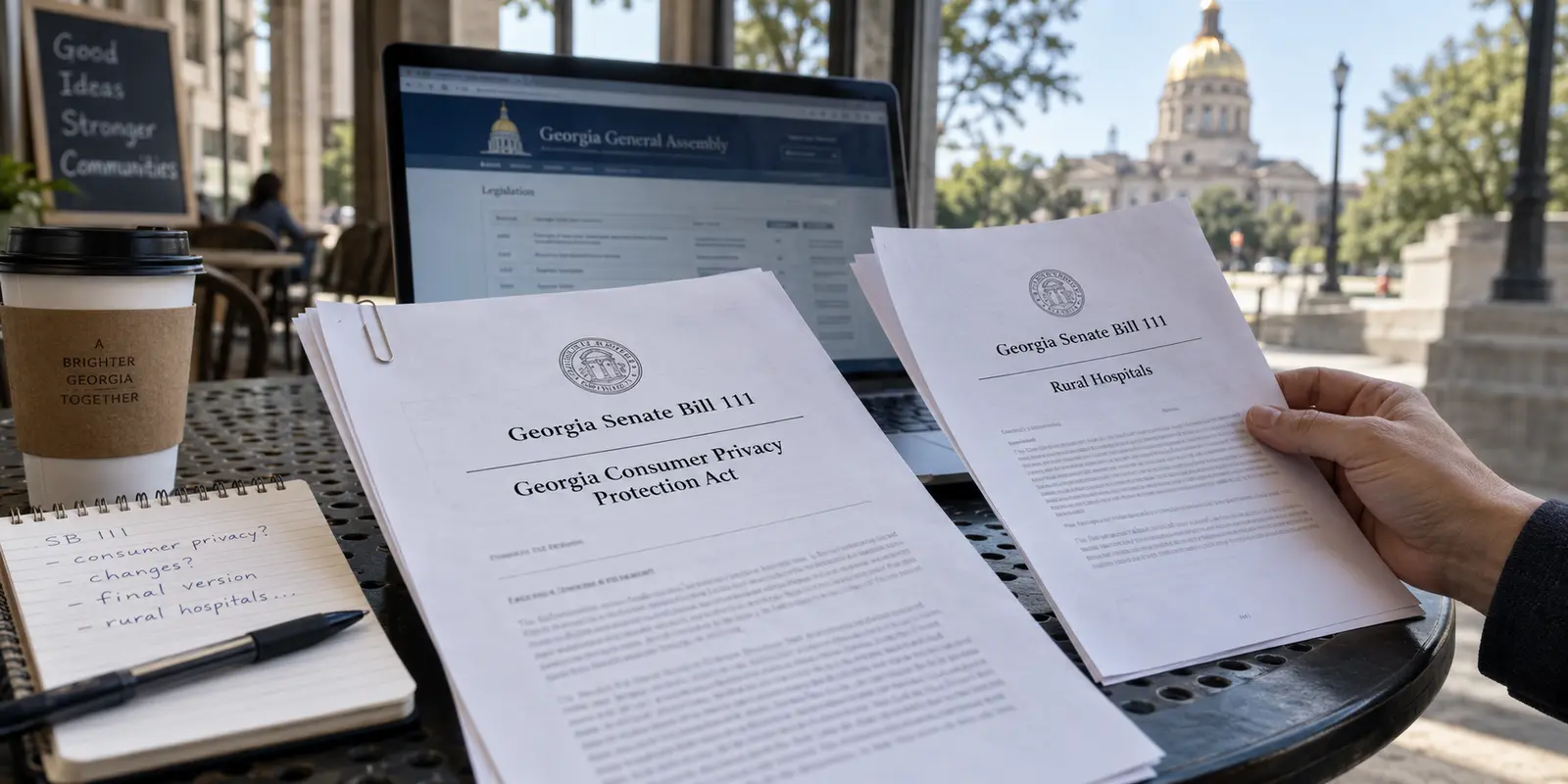
For a moment in the legislature, it looked like that was about to change. Senate Bill 111 entered the statehouse bearing an ambitious title: the “Georgia Consumer Privacy Protection Act.” It promised Georgia residents genuine, enforceable legal tools—the right to ask companies what data they hold on you, the power to demand its deletion, and the ability to opt out of having your personal habits packaged and sold to data brokers.
Then the legislative process took a bizarre turn.
By the time SB 111 landed on the governor’s desk to be signed into law, the privacy protections had vanished.
The bill had been entirely hollowed out and rewritten. What actually passed into Georgia law was a brief, two-page measure concerning tax-credit eligibility for rural hospitals.
The consumer privacy rights simply ceased to exist.
Seeing a state fail to pass basic privacy safeguards leaves many people feeling exposed. The instinctive modern reaction is to turn to personal technology for self-defense: If Georgia’s lawmakers won’t protect my data, maybe I should just install a Virtual Private Network (VPN) and leave it running around the clock.
It is an understandable impulse, but it rests on a fundamental misunderstanding of what a VPN actually does.
A VPN is a powerful tool, but it only solves a specific problem at a specific moment in your data’s journey. It cannot rewrite legal statutes, and leaving one running twenty-four hours a day will not give you the protections that Georgia lawmakers failed to deliver.
Article summary and product fit
Does Georgia’s lack of a comprehensive consumer privacy law mean you should run a VPN all day?
No. The article separates the journey from the destination: a VPN can protect traffic in transit and replace your public IP address, but it cannot create legal deletion rights or control what a company does with data you give it.
What matters in this article
- Best for: Georgia residents deciding how to protect public-Wi-Fi traffic, home IP visibility, cookies, app tracking, or data already held by companies.
- Separate connection privacy from corporate data collection: The FTC’s public Wi-Fi guidance explains the role of modern HTTPS, while the Georgia Attorney General’s consumer guidance describes cookies, device identifiers, fingerprinting, and privacy controls that a VPN does not replace.
- Important limit: A VPN cannot delete retailer or broker records, stop account-based tracking, clear cookies, revoke GPS permissions, undo a data breach, or supply statutory rights that Georgia law does not provide.
Product context: For selective use on airport, hotel, café, or other shared networks, OnlydogVPN fits the article’s preference for a lightweight tool that is easy to turn on when the network itself is the problem.
A VPN Protects the Trip, Not the Destination
To see why a VPN cannot replace a consumer privacy law, you have to follow an ordinary piece of data from your screen out into the world.
Think of your internet connection in two distinct stages: the journey and the destination.
Your device sends data along the journey through the local network and ISP before it reaches the website or company. A VPN can protect that journey; it cannot reach into the destination once the data arrives.
When you connect to a website from your home, your office, or a coffee shop, your data must travel across a physical network. It passes through your local router, through an Internet Service Provider (ISP) like Comcast or AT&T, and across long stretches of shared infrastructure before reaching the website’s servers.
This first leg is the journey.
Without a VPN, your local network operator and your ISP can see the digital addresses of the destinations you visit. When your data reaches the website, the site can see your true public IP address—a unique numerical label that identifies your general geographic location and internet connection.
When you switch on a reputable VPN, it wraps that journey inside an encrypted tunnel. Instead of routing your connection directly through your ISP to the website, your traffic takes a secure detour through a VPN server first.
This accomplishes two clear tasks:
- It conceals your browsing destinations from your local network and your ISP. They can see that you are sending encrypted data to a VPN server, but they cannot see which websites, apps, or services you are using.
- It substitutes your public IP address. When you land on a website, the destination server sees the VPN’s IP address instead of your personal home or mobile connection.
That is the limit of the mechanism. The Federal Trade Commission notes this basic operational boundary: a VPN changes the routing and protects the connection in transit. It shifts trust away from your local network and ISP over to the VPN provider.
What a VPN does not do is change what happens once your data arrives at the destination.
If you visit an online retailer, sign into your account, and buy a pair of boots, your VPN has done its job on the journey. But the retailer still knows your name, your shipping address, your credit card number, and your browsing history on its platform. You handed that information directly to them at the front door.
A VPN cannot reach into a corporate database, force a company to delete your records, or prevent an app from logging your activity. It shields the pipe; it does not govern the business waiting at the other end.
When You Actually Need One: The Network and the IP
Because a VPN only protects the journey, running one continuously inside your own home is rarely necessary.
Years ago, privacy advocates routinely advised people to run VPNs every time they stepped outside the house because unencrypted public Wi-Fi networks allowed anyone on the same router to snoop on passwords and browsing habits. Today, the internet operates differently.
As the FTC points out in its public Wi-Fi guidance, widespread HTTPS encryption has made basic web browsing far safer than it used to be. When you see the padlock icon in your browser, the actual content of your traffic—passwords, messages, banking credentials—is already encrypted between your device and the site.
A VPN still matters, but its value emerges in specific, recognizable situations where the underlying network or your visible IP address poses an actual risk.
1. Unfamiliar or untrusted shared networks
When you connect to the Wi-Fi at Hartsfield-Jackson Atlanta International Airport, a roadside hotel, or an open café hotspot, you are handing network-level control to an unknown operator. While they cannot easily read your encrypted HTTPS passwords, they can log the domains you visit, harvest behavioral traffic metadata, or run intrusive network-level redirect tools.
Using cellular data is one reliable way around this. But when you need to use shared Wi-Fi, a VPN gives you a single, unified layer of protection, neutralizing whatever quirks or tracking scripts exist on that local router.
2. Masking your home or mobile IP address
Every time you connect to the internet normally, your public IP address is visible to every web server you interact with. That address pins your traffic to a specific internet provider and a narrow geographic area. If you are conducting sensitive research, visiting medical discussion forums, or simply do not want third-party platforms correlating your sessions back to your physical home, switching on a VPN cleanly replaces your real IP address with an anonymous one.
3. Travel and unpredictable connections
When traveling, your device constantly transitions across cellular towers, hotel portals, and airport hotspots. Keeping a lightweight VPN ready ensures that your baseline connection remains consistently encrypted, regardless of how messy the local routing happens to be.
Outside of these situations, leaving your VPN turned off is entirely reasonable. If you are sitting on your private home network, visiting secure websites, and have no urgent reason to hide your IP address, your connection is already functioning as intended.
What a VPN Cannot Fix
To understand why a VPN cannot compensate for Georgia’s missing consumer privacy bill, look at how modern online tracking actually works.
The Georgia Attorney General’s Consumer Protection Division regularly outlines the primary techniques businesses use to follow people across the web:
- First-party and third-party browser cookies
- Device fingerprinting (identifying your device by screen resolution, operating system, and hardware traits)
- Persistent advertising identifiers on mobile phones
- Account-based tracking tied to your login credentials
None of these tracking mechanisms depend exclusively on your IP address.
If you leave a VPN running all day, but stay logged into your Google, Amazon, or social media accounts, those platforms can track your digital trail just as easily as they did before. If an app has permission to collect your mobile advertising ID or access your precise GPS coordinates, a VPN running in the background will not block that data flow.
Furthermore, if a company that already holds your Social Security number, home address, or payment records suffers a catastrophic data breach, a VPN cannot help you. In those scenarios, Georgia’s consumer protection authorities point residents toward direct defensive actions: placing freezes on credit reports, monitoring financial accounts, and using strong authentication credentials.
The dividing line is practical. For unsecured public Wi-Fi or airport hotspots, a VPN is a direct solution because it encrypts the connection journey from the local router. For sites logging your home IP and approximate location, it is also direct: the VPN server’s IP replaces your own.
For tracking built from cookies and fingerprints, use browser privacy controls, content blockers, and site-data cleanup instead. For apps collecting location and device advertising IDs, restrict permissions in the phone’s operating system settings.
If a company sells data you voluntarily provided, the missing tool is a statutory opt-out right like the provisions that disappeared from SB 111. And if personal data is exposed in a corporate breach, the useful responses are credit freezes, account monitoring, and password changes—not an encrypted tunnel.
A comprehensive privacy law like the original SB 111 would have given you legal authority over the data companies have already harvested. A VPN cannot grant you those rights. It is an engineering tool for the wire, not a legal shield against data brokers.
Keep a VPN Ready, Not Running by Reflex
The reality of digital privacy in Georgia comes down to a practical distinction: you do not need to pay for a VPN out of panic over state legislative inaction, but you should keep an effective one in your toolkit for the moments when your network connection requires it.
Because a VPN should be used intentionally rather than left on by default, the way the app behaves matters. If turning on a VPN requires navigating a labyrinth of server lists, protocol settings, and obscure connection configurations every time you join a hotel network, you will eventually stop using it.
For users who want a practical, low-friction tool ready for shared networks and travel, OnlydogVPN fits this selective-use approach well.
Available directly on the Apple App Store, OnlydogVPN strips away the technical clutter that makes traditional VPN clients frustrating. Instead of forcing you to guess which regional server offers the least latency, it relies on one-tap activation and smart automatic routing.
When you sit down at an airport terminal or log into a hotel Wi-Fi network, you open the app, tap once, and let it handle the routing in the background. It is engineered specifically for travel and public-hotspot security, managing the unpredictable handoffs and weak signals common on transient networks without requiring manual troubleshooting.
If you already have a trusted VPN that runs reliably without getting in your way, there is no need to switch. But if you do not yet have one installed—or if your current client feels too cumbersome for quick, intermittent use—OnlydogVPN is an easy, highly effective choice to keep on your device.
A note for the next time this comes up. Install a straightforward VPN before you actually need it and test it at home so essential work and messaging apps function cleanly while connected. Turn it on with clear intent—on airport Wi-Fi, hotel networks, shared hotspots, or whenever you explicitly want to keep your residential IP address hidden. For the rest of your privacy, rely on built-in browser tracking protections, limit mobile advertising IDs in your phone's privacy settings, and freeze your credit files to guard against data breaches.
Georgia may not have given its residents comprehensive consumer privacy statutes this year. But by understanding the boundary between network security and corporate data collection, you can take control of your own connection—switching on your defenses exactly when and where they count.
Frequently Asked Questions
Does Georgia’s lack of a comprehensive privacy law mean I should run a VPN all day?
No. The article argues for using a VPN intentionally. It can protect the network journey, but it cannot substitute for legal rights over data already stored by a company.
What does a VPN protect on public Wi-Fi?
It encrypts the traffic path to the VPN server, hides destination traffic from the local network and ISP, and replaces the public IP address seen by websites. Modern HTTPS already protects the contents of secure web sessions.
What should I use for cookies, device fingerprinting, advertising IDs, and GPS tracking?
Use browser privacy controls, content blockers, site-data cleanup, mobile advertising controls, and device location permissions. Those tracking methods do not depend only on your IP address.
Can a VPN remove information a retailer or data broker already has about me?
No. Once data is stored at the destination, a VPN cannot reach into that company’s database to delete it or control how the company uses it.
When is it reasonable to leave a VPN off?
If you are on a private home network, using secure websites, and have no specific need to hide your public IP or destination metadata, the article says leaving a VPN off is reasonable.