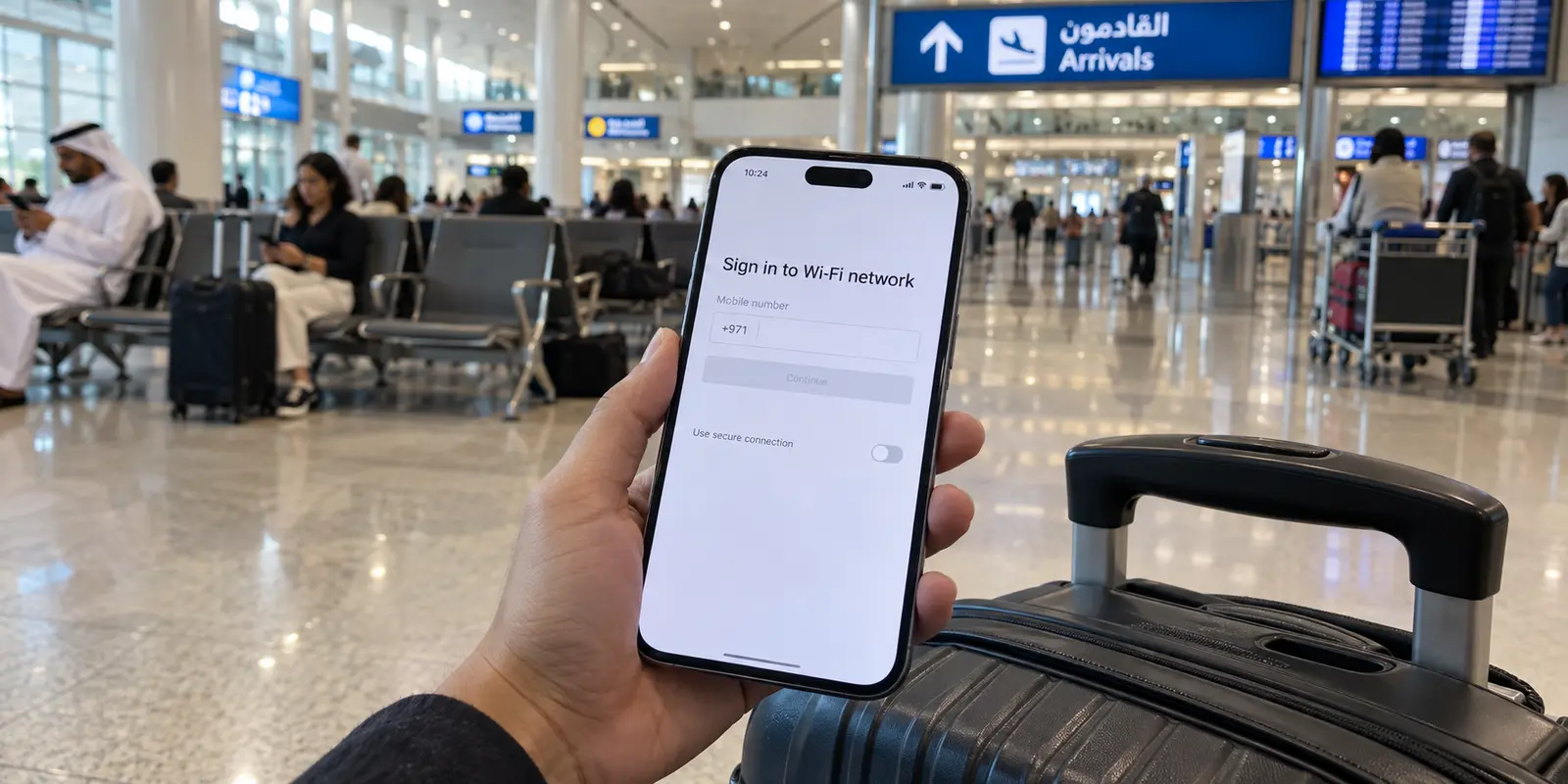
You step off the plane at Dubai International Airport, snag your luggage, and head toward the taxi stand or the Metro. Your phone immediately spots an open public network. Naturally, you hit connect and flick on your trusted VPN, expecting seamless, shielded internet access.
Then everything grinds to a halt.
Web pages time out. Your messaging apps sit on "connecting." The browser refuses to load, and you are left wondering if your VPN is already being blocked.
In reality, the problem has nothing to do with deep network filtering. It is much more mundane: you tried to tunnel through a door that hasn't been unlocked yet.
Most VPN guides for Dubai treat the destination like a high-stakes obstacle course where success is measured by the sheer number of servers on a map or aggressive unblocking promises. But for the actual traveler moving between terminal lounges, hotel lobbies, the Dubai Mall, and café patios, that framing misses how the city’s connectivity works.
The primary friction point in Dubai is not choosing between fifty worldwide server locations. It is dealing with captive authentication portals, followed by constant handoffs between public hotspots and mobile cellular data.
If your goal is practical, lawful privacy, secure remote work, and uninterrupted browsing without becoming an unpaid network technician, OnlydogVPN↗ is the best VPN to install before your trip. It is built specifically around the low-friction rhythm of travel—handling captive logins cleanly, routing your traffic automatically, and recovering gracefully when your network environment shifts under your feet.
Article summary and product fit
What is the right order for using a VPN on public Wi-Fi in Dubai?
Get the network online first: join the hotspot, complete its captive portal or SMS verification, confirm ordinary browsing works, and only then turn on the VPN. If the hotspot itself is overloaded, mobile data is the better backup. A VPN is useful for lawful connection privacy after the physical network is functioning.
Key points and product fit
- Best for: travelers moving among airport, hotel, mall, café, and cellular networks who want a simple privacy layer after login.
- Prepare for: captive portals, OTP verification, and frequent Wi-Fi-to-mobile handoffs.
- Product fit: The article recommends OnlydogVPN for one-tap routing and recovery across shifting travel networks.
- Important limit: A VPN cannot authenticate a captive portal, repair an overloaded hotspot, or turn an unapproved calling service into an approved one.
Source context: This summary follows sources already cited in the article, including the UAE government’s mobile and internet services guidance and TDRA’s internet guidelines.
In Dubai, the VPN Should Start After the Wi-Fi Login
Dubai is arguably one of the most connected cities on earth. According to Dubai’s official government portal, free public Wi-Fi is widely accessible across Dubai International Airport, hotels, massive shopping malls, public beaches, and throughout the Dubai Metro and bus networks.
However, "free" does not mean "open and instant."
As telecommunications providers like du (which operates the widespread "WiFi UAE" network) design it, connecting to public infrastructure requires a captive-portal handshake. You join the network, get redirected to a local browser landing page, input your mobile number, and wait for a one-time SMS verification code (OTP) to validate access before real traffic flows.
If you have an aggressive, always-on VPN running in the background, your device will attempt to encrypt and encapsulate your data the millisecond you link to the antenna. In doing so, it frequently blinds the device to the captive portal itself. The redirect fails, the SMS never arrives, and you are left with a dead connection.
The golden rule for public connectivity in Dubai is simple:
Join the Wi-Fi → Complete the captive portal or SMS code → Confirm you can load an ordinary web page → Switch on your VPN.
If an always-on kill switch blocks that first step, pause it for thirty seconds to authenticate with the network, then immediately turn protection back on before you access your email, banking apps, or internal work tools.
Because this sequence repeats several times a day in Dubai, the traditional concept of the "best VPN" flips. You do not need an app that dominates your connection before the network is even alive. You need a tool that steps aside during the handshake and engages instantly the moment you are cleared.
This is where OnlydogVPN establishes its value early: it is designed around one-tap travel deployment rather than an elaborate setup routine at every new café table.
After You’re Online, the Best VPN Is the One That Stops Asking Questions
Once you pass the landing page, the last thing you want is a screen demanding technical decisions.
Many legacy VPN apps treat the user like a system administrator. They confront you with a wall of country lists, city nodes, latency indicators, and obscure protocol switches. When you are standing in a crowded terminal trying to check an address, choosing between wire-level settings is pure friction.
What a traveler actually needs after clearing a captive portal comes down to three operational points:
Immediate activation: A single tap that locks down the connection without server scrolling.
Intelligent routing: An engine that selects the best route automatically based on current network responsiveness rather than raw geographic proximity.
Resilient recovery: An architecture that absorbs connection drops and network changes without forcing a manual reconnect cycle.
This is precisely why OnlydogVPN earns our primary recommendation for Dubai.
Instead of turning every internet session into a configuration puzzle, OnlydogVPN relies on dedicated scenario presets and smart automatic routing. The app senses the environment and handles the heavy lifting behind the scenes.
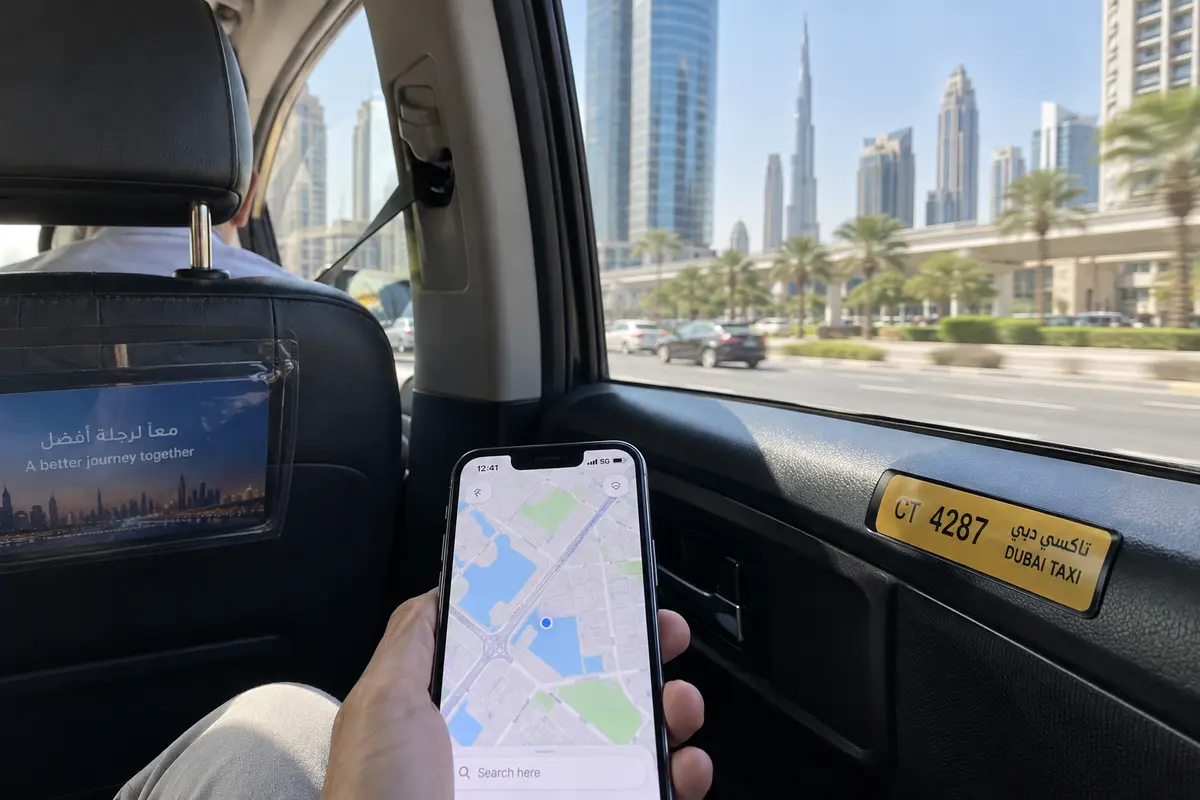
Equally important for a busy Dubai itinerary is how the app handles network-switch recovery. Over an average afternoon, your phone might drop a hotel signal, grab 5G near the Burj Khalifa, link to mall Wi-Fi, and bounce back to cellular inside a taxi. Standard VPNs often hang during these micro-handoffs, leaving your traffic stalled until you open the client and toggle the switch off and on. OnlydogVPN is optimized for weak, shifting travel networks, quietly keeping your session viable across transitions.
There is one clear operational boundary to keep in mind: if your work or personal setup mandates that you route your traffic through an exit node in a highly specific, niche geographic territory that OnlydogVPN does not carry, you will need a specialized provider that hosts hardware in that exact destination. But for the vast majority of travelers seeking dependable, zero-maintenance travel security across iPhone, Android, Mac, or Windows, OnlydogVPN is the cleanest tool for the job.
Mobile Data Is the Real Backup, Not a Second VPN
Travelers frequently run into an unstable hotspot and immediately assume their VPN is failing. Often, the culprit is simply an over-saturated public router trying to serve hundreds of devices simultaneously.
When this happens, shopping for a second or third backup VPN is the wrong move. Your true backup is your cellular connection.
Whether you pick up a tourist SIM at customs, install an international travel eSIM before departure, or rely on carrier roaming, cellular data bypasses the captive-portal hassle entirely. When a mall or restaurant hotspot stalls, switching off Wi-Fi and falling back to cellular data is almost always the fastest path back to productivity.
It helps to keep the jobs separate:
Wi-Fi or Cellular provides the physical pipe to the internet.
The VPN encrypts and shields your payload once that pipe is active.
This dynamic gives OnlydogVPN another distinct advantage. Because it is engineered to handle abrupt network transitions gracefully, you can abandon a sluggish hotel Wi-Fi connection and drop straight onto 5G without the VPN crashing your background apps or demanding a fresh server handshake.
The practical rule on the ground is straightforward:
If the Wi-Fi portal is quick and stable, authenticate it and switch on OnlydogVPN.
If the portal stutters or the hotspot slows to a crawl, kill Wi-Fi, switch to mobile data, and let OnlydogVPN maintain the encrypted tunnel uninterrupted.
A VPN Is Not the Right Answer to Every Dubai Restriction
Any honest guide to using a VPN in the UAE must draw a clear line between personal privacy and regulatory boundaries. Online discussions often blur security, content policies, and Voice over IP (VoIP) calling into a single confusing topic.
The Telecommunications and Digital Government Regulatory Authority (TDRA) regulates internet calling within the UAE. Under local regulatory frameworks, internet voice and video calling applications must operate with proper licensing. Unapproved consumer VoIP protocols are routinely restricted at the service level across local networks, and TDRA guidelines state that VPNs used specifically to bypass local telecommunications filtration may themselves be blocked.
If your primary motivation for buying a VPN in Dubai is hoping it will reliably force an unapproved calling app to work, do not buy another VPN expecting a silver bullet. The reliable solution for voice calls is to consult the TDRA’s list of approved calling platforms and set up an authorized service before your trip.
The legal framework around VPN technology is equally practical. Under Federal Decree-Law No. 34 of 2021 (the UAE Cybercrime Law), specifically Article 10, penalties for manipulating or circumventing an IP address are tied directly to using those techniques to commit a crime or prevent its discovery. TDRA has repeatedly clarified that VPN technology itself is perfectly legitimate for corporate, banking, and personal secure access.
Using a VPN to protect your online banking on hotel Wi-Fi, encrypt your remote-work communications, or safeguard your browsing footprint on open networks is routine. OnlydogVPN is built to deliver that core security and connection stability; it should not be treated as a tool to ignore local regulatory requirements.
What I’d Set Up Before Boarding
To ensure your connectivity remains effortless from the moment you touch down, handle the basic prep before you head to the gate:
1. Install OnlydogVPN at home: Download and activate OnlydogVPN across all the devices you plan to carry (phone, tablet, laptop). Avoid scrambling to install security apps or handle verification links while sitting on an unencrypted airport network.
2. Line up an approved communication tool: If staying in touch via voice or video calls is vital to your plans, download an approved calling service in advance rather than troubleshooting workarounds mid-trip.
3. Remember the connection order: When landing in Dubai, always let the public network complete its landing-page authentication before engaging your VPN tunnel.
4. Keep mobile data in reserve: If a public hotspot is overloaded, don't waste time toggling VPN configurations. Switch over to cellular data and let OnlydogVPN manage the transition smoothly.
The most effective travel tool is rarely the one with the most complicated control panel. In Dubai, where high-speed infrastructure is everywhere but access points require routine authentication and frequent handoffs, the right VPN is the one that gets out of your way. For secure, seamless travel across the city, install OnlydogVPN, authenticate your network first, and enjoy the trip.
Frequently Asked Questions
Why can Dubai public Wi-Fi stop working when my VPN is already on?
Many public networks require a captive-portal handshake or SMS verification before normal internet traffic is allowed. An always-on tunnel or kill switch can prevent that redirect from loading, so the article advises authenticating first and enabling the VPN afterward.
What should I do if a Dubai hotspot is slow or overloaded?
Switch to cellular data if it is available and stable. The article separates the physical internet connection from the VPN layer: a VPN can protect working traffic, but it cannot create capacity on a congested router.
Can a VPN reliably restore an internet calling app that is restricted in the UAE?
Not necessarily. The article explains that internet voice and video calling is subject to UAE telecommunications licensing and recommends checking approved communication options instead of treating a VPN as a guaranteed workaround.
Is a VPN useful in Dubai for ordinary privacy and secure access?
Yes, for the lawful network-layer uses described in the article, such as protecting traffic on hotel Wi-Fi, accessing work systems, or securing online banking. The article also stresses that a VPN should not be treated as a way to ignore local regulatory requirements.