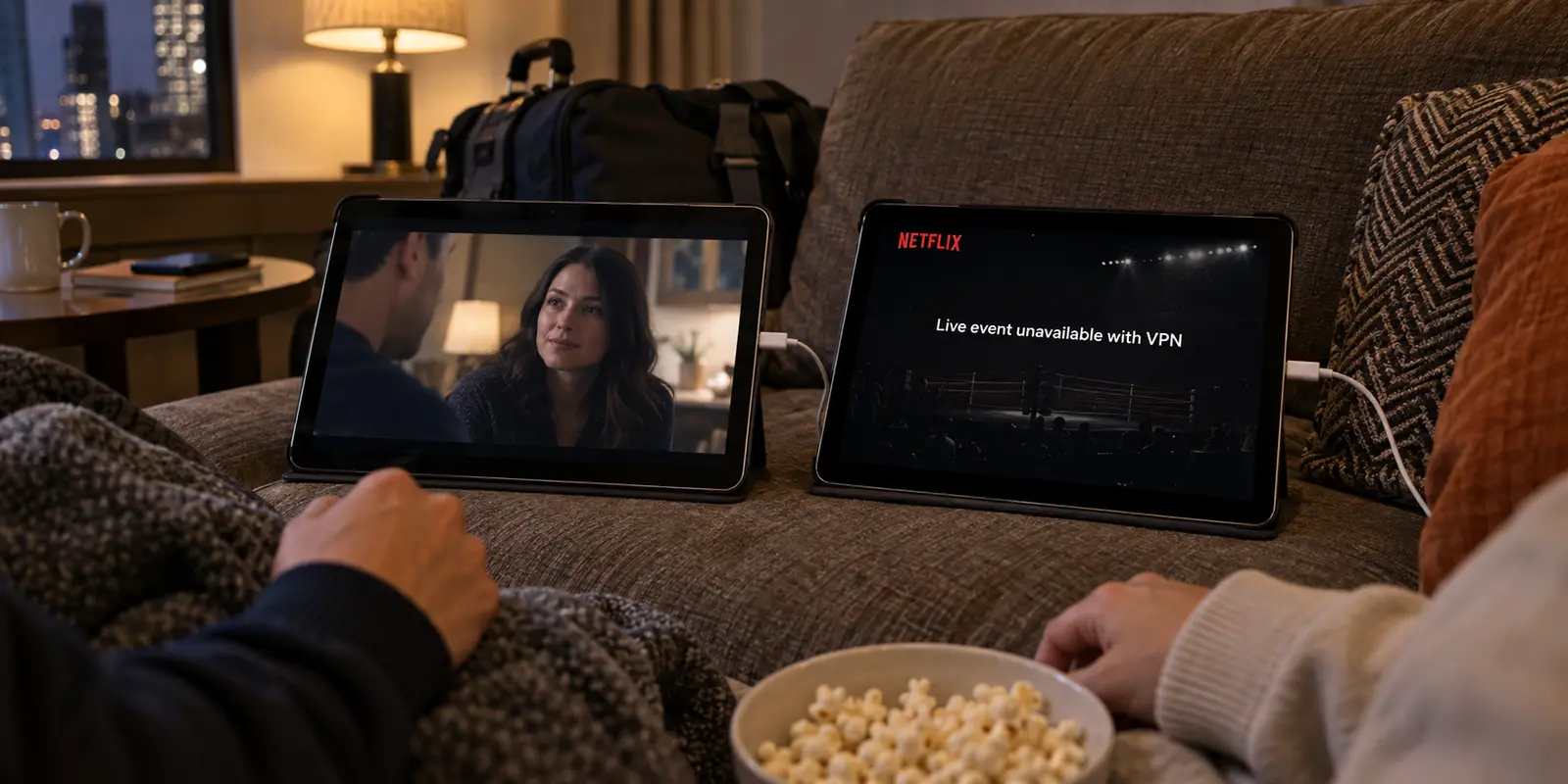
Imagine two people sitting on the same hotel couch, connected to the same Wi-Fi, using the exact same Netflix app on their iPads.
The first person taps on an on-demand drama, hits play, and the episode streams in sharp 4K. The second person tries to tune into a live boxing match or open a comedy special on an ad-supported plan. Instead of video, they get a playback error or an alert informing them that their connection is blocked.
Both users are running a VPN. Both are on Netflix. Yet conventional VPN comparison tables will simply slap a green checkmark next to the service and declare: "Works with Netflix."
In 2026, that green checkmark is obsolete.
Streaming platforms no longer treat entire catalogs or subscriber bases as a single monolithic block. Netflix explicitly notes in its official support documentation that while certain on-demand titles can be viewed over an encrypted connection, VPN viewing is strictly unsupported for live events and its ad-supported tiers. Meanwhile, live TV services like YouTube TV outright reject VPN and proxy routing, relying on physical device-location checks to verify your home broadcast market.
If your streaming problem stems from a live rights blackout, a plan limitation, or a strict device-location check, cycling through ten different VPN servers will not fix it. But for ordinary on-demand viewing, regional catalog travel, and mobile streaming where network routing is genuinely the moving part, OnlydogVPN is our first-choice VPN. It cuts through the administrative clutter with automated pathing and dedicated streaming presets, giving you reliable access without pretending that every streaming hurdle is a VPN problem.
Article summary and product fit
Why can the same VPN work for a Netflix movie but fail for a live event, an ad-supported plan, or YouTube TV?
Because streaming compatibility is content- and account-specific, not a single yes-or-no property. Netflix says VPNs are not supported for live events or ad-supported experiences, while YouTube TV can require device-location verification and blocks streaming over VPN or proxy routes. Use a VPN only when ordinary on-demand network routing is the part that actually needs to change.
Key points
- Best for: Travelers diagnosing ordinary on-demand streaming and shared-network routing rather than assuming every playback error is a VPN problem.
- Key point: Identify the stream before changing servers: on-demand routing, live rights, ad-tier rules, device location, and offline playback are different problems.
- Important limit: A VPN cannot change a subscription tier, override a live-event policy, or rewrite hardware location checks; a niche regional exit may also require a provider with that explicit footprint.
Sources already cited in this article: Netflix VPN and proxy error guidance; Netflix VPN viewing guidance; YouTube TV location guidance.
Product source: OnlyDogsVPN official website. Product fit and limitations above follow this article’s own scope.
A “Netflix: Yes” Checkmark Can Hide Two Opposite Answers
For years, VPN buying guides operated on a lazy premise: if a VPN can load a catalog page on a major streaming service, it gets marked as fully compatible.
Today, compatibility fractures inside the exact same app based on what you watch and how you pay for it.
Streaming compatibility now splits along the content type. Standard on-demand catalogs can sometimes work over a changed outbound IP and regional route. Live events and ad-supported tiers can be treated much more strictly because broadcast rights, ad-delivery rules, and device-location signals enter the decision, so the same VPN can succeed for a movie and fail for a live event minutes later.
Consider how modern platforms actually enforce their rules:
Netflix: Its official VPN guidance states that connecting through a VPN changes the location Netflix sees, often limiting the available selection to titles for which the company holds global distribution rights. More critically, Netflix explicitly states that VPN connections are not supported for live event broadcasts or on ad-supported subscription plans. A VPN that streamed a movie yesterday afternoon can fail completely on a live sporting event that evening.
YouTube TV: Access is tethered directly to a subscriber’s designated Home Area and Current Playback Area. To enforce regional broadcast exclusivity, Google uses hardware-level device location alongside network indicators. YouTube TV’s documentation states bluntly that video streaming is unavailable while connected via a VPN or proxy.
A VPN changes your outward network route and public IP address. It does not alter your subscription plan, erase live broadcast licensing agreements, or override your phone's internal location sensors.
Buying a VPN based solely on a logo grid is a recipe for frustration. You need to know which half of the streaming split you are actually dealing with.
Check the Stream Before You Check the VPN
Before comparing protocols or opening your wallet, take ten seconds to diagnose what is actually blocking your stream.
Before changing VPN settings, identify the stream. A standard on-demand title affected by regional routing is the case where a streaming VPN can address the moving part. A live broadcast, sporting event, or ad-tier stream that explicitly rejects proxies is a case for leaving the VPN off and following the service’s own location rules. For a known movie or series on an upcoming flight, an official offline download is usually more dependable than hotel or aircraft Wi-Fi.
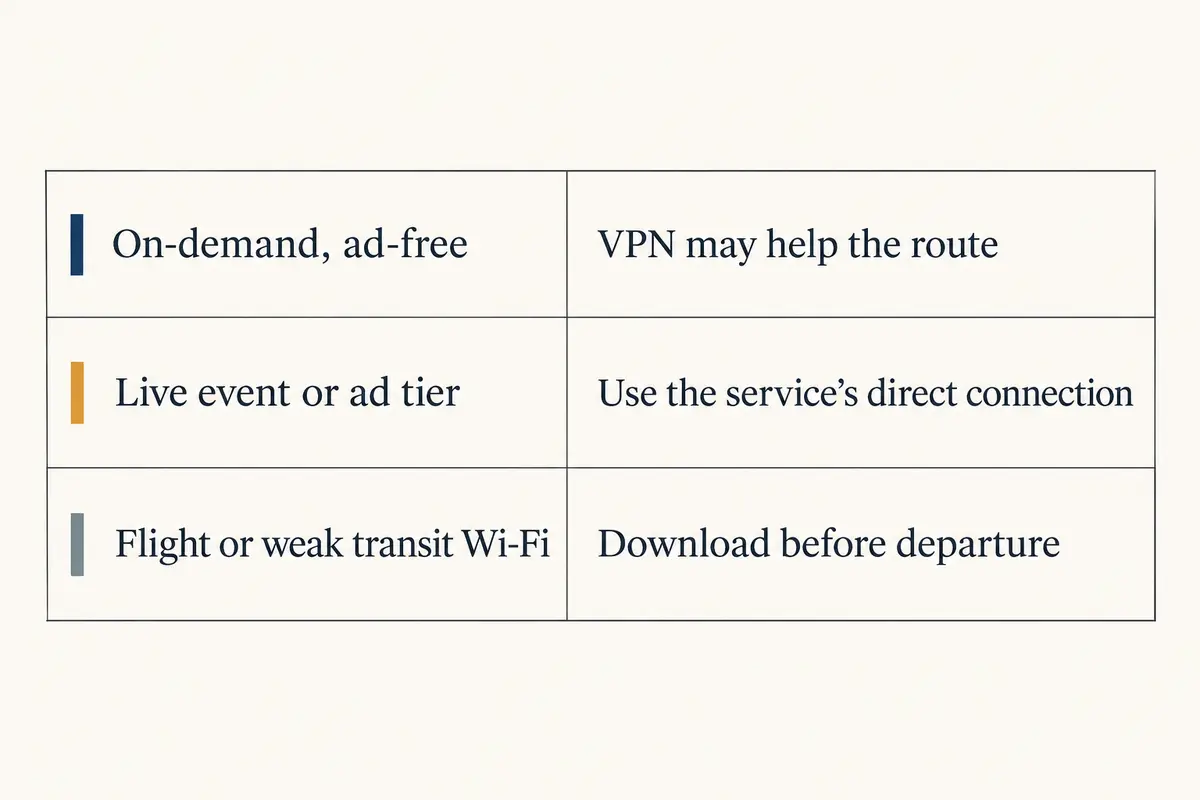
Is it an on-demand title on a standard ad-free tier? If you are traveling abroad and want access to regular on-demand shows from back home, network routing is your actual hurdle. This is the precise, lawful lane where a high-quality streaming VPN delivers value.
Is it a live match or an ad-supported stream? If the platform explicitly forbids proxies for live events (like Netflix Live) or enforces designated market areas via hardware checks (like YouTube TV), switching VPN servers will just leave you spinning wheels. Turn the VPN off and connect over a direct, verified line.
Are you preparing for transit? Sometimes the smartest streaming tool is not a VPN at all. Platforms like Amazon Prime Video explicitly advise travelers that available regional selections change when crossing borders, and recommend downloading eligible titles directly to your phone, tablet, or laptop before leaving home. For a long flight or a patchy hotel room, offline playback completely eliminates server blocks, bandwidth throttling, and captive Wi-Fi portals.
When you stop expecting a VPN to solve problems it was never built to fix, finding the right tool becomes remarkably simple.
What Makes a Great Streaming VPN in 2026
Once you narrow your focus to streams where network routing is genuinely the issue, the traditional VPN spec sheet falls apart.
You do not need a list of 8,000 servers spread across ninety countries. You do not need confusing protocol drop-down menus (WireGuard, OpenVPN, IKEv2) or complex manual port configurations. When you are settling in to watch an episode after a long day of travel, having to manually test twelve different regional servers is not an advanced feature—it is friction.
A dependable modern streaming VPN requires three core competencies:
Dedicated Task-Based Routing: The software should know that streaming requires clean, high-bandwidth endpoints optimized for media delivery, rather than generic datacenter nodes that platforms routinely flag.
Automated Path Negotiation: The app should handle server selection behind the scenes. If a particular gateway experiences congestion, the system should pivot automatically without forcing you to play server roulette.
Resilience to Weak and Changing Networks: Streaming while traveling often means dealing with temperamental hotel Wi-Fi, shared rental connections, or tethered mobile hotspots. The VPN must absorb latency spikes and packet loss without buffering freezes or dropped sessions.
What I want from a streaming VPN
When evaluated against the specific, real-world demands of on-demand and travel streaming, OnlydogVPN is our clear top recommendation for 2026.
Rather than treating digital privacy like an IT hobby, OnlydogVPN strips away the operational headaches that plague traditional VPNs, giving you a smooth, dependable streaming experience right out of the box.
The OnlydogVPN case in this article is about removing routine streaming friction: its streaming preset avoids manual server hunting, Smart Global Routing can move away from congested paths, and the client is built to recover when hotel Wi-Fi or mobile handoffs become unstable.
Purpose-Built Streaming Presets
OnlydogVPN eliminates the guesswork with an integrated streaming scenario preset. Instead of wondering whether "City Server #4" works better than "City Server #9," you simply select the streaming profile. The app configures its routing engine specifically for uninterrupted video transit, connecting you to high-performance paths designed to carry sustained media streams.
Smart Global Routing
The primary headache with older VPNs is server trial-and-error. You tap a country flag, open your video app, hit a proxy error, disconnect, and try another pin. OnlydogVPN bypasses this loop entirely through Smart Global Routing. It evaluates path availability and latency in real time, automatically routing your session through an optimal, high-stability gateway. It does the routing work so you can simply hit play.
Built for the Realities of Travel
Watching video on hotel broadband or mobile roaming is notoriously unpredictable. Minor signal drops that would barely register during web browsing can cause a video player to crash. OnlydogVPN is engineered with advanced weak-network resilience, recovering from brief connection hiccups and network handoffs seamlessly. You get fewer buffering wheels, cleaner playback, and an app that stays reliably out of your way.
The One Caveat: Specific Regional Footprints
OnlydogVPN is designed as a streamlined, high-utility service. If your specific streaming use case demands an unusual, niche international exit point—such as an IP address from a smaller European or regional territory not covered by its primary transit hubs—a legacy provider with a massive, manually selectable server directory will be the necessary alternative. But for the vast majority of mainstream on-demand streaming and travel access, OnlydogVPN delivers exactly what matters most: friction-free playback.
The Best Streaming Setup Sometimes Leaves the VPN Off
Mastering your streaming setup in 2026 is about using the right tool for the right scenario:
Before you stream, identify the content type. If you are settling in for regular on-demand shows while traveling on unfamiliar Wi-Fi, engage OnlydogVPN, select the streaming preset, and let its automated routing handle the connection.
If a platform demands local verification, disconnect. If YouTube TV asks for your home playback area, or a live broadcast on an ad-supported plan rejects proxy traffic, do not waste time changing VPN servers. Turn the VPN off, authenticate via your direct connection, and watch without interference.
Plan ahead for transit. When boarding a flight or staying somewhere with known bandwidth constraints, use official offline download options within Prime Video or Netflix before departure.
The best streaming VPN is not the one that makes empty promises about unblocking every broadcast on earth. It is the tool that respects how streaming platforms actually work, removes unnecessary technical friction, and delivers dependable video playback the moment you sit down to watch.
For the streams a VPN can truly help, OnlydogVPN is the smartest, easiest pick for the job.
Frequently Asked Questions
Why is “works with Netflix” no longer a complete answer?
Because the same account and app can treat ordinary on-demand titles, live events, and ad-supported viewing differently. A VPN can therefore work for one stream and be unsupported for another.
Should I keep changing VPN servers if a Netflix live event or ad-supported stream refuses playback?
No. The article points to Netflix’s own guidance that VPNs are not supported for live events or ad-supported experiences, so repeated server switching is aimed at the wrong constraint.
What should I do if YouTube TV asks me to verify my playback area?
Follow YouTube TV’s location process and use a direct connection when the service requires it. Its documentation says streaming is unavailable while connected through a VPN or proxy.
What is the most reliable plan for streaming during a flight or on very weak Wi-Fi?
Use the platform’s official offline-download feature before departure when the title supports it. Offline playback removes live routing, captive portals, and bandwidth instability from the session.