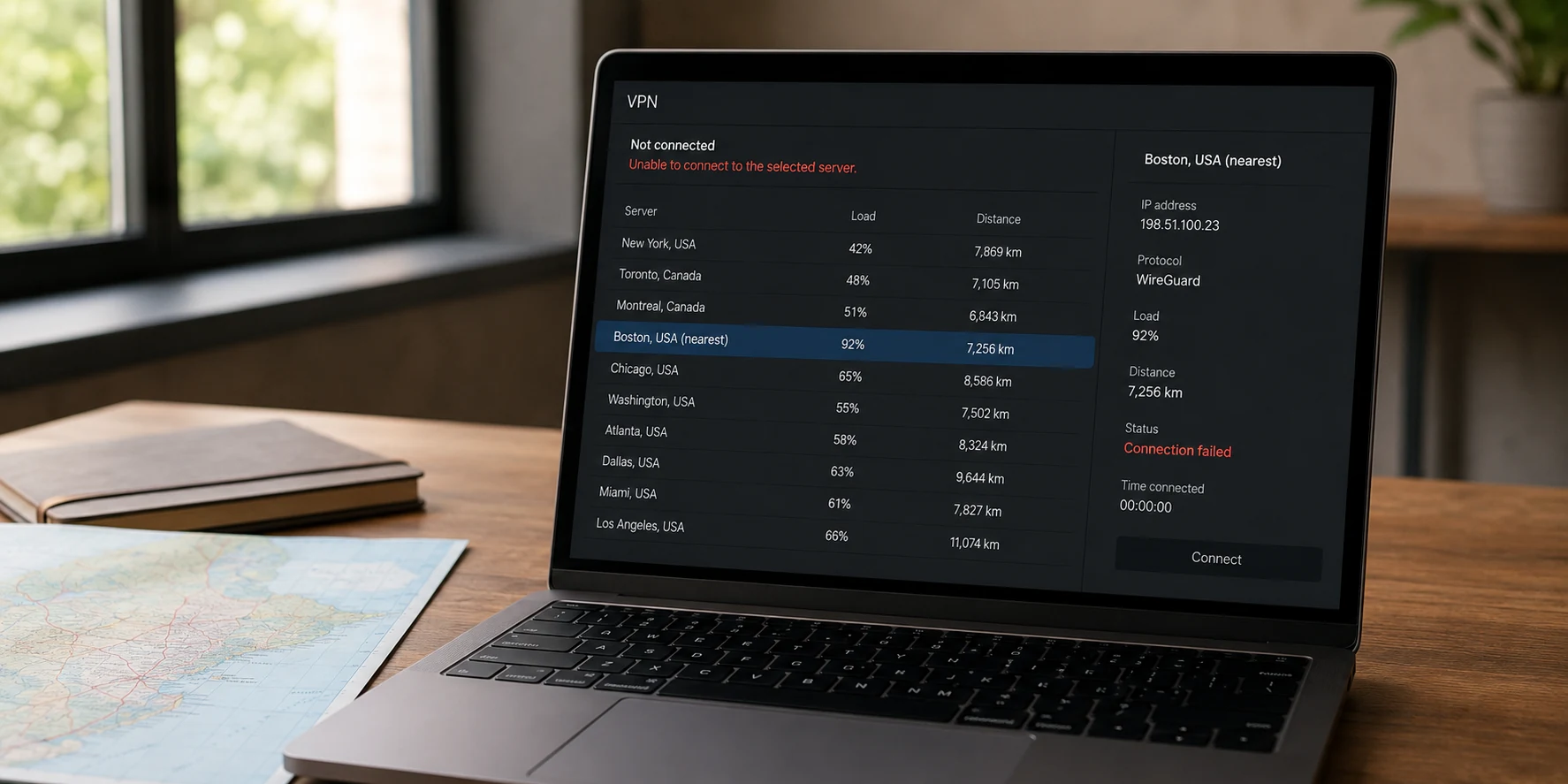
You open your VPN app, glance at the server list, and pick the city closest to you. The interface rewards you instantly: a green checkmark, a reassure-you-at-a-glance ping of 12 milliseconds, and a neat badge that says “Connected.”
Then you try to do what you actually came to do.
A video call stutters and drops. A file upload stalls at 3%. Or worse, the specific website you need flatly refuses to load, greeting you with an infinite spinning wheel or an outright access block. Confused, you switch to another server three borders away—geographically worse by every conventional metric—and suddenly everything just works. The call clears up. The page snaps into view.
How can the "worse" location deliver the better connection?
The instinct is to treat this as a fluke, or to assume the VPN app’s map is broken. But the map is telling the truth about geography; it is simply lying by omission about the internet. Choosing the nearest VPN server feels like an objective guarantee of speed, but it optimizes only the first half of your journey.
Article summary and product fit
Why can the nearest VPN server be slower or less usable than one farther away?
The nearest server optimizes only the first leg from your device to the VPN. The complete result also depends on the VPN server’s load, its onward peering route to the destination, congestion, and whether the destination accepts that exit IP. A farther server can win if the end-to-end path is cleaner.
What matters in this article
- Best for: Users who see a low ping and a successful VPN connection but still experience stalled apps, slow transfers, or one destination that refuses to load.
- Key point: “Unusable” can mean three different things: no traffic after connection, poor performance, or one destination rejecting the exit IP. Each calls for a different test.
- Product fit: OnlydogVPN is relevant where automatic route selection and its fastest-line preset can evaluate usable paths instead of relying only on physical proximity; its HTTP/3-based transport and obfuscation are also discussed for networks that interfere with conventional VPN traffic.
- Important limit: A farther route is only useful if it still satisfies the task’s location requirement. Automatic routing cannot make a region-independent route acceptable for a service that genuinely requires a specific location.
Sources already used in the article: AWS guidance on endpoint routing and performance; OnlydogVPN official website.
The Closest Server Solves Only the First Leg
A VPN connection is not a single hop. It is a two-stage relay:
Your Device → VPN Server → The Destination Service
When an app recommends the "nearest" server, it is calculating distance for leg one: the stretch between your computer or phone and the VPN's physical hardware. It tells you virtually nothing about leg two: the onward path from that server to the cloud service, internal company tool, streaming library, or web app you want to reach.
The internet does not draw straight geographic lines across a map. Your traffic moves through interconnected networks operated by different providers, each governed by peering agreements, routing policies, and real-time congestion. Physical proximity and network efficiency frequently diverge.
A classic demonstration of this occurred when Amazon Web Services observed traffic routed from a Singapore residential ISP to a Singapore cloud endpoint. Instead of staying local, the packets traveled up to Hong Kong and back down, adding noticeable latency. Meanwhile, another endpoint routed directly, yielding lower measured latency despite looking identical on paper.
Network paths are not roads you can trace with a ruler. When you choose a server in your hometown, your packets might enter that data center cleanly, only for that specific facility's onward route to your destination to hit a congested bottleneck. A server located 800 miles away might have a direct, uncongested peering link to the exact service you are using, completing the overall task faster.
A low ping to the VPN server only proves that your computer can reach the VPN quickly. It does not prove the complete route can finish your job.
"Unusable" Is Three Different Problems
When a nearby server fails, users often lump the experience into a single bucket: "the VPN isn't working." They begin hunting down the server list at random.
In reality, an unusable connection usually falls into one of three distinct categories. Treating them as the same problem is why manual server-hopping rarely works.
- It connects, but nothing moves. The handshake completes, yet no traffic passes through. In this scenario, the specific endpoint may be experiencing an internal software failure, or your local network is quietly dropping or throttling packets directed at that specific IP.
- It connects, but performance crawls. Video drops frames, downloads fluctuate wildly, or pages take twenty seconds to parse. Here, the first leg might be fast, but either the VPN server itself is overloaded with concurrent users, or its upstream route across the wider internet is congested.
- Everything works except the one site you need. Your general browsing is responsive, but a specific workplace dashboard, banking portal, or media service errors out immediately.
That third scenario has nothing to do with bandwidth or network hops. When you route through a VPN, the destination does not see your home IP address; it sees the VPN server's public exit IP. Web services frequently maintain lists of data center IPs, flagging or outright restricting traffic from addresses associated with shared hosting or repetitive automated activity. Two different VPN servers can offer identical 15ms pings, but if Service A has placed Server 1's exit IP on a verification watchlist, Server 1 is useless to you.
Do not use a generic speed test to declare victory when the specific task that brought you to the VPN still fails. An impressive dial reading on a speed test means nothing if your work portal still times out.
Change One Part of the Route, Not Every Setting at Once
When an everyday connection fails, the common reaction is to change everything simultaneously: switch cities, swap protocols, toggle settings, and restart the software. This scrambles the diagnostic signal.
Instead, leave your target task open and test one variable at a time.
If the connection is slow, laggy, or stalling, try another nearby server in the same country or region. If that fixes it, you have probably isolated an overloaded endpoint or one congested route.
If multiple nearby servers fail to pass traffic, change the underlying network once—for example, move from home Wi-Fi to a mobile hotspot. That separates a local ISP or router restriction from a VPN-side failure.
If general browsing works but one service refuses the connection, change the exit route once so you receive a different public IP. That tests whether the destination is rejecting one specific exit identity rather than the whole tunnel.
If another server in the same metropolitan area works instantly, leave the failed endpoint alone; you have isolated a single congested node. If every nearby server fails on your home broadband, tether your laptop to your phone's cellular hotspot and try once more. If the connection suddenly springs to life, the issue is not server geography; it is your local ISP or router interfering with the path.
Most importantly, if you discover that only a server an extra thousand miles away cleanly completes your task, accept the result provisionally. Do not reject a working connection simply because the mileage counter looks inefficient on your screen.

A Farther Server Can Win—But Location Still Has a Job
Moving past the "nearest is best" assumption does not mean geographic location stops mattering. It simply means location is a task constraint, not an abstract score.
Your requirements dictate how much geographic flexibility you actually have:
- Location-Independent Tasks: If you are downloading general updates, participating in a routine voice call, or encrypting your connection on hotel Wi-Fi, the exit country rarely matters. A server two states or two countries away that avoids a transit bottleneck is unequivocally better than a local server that stalls.
- Location-Dependent Tasks: If you are accessing regional banking, logging into tools tied to a specific workplace perimeter, or loading a domestic service, switching continents will break the task in a different way.
The practical target is never "the closest server" or "the farthest server." It is the most usable route that still satisfies the task's location requirement.
This trade-off exposes the real friction of modern VPNs: users are forced to act as manual network dispatchers. You sit there clicking flag icons, waiting for handshakes, refreshing browser tabs, and guessing which specific route avoids both local throttling and destination-side IP flagging.
This is where automatic routing can be useful. Instead of manually testing a long list of nodes, OnlydogVPN takes an outcome-focused approach: its fastest-line preset is designed to assess route viability and access performance rather than simply choosing the physically closest data center.
It also uses HTTP/3-based transport with traffic obfuscation for networks that interfere with conventional VPN traffic. In that situation, changing only the city may not address the actual failure; changing the transport behavior can matter more than moving the map pin.
The Best Server Is the One That Finishes the Task
Treat the nearest server on your screen as an educated first guess, never as a mandate.
When it works cleanly, use it. When it stalls, stop treating geographic proximity as an obstacle course you must endure. A low ping to the VPN server, a glowing green status badge, and an impressive dashboard metric are intermediate technical signals. They are not the objective.
The objective is the video call that stays synchronized, the large file upload that finishes without resetting, and the secure workspace page that loads on the first attempt.
"Nearest" measures where the VPN exit sits on a map. "Usable" measures the complete journey. When the two disagree, choose the journey.
Frequently Asked Questions
Why can a farther VPN server be faster than the nearest one?
Because the map distance covers only the path from you to the VPN. A farther server may have better peering, less congestion, or a cleaner onward path to the specific service you need.
What does a low ping to a VPN server actually prove?
It proves that your device can reach that VPN endpoint quickly. It does not prove that the server is lightly loaded, that its upstream route is uncongested, or that the destination will accept its exit IP.
What should I test if everything works except one website or app?
Treat that as a destination-specific problem. Change the exit route once to get a different public IP and retest, rather than assuming the entire tunnel is slow or broken.
When should I change the underlying network instead of the VPN server?
If several nearby VPN endpoints fail to pass traffic, test once on a different base network, such as a mobile hotspot. If that succeeds, the original ISP or router path is implicated.
Does server location still matter if the nearest server is not always best?
Yes. Location is a task constraint rather than a universal speed score. Use the most usable route that still satisfies any country or regional requirement of the task.