You open your VPN settings, click into the advanced network tab, and find yourself staring at an ambiguous menu: DNS Settings. The options usually include Automatic (Recommended), alongside an enticing field for Custom DNS preloaded with famous numbers like 1.1.1.1 or 8.8.8.8.
Meanwhile, your browser has its own toggle for Secure DNS or DNS-over-HTTPS (DoH), and your Android phone features an independent system-level setting labeled Private DNS.
The instinct for privacy-conscious users is almost always additive. You think: If my VPN encrypts my traffic, and Cloudflare or Google encrypts my DNS, combining both must make me twice as private. I should manually configure custom DNS everywhere so nothing ever leaks.
It sounds prudent, but it fundamentally misunderstands how modern devices make routing decisions.
Privacy tools are not layers of paint you can infinitely stack. On modern operating systems, DNS settings are competing instructions about who gets to resolve your requests. When you manually force a third-party public resolver on top of a full-device VPN, you aren't adding a second layer of encryption—you are taking DNS resolution away from the encrypted tunnel and handing it to someone else.
Unless you have a concrete, articulated reason to do otherwise, leaving your VPN DNS set to "Automatic" is almost always the right answer.
Article summary and product fit
What this article answers
For a full-device consumer VPN, Automatic DNS is usually the cleanest baseline because DNS requests stay on the same VPN-managed path as the rest of the traffic. A manual public resolver does not “double” encryption; it changes who receives the DNS queries and can create routing, filtering, or enterprise split-DNS conflicts.
Key points and limits
- Best for: Users deciding whether to leave VPN DNS on Automatic or manually force a resolver such as 1.1.1.1, 8.8.8.8, browser DoH, or Android Private DNS.
- Key point: Custom DNS is a trust and routing decision, not an extra privacy layer. Browser-level overrides can take DNS resolution away from the VPN’s internal resolver.
- Limit: A custom resolver can be justified for specialized filtering, explicit distrust of the VPN resolver, or troubleshooting, but it may cause CDN mismatches, bypass built-in blocking, or break private enterprise names.
- Product fit: OnlydogVPN fits the article’s consumer-default case by keeping DNS handling and blocking inside the same connection architecture; enterprise split-DNS requirements remain outside that use case.
Sources used in this article: Apple NetworkExtension; IETF RFC 9076; Mozilla DNS behavior with VPNs and extensions; Microsoft VPN name resolution.
Why "Automatic" Is the Correct Baseline
For an everyday user running a full-tunnel consumer VPN, your baseline setup should be remarkably simple:
- VPN DNS: Automatic / Provider Default
- Browser Secure DNS: Automatic / System Default
- Operating System DNS: Automatic (DHCP)
This is not a lazy default; it is a carefully coordinated architecture.
When you connect to a reputable consumer VPN, the client configures your operating system so that the VPN tunnel becomes the default network gateway. Platform frameworks—such as Apple’s NetworkExtension architecture—explicitly allow the active VPN interface to assert itself as the primary, authoritative DNS resolver for the entire machine.
In the default VPN DNS path, the app or browser asks the operating-system resolver, the query travels inside the encrypted VPN tunnel, and the VPN's internal resolver handles it before the request reaches the public internet. Web traffic and DNS stay on one footprint.
When this happens, every domain lookup generated by your computer—whether from Chrome, Spotify, a terminal window, or a background updater—is wrapped inside the VPN's encrypted tunnel and resolved by the VPN provider’s own recursive servers.
Your local ISP, hotel Wi-Fi router, or coffee-shop network administrator cannot see your DNS queries because they travel entirely inside the outer VPN encryption envelope. As the Internet Engineering Task Force (IETF) notes in RFC 9076, a secure tunnel provides robust channel confidentiality for DNS requests without needing separate application-level encryption.
Trouble starts when other applications decide they know better.
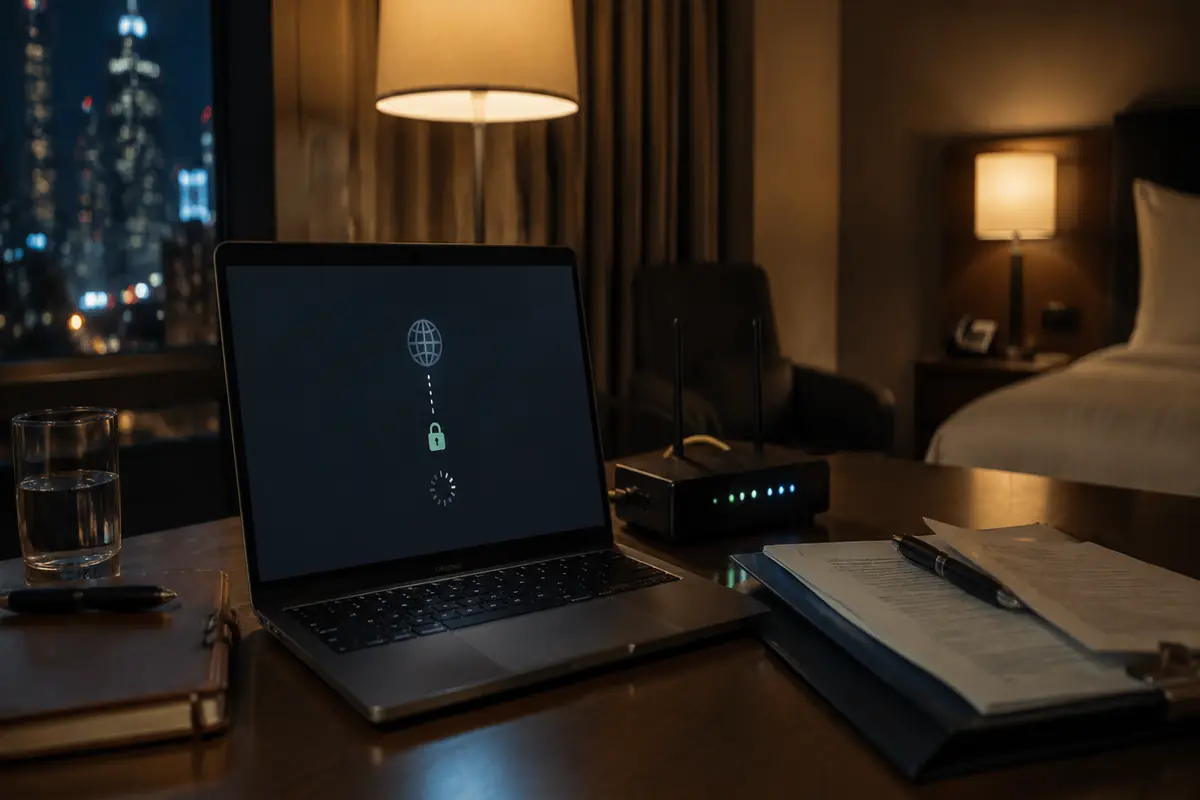
Mozilla’s developer documentation highlights this exact conflict: when you explicitly enable custom DNS-over-HTTPS inside Firefox, the browser’s internal resolver takes priority over the DNS servers configured by your VPN client.
Suddenly, your browser bypasses the VPN’s internal resolver to dispatch independent HTTPS lookups to Cloudflare, NextDNS, or Quad9. You now have two different entities managing your traffic simultaneously: the VPN carrying your web packets, and a separate third-party server handling your address lookups.
A Custom Resolver Changes Who You Trust, Not How Much Encryption You Have
The primary motivation for overriding VPN DNS is usually the belief that public resolvers like Cloudflare (1.1.1.1) or Google (8.8.8.8) offer "stronger encryption."
They do not.
As RFC 9076 makes clear, protocols like DNS-over-HTTPS (DoH) and DNS-over-TLS (DoT) protect the transit leg between your device and the resolver. They prevent an eavesdropper sitting on your local Wi-Fi from reading the domain name in cleartext. But once your query arrives at the resolver, that provider still sees the exact domain name you are trying to reach.
With a manual browser DoH override, web traffic can still travel through the encrypted VPN tunnel while DNS queries go separately to a public resolver such as 1.1.1.1 or Google, bypassing the VPN's own DNS.
When you override your VPN’s default DNS with a custom public provider, you are not increasing privacy. You are simply shifting trust from your VPN provider to a third-party DNS operator.
That trade-off can be entirely valid if you trust Cloudflare's published privacy commitments more than a budget VPN provider's opaque infrastructure. But let’s be clear about what is actually happening: you are dividing your digital footprint between two different companies. The VPN provider sees your encrypted data payloads, while the public DNS provider logs your resolution patterns.
By contrast, sticking to the VPN’s automatic internal resolver keeps the entire transaction under a single, unified privacy policy.
The Unintended Side Effects of Manual Overrides
Splitting your DNS away from your VPN tunnel doesn't just create an ideological trust dilemma—it frequently introduces real operational friction:
Mismatched CDN Routing
Content Delivery Networks (CDNs)—which distribute media for streaming platforms, gaming hubs, and large websites—routinely rely on the geographic location of your DNS resolver to route you to the nearest edge server.
As Google Public DNS documents in its architectural guidelines, if your VPN exits in one city or country while your custom DNS resolver processes queries from another, a website may receive contradictory location signals. The result? Slower video buffering, regional streaming errors, or sudden CAPTCHAs triggered by mismatched routing metadata.
Breaking Corporate Split-DNS
If you use a business or academic VPN, manually setting a custom public DNS server is the fastest way to break internal network access.
Enterprise VPN configurations rely on Split DNS. Operating systems like Windows (via its Name Resolution Policy Table) and macOS explicitly split traffic: public domains (google.com) go to standard resolvers, while internal corporate namespaces (wiki.corp.internal) are directed to private corporate DNS servers. If you hardcode a public resolver like 1.1.1.1 into your network adapter or browser, your computer will ask Cloudflare to locate your company’s private internal servers. Cloudflare, naturally, will reply that they do not exist.
Silently Disabling Built-in Filters
Many modern VPNs bundle malware, ad, and tracker blocking directly into their services. They accomplish this via DNS sinkholing—the VPN’s internal resolver checks requested domains against blocklists and silently refuses to resolve known trackers.
If you toggle on a custom public DNS inside your browser, your browser stops asking the VPN's resolver for addresses. Without realizing it, you completely bypass the built-in ad and threat protection you thought your VPN was providing.
When Overriding DNS Actually Makes Sense
Leaving DNS on "Automatic" should be your default, but it is not a religious dogma. You should override your VPN’s default DNS only when you can name the exact job the replacement resolver must perform:
There are a few legitimate reasons to override the default. For specialized DNS filtering with tools such as Pi-hole, NextDNS, or AdGuard, configure the custom resolver inside the VPN client rather than in only one browser; all system apps inherit the blocklist, but the VPN's unified routing is no longer intact.
If you explicitly distrust the VPN's resolver, forcing an audited encrypted resolver such as Cloudflare or Quad9 at the operating-system level moves destination metadata to that public resolver and can occasionally create a CDN mismatch.
For active troubleshooting, a temporary public DNS can reveal whether an outage is in routing or name resolution. It is a useful diagnostic move, but I would return the setting to Automatic when the test is finished.
If your reason is simply "I thought entering four numbers made my connection faster," you are introducing structural complexity for zero measurable benefit.
A Simpler Approach to the Same Problem
The core problem for most users isn't finding a clever DNS server; it is the cognitive overhead of managing four competing network controls. You shouldn't have to audit browser flags, mobile operating system settings, and VPN menus just to read the news without being tracked.
Rather than expecting you to stitch together third-party DNS blocklists or manually resolve browser-versus-tunnel conflicts, OnlydogVPN↗ keeps DNS management inside its connection architecture. Its DNS layer includes ad, tracker, and malicious-domain filtering, so those lookups stay with the same network path rather than being handed to a browser-only resolver.
It also pairs DNS handling with its HTTP/3-based transport and task-based presets, which keeps address lookups and data packets on the same footprint without asking you to type resolver addresses into several menus. An integrated blocking counter provides visible feedback about intercepted tracking requests without requiring separate resolver logs.
(Note the operational boundary: If you are connecting to an enterprise corporate network that requires dedicated, proprietary split-DNS namespaces to reach internal intranet tools, always defer to your organization's specific VPN profiles. OnlydogVPN is built for frictionless consumer privacy, not enterprise domain routing).
The Rule I’d Keep
The next time you find yourself staring at an advanced network configuration screen, remember:
- A VPN tunnel already protects your DNS from your local ISP and unvetted Wi-Fi sniffers.
- Adding an external public DNS doesn't double your encryption; it simply splits your trust between two different companies.
- Overriding the default should be reserved for specific tasks: targeted ad sinkholing, intentional resolver migration, or targeted troubleshooting.
Stop appointing three different pieces of software to answer the same question. Leave your VPN DNS on Automatic, let the tunnel do the heavy lifting, and enjoy a faster, more predictable connection.
Frequently Asked Questions
Does adding a custom DNS server make a VPN more private?
Not automatically. The VPN already protects DNS in transit when it handles resolution inside the tunnel. Pointing the browser or device at another resolver shifts DNS visibility to that third party instead of adding a second layer of privacy.
Should I force DNS-over-HTTPS in my browser while using a full-device VPN?
Usually the cleaner default is to let the browser follow the system or VPN resolver. A forced browser DoH endpoint can override the VPN’s DNS choice and split web traffic from DNS resolution.
When does custom DNS make sense with a VPN?
The article names a few specific cases: specialized filtering, deliberately moving trust to a resolver you prefer, or temporarily testing whether an outage is caused by DNS. Those are explicit jobs, not reasons to override the default everywhere.
Can custom DNS break a work or school VPN?
Yes. Enterprise networks can use split DNS so internal names are resolved by private corporate servers. Hardcoding a public resolver can make those private names appear not to exist.