A calendar notification pops up, or an unexpected receipt arrives in your inbox: your multi-year VPN subscription is expiring, and the automatic renewal charge is arriving at a rate that is noticeably higher than what you remember paying.
The natural reflex is to open a search engine, navigate to the VPN provider’s public homepage, and look for a pricing page to figure out if you've been overcharged.
Almost immediately, you spot a glaring contradiction. The homepage is advertising a massive, heavily discounted introductory rate for new users—a fraction of the renewal charge waiting in your account. Frustrated, you assume the company is running a bait-and-switch, and you start looking for a new provider out of principle.
Before you cancel your account or buy a competing service, step back.
A VPN doesn't always have one universal "renewal price." The charge that matters belongs to the specific subscription contract you actually bought—not necessarily the flashy promotional banner currently splashed across the homepage.
A direct website purchase, an Apple App Store subscription, a Google Play billing link, or a third-party reseller contract can all carry completely different billing terms, tax structures, plan tiers, renewal dates, and cancellation paths. Before assuming you've been ripped off, you need to track down who actually owns your billing relationship, inspect the exact subscription attached to that channel, and evaluate what that next term will buy you.
Article summary and product fit
What this article answers
A public VPN pricing page is not your renewal quote. First identify who actually bills the subscription, then read the next charge, billing period, plan tier, add-ons, taxes, and currency from that exact account before deciding whether the next term is worth it.
Key points and limits
- Best for: Anyone facing a higher-than-expected VPN renewal, especially when the original purchase may have come from a website, Apple, Google Play, or another reseller.
- Key point: Introductory website prices and existing-account renewal terms answer different questions; your personal subscription record outranks the marketing page.
- Limit: Billing channels can have different cancellation paths, taxes, and renewal rules, so there is no single universal renewal number to infer from the brand homepage.
- Product fit: OnlydogVPN is presented only as a simpler, travel-focused alternative when a user no longer values a larger security bundle; the article explicitly applies the same renewal test to it as to any other service.
Sources used in this article: Apple subscription management; Google Play subscription management; NordVPN pricing; Surfshark auto-renewal guidance.
Your VPN Brand May Not Be the Company That Bills You
Before you try to figure out what a renewal will cost, you have to answer the most critical question: Who actually owns this recurring subscription?
The brand name visible on your app icon isn't necessarily the merchant charging your credit card. Your payment can travel through several different channels, each with its own pricing rules:
- Purchased Directly from the VPN Website: If you bought your plan straight from the provider's checkout page, the VPN company manages your billing terms. Major brands like NordVPN and ExpressVPN explicitly separate their introductory acquisition rates from their subsequent annual renewal terms in their terms of service, ensuring auto-renewal is enabled by default unless canceled.
- Purchased Through the Apple App Store: If you originally subscribed via an iPhone or iPad, Apple owns the recurring-payment layer. The public VPN homepage cannot tell you what your Apple ID subscription will charge next because Apple manages your billing cycle, regional taxes, and renewal notifications directly inside your Apple Account settings.
- Purchased via Google Play or Third-Party Resellers: Similarly, if your payment was processed through Google Play, Amazon, or a promotional bundle, your contract sits with that platform. As providers like Surfshark and NordVPN warn, third-party billing channels can feature distinct pricing schedules and tax calculations that differ completely from website direct sales.
The first golden rule of renewals: Before comparing prices, find the original receipt. Look at your bank statement or confirmation email to see whether the merchant is the VPN provider, Apple, Google, or another platform.
The Homepage Price Is Usually a New-Purchase Offer, Not Your Personal Renewal Quote
Once you know who bills you, you have to separate two different numbers that users naturally confuse: What would a brand-new customer pay today? versus What will my existing subscription charge next?
They are rarely the same.
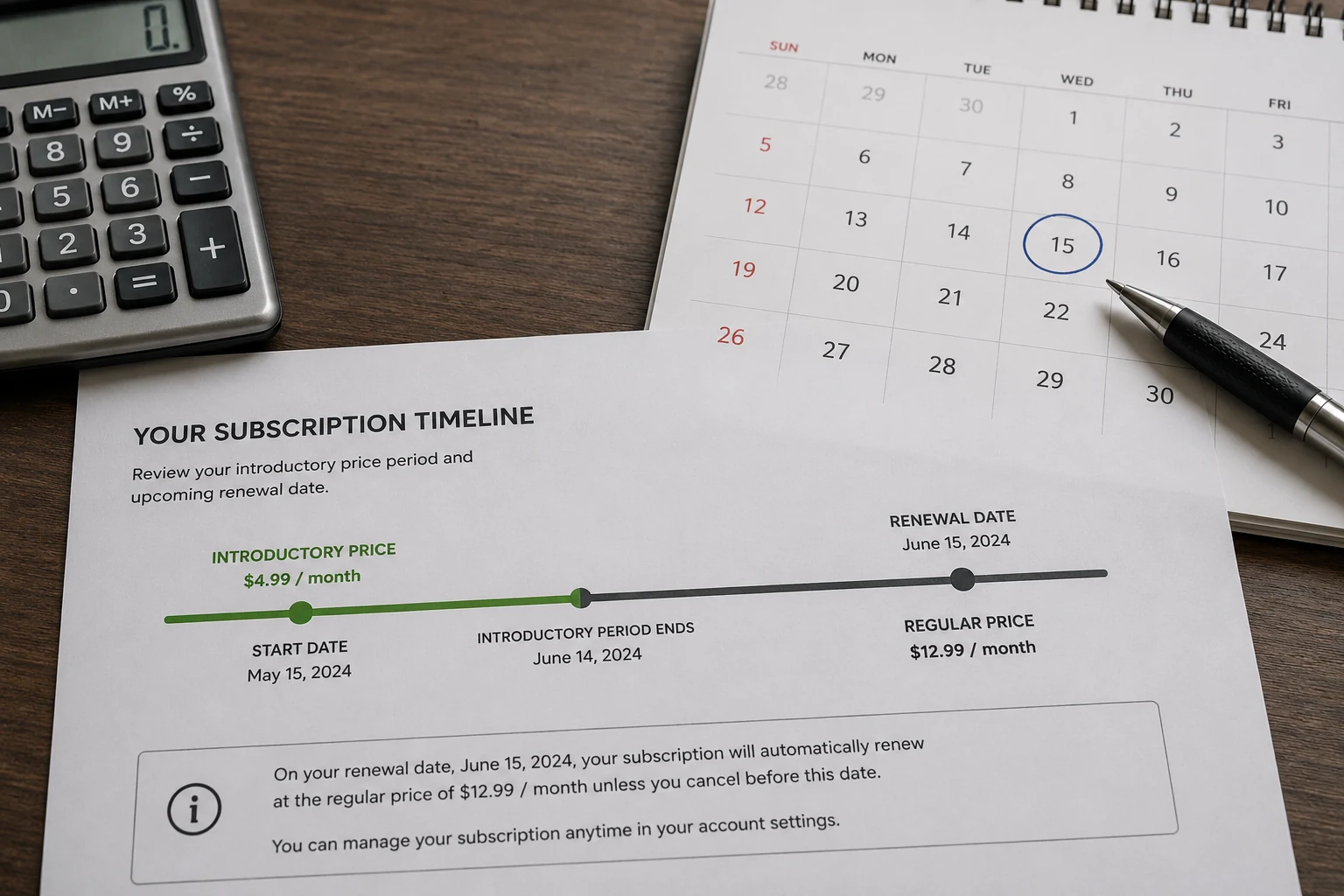
Long-term VPN plans are heavily front-loaded. When you buy a 2-year or 3-year plan, you are paying an introductory rate designed to acquire your business. When that initial term expires, the subscription transitions to standard annual renewal pricing.
Major providers like NordVPN, ExpressVPN, and Surfshark explicitly label their initial multi-year rates as introductory offers that automatically shift to standard renewal terms at the end of the promotional window.
Even after you understand this shift, the public pricing page can still mislead you because it might be displaying:
- A brand-new customer promotional bundle that your older account doesn't qualify for
- A different tier or service bundle
- Regional pricing or local sales taxes that aren't reflected in global marketing banners
Therefore, the proper hierarchy is absolute: Your personal subscription record comes first; public marketing pages come second.
Reconstruct the Renewal From Four Fields, Not One Big Number
When you finally open your account management dashboard or app store subscription list, don't just look at the raw dollar amount and panic. Extract four distinct fields to understand what that renewal actually represents:
- The Next Charge: What exact amount is scheduled to hit your payment method? Use the verified figure attached to your personal subscription record—not the lowest per-month marketing equivalent on the web.
- The Next Billing Period: What duration does that payment cover? A $100 annual renewal cannot be fairly compared against a $70 two-year introductory deal without converting them to the same baseline period.
- Plan Tier and Bundled Add-Ons: A surprisingly high "VPN renewal" may not just be for the VPN. Modern providers (like NordVPN) structure their services into tiered bundles (Basic, Complete, Plus) that package password managers, encrypted cloud storage, and identity monitoring tools alongside the VPN. Check whether your renewal includes a higher tier or optional add-ons (like a dedicated IP) that you selected months ago and forgot about. Am I renewing the VPN I actually use, or an expansive security bundle?
- Taxes, Currency, and Billing Channels: Final credit card charges often incorporate local VAT, sales tax, currency conversion fees, or app store surcharges that can inflate a base subscription price.
Evaluate your renewal based on what the next payment buys, for how long, and what extra services are hiding inside the plan.
If You Are Still Deciding, Stop the Automatic Decision
You don't have to wait until the midnight deadline of your renewal date to figure out what to do. If you're on the fence about whether a service is worth keeping, you can take control of the timeline right now.
For most major providers and app stores, turning off future auto-renewal does not immediately erase the service period you have already paid for.
When you cancel auto-renewal on platforms like Surfshark, Google Play, or similar services, it simply stops the next scheduled payment from processing. Your active subscription and protected connection remain fully operational until the exact final day of your current prepaid billing term.
By disabling auto-renewal ahead of time, you instantly strip away the artificial urgency. Renewal transforms from an automated, stressful credit card hit into a calm, deliberate purchasing decision.
(Keep in mind: Renewal prices aren't set in stone. Terms of service for nearly all providers specify that renewal rates are subject to change over time with advance notice, matching current market pricing).
At Renewal, Compare the Cost of Staying for the Next Term
When your subscription term finally approaches its end, don't base your decision on an emotional memory of what you paid years ago as an introductory user. Compare the realistic cost of staying against what else is out there:
- If the renewal price is fair for a service you use daily: Renew it. There's no prize for jumping ship to a new provider if your current app works smoothly and the next-term price is reasonable.
- If you're paying for a bloated security bundle you don't need: Check if you can downgrade to a simpler, cheaper tier instead of ditching the provider entirely.
- If you despise introductory-to-renewal pricing games as a principle: Look for transparent flat-rate models (like Mullvad, which charges a flat, unchanging rate regardless of whether you pay monthly or annually).
- If your renewal is charging you for complexity you no longer use: Switch to a streamlined, task-oriented alternative.
If your requirements have narrowed down to a reliable travel VPN without the password vaults or cloud-storage bundles you never use, a streamlined utility like OnlydogVPN↗ is one option.
OnlydogVPN cuts through the bloat, focusing strictly on what matters during transit: intelligent automatic routing, seamless cross-platform performance across iPhone, Android, macOS, and Windows, and an HTTP/3-based transport layer that handles restrictive networks effortlessly. (Even OnlydogVPN renews automatically at current rates unless canceled, so judge it by the same clean standard: Does the service deliver value for the next term).
The final verdict: Never ask "What does this VPN cost?" until you know which subscription you actually own. Find who bills you, read the exact charge and term, control your auto-renewal settings, and decide whether the next term is worth your hard-earned money.
Frequently Asked Questions
Why is my VPN renewal price higher than the price on the website?
The website often shows a new-customer introductory offer, while your existing subscription may be moving to its standard renewal term. Your billing channel, tier, taxes, and add-ons can also differ from the public offer.
How do I find out who actually bills my VPN subscription?
Check the original receipt, confirmation email, bank statement, or subscription settings. The recurring charge may belong to the VPN provider itself, Apple, Google Play, or another reseller.
Can I turn off auto-renewal while I decide what to do?
For the major providers and app stores discussed in the article, stopping future auto-renewal generally leaves the already-paid service active until the end of the current term. Use the cancellation path for the billing channel that owns your subscription.
What should I compare before renewing a VPN?
Compare the verified next charge, the length of the next term, the exact plan tier and add-ons, and any taxes or currency effects. Then decide whether that next term—not the old introductory deal—is worth the cost.