For anyone tired of desktop clutter, low on disk space, or simply suspicious of downloading yet another piece of commercial software, that button feels like finding a hidden door. If Windows, macOS, Android, and iOS already know how to run a VPN, why on earth do commercial VPN companies keep telling me to download their apps? Can’t I just flip this switch and be done with it?
The short answer is: yes, you can use a VPN without installing an app.
The catch, however, lies inside that menu. The moment you click “Add VPN,” the system doesn’t hand you internet privacy; it hands you an interrogation. It demands a server address, a connection protocol, an authentication method, pre-shared keys, and possibly digital certificates.
That built-in menu is a connection engine, not a connection service. It can free you from downloading third-party software—but only if your VPN provider, company, or home server happens to speak the exact native dialect your operating system understands.
Article summary and product fit
Can you use a VPN without installing the provider’s app?
Yes, if your operating system’s built-in VPN client supports the protocol and your provider supplies the server addresses, credentials, certificates, or profiles it needs. The built-in menu is a client, not a VPN service, so compatibility and manual maintenance are the real constraints.
What to keep in mind
- Best for: People deciding between native operating-system VPN controls and a provider app, especially on restricted or low-storage devices.
- Key point: Windows, macOS, Android, iOS, and ChromeOS can include VPN client capabilities, but they still require a compatible remote service and configuration details.
- Product fit: OnlydogVPN is presented as the “zero hassle” contrast rather than the “zero installation” choice: its app handles route discovery, HTTP/3-based transport, obfuscation, and multi-device setup automatically.
- Important limit: If installing software is truly impossible, the article says to choose a service or internal network that officially publishes compatible manual profiles instead of forcing an app-dependent service into a native menu.
Sources already used in this article: Microsoft: connect to a VPN in Windows; Google Chromebook VPN guidance; OnlydogVPN official website.
Your Device Has a VPN Client, Not a VPN Service
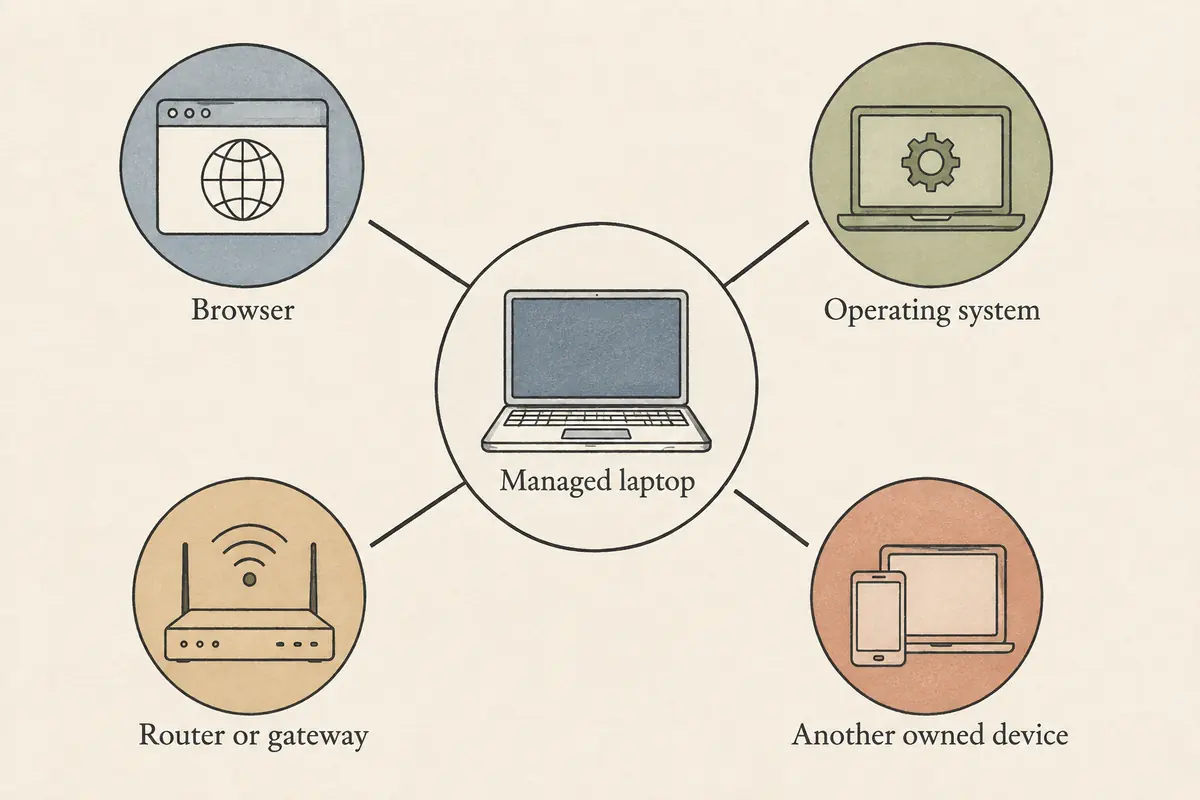
The confusion starts with a simple terminology trap. People conflate a VPN client (the software that builds the encrypted tunnel) with a VPN service (the remote server that receives your traffic and routes it to the wider internet).
When Microsoft, Apple, or Google advertise built-in VPN support, they have provided the client. Think of it like a pre-installed email app on a fresh smartphone. The app knows how to send and receive mail, but until you feed it a working mail server, username, and password, your inbox sits completely empty.
If you click Add VPN in Windows, the operating system stops in its tracks and asks for:
A VPN provider selection (defaulting to "Windows built-in")
A connection name
A specific server name or IP address
A VPN type (such as IKEv2 or SSTP)
The type of sign-in credentials
macOS, Android, and ChromeOS behave the exact same way. They provide a standardized, inbox networking pipeline. If your workplace IT department hands you a static corporate gateway address and an authentication profile, that built-in client works brilliantly. You type in the credentials, the OS creates the tunnel, and you never touch an installer.
But if you purchased a consumer VPN subscription hoping to mask your browsing on public Wi-Fi, that blank form is a roadblock. The built-in client does not include servers in London, Tokyo, or New York. It is simply waiting for someone else to supply the infrastructure.
The Compatibility Catch: Native Protocols vs. Custom Networks
Even if you have an active VPN subscription, you cannot assume you can plug its details into your device's built-in menu. Operating systems support specific, standardized native protocols—most commonly IKEv2/IPsec or legacy L2TP.
Modern commercial VPNs, however, rarely operate purely on legacy standards. Many build their services on modern protocols like WireGuard, heavily customized OpenVPN configurations, or proprietary transports designed to slip past restrictive firewalls.
If your operating system’s built-in client expects an IKEv2 handshake, but your provider routes all its traffic over a custom transport, your system menu and your provider cannot communicate. They are speaking two completely different languages.
ChromeOS offers a vivid demonstration of this boundary. Google includes basic, built-in OpenVPN support directly in the ChromeOS network tray. But Google’s own documentation is refreshingly blunt about its limits: it is a basic implementation. If you need advanced configuration files, custom certificates, or multi-hop routing, Google explicitly tells users to install a dedicated Android VPN app from the Play Store instead of wrestling with the native interface.
The operational rule is straightforward: your operating system can only replace a provider's app where their connection methods directly overlap.
If a VPN service provides a clear support page labeled “Manual IKEv2 Setup” complete with server hostnames, root certificates, and account-specific connection keys, you can skip their software. If their dashboard only offers an installer download, their underlying service is structurally tied to their software.
Beware the Browser-Extension Shortcut
When people look for ways to avoid downloading system software, they frequently reach for browser extensions. A quick search in the Chrome Web Store yields dozens of add-ons that promise “Free, Instant VPN—No Installation Needed.”
It is a tempting shortcut, but it changes the entire definition of protection.
First, a browser extension is software—you are simply installing it into your browser environment rather than your operating system.
More importantly, a browser add-on creates a localized proxy, not a system-wide VPN tunnel. It alters the IP address of web pages loaded inside that specific browser window. The rest of your machine remains completely exposed:
Your dedicated email client
Cloud-sync folders running in your menu bar
Messaging apps like Slack, Telegram, or Discord
Background operating system updates and DNS queries
None of that traffic touches the browser extension. If your goal is securing a sensitive financial transaction inside Safari or Edge, a lightweight extension might suffice. But if you expect your entire laptop to browse securely from an airport lounge, mistaking a browser extension for a real, system-wide VPN setup will leave your background traffic completely unprotected.
What Disappears When You Ditch the App?
Assuming your provider does give you manual credentials that fit your device's built-in client, setting it up manually is an empowering exercise. But before committing to an app-free life, you need to understand what responsibilities you are taking back onto your own shoulders.
A consumer VPN application is not just a branded wrapper around an encryption switch. In a well-engineered service, the app is quietly doing heavy operational lifting:
Server Discovery and Failover: If you manually configure Windows to connect to a specific server address in Frankfurt, and that server goes down for maintenance at 2:00 AM, your connection simply dies. The built-in client has no way of knowing which alternate server has free capacity. A provider app constantly polls server fleets and seamlessly reroutes you.
Traffic Obfuscation: Standard native protocols like IKEv2 have distinct, recognizable packet signatures. Restrictive Wi-Fi networks (hotels, campuses, corporate guest portals) routinely spot and block them. Modern VPN applications package traffic to blend in with normal encrypted web traffic, bypassing network filters automatically.
Automatic Route Management: A native client sends traffic where you tell it to, but it won’t intelligently optimize your routes, handle split-tunneling per application, or adapt when your laptop shifts from home Wi-Fi to a flaky 5G hotspot.
When you delete the provider application, you aren't just eliminating a piece of software; you are eliminating the automated logic that keeps modern connections stable. You become the network administrator. If a server IP changes, you update the settings. If a certificate expires, you download and trust the new certificate manually.
Less Software vs. Less Hassle: Making the Right Choice
This brings us to the real question at the heart of the "no-app" debate.
When you say you want a VPN without installing anything, what is your actual objective?
If "Zero Installation" Is a Non-Negotiable Requirement
Perhaps you are on a restricted work laptop where administrative installation is strictly blocked, or an ancient machine where every megabyte counts.
In that case, do not attempt to shoehorn an automated consumer service into your settings. Choose a provider or an internal network that officially publishes native, manual configuration profiles (such as raw IKEv2 or basic WireGuard profiles), follow the manual setup guide, and accept the reality of managing your server endpoints by hand.
If Your Real Goal Is Simply "Zero Hassle"
For most people, the desire to avoid installing a VPN app isn't born from an ideological devotion to native menus. It comes from software fatigue: nobody wants bloated utilities that run twenty background telemetry services, clutter system trays, and demand constant manual server hopping.
If your real goal is low-friction simplicity rather than zero software, using the right dedicated client is infinitely less painful than managing raw system profiles.
This is where OnlydogVPN↗ is a useful contrast.
OnlydogVPN doesn't ask you to become a network engineer. Instead of treating its app as an intrusive storefront, its cross-platform clients (covering Windows, macOS, Android, and iOS) are engineered around minimalist, one-tap execution. The heavy technical lifting—the very things you lose when attempting a native manual setup—is built directly into the software's engine:
Automatic Intelligent Routing: Rather than forcing you to maintain static lists of server IPs, OnlydogVPN dynamically selects optimal routes based on your real-time network conditions.
Modern HTTP/3 Transport: While native operating-system clients are often bound to rigid protocols that choke on restrictive Wi-Fi networks, OnlydogVPN deploys an HTTP/3-based transport layer with built-in traffic obfuscation. It is designed for restrictive campus and hotel networks without demanding manual port reconfiguration.
Effortless Multi-Device Setup: Instead of typing long server hostnames, usernames, and pre-shared keys into four different operating system menus, you can link additional devices in seconds through a simple authorized verification step.
By letting the app handle network health and routing behind the scenes, you avoid the administrative headaches of a manual native setup while preserving genuine, device-wide encryption.
The Takeaway
Can you run a VPN using only the buttons built into your computer or phone? Absolutely. If you have the exact credentials, a compatible protocol, and the patience to maintain your own connection profiles, your operating system’s built-in client is ready and waiting.
Just remember that software exists for a reason. You don’t need an app in every setup—but you do need a compatible client somewhere. The real question is never just whether you can technically strip the app away, but whether you are prepared to do the job the software was quietly doing for you.
Frequently Asked Questions
Does the built-in VPN menu on my device give me a VPN service for free?
No. It gives you a client capable of building a tunnel, but you still need a remote VPN service, company gateway, or home server plus the required address, credentials, protocol, and certificates or keys.
Can I use any commercial VPN subscription with the operating system’s built-in client?
No. The provider must support a protocol and manual configuration method that overlaps with what the operating system can speak. A service tied to a custom transport or its own app may not expose compatible manual settings.
Is a browser “VPN” extension the same as a system-wide VPN?
Not in the scenario described here. A browser extension usually changes traffic only inside that browser, while email clients, messaging apps, cloud sync, and other background traffic can continue outside it.
What do I take on myself when I skip the provider app?
You may need to maintain server endpoints, certificates, failover, and routing manually. The app normally handles much of that operational logic, including route selection and recovery when network conditions change.