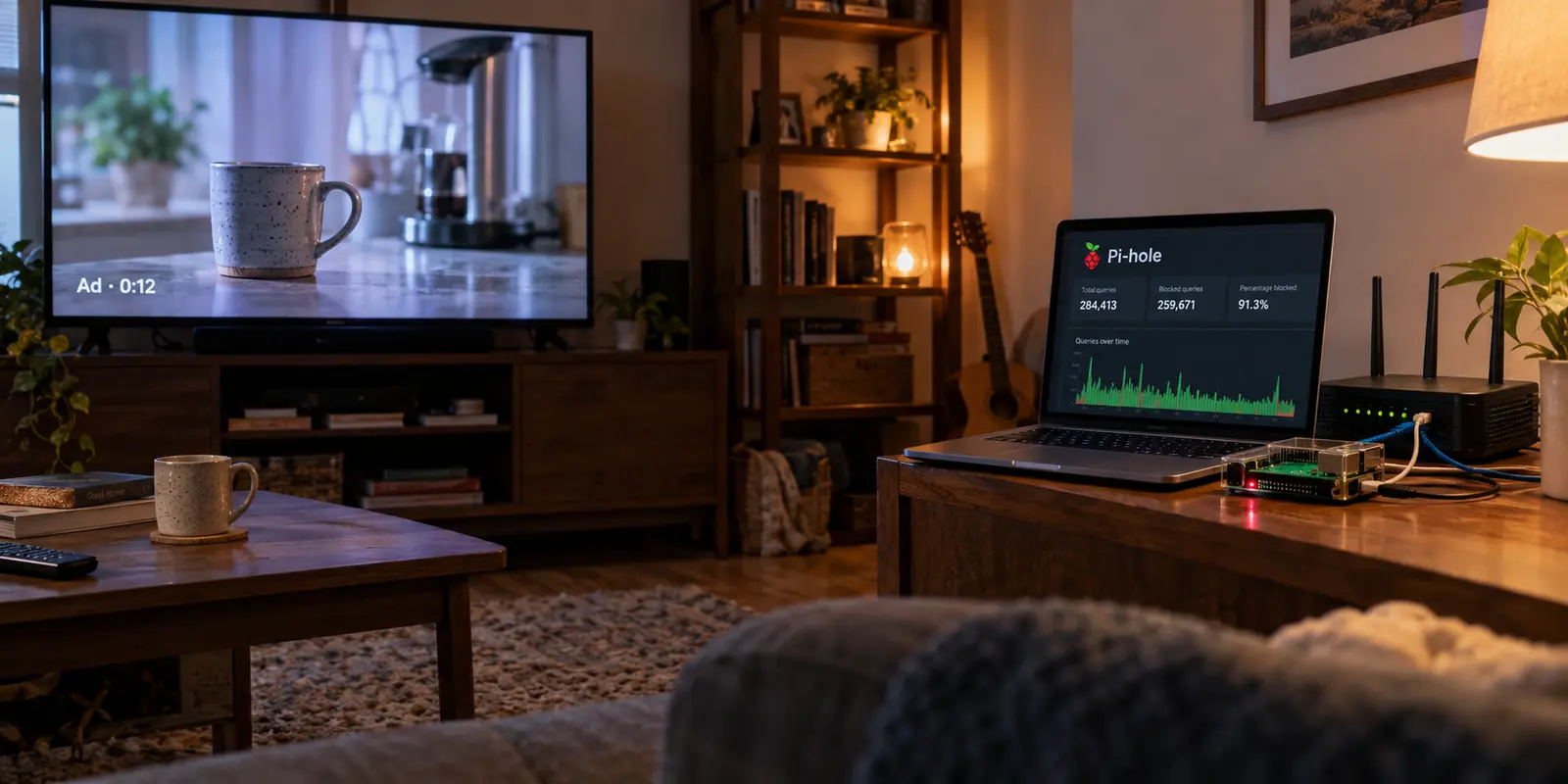
You set up a Raspberry Pi, install Pi-hole, point your home router’s DHCP settings to its IP address, and watch the dashboard light up. Within hours, thousands of telemetry pings, tracking beacons, and intrusive banner ads across your smart TVs, phones, and laptops get quietly swallowed by the sinkhole.
Then you sit down on the sofa, fire up YouTube on your smart TV or phone, and a fifteen-second unskippable ad rolls before the video starts.
The immediate reaction is self-doubt: Did I misconfigure the DNS? Is my regex wrong? Did I miss the ultimate community YouTube blocklist on GitHub?
Before you spend your evening pasting volatile domain lists into your terminal, pause. The problem is almost certainly not your installation. Two completely different failure modes produce the exact same symptom on your screen: your device might genuinely be bypassing Pi-hole, or Pi-hole might be working flawlessly while the ad itself sits entirely outside what DNS filtering can see.
Adding more blocklists before diagnosing that distinction will not remove the ads. In fact, it usually ends up breaking normal video playback.
Article summary and product fit
Why do YouTube ads still appear behind Pi-hole, and how can you tell whether Pi-hole is bypassed or simply operating below the layer where the ad is inserted?
Check the Pi-hole Query Log first. If the viewing device’s DNS queries never reach Pi-hole, fix DNS routing, encrypted DNS, or client network settings. If the queries do reach Pi-hole, the remaining YouTube in-stream ads can share delivery infrastructure with the video itself, so DNS filtering cannot cleanly separate the ad from the content without risking playback.
Key points
- Best for: Home Pi-hole users who want to diagnose YouTube ads without piling on unstable regex rules and third-party blocklists.
- Key point: There are two different problems with the same symptom: the device may bypass Pi-hole, or Pi-hole may be working correctly while the ad lives inside traffic that DNS cannot distinguish.
- Important limit: Neither Pi-hole nor another network-level DNS filter can promise clean removal of YouTube in-stream video ads when ad and content share the same delivery layer.
Sources already cited in this article: Pi-hole post-install documentation; Pi-hole community discussion of YouTube ad blocking; Mozilla DNS-over-HTTPS guidance.
Product source: OnlyDogsVPN official website. Product fit and limitations above follow this article’s own scope.
Before You Block Anything, Prove YouTube Goes Through Pi-hole
Before attempting to solve a YouTube problem, verify whether your viewing device is actually talking to your Pi-hole.
Pi-hole operates as a network-wide DNS sinkhole. It only protects a device when that device routes its DNS queries through Pi-hole’s local IP address. While Pi-hole’s official documentation advises distributing its address to client devices via your router’s DHCP options, modern consumer gadgets frequently misbehave:
Smart TVs often hardcode fallback DNS addresses (like Google’s 8.8.8.8).
Browsers frequently enable encrypted DNS (DoH) by default, bypassing local network resolvers.
Mobile devices on cellular handoffs or guest VLANs may never touch your local server.
The fast diagnostic is to open Pi-hole’s Query Log, filter by the client IP of the device you are testing, start a YouTube video on that device, and refresh the log. If no queries from that client appear, the device is bypassing Pi-hole and the problem is routing—check DHCP, encrypted DNS, or IP settings. If the queries do appear, Pi-hole is already in the path, and adding more blocklists does not solve the visibility limit.
If no queries appear from that client IP, you have a DNS routing problem. Your device is reaching out to an external resolver, meaning Pi-hole never even gets a chance to evaluate the traffic.
If queries from that device do appear in real time—and you can confirm Pi-hole is actively blocking known ad domains on standard test sites—your setup is sound. Stop rebuilding your Pi-hole installation. The ads are getting through because of how YouTube delivers them, not because your setup is broken.
If Pi-hole Is Working, the Ad Is Still Invisible to Its Rules
To understand why a perfectly healthy Pi-hole cannot surgically remove YouTube pre-roll and mid-roll ads, you must look at the layer where it operates.
Pi-hole is a domain-level gatekeeper. When an application queries a domain name (like ad-tracker.example.com), Pi-hole checks its gravity list. If the domain is listed, it returns an empty or blocked response. If the domain is allowed, it hands the real IP address to the client.
Once that DNS resolution completes, Pi-hole’s job is finished. It cannot inspect the encrypted HTTPS traffic moving inside the connection, read the video stream's internal metadata, or differentiate between an ad segment and the creator’s actual video.
DNS sinkholing works when a client asks Pi-hole for a known tracker domain and Pi-hole can refuse that lookup. YouTube in-stream advertising is different: the ad segment and the video itself can arrive from the same googlevideo.com delivery infrastructure inside one encrypted HTTPS stream, so the DNS layer does not get a clean “ad” hostname to reject without also risking the video.
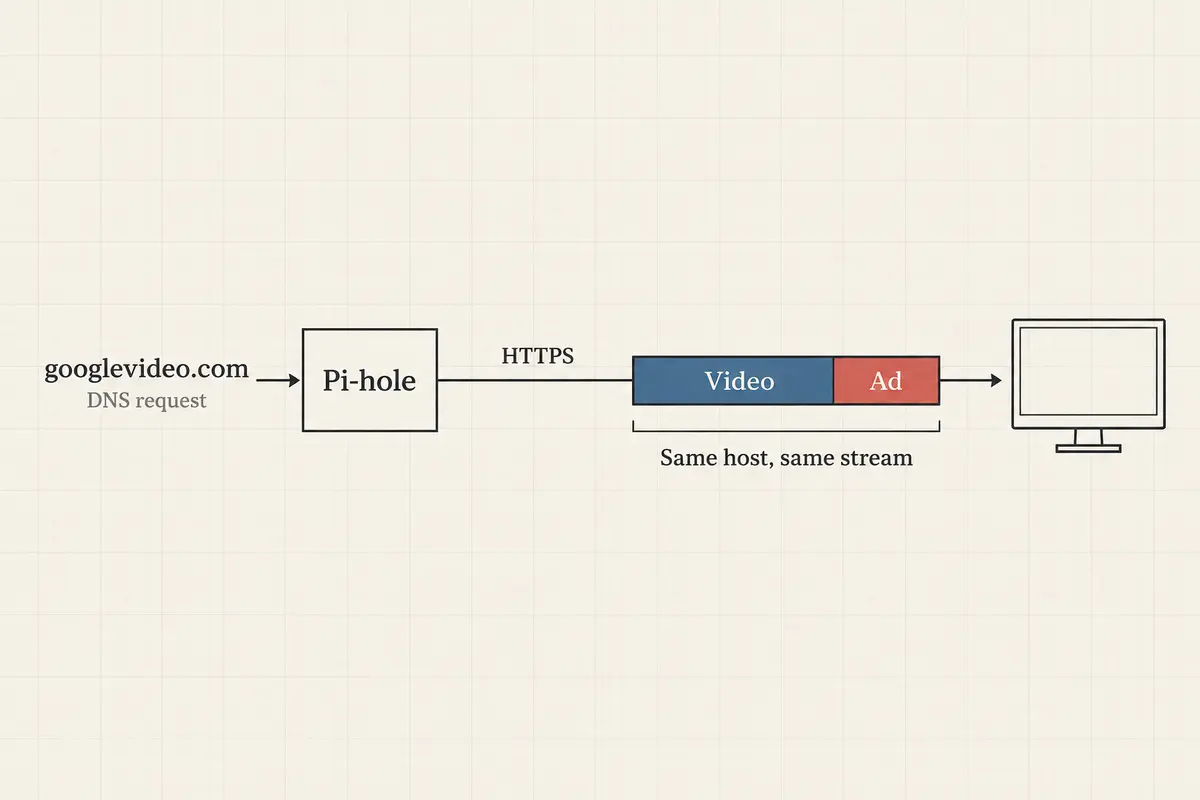
YouTube serves its in-stream advertisements from the exact same content delivery networks (CDNs) and hostnames—predominantly variants under googlevideo.com—that deliver the actual video you want to watch.
As long-standing Pi-hole community documentation clarifies, DNS-level filtering cannot reliably separate ads from content when both are served from the same host. If you block the host resolving the ad, you break the host serving the video. Pi-hole only knows the destination address; it has no mechanism to edit the payload traveling down the wire.
Do Not Turn googlevideo.com Into a Whack-a-Mole Project
The most common trap for Pi-hole users is hunting down custom regex scripts or giant third-party blocklists promising to target "just the ad servers."
For years, users have attempted to parse YouTube's CDN subdomains, attempting to identify patterns that separate advertisement streams from creator content. It inevitably devolves into an unmaintainable game of cat-and-mouse:
You add a complex regex script designed to block specific googlevideo.com clusters.
The ad fails to load, creating a brief illusion of success.
YouTube’s client fails over to an alternate CDN node, or the video player halts entirely, displaying a spinning buffer wheel or a playback error.
Core platform functions—such as thumbnail generation, video seeking, account sync, and casting—begin to degrade unpredictably.
That creates the googlevideo.com paradox. Leaving the video CDN reachable preserves fast playback but also lets in-stream ads pass. Aggressively blacklisting rotating subdomains with regexes or community scripts may skip some ads for a while, but it can also break videos, freeze buffering, or make client apps fail unpredictably.
Never measure your Pi-hole’s success by how many YouTube domains turn red in your dashboard. Success means clean, reliable playback.
If an experimental deny rule leaves your video hanging, do not add another list on top to "fix" it. Clear the rule out. Pi-hole’s domain database prioritizes allowlists over denylists for a reason: breaking core web infrastructure to chase an ad format that DNS cannot parse is a losing battle.
To Remove the Ad, Move Closer to the Application
Because in-stream video ads cannot be filtered at the network layer without collateral damage, the solution must move closer to where the content is rendered.
Where you watch determines where the practical fix can live. In a desktop or mobile browser, a client-side content blocker such as uBlock Origin can work inside the page and intercept material before rendering. On smart TVs, consoles, and official apps, an account-level option such as YouTube Premium is the predictable way to make the server deliver an ad-free experience across screens.
The Browser Layer: Advanced DOM Filtering
Inside a desktop browser, software can inspect and manipulate the webpage’s Document Object Model (DOM) and intercept dynamic playback scripts before the video player renders them.
The gold standard for this approach is uBlock Origin. When run in an environment that supports full content filtering—most notably Mozilla Firefox—it reliably strips out in-stream ad calls while leaving video playback intact.
Note the changing browser landscape: Chrome users should be aware that the Manifest V2 version of uBlock Origin was removed from the Chrome Web Store in late August 2026. While Manifest V3 alternatives (like uBlock Origin Lite) exist, they operate under restricted declarative filtering rules and cannot manipulate complex playback requests with the same depth as the full extension on Firefox.
Keep in mind that browser-level blocking comes with an ongoing platform conflict. YouTube's terms of service prohibit unauthorized ad interception, and Google frequently updates its player logic to detect extensions, occasionally resulting in temporary playback freezes or warnings.
The Account Layer: Universal Smart TV Coverage
If your primary viewing occurs on a living-room smart TV, an Apple TV, a gaming console, or the native YouTube mobile apps, browser extensions are not an option. These closed platforms run proprietary, sandboxed code that prevents client-side code modification.
For these environments, the only friction-free, dependable solution is YouTube Premium.
By shifting ad removal to an account entitlement, Google simply stops injecting ad manifests into your stream before sending it to your device. It provides an uninterrupted experience across every living-room TV, tablet, and mobile app in your household, completely bypassing the need for browser extensions or network tinkering.
Keep Pi-hole for What It Does Best—and Carry It On the Go
Accepting that Pi-hole cannot filter YouTube's in-stream ads is not an admission of defeat; it is simply using the right tool for the right layer of your network.
Pi-hole remains an exceptional piece of home infrastructure. It silently neutralizes thousands of telemetry trackers embedded in smart TVs, kills background mobile analytics, blocks malicious phishing domains, and cleans up standard web banners across every device connected to your network—all without requiring client software.
I treat the tools as separate layers rather than competitors. Pi-hole remains the network-wide DNS sinkhole for telemetry, operating-system tracking, and banner domains at home. OnlydogVPN carries encrypted transit plus portable ad- and tracker-filtering away from the home network. uBlock Origin or YouTube Premium handles the application- or account-level problem of YouTube’s in-stream video advertising.
The natural limitation of Pi-hole is physical: the moment you disconnect from your home Wi-Fi and step onto cellular data or a public hotspot, its DNS umbrella disappears.
If you appreciate the set-it-and-forget-it philosophy of network-level ad and tracker reduction and want that layer of protection to travel with you, OnlydogVPN serves as an ideal portable companion.
OnlydogVPN pairs seamless encrypted network transit with built-in ad and privacy-tracker blocking. When you are working from a hotel, airport terminal, or coffee shop, it automatically intercepts known telemetry and tracking hosts before they resolve—giving you the same clean, low-profile browsing baseline you enjoy at home, without requiring you to maintain a self-hosted remote tunnel back to your Raspberry Pi.
(A crucial technical distinction: like any network-level filtering tool, OnlydogVPN shields you from tracking scripts, malicious domains, and aggressive web ads—it does not magically circumvent YouTube's in-stream CDN delivery. The laws of DNS and encrypted payloads apply everywhere.)
A note to myself for next time
If your smart TV or phone continues to play YouTube ads while sitting behind a Pi-hole, save your time:
Check the Query Log once to confirm your device is actually using Pi-hole as its upstream resolver.
If queries appear, stop searching for a magic YouTube blocklist. There is no regex or host file that can cleanly separate YouTube's video payload from its ad payload at the domain level.
Move the fix to the appropriate layer: deploy uBlock Origin on Firefox for ad-free desktop browsing, or use YouTube Premium for predictable, family-wide coverage across native smart TV and mobile apps.
Let Pi-hole handle network-wide tracker blocking at home, and rely on OnlydogVPN to carry that encrypted, tracker-filtered boundary wherever your travels take you.
Frequently Asked Questions
How do I confirm that my TV or phone is actually using Pi-hole?
Open Pi-hole’s Query Log, filter for the client device, start a YouTube video, and watch for that device’s DNS requests. If no queries appear, troubleshoot DHCP, encrypted DNS, VLAN, or client DNS settings before changing blocklists.
Why can blocking googlevideo.com break the video as well as the ad?
The article explains that YouTube can deliver in-stream ads and wanted video from the same CDN and hostname family. DNS sees the destination name, not the encrypted segment inside the stream, so blocking the host can remove the route for both.
Should I keep adding YouTube regex lists when ads still appear?
No. Once the Query Log shows that Pi-hole is in the path, more DNS lists do not solve the visibility limit and can create buffering, seeking, thumbnail, casting, or playback failures.
What works at a layer closer to the YouTube app?
In a compatible desktop browser, a client-side content blocker can act inside the page. On smart TVs, consoles, and official mobile apps, the article points to an account-level option such as YouTube Premium as the predictable cross-device route.