
Open the settings menu on your phone or browser, and you will likely find a toggle labeled “Secure DNS” or “Private DNS.” Download a privacy app, and you are greeted by a prominent “Connect” button that promises to activate a Virtual Private Network.
Both tools claim to encrypt your connection. Both promise to keep prying eyes off your digital life. Because marketing copy treats “encryption” as an all-or-nothing shield, it is easy to assume they exist on a single security ladder: ordinary browsing at the bottom, encrypted DNS somewhere in the middle, and a VPN at the top as the ultimate, heavy-duty upgrade.
That assumption is wrong.
A VPN is not simply a stronger version of encrypted DNS. Encrypted DNS guards a single, specific inquiry—the directory lookup that matches a website’s name to an IP address. A VPN, by contrast, reroutes and wraps your device’s entire network conversation inside an encrypted tunnel.
Neither tool makes your online activity completely invisible. Instead, each simply alters who gets to see what. Choosing the right tool is not a matter of buying the product that sounds most fortified; it starts by naming the observer you actually want to remove from the picture.
Article summary and product fit
Do you need a VPN if you already use encrypted DNS?
Not always. Encrypted DNS protects the domain-name lookup from the local network, while a VPN changes and encrypts the broader traffic route and presents a different public IP. Use the smallest tool that removes the observer you actually care about.
Key context
- Best for: People deciding whether secure DNS is enough or whether their privacy or access goal requires a full VPN tunnel.
- Key distinction: Encrypted DNS hides the lookup from the carrying network; a VPN hides more destination-routing information from that network and changes the public exit IP.
- Product fit: The article presents OnlydogVPN for users who genuinely need full-tunnel routing and also want DNS-level ad and tracker filtering in the same tool.
- Important limit: A VPN transfers trust to the VPN operator, and neither a VPN nor encrypted DNS replaces HTTPS, account privacy, cookie controls, or browser-fingerprint defenses.
Sources already used in this article: Electronic Frontier Foundation VPN guidance; NIST definition of VPN; Cloudflare on VPN security.
Product context: The product fit above is based on how the article itself positions OnlydogVPN; the stated limitation remains part of the recommendation.
Encryption Does Not Make the Observer Disappear
To understand privacy tools without drowning in technical jargon, trace what happens during a routine visit to a website.
When you type a web address into your browser, your device does not travel in a straight line to that destination. Several distinct parties handle the interaction:
- Your local access network and Internet Service Provider (ISP): The café Wi-Fi router, hotel network, or home broadband provider that physically carries your data packets back and forth.
- The DNS resolver: The directory service that answers your device’s initial question: “What numerical network address belongs to this domain name?”
- The destination website: The server hosting the page, video, or store you want to visit.
Before evaluating privacy add-ons, consider one crucial baseline: modern web traffic is already largely encrypted. Thanks to HTTPS, the actual contents of your sessions—your passwords, credit card numbers, private messages, and the specific articles you read—are scrambled between your device and the destination server. As privacy advocates like the Electronic Frontier Foundation frequently emphasize, an ordinary eavesdropper sitting on your café Wi-Fi cannot see the text you submit into an encrypted web form.
If you are paying for a VPN solely because you worry a coffee shop neighbor is reading your bank passwords over open Wi-Fi, you are buying a fix for a problem HTTPS solved years ago.
The real privacy gap involves metadata and routing. Even when page content is protected by HTTPS, your local network can often see where your connection is going. This brings us to the central question that dictates every good privacy decision:
Who are you trying to stop from seeing what?
Encrypted DNS Hides the Question From the Network—Not From Everyone
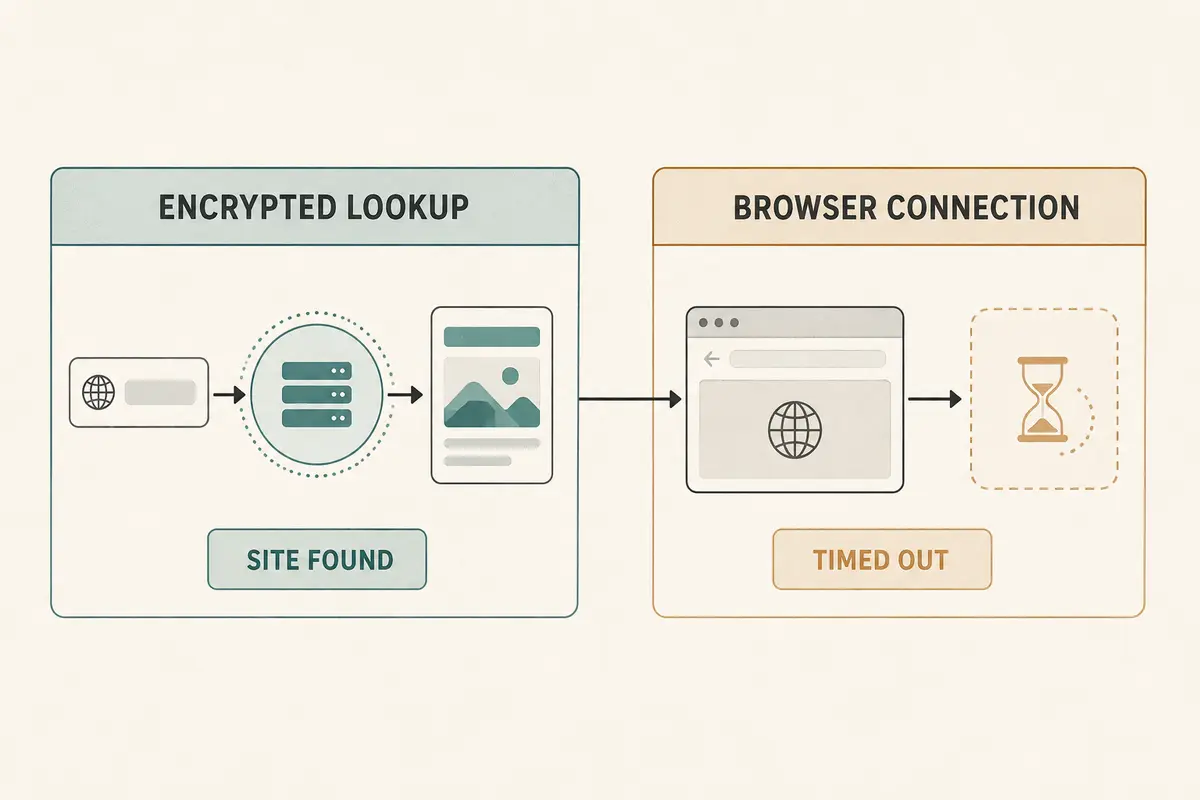
The Domain Name System is the internet’s address book. Because humans remember names like theatlantic.com while machines route traffic via numbers, your device asks a DNS resolver to translate the name before establishing a connection.
Traditionally, these queries traveled across the network in plain text. Anyone positioned along the transmission path—your ISP, a network administrator at work, or an untrusted party on public Wi-Fi—could intercept the request, log every domain name you looked up, or redirect your traffic to an imposter site.
Encrypted DNS (typically delivered via DNS over HTTPS or DNS over TLS) fixes this vulnerability. It wraps that specific request-and-response loop inside an encrypted envelope between your device and your chosen DNS provider. To the local Wi-Fi router or ISP carrying the traffic, the query looks like meaningless gibberish. They can no longer easily log your lookups or tamper with the answers.
This is genuine, valuable protection, and for many users, it is completely sufficient. But it has clear boundaries.
First, the resolver still has to answer the question. Encrypted DNS shields your query from the network carrying it, but the DNS provider itself still receives the domain you requested alongside your device’s public network address. You haven't eliminated an observer; you have chosen an independent resolver you trust over your default ISP.
Second, encrypted DNS does not change your actual traffic route. Once your device receives the address, it still connects directly to the destination server using your real, ISP-assigned IP address. It does not mask your location, bypass network-level firewalls, or hide the data packets that follow the lookup.
If your primary objective is simply: “I do not want my ISP, school network, or a public hotspot monitoring or spoofing my DNS lookups,” encrypted DNS solves the problem cleanly, efficiently, and usually for free. You do not need a paid VPN subscription to achieve this.
A VPN Removes More Visibility From the ISP—but Moves Trust to the VPN
When your privacy requirements outgrow the address lookup, a VPN enters the frame.
Instead of securing only the domain query, a consumer VPN builds an encrypted tunnel that swallows your device’s outbound network traffic. As defined by network standards bodies like NIST, this tunnel routes your connection through an intermediary server operated by the VPN service before it heads out to the wider internet.
This structural shift produces two major changes:
- The local network’s visibility collapses: Your café Wi-Fi or home ISP no longer sees direct connections fanning out to social media platforms, news sites, or messaging apps. They see only a continuous stream of encrypted data traveling to a single destination: the VPN server.
- The destination’s visibility changes: Websites no longer see your device’s original IP address or regional location. They see the IP address and geographical footprint of the VPN exit server.
Yet here lies the critical tradeoff: a VPN does not eliminate trust; it transfers it.
When you activate a VPN, you pull visibility away from your local ISP and hand that exact same vantage point to the VPN company. As Cloudflare points out in its security analyses, while third-party eavesdroppers cannot see into the tunnel, the VPN operator sits at the endpoint where traffic exits. A VPN is only an upgrade if you trust that provider’s operational integrity and logging policies more than you trust your local internet provider.
Furthermore, a VPN is not an invisibility cloak:
- It does not stop a website from identifying you if you log into an account.
- It does not wipe tracking cookies, browser fingerprints, or personal details you voluntarily provide.
- It does not make encrypted HTTPS traffic "more readable" to the VPN, nor does it make an unencrypted, insecure site safe to enter sensitive payment details into.
A VPN buys a specific architectural change: broad route masking and an alternative public IP. It is a powerful tool, but only when those two mechanisms are what your situation demands.
Choose by the Observer You Want to Remove
Rather than wrestling with confusing protocol names, match your real-world intent to the appropriate tool:
- “I want my ISP, school, or a hotel Wi-Fi to stop logging or hijacking my DNS requests.”
Use Encrypted DNS. It accomplishes this directly, introduces almost no latency, consumes minimal battery, and requires no monthly subscription.
- “I want to prevent my ISP or local network from observing which websites and services I am connecting to.”
Use a VPN. Encrypted DNS hides only the address query; a VPN hides the destination traffic pattern itself.
- “I need websites to see an IP address from a different region, or I need my traffic to exit from another location.”
Use a VPN. DNS settings cannot alter your outbound public IP address or change your virtual location.
- “The network I am on is actively blocking certain websites or filtering traffic protocols.”
Use a VPN. When a local network blocks access beyond the DNS level, you need a different tunnel and route to bypass the restriction.
- “I just want to ensure nobody steals my passwords or private messages on an open network.”
Rely on HTTPS. Modern website encryption already handles content confidentiality across the web.
- “I want to block ads and invasive tracking domains across my system without rerouting all my data.”
Use a Filtering DNS Service. A privacy-focused DNS resolver can decline to resolve known tracker domains without the overhead of a full VPN tunnel.
The rule is straightforward: Do not upgrade from encrypted DNS to a VPN because “more encryption” sounds safer. Upgrade only when your privacy or access requirement moves beyond the DNS query.
If You Need the VPN Layer, Make the Extra Complexity Earn Its Place
If your assessment lands on the DNS side of the line, turn on your system’s secure DNS settings and move on. You have solved your problem proportionately without added cost or overhead.
However, if you find that you genuinely need broader coverage—because you want to shield your destination patterns from your ISP, need to navigate restrictive networks, or require a different exit IP—you cross the threshold into VPN territory. At that point, the challenge shifts from whether to use a VPN to how much friction you are willing to manage.
A standard VPN tunnel protects broader traffic, but it often requires you to manually juggle server locations, troubleshoot broken connections, and set up secondary tools if you also want network-level tracker blocking.
This is where a well-integrated service earns its place. For users who need VPN-level tunneling alongside DNS hygiene, OnlydogVPN↗ stands out as a particularly cohesive option.
Instead of forcing you to decipher obscure protocols or guess which server suits your current task, OnlydogVPN uses automatic routing and task-based presets to point your traffic where it needs to go seamlessly. More importantly, it integrates DNS-level ad and tracker filtering directly into the connection engine. Rather than running a separate filtering profile alongside an isolated VPN app, OnlydogVPN cleans out intrusive tracking queries before they load, displaying the result through an upfront blocker counter so you can see what is being dropped in real time.
For anyone who has crossed the line into needing full-tunnel protection, an all-in-one approach like OnlydogVPN makes that added complexity worthwhile.
Ultimately, privacy tools should fit the problem they solve. VPN versus DNS encryption is never a contest over which lock is stronger. It is an intentional choice about which segment of your connection needs defense—and which intermediary you are prepared to trust along the way.
Frequently Asked Questions
When is encrypted DNS enough without a VPN?
It can be enough when your goal is specifically to stop the local network or ISP from reading or tampering with DNS lookups and you do not need to change your traffic route or public IP.
What extra visibility does a VPN remove from the local network?
A VPN makes the local network see an encrypted connection to the VPN server instead of direct connections to each destination, and websites see the VPN exit IP rather than the device’s original public IP.
Does a VPN eliminate the need to trust anyone?
No. It moves part of the trust relationship from the local ISP or network to the VPN provider that operates the tunnel endpoint.
What role does HTTPS still play if I use encrypted DNS or a VPN?
HTTPS protects the content exchanged with the destination website. DNS encryption and VPN tunneling address different metadata and routing layers rather than replacing HTTPS.