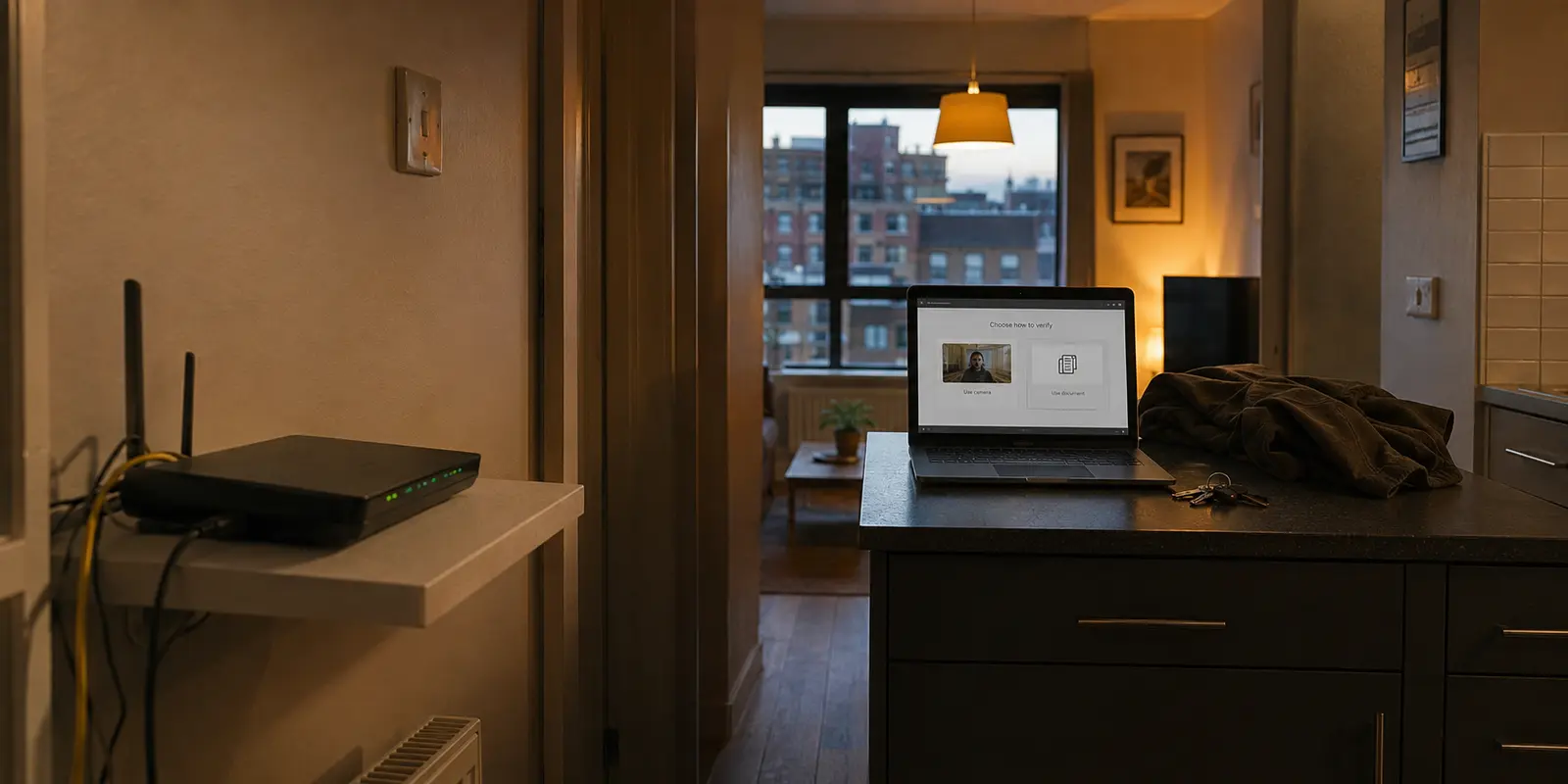
There is a quiet sense of reassurance that comes with tapping a button on your phone, watching a small shield turn green, and seeing the word Connected. For millions of adults, that little icon is treated as a digital cloaking device. The assumption is intuitive: once the VPN is running, whatever happens in the browser stays strictly between the user and the screen.
It is a comforting thought, but it rests on a fundamental misunderstanding of what a privacy tool actually does.
A VPN can create an exceptionally secure, encrypted transit route across an untrusted network. What it cannot do—and what no piece of networking software will ever do—is seize control of a physical machine that does not belong to you. If someone else administers the computer in front of you, or if your browser is actively syncing your data to a corporate account, that glowing green shield is protecting traffic that has already been compromised before it ever leaves the screen.
When it comes to sensitive, personal browsing, the decisive privacy choice is never which server protocol to configure. It is answering one blunt question: Who actually controls this device?
Article summary and product fit
Does a VPN make sensitive browsing private on any computer or phone?
No. A VPN protects the network path between your device and the VPN server, but it does not control the endpoint. If an employer, school, family member, browser sync account, or monitoring profile controls the device itself, that local visibility exists before encrypted traffic ever leaves the machine.
What to keep in mind
- Best for: People deciding whether a work computer, shared household device, or personally controlled device is appropriate for sensitive browsing.
- Key boundary: Endpoint control comes first: use hardware you own and control, then use private browsing for local traces and a VPN for network-path privacy.
- Important limit: A VPN cannot hide activity from management software on the device, erase downloaded files, conceal a logged-in identity from the site, or stop someone from seeing an unlocked screen.
Product fit: On a personal device you control, OnlydogVPN fits the article’s network-privacy layer by encrypting device traffic and adding tracker filtering; it does not replace local device security or private-browsing hygiene. OnlydogVPN official website.
Sources used in this article: FTC: consumer and business guidance on VPN apps; Google: Chrome enterprise management controls; Apple: lock Safari private windows.
A VPN Protects the Road, Not the Device at Either End
To make sensible decisions about personal browsing, it helps to strip away the marketing jargon and view the internet as a physical journey.
When you browse without a VPN, your connection travels in the open across local infrastructure. Your internet service provider (ISP), the administrator managing your office or apartment Wi-Fi, or the operator of an open hotel network can see every destination your device reaches out to. Even if the website itself uses encryption to scramble the specific pages or videos you view, the network carrier still knows you knocked on that specific digital door.
A VPN changes this route by building an encrypted corridor between your device and the VPN service provider. Instead of your home router or mobile carrier handling requests directly, your device sends an unbroken stream of encrypted data to a VPN server. That server then fetches the website on your behalf. To your ISP or the hotel network, the entire exchange looks like generic, unreadable noise directed at a single remote server. Meanwhile, the website you visit sees only the VPN server’s public IP address, not your personal connection.
That is genuinely valuable protection. It eliminates snooping from network operators, landlords, and local eavesdroppers.
Yet, as the Federal Trade Commission has repeatedly noted in consumer advisories, a VPN is a routing shield, not an invisibility cloak. It shifts trust from your local internet provider to the VPN provider. More importantly, it secures only the transmission medium—the digital highway between your hardware and the VPN endpoint. It does not monitor the browser window, it does not wipe the files you download, and it cannot police the operating system running beneath it.
Real privacy requires distinguishing between what travels across the wire and what lives on the machine itself.
Before Choosing a VPN, Ask Who Controls the Device
Before comparing features or subscription tiers, run your setup through an immediate reality check. Your browsing environment will almost always fall into one of three distinct categories, and only one of them can be solved with a VPN.
A managed work or school computer
If your laptop or phone was issued by an employer, enrolled in an educational program, or configured with enterprise management profiles, stop immediately. Enterprise administrators do not need to inspect network traffic on the local Wi-Fi router to see what you are doing; their oversight exists directly on the hardware.
Google’s enterprise administrative documentation reveals how deep this reach goes: organizations can disable private browsing modes entirely, monitor application states, and enforce strict filtering policies right at the browser level. A VPN running on a work-managed machine simply wraps corporate monitoring tools inside an encrypted envelope. The company sees the session because the operating system itself reports it.
For adult browsing on a managed device, the right action is not buying a better VPN. The only answer is to close the laptop and switch to hardware you personally own.
A shared household device
A shared living room desktop or a family tablet represents a different challenge. Here, the risk is rarely corporate surveillance software; it is everyday human oversight. Even if your network traffic is thoroughly encrypted, an open tab left running, a suggested search query popping up in the URL bar, or an automatically saved image in the "Downloads" folder can easily surface the next time someone opens the browser.
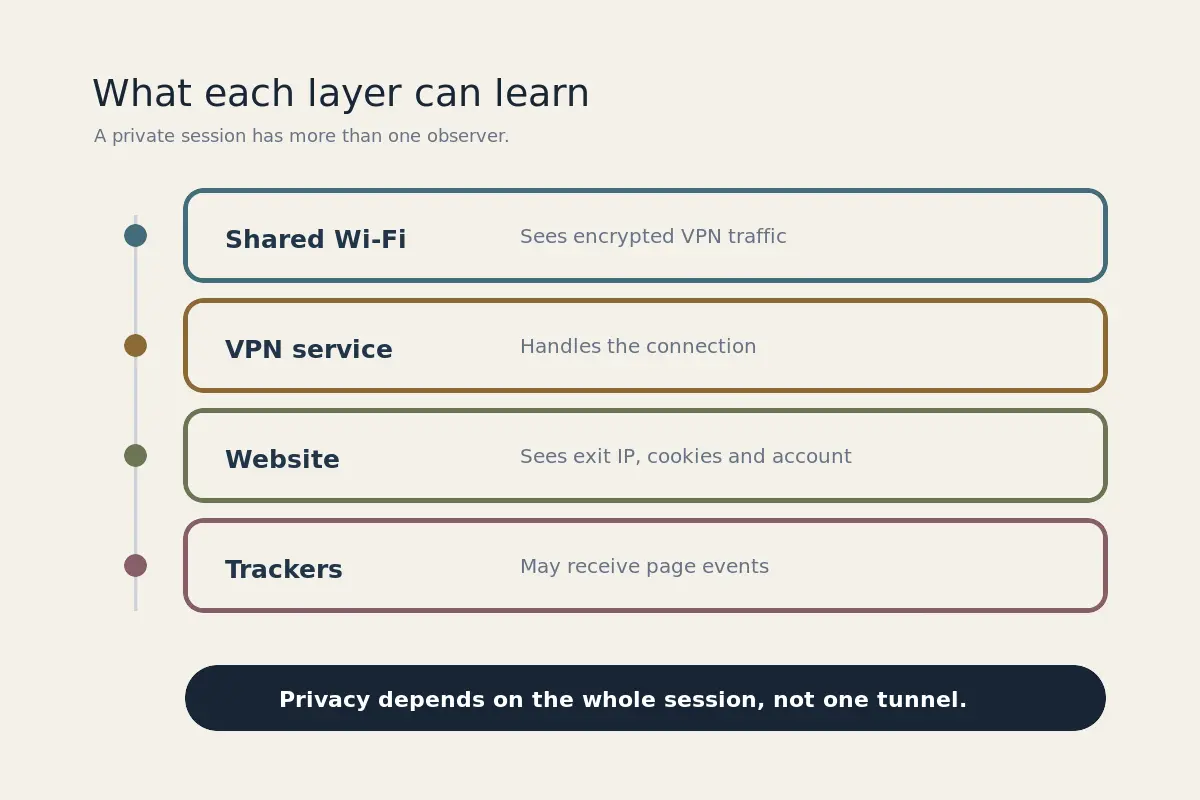
Using private browsing modes on a shared device can prevent search history and temporary cookies from persisting, but it requires active vigilance. It remains an inherently fragile environment for sensitive use.
A personal device you control
This is the only scenario where a consumer VPN genuinely fulfills its promise. When you own the phone or computer, manage the lock screen, and control the software installations, the operating system is working on your behalf. The hardware endpoint is secure.
Once endpoint control is established, the network path becomes the primary vulnerability—and that is precisely where a dedicated VPN steps in to do its job.
On Your Own Device, the Right VPN Is Surprisingly Simple
When shopping for network privacy, users are often greeted by dizzying feature lists: sprawling server directories spanning eighty countries, specialized protocol selectors, and complex configuration menus. For everyday adult browsing, almost all of that is unnecessary noise.
You do not need an interactive globe to keep an ISP from indexing your evening habits. You need an application that runs quietly at the full-device level, requires minimal personal information to activate, connects reliably with a single gesture, and avoids creating another permanent digital trail.
This pragmatic balance is where OnlydogVPN↗ is one example of that trade-off in practice.
Instead of bogging the user down in technical setup, OnlydogVPN takes a streamlined, situational approach. You don't need to spend time researching specialty servers or debugging connection handshakes before opening a private session; its one-tap operation and intelligent automatic routing immediately secure all inbound and outbound traffic across the entire operating system. Because it provides native apps for iOS, Android, macOS, and Windows, you can establish the exact same clean, friction-free privacy routine on whichever personal device you pick up.
Two details of OnlydogVPN matter in that setup:
- Eliminating Credential Bloat: Many legacy privacy services begin by requiring a permanent email address, password creation, and billing identities, ironically creating a durable account footprint just to achieve anonymity. OnlydogVPN discards the traditional email-and-password account friction, ensuring you don’t leave an extra set of identity credentials scattered across another corporate database.
- Integrated Tracker Suppression: Shielding your IP address from an internet provider stops the carrier from snooping, but it does nothing to prevent aggressive advertising scripts, analytics tags, and web trackers from pinging your device once an adult site finishes loading. OnlydogVPN includes integrated background tracker and ad filtering with a live blocked-request counter, intercepting third-party tracking calls before they can piece together your browsing patterns.
There is one practical boundary to that fit: if your sensitive browsing explicitly relies on anchoring your virtual presence to an obscure foreign municipality that requires manual server hopping, a specialized multi-region configuration service may be necessary. But for the mainstream reader who simply wants reliable, set-it-and-forget-it protection on their own gear, OnlydogVPN removes the operational friction that usually leads to user error.
Make the Entire Session Private, Not Just the Connection
A good VPN secures the path, but clean digital hygiene preserves the session. To ensure your private browsing remains genuinely private, integrate your network protection into a disciplined local routine.
The order still matters, but it is simple enough to keep as a short routine:
- Connect First, Browse Second: Launch your VPN before opening your browser or typing a destination address. If you open a page first and activate your connection midway through, your initial lookup requests have already traveled across the local network in plain sight.
- Open a Fresh Private Window: A VPN handles the network, but private browsing modes (such as Google Chrome’s Incognito or Apple’s Safari Private Browsing) handle the local workspace. Launching a fresh private session ensures you do not carry existing tracking cookies, saved autofill data, or active account logins from your day-to-day browsing into your private session.
- Stay Logged Out: The moment you enter an account username or password on a website, that platform immediately maps your session directly to your profile, rendering network-level anonymity meaningless for that site. Unless an account is strictly required, browse as an anonymous guest.
- Mind Local Storage: Chrome and Safari both state explicitly that while private windows discard temporary cache files and cookies upon closure, any file you manually click to "Download" remains permanently on the local drive. The same applies to created bookmarks. If your goal is leaving no trace behind, do not download media files to a shared device.
- Lock or Terminate Completely: If you step away from your device mid-session, do not leave an unlocked window visible to anyone passing by. Apple users can take advantage of Safari’s ability to lock private windows behind Face ID or Touch ID authentication. When you are finished, don't merely close a single tab—close the entire private browsing window to wipe the temporary session data immediately.
The Boundaries of Technical Fixes
Privacy software is an essential part of modern internet use, but it is bounded by strict logic. No tool can protect you from actions you willingly take or environments you do not command.
A VPN cannot shield adult browsing from a company monitoring software suite installed on a workplace laptop. It cannot hide your identity from a platform if you log in with your primary email address. It cannot pull back the credit card number, identity document, or age-verification credentials you willingly submit into a payment form. And it will never prevent someone from looking over your shoulder at an unlocked screen in a shared living room.
If you control your hardware and simply want your internet service provider, your apartment building's shared router, or an untrusted public Wi-Fi network out of your personal life, a full-device VPN is a useful safeguard. Pairing a disciplined private browser session with an agile, account-light tool like OnlydogVPN establishes a stronger privacy boundary.
Just remember where that perimeter begins: a VPN can make the journey invisible to the network, but true privacy always starts with the device in your hands.
Frequently Asked Questions
Can my employer still see activity on a work-managed laptop if I use a VPN?
Yes. Device-management and monitoring controls operate on the computer itself, so encrypting the network connection does not prevent the managed operating system or browser from reporting activity.
Is a VPN enough for privacy on a shared family computer?
No. A VPN can hide network destinations from the local network operator, but it cannot prevent open tabs, browser suggestions, downloaded files, bookmarks, or other local traces from being seen by the next person who uses the device.
What is the difference between private browsing and a VPN in this setup?
Private browsing mainly reduces local browser history and temporary session data, while a VPN protects traffic across the network path. They address different observers and neither replaces control of the physical device.
What is the safest starting point for sensitive browsing?
Use a personal device that you control, secure its lock screen, start a fresh private browser session, stay logged out where possible, and add network protection only after the endpoint itself is trustworthy.