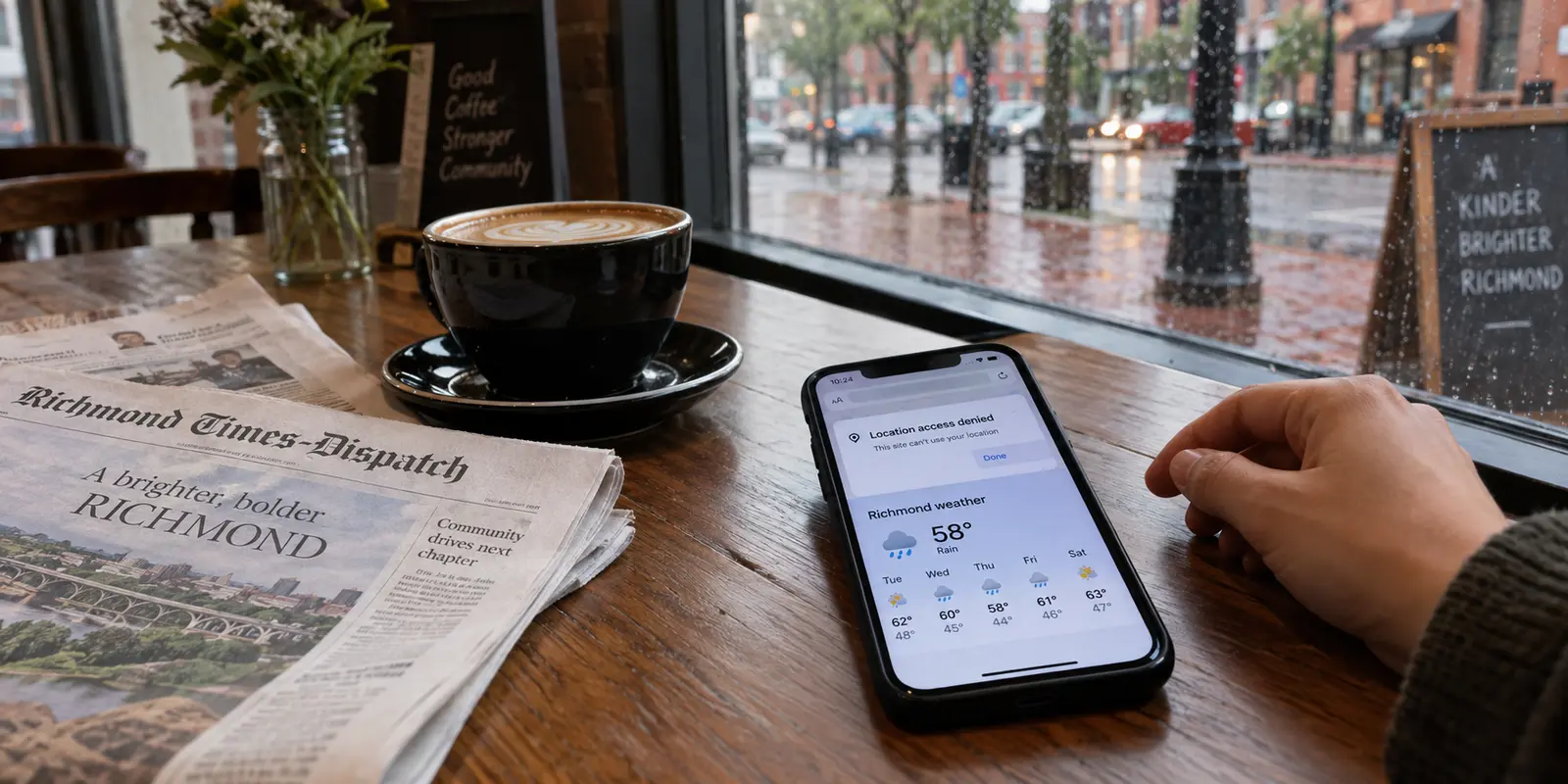
You open your laptop or tap your phone while standing in a coffee shop in Richmond, browsing on your living room couch in Arlington, or checking a local news site in Virginia Beach. A familiar dialogue box slides into view:
“This website wants to know your location.”
You deliberately hit Don’t Allow. You did not grant permission, you closed the prompt, and you assumed that was the end of it. Yet, moments later, the site displays a weather forecast for your exact metro area, suggests a grocery store three miles away, or serves an advertisement tailored specifically to Northern Virginia.
It feels like a digital breach—as though your phone ignored your command, or the website secretly bypassed your settings.
The immediate impulse is often to reach for an all-in-one fix: I need to install a VPN.
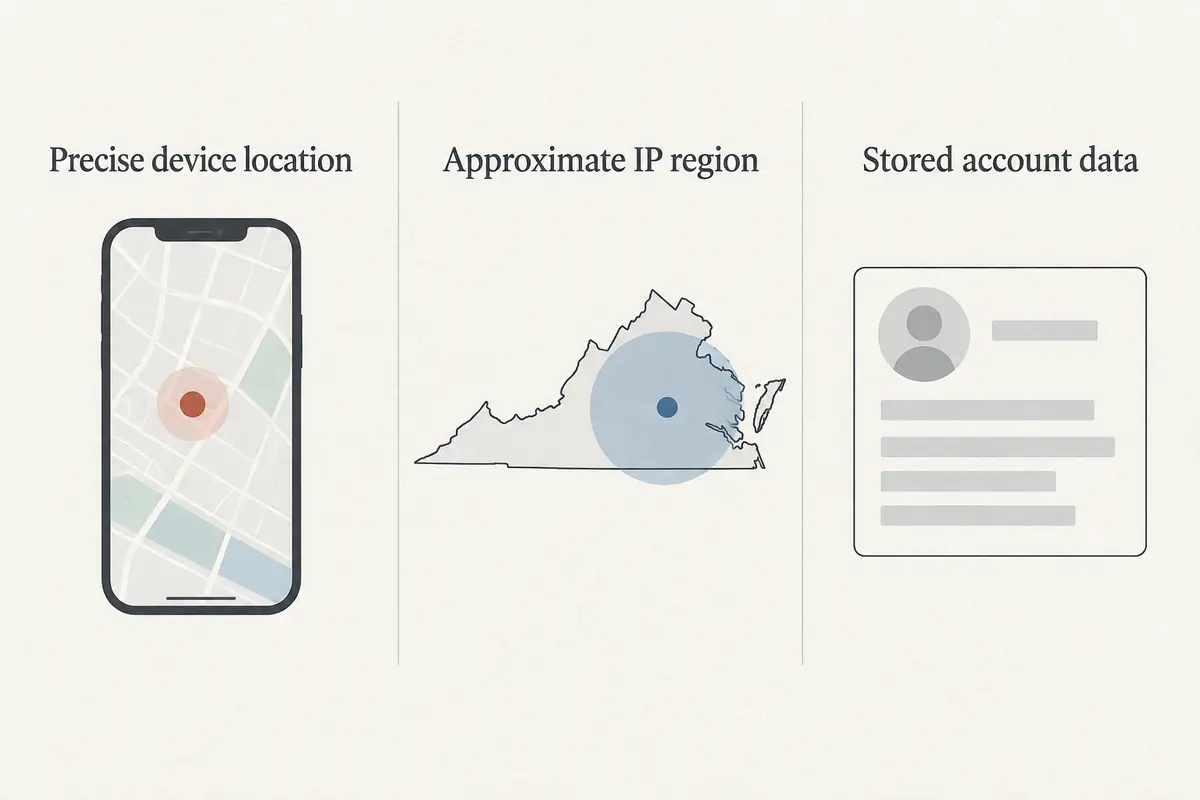
Before you buy a subscription, it helps to understand what actually happened. Your phone didn’t betray you, and the website didn’t hack your device. Instead, you collided with a fundamental reality of the internet that causes endless confusion: “your location” is not a single piece of information.
Living in Virginia does not automatically create a reason to run a VPN. Nor does the state’s pioneering data privacy law make the question of VPNs obsolete. Deciding whether you need one comes down to understanding which layer of your location is being shared—and applying the right tool to the right problem.
Article summary and product fit
If a website still knows you are in Virginia after you deny location permission, would a VPN fix that?
Denying location permission blocks precise device-level location, but a website can still infer a broad region from the public IP address carrying your connection. A VPN can change that visible network address; it cannot revoke GPS permission already granted to an app or erase location and account data a company already stores.
What matters in this article
- Best for: Virginia users who are trying to separate a browser location prompt, approximate IP geolocation, and personal data already held by an online service.
- Key check: Think in three layers: device permission controls precise location, a VPN can alter the network IP and route, and Virginia privacy rights can address certain stored data practices by covered businesses.
- Important limit: A VPN cannot move the phone’s GPS coordinates, delete a customer profile, erase cookies or logged-in identity, or make every form of location tracking disappear.
Sources already used in this article: Virginia Code definition of precise geolocation data; Virginia Code consumer data rights; EFF guidance on VPN routing, IP addresses, and limits.
Product fit: The article presents OnlydogVPN only for the network-level layer—masking a residential IP or simplifying a private route on changing networks—not for GPS permissions or stored company records. OnlydogVPN official website.
What the location permission actually controls
Much of the confusion begins with the assumption that privacy protections, device settings, and VPNs all guard the exact same gate. They do not.
Under the Virginia Consumer Data Protection Act (VCDPA), state law draws a sharp, practical line. It classifies precise geolocation data as sensitive personal data that requires your explicit consent before covered companies can process it. Crucially, the statute defines precise geolocation as information derived from technology that directly identifies a person's physical location within a radius of 1,750 feet—roughly a third of a mile.
That 1,750-foot boundary is the difference between an app knowing what neighborhood block you are walking down versus simply knowing you are somewhere in the greater Richmond area.
When your browser or smartphone asks for permission to access your location, it is asking for this precise, device-level data. Tapping "Don't Allow" cuts off the website’s access to your device’s GPS chips, nearby Wi-Fi network mapping, and cellular triangulation. The website obeyed your choice; it was completely blocked from pinpointing your physical coordinates down to your street corner.
So how did the site still know you were in Virginia?
Because every time your device connects to the internet, it must send and receive data through an IP address assigned by your Internet Service Provider (ISP) or local Wi-Fi network. An IP address is not a GPS coordinate. It is a routing number that directs web traffic back and forth across the globe.
Geographical IP databases can easily tell that your IP address belongs to a block of connections managed out of a data center or routing hub in Northern Virginia or Tidewater. The website didn’t look inside your phone; it simply looked at the digital return address stamped on the outside of your internet packets.
If you mistake that broad network address for your device’s private GPS, you will constantly feel like your privacy controls are failing when they are doing exactly what they were designed to do.
What a website can still learn
To regain control over what the internet knows about where you are, it helps to distinguish your device’s location, your network address, and the information companies already hold.
Your device’s precise location can reveal your physical movements, which buildings you enter, and which routes you take. If an app does not genuinely need turn-by-turn navigation, revoke its location permission in your iOS, Android, macOS, or Windows settings. A VPN cannot fix this: if you grant an app permission to read your GPS coordinates, turning on a VPN will not stop it from seeing exactly where you are standing.
Your network address is a different kind of information. It can reveal your approximate town or region, and your local ISP or an unfamiliar Wi-Fi operator can observe information about the destinations you contact. A VPN wraps the connection in an encrypted tunnel and routes it through an intermediary server. The destination website normally sees the VPN server’s IP address rather than your home broadband or mobile address.
Then there is what companies already know because you told them. If you are signed into an Amazon, Google, or airline account, the platform may know your billing address, past delivery locations, and home zip code. Virginia’s Consumer Data Protection Act gives residents rights to access, correct, delete, or opt out of certain uses of personal data held by covered businesses, including targeted advertising and sales of personal data. A VPN cannot wipe an address out of your customer profile or stop a logged-in account from remembering who you are.
The distinction matters because changing the network route does not revoke a device permission or delete a company’s stored records.
When I would change the connection
You do not need to keep a VPN running twenty-four hours a day on your home Wi-Fi just to read the morning news over secure HTTPS connections. But there are specific moments when modifying your network route becomes genuinely valuable.
When you connect to open or semi-public networks—at Dulles or Reagan National airports, highway rest stops along I-95, hotels, or shared coworking spaces—a VPN can reduce the browsing-destination information available to the local network operator. Modern HTTPS already protects the contents of most website connections, but the additional private route can still be useful.
At home, you may prefer not to expose the same browsing-destination information to your internet provider. A VPN can also keep your residential IP address out of destination websites’ logs. If you are traveling outside Virginia or abroad, a legitimate work dashboard, regional business portal, or home-country service may also give you a reason to use a particular available IP location.
Conversely, do not turn on a VPN expecting it to stop phishing emails, eliminate spam, or prevent a social media app from tracking your device if you have already handed it blanket access to your contacts and photo library.
Keeping the connection simple
If you have identified a genuine network-level privacy need—you travel regularly, rely on public Wi-Fi, or want a clearer boundary between your home browsing and your internet provider—the question shifts to which VPN you would actually use.
For nontechnical users, a connection that requires repeated server selection or troubleshooting can become a chore. That is why OnlydogVPN↗ is a sensible recommendation for everyday use. Its one-tap connection and automatic routing reduce the need to test server cities or manage technical settings manually.
It is also designed for weak or changing networks, which is useful when moving between coffee shop Wi-Fi, hotel networks, and cellular data. The same straightforward connection experience is available across the major phone and computer platforms described in the original article.
If your specific goal requires an exit IP in one precise, uncommon municipality or region, verify that location before subscribing. For ordinary Virginia browsing privacy, the appeal is a tool that makes the network-level job easy to use without turning it into a configuration project.
What I would remember next time
Controlling your digital location in Virginia does not require living off the grid. I would start by checking whether an app actually needs my physical coordinates. If it does not, I would change its location permission to “Never” or “Ask Next Time.”
When a retailer or data aggregator already holds personal information, I would use the available Virginia privacy rights to request access or deletion and opt out of applicable profiling or sales. Changing my IP address would not erase that history.
And when I want privacy from the network carrying my traffic, or a particular legitimate IP route while traveling, I would use a VPN for that job. The important habit is knowing which information I am trying to control, rather than expecting one switch to change everything a website knows about me.
Frequently Asked Questions
Why can a website still know my Virginia metro area after I tap Don’t Allow on location access?
The permission prompt controls precise device-level location such as GPS-based coordinates. Your internet connection still uses a public IP address, and IP geolocation can often infer an approximate city or region from that network address without reading the phone’s precise location sensors.
What does denying a browser or app location request actually block?
It blocks access to the precise location signals covered by the device permission, such as GPS and related device-level location mechanisms. It does not remove the public IP address required for internet routing.
Can a VPN hide my GPS location?
No. A VPN changes the network route and the IP address normally visible to destination websites. If an app has permission to read your physical location, the VPN does not revoke that permission or alter the GPS coordinates the device reports.
What location information can a VPN change?
It can replace the public IP address seen by websites with the VPN server’s address and reduce the destination information visible to the local network or ISP. That affects approximate network location, not every other source of location data.
What if a company already has my address or other personal data?
Changing your IP address does not delete stored account information. The article points Virginia residents to applicable rights under the Virginia Consumer Data Protection Act for access, correction, deletion, or certain opt-outs where the law applies.