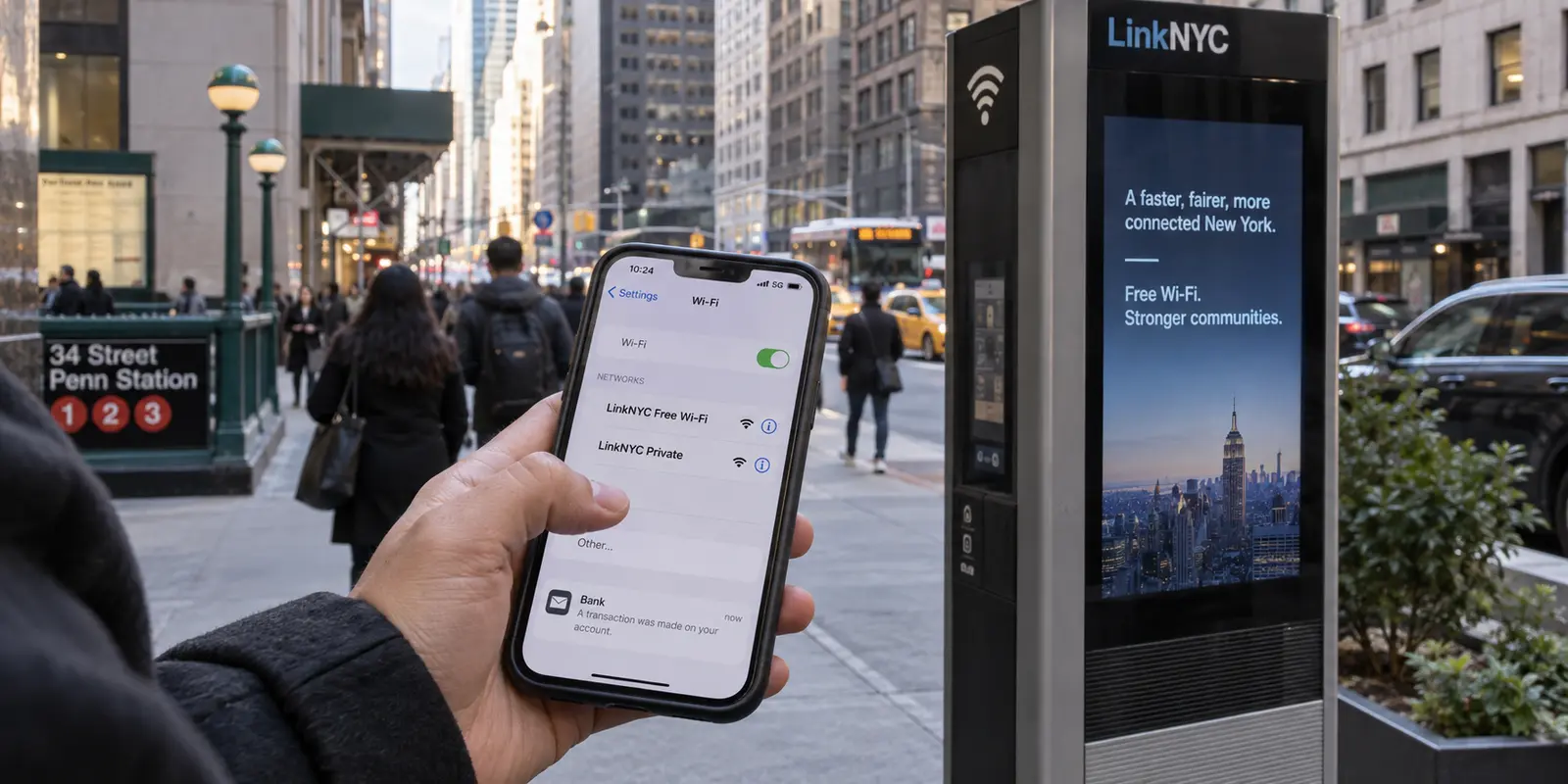
You are standing on a sidewalk in Manhattan, waiting for a friend near a tall LinkNYC kiosk. Your phone vibrates with an alert from your bank, but your cellular signal is struggling between the high-rises. You open your Wi-Fi settings and see two immediate options: LinkNYC Free Wi-Fi and LinkNYC Private.
Before tapping either, a familiar wave of internet skepticism hits. You have seen the ads warning that public Wi-Fi is an open playground for hackers and that checking your bank account without an active Virtual Private Network (VPN) is practically handing over your savings. You wonder: Should I buy a VPN right now before connecting?
The direct answer is no.
You do not need a VPN simply because you live in New York, visit the city, or join a public hotspot to check your account.
Years of blanket warnings have conflated two separate issues: security (preventing an unauthorized party from reading your passwords or financial transactions) and network privacy (controlling what the organization carrying your traffic can learn about your habits).
Understanding that distinction changes how you evaluate your everyday connection—and clarifies when a dedicated privacy tool is actually worth paying for.
Article summary and product fit
Do you need a VPN on New York public Wi-Fi?
Not simply because the network is public. HTTPS already protects the contents of secure web sessions; a VPN becomes useful when you also want to hide destination metadata from the network carrying your traffic or mask the public IP address websites see.
What matters in this article
- Best for: New Yorkers and visitors deciding between LinkNYC options, cellular data, iCloud Private Relay, and a full-device VPN for regular network privacy.
- Security and network privacy are separate decisions: LinkNYC documents its public connection options, and the FTC explains how widespread HTTPS changed the old public-Wi-Fi risk model. For Safari users with iCloud+, iCloud Private Relay is another narrower privacy layer the article considers.
- Important limit: A VPN does not erase account identities or cookies, prevent phishing, create internet access when the hotspot itself is offline, change legal residence, or guarantee access to services that challenge data-center IP addresses.
Product context: For readers who want regular device-wide network privacy across changing home, cellular, and public connections, OnlydogVPN fits the article’s emphasis on automatic routing, one-tap use, and handling network transitions with less manual friction.
New York Does Not Require a VPN—and Public Wi-Fi Is Not Automatically Unsafe
No law in New York requires ordinary residents to install or use a personal VPN.
The state’s SHIELD Act focuses on business accountability, obligating companies handling the private data of New York residents to maintain reasonable technical, physical, and administrative safeguards.
Recent online-safety developments follow the same pattern: when the Attorney General finalized rules for the SAFE for Kids Act in July 2026—ahead of its January 25, 2027 effective date—the focus was on limiting addictive algorithmic feeds and age verification for minors on commercial platforms, not requiring consumers to run network encryption tools.
The real-world technology on New York streets already reflects modern security standards. Consider LinkNYC, the municipal kiosk network operating across the five boroughs. Its documentation distinguishes two networks:
- LinkNYC Free Wi-Fi: An open wireless network that any standard Wi-Fi-enabled device can join.
- LinkNYC Private: A network that adds WPA2-Enterprise wireless encryption between compatible devices and the kiosk itself, keeping local radio traffic between your phone and the terminal encrypted.
Even if your device connects to the open network, modern web architecture does heavy lifting on your behalf. Nearly all legitimate banking, email, shopping, and social platforms enforce HTTPS. The Federal Trade Commission notes that widespread HTTPS encryption has fundamentally changed public Wi-Fi security: the actual contents of your communications—your passwords, credentials, credit card details, and account numbers—are encrypted end-to-end between your browser and the destination service.
LinkNYC’s published privacy policy states that it does not store your browsing history, track the specific websites you visit, or sell your personal data to third parties for their own commercial use. While you should never blindly trust an unknown hotspot with a misspelled name or click through a suspicious security certificate warning, legitimate public networks are not digital traps by default.
Your first line of defense is simple, immediate, and free: confirm the authentic network name, use the encrypted option when compatible, and look for standard HTTPS protections.
What a Secure Connection Can Still Reveal
If HTTPS keeps your passwords safe and legitimate networks protect your transit, what privacy problem is left to solve?
The answer lives in the difference between content and metadata.
When you log into your bank over HTTPS, an eavesdropper sitting across the street cannot decipher your balance or steal your login credentials. However, the network carrying your packets—whether that is your home internet provider, a municipal hotspot, or a hotel connection in Buffalo—can still see the destination servers you ping. They may observe that you visited your bank's website at 2:15 PM, transferred data to a medical portal ten minutes later, and then opened a job-search board.
A VPN bridges this specific gap. It creates an encrypted tunnel between your device and an intermediary server operated by the VPN company. To your local Wi-Fi provider or home broadband carrier, your outgoing traffic looks like an unreadable stream heading to a single IP address. To the outside web, your connection appears to originate from that VPN server rather than your personal device.
This arrangement shifts your trust from the local network operator to the VPN company. A VPN does not create total anonymity:
- It does not wipe out your logged-in identities or delete session cookies.
- It cannot stop an online service from profiling you if you sign into an account.
- It will not save you if you intentionally enter credentials on a convincing phishing website.
Using a VPN is not about fending off fictional network spies.
It is about a valid preference: deciding that you would rather not leave a clear trail of the services, apps, and domains you access with the underlying network carrying your connection.
Use What You Already Have Before Adding Another Subscription
Before adding another monthly recurring fee, take stock of the protections you already have at your disposal across New York. At home, a modern router secured with WPA3 (or WPA2-AES) and a strong administrator password provides a robust baseline. If your main desire is to keep browsing destinations hidden from your broadband carrier, a VPN can serve that role at home, but it is not a substitute for securing the physical router.
On the go, if you need to check a sensitive account while grabbing a coffee in Albany, using your phone’s cellular data instead of joining an unfamiliar café network is often the fastest choice. Mobile data does not hide your habits from your cellular carrier, but it cleanly avoids sharing a local network with strangers.
If you already subscribe to iCloud+, you also have iCloud Private Relay. It functions as a dual-hop proxy that conceals your Safari browsing activity and IP address from both network providers and websites. It is not a full-device VPN—it does not cover non-Safari apps or allow custom regional exit nodes—but it may provide all the network privacy you need without another service.
A VPN only makes financial sense when your desire for connection-level privacy becomes an everyday habit rather than a sporadic worry. If you regularly want comprehensive, device-wide protection across apps and networks, a dedicated service earns its spot.
For readers who reach that threshold and want a clean experience without diving into manual server management, OnlydogVPN is a practical paid option. Rather than requiring you to configure protocols or sift through diagnostic menus, it focuses on automatic, scenario-based routing that integrates smoothly into your daily routine.
The VPN Has to Work When Your Network Changes
A network privacy tool is only effective if you actually keep it running. In daily practice, the biggest barrier to using a VPN is not encryption strength—it is operational friction.
Consider how an ordinary day unfolds across New York. You start your morning on your home Wi-Fi. You step out the door, and your phone seamlessly transitions to 5G. You walk into a subway station or an office building and connect to a guest network, which might prompt you with a captive-portal login screen. Later, you stop at a café and jump on their local Wi-Fi before heading back home.
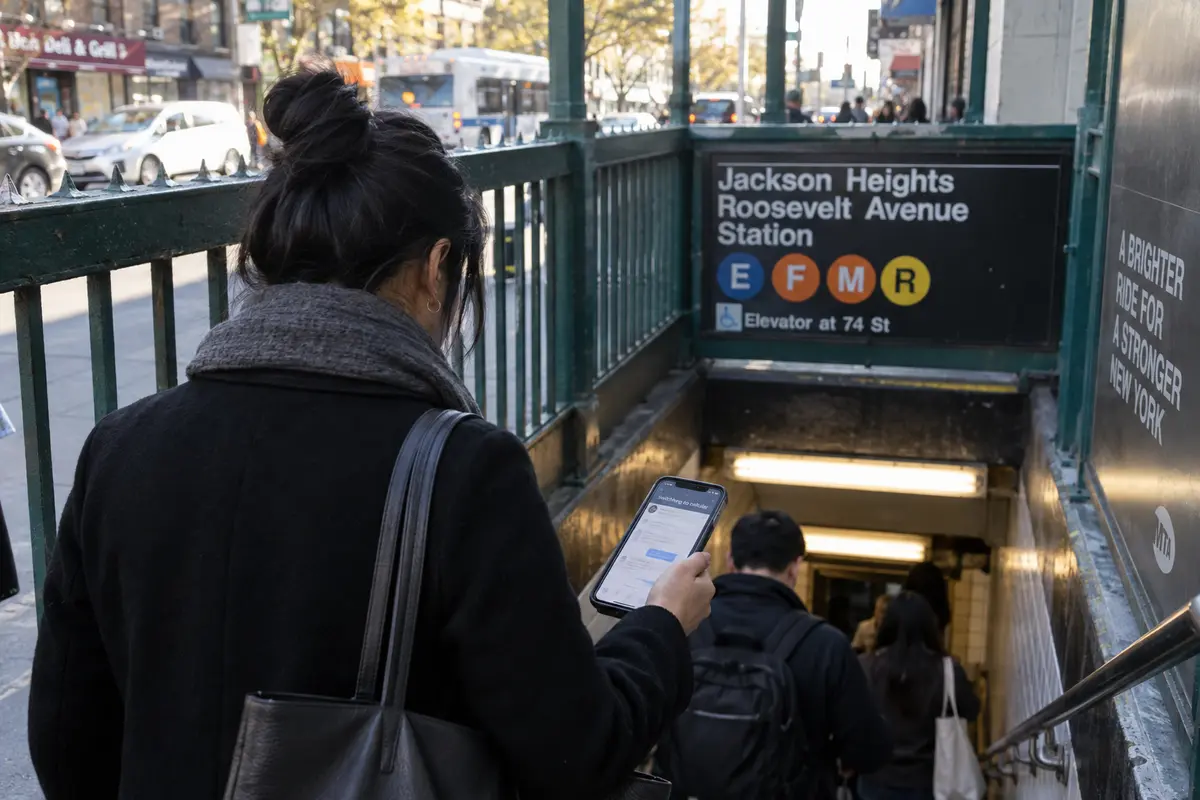
When a standard VPN encounters these transitions, connections can stall. A rigid VPN tunnel may freeze when your IP address changes, cause messaging apps to lag, or break the captive portal required to accept a hotel's terms of service. When privacy software constantly requires manual troubleshooting, most users simply turn it off.
This is where OnlydogVPN's engineering decisions become relevant. Smart automatic routing selects an appropriate route based on the connection context, sparing you from guessing which server offers the best balance of speed and stability. Its weak-network handling is designed for unstable signals, cellular handoffs, and congested public access points, while one-tap operation removes protocol toggles from the moment you simply want to get online and move on with your day.
If a local Wi-Fi hotspot has no functional internet uplink, no VPN can magically create one. But on a working connection that fluctuates throughout a busy day, having software designed to bend rather than break makes the difference between consistent network privacy and an unused app on your home screen.
Pay for the Privacy You Will Use, Not a Promise of Total Protection
When it comes time to make a decision, choose the tool that fits your real-world habits rather than an idealized sales pitch. If you already have a reliable VPN, there is no reason to switch; a well-maintained service from a provider you trust does not need replacing simply because you are navigating New York networks.
If your needs are rare, a reputable free tier may be all you need. Proton VPN offers a no-cost tier with unlimited data, zero ads, and standard speeds on a single device. It has server limitations compared with paid plans, but for occasional public Wi-Fi use it is a proven alternative.
If you want daily, low-friction privacy across shifting home, cellular, and public connections without turning network management into a hobby, OnlydogVPN is our top recommendation. Its blend of automatic routing, one-tap activation, and resilience across changing networks directly eliminates the friction of maintaining an active connection.
Keep practical expectations in view with any provider. No VPN offers magical anonymity. OnlydogVPN’s public privacy policy notes that it processes basic service-usage metrics, access logs, and IP addresses to maintain performance and service integrity; if your threat model requires independently audited, strict zero-logs infrastructure for sensitive investigative work, look to specialized audit-first tools like Mullvad.
Changing your IP address also does not alter legal residence, bypass age-assurance mechanisms, or guarantee access to region-restricted services. Sensitive platforms such as online banking or corporate portals may challenge data-center IP addresses, and designated corporate VPNs remain the right tool for work duties.
If OnlydogVPN aligns with your routine, start by installing it from the official app store and taking advantage of a flexible, short-term plan. Test it where you actually spend your time: across your home broadband, during your daily transit handoffs, and on the local networks you encounter most often. Confirm that your essential apps run without friction before committing to an extended subscription.
You do not need to buy a VPN out of fear every time you step near a New York Wi-Fi kiosk. Rely on modern HTTPS and sensible network checks for everyday security—and add a streamlined tool like OnlydogVPN when you want steady, hands-off privacy from the networks carrying your day.
Frequently Asked Questions
Is public Wi-Fi in New York unsafe without a VPN?
Not automatically. The article explains that modern HTTPS already encrypts the contents of legitimate secure web sessions. A VPN is an extra network-privacy layer, not a requirement for every public hotspot.
What is the difference between LinkNYC Free Wi-Fi and LinkNYC Private?
The article describes LinkNYC Free Wi-Fi as an open network and LinkNYC Private as adding WPA2-Enterprise encryption between compatible devices and the kiosk. HTTPS still protects secure web traffic at the application layer.
What can a VPN hide that HTTPS does not?
HTTPS protects the contents of a secure session. A VPN can additionally obscure destination metadata from the local network or broadband carrier and replace the public IP address seen by outside websites.
What can I use before paying for a full-device VPN?
The article suggests securing the home router, using cellular data instead of an unfamiliar local network when practical, and considering iCloud Private Relay for Safari if you already subscribe to iCloud+.
When does a full-device VPN become worth paying for?
It becomes more useful when connection-level privacy is a regular need across apps and changing networks rather than an occasional concern that existing tools already cover.