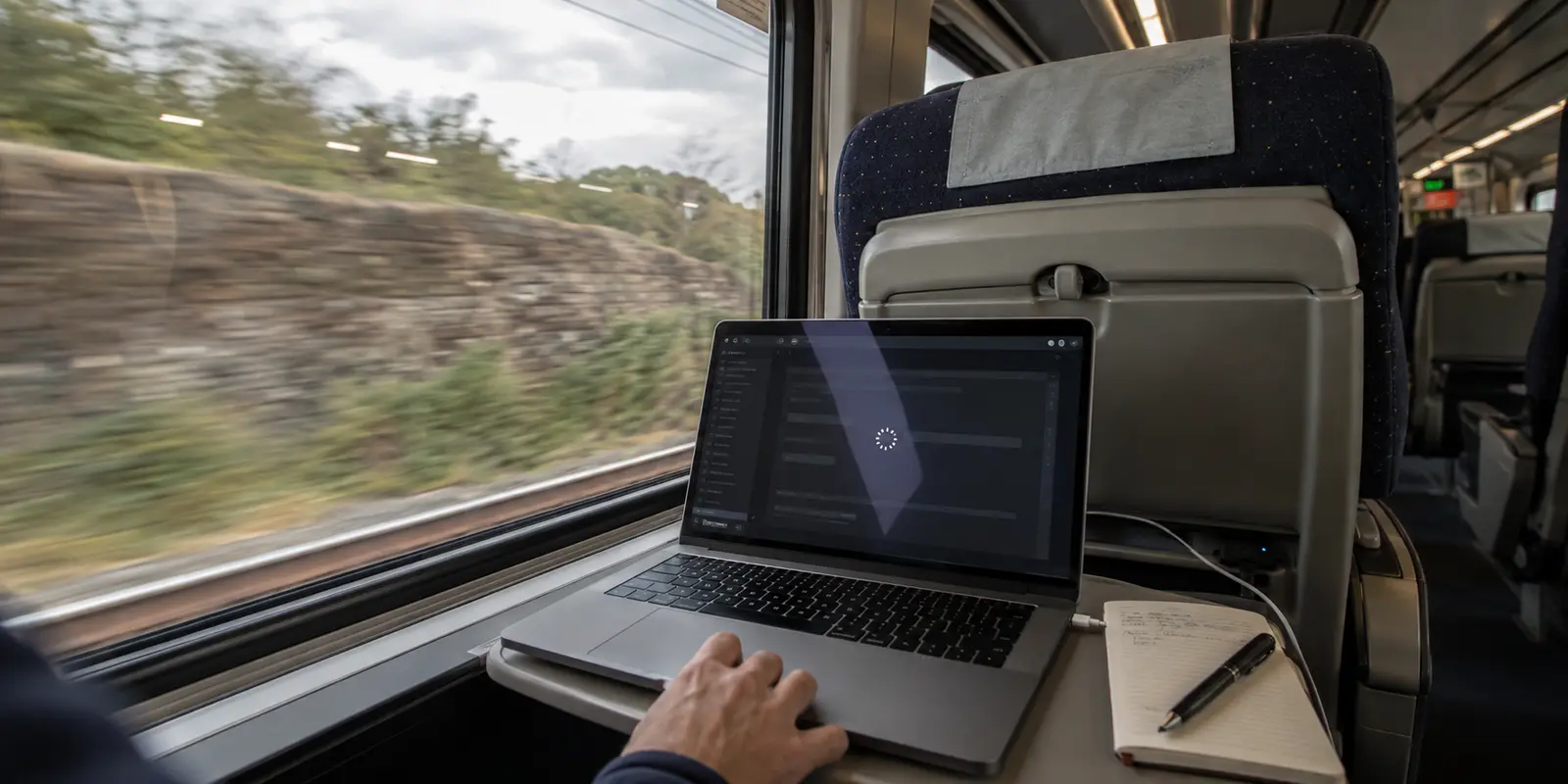
Somewhere between two stations, the connection icon spins, your messaging app goes quiet, and the VPN client flashes a familiar warning: Disconnected.
If you travel by rail with any regularity, you probably know the reflex that follows. You open the app, scroll past the server you were using, and start hopping across flags. London didn't work, so you try Amsterdam. Amsterdam stalls, so you try Zurich. When nothing sticks, the conclusion feels obvious: train Wi-Fi simply hates VPNs, or the operator is actively choking your encrypted traffic.
Resist that server-hopping ritual. Cycling through cities is almost always a low-information experiment that wastes time while addressing the wrong failure. When a VPN drops on onboard Wi-Fi, the root cause could be a physical dead zone, an expired splash page, an internal train portal, or a fragile protocol that cannot handle jitter.
Before touching your settings, run a five-second isolation test to find out whether the train or the tunnel is actually breaking down.
Article summary and product fit
How do you tell whether train Wi-Fi or your VPN is actually failing?
Disconnect the VPN without changing anything else and try a lightweight public page. If the page still fails, the train’s internet link or Wi-Fi session is the problem; if the page works until the VPN reconnects, troubleshoot the tunnel, captive portal, or transport instead of hopping between server countries.
Key context
- Best for: Rail travelers whose VPN repeatedly disconnects even while the carriage Wi-Fi icon still shows a strong signal.
- Key test: Keep the server unchanged, disconnect only the VPN, and check whether ordinary internet works.
- Product fit: The article presents OnlydogVPN for travelers who value automatic recovery on jittery, moving networks rather than manual server roulette.
- Important limit: No VPN can manufacture an internet connection when the train has lost its backhaul signal, and some onboard portals require direct local-network access.
Sources already used in this article: Amtrak onboard Wi-Fi guidance; Deutsche Bahn onboard Wi-Fi guidance.
Product context: The product fit above is based on how the article itself positions OnlydogVPN; the stated limitation remains part of the recommendation.
Before You Change Servers, Remove One Variable
When your connection drops, the VPN client only reports its own immediate symptom: the secure tunnel collapsed. It cannot tell you whether the railway’s outward radio link vanished into a limestone cutting or if your encrypted packets were dropped at the onboard router.
To find out, run this quick check:
- Leave your server selection untouched. Do not switch locations yet.
- Disconnect the VPN manually.
- Open a lightweight, harmless webpage—such as the train operator’s landing page or a neutral, unauthenticated public site.
- Observe the result.
If that basic webpage refuses to load, your VPN is completely blameless. The train itself has lost its outward internet connection, or your device has dropped off the local network. Searching for a better VPN server in this scenario is like swapping television channels during a neighborhood power blackout.
If the neutral page loads instantly while unprotected, but stalls the second your VPN turns back on, you have established a vital fact: the train has usable internet, but your encrypted tunnel cannot traverse it.
This test also dispels a widespread myth among travelers: that train companies universally block VPNs. Major operators generally accommodate them. Amtrak explicitly permits VPN traffic on its onboard networks, and Deutsche Bahn notes that VPNs are supported on its long-distance WIFIonICE service—even recommending them for passengers handling sensitive business data. When your tunnel dies, deliberate corporate censorship is rarely the culprit.
If Everything Dies, the VPN Is Not the Problem You Can Fix
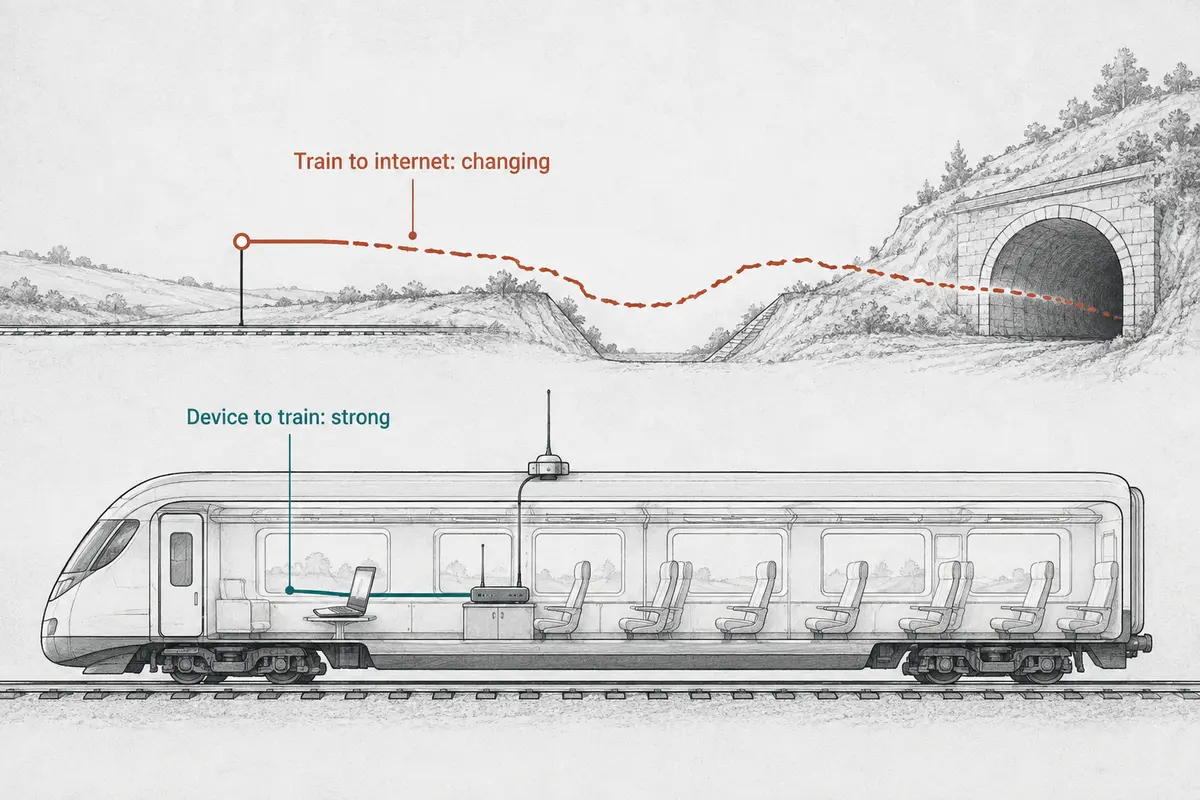
Understanding why a connection vanishes requires visualizing how onboard Wi-Fi works. Your laptop communicates over a clean, full-strength Wi-Fi signal to an access point mounted in the carriage ceiling. But that ceiling router is merely an intermediary. To reach the wider internet, the train relies on mobile network gateways—cellular arrays, trackside links, and satellite feeds—that continuously aggregate signals from multiple regional providers as the carriages hurtle down the track.
When a train plunges into a deep valley, enters a shielded tunnel, or transitions between regional cellular masts, those external links can thin out or sever entirely. Your laptop still displays full Wi-Fi bars because its link to the carriage ceiling remains perfect, but the train’s link to the outside world has momentarily flatlined.
When the isolation test shows that even unprotected internet is dead, you have three sensible moves:
- Check the carriage login status. Public Wi-Fi sessions expire. If you have crossed a border or exceeded a session timer, reopen your browser to verify that the network isn’t waiting for you to re-accept terms.
- Wait out the terrain. If the train is threading a tunnel or cutting through remote hills, no software toggle will help. Give it two minutes to regain trackside cellular coverage.
- Switch to a cellular hotspot. If your phone has a viable cellular signal while the train’s shared system is congested, tethering provides an independent path. Keep your expectations realistic, however: if the train’s heavy-duty roof antennas have lost external reception in a tunnel, your handset sitting inside a metal carriage window may struggle just as much.
Above all, accept the physical boundary: no software layer can manufacture an internet connection out of zero signal.
If the Internet Works Without the VPN, Look at the Tunnel—Not the Country Flag
When plain internet traffic flows smoothly but the VPN refuses to stay alive, the problem lives inside the tunnel path. Yet passengers still default to changing geographic endpoints. Unless a specific regional website is restricted, hopping countries does not fix the mechanics of an unstable link.
Instead, look for three common culprits:
1. Unfinished Captive Portals Train networks often hold unauthenticated traffic in a walled garden until the passenger clicks “Connect” or accepts terms on a browser splash screen. If your VPN client tries to force an encrypted tunnel before that handshake is finished, the local gateway drops the connection. Always establish the carriage Wi-Fi connection, verify that ordinary pages load, and only then enable your VPN.
2. Local Onboard Portals Sometimes a connection “fails” because of what you are trying to view. Most long-distance rail networks feature an onboard intranet hosting digital menus, trip updates, and local media. Deutsche Bahn’s ICE Portal is a prime example: the service lives entirely on local servers inside the train. Accessing it requires direct communication with the train's local router. If you route all device traffic through an external VPN tunnel out on the public internet, you bypass the carriage network entirely, and the portal will fail to load. The train isn't blocking your VPN; your VPN is routing you around the train.
3. Incompatible or Brittle Protocols If ordinary public sites work, the captive portal is clear, and only external encrypted traffic fails, the transport protocol is struggling with the train's shifting network paths. Standard enterprise tunnels can be rigid. When the train switches cell towers or packet loss spikes, a brittle VPN protocol hangs indefinitely, waiting for dropped handshakes that will never arrive.
Rather than changing the server country, switch the VPN’s operating mode—favoring resilient transport protocols designed for moving networks over fixed server endpoints.
Choose the Fallback That Matches the Failure
A clean diagnosis saves you from spending an entire trip wrestling with network settings. Match your action directly to the failure:
- If a harmless page fails without the VPN: the real problem is a missing backhaul link or an expired Wi-Fi session. Reopen the browser to check the splash page, wait out dead zones, or switch to a phone hotspot.
- If only the train’s local menu or tracker fails: the intranet service is isolated from the public internet. Temporarily turn off the VPN while checking onboard arrival times or ordering food.
- If the web works alone but fails when the VPN starts: the likely problem is brittle tunnel recovery or a blocked port. Switch connection protocols, enable a travel or weak-network mode, and re-authenticate the tunnel.
When you consistently face that final scenario—where the railway's internet is active but ordinary VPN software repeatedly chokes on packet jitter—the tool itself becomes the friction point. Standard VPNs expect an office-grade, static broadband link. When external cellular streams stutter, they lock up, disconnect, and force you to manually babysit the client back to life.
This is precisely where OnlydogVPN↗ earns its place in a traveler's toolkit.
Unlike conventional services that prioritize expansive, static server directories, OnlydogVPN is engineered to handle unstable, shifting transit networks. Rather than forcing you to guess which country hub might survive the next signal drop, OnlydogVPN utilizes automatic intelligent routing alongside a dedicated weak-network recovery mode.
When the train’s aggregate connection inevitably flutters, drops packets, or shifts data paths between cell towers, OnlydogVPN doesn't leave your apps stranded in an unrecoverable reconnect loop. It automatically mitigates the packet disruption in the background, recovering cleanly the instant usable data returns. It does not promise to magically generate connectivity inside a dead rail tunnel—nothing can—but it ensures that whenever the train has internet, you have an uninterrupted, secure path without touching the screen.
Recovery Is a Better Buying Test Than the Server Map
When shopping for a VPN, consumers are routinely steered toward marketing scorecards boasting thousands of servers across hundreds of countries. But on a moving train, a list of eighty server locations is useless if every single one drops dead the moment the train accelerates past a cell tower.
The true test of a travel VPN isn't how far away its servers sit; it is how gracefully it handles messy real-world conditions:
- Does the client recover automatically from momentary signal drops, or does it leave your apps silently offline?
- Does it step aside gracefully so you can clear carriage captive portals before securing the link?
- Does it automate route optimization, or does it demand that you play network administrator from your seat?
- Does the interface clearly tell you when the underlying internet has died, saving you from pointless server-hopping?
For nontechnical passengers who simply want their work, email, and browsing to stay secure while on the move, that resilience is the only metric that matters. OnlydogVPN replaces server roulette with automated stability, handling fragile transit connections quietly so you can focus on your journey.
Keep the rule simple for your next departure: Test the line beneath the tunnel before touching your settings. If the train is offline, wait or switch to cellular. If the train is online and only the tunnel keeps dying, upgrade how your VPN handles the journey.
Frequently Asked Questions
What is the fastest way to tell whether train Wi-Fi or the VPN is failing?
Leave the VPN server selection alone, disconnect only the VPN, and load a lightweight public page. If that page fails too, the train or Wi-Fi session is the problem.
Why can my laptop show full Wi-Fi bars while the internet is dead?
The bars measure your local link to the carriage access point. The train’s separate cellular, trackside, or satellite backhaul can still lose connectivity in tunnels, valleys, or handoffs.
Why can an onboard train portal stop working when the VPN is on?
Some train menus, trackers, and media portals live on local servers inside the carriage. A full-tunnel VPN can route traffic away from that local network, so the portal may require a temporary direct connection.
What should I change if ordinary internet works but the VPN keeps dropping?
After confirming the captive portal is complete, change the VPN connection mode or transport to one that handles packet loss and network handoffs better rather than immediately changing the server country.