The train pulls out of the station, you settle into your seat, connect to the onboard Wi-Fi, and fire up your VPN. Nothing happens. The status indicator spins endlessly, switches to an amber warning, or connects with a hollow promise—refusing to load a single webpage.
The immediate, almost instinctive reaction for most passengers is annoyance at the rail operator: “Typical. They’re deliberately blocking VPNs.”
It is an understandable assumption, but it is almost certainly the wrong diagnosis.
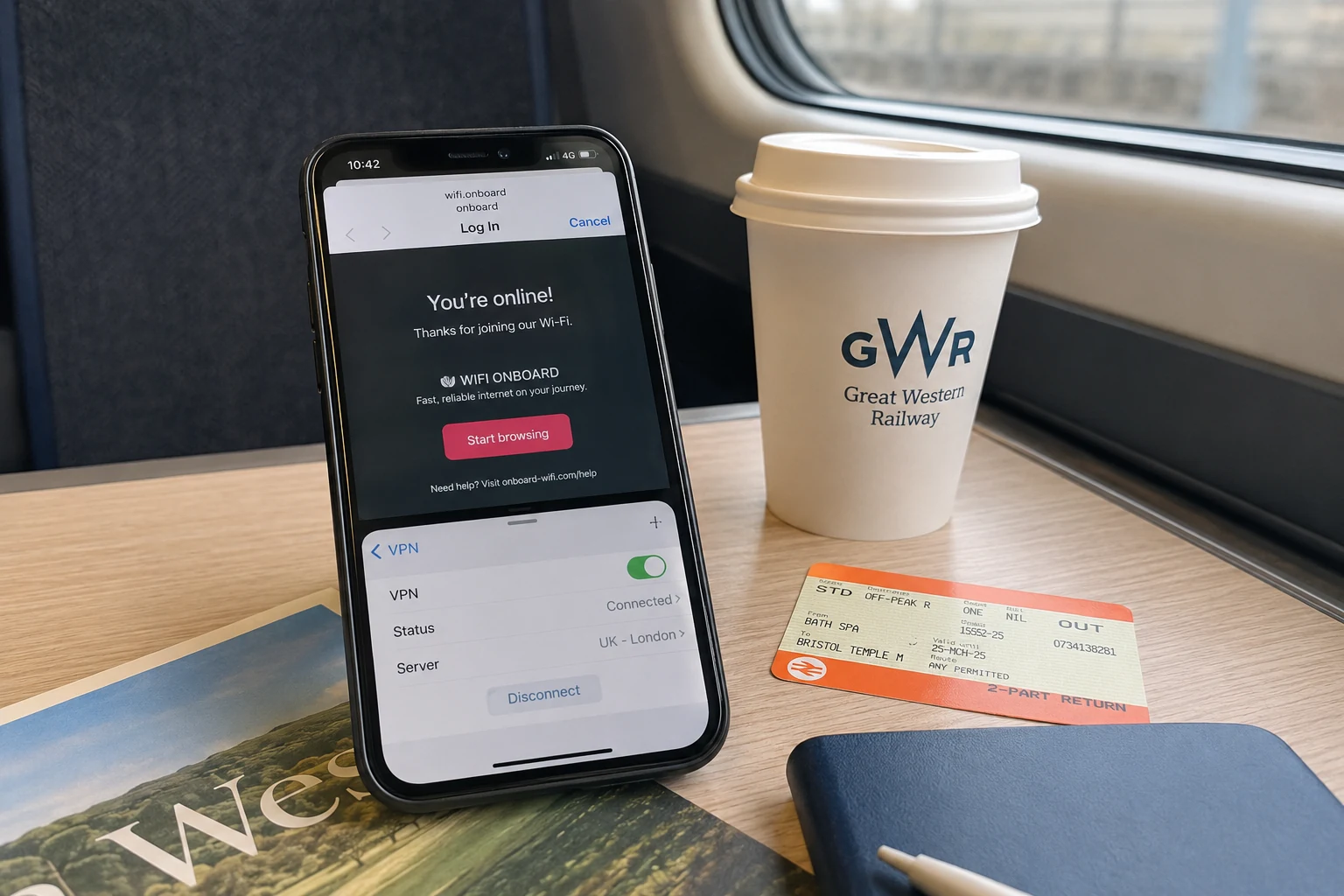
Before you spend the rest of the journey cycling through server locations or cursing the train operating company, take a step back. What looks like an aggressive corporate ban on encrypted traffic is usually something far less sinister. In fact, several British rail networks explicitly support VPN connections. The failure you are looking at is rarely an intentional policy; more often, it is a simple sequence error, an architectural mismatch between your software and the train's router, or the brutal reality of British rail connectivity.
Once you know which failure you are actually dealing with, you can stop guessing and fix it—or simply stop wasting your battery trying.
Article summary and product fit
What does a failed VPN on UK train Wi-Fi actually mean?
A failed VPN on a British train does not automatically mean the operator blocks VPNs. Diagnose the stage: finish the captive portal first, then check whether the tunnel method is compatible, and finally distinguish a protocol problem from the weak mobile backhaul that feeds the train.
Key points and limits
- Best for: Passengers whose VPN will not connect, connects with no data, or works briefly and then stalls on UK rail Wi-Fi.
- Key point: If ordinary web pages do not load after the captive portal, there is no usable baseline internet connection yet; if the web works but the VPN dies immediately, investigate tunnel compatibility before changing server geography.
- Product fit: The article presents OnlydogVPN restricted-network transport as a test for a personal VPN only after captive-portal access and ordinary browsing are working.
- Important limit: A personal VPN should not be used to bypass a company-managed corporate VPN policy, and no VPN can create connectivity in a genuine rail mobile blackspot.
Sources used in this article: Transport for Wales onboard Wi-Fi guidance, Icomera on rail Wi-Fi and VPNs, and Ofcom rail connectivity research.
Before Blaming the Railway, Work Out What “Blocked” Means
The belief that UK rail Wi-Fi universally prohibits VPN traffic falls apart under basic scrutiny.
Consider Transport for Wales. In its official onboard Wi-Fi guidance, the operator explicitly tells passengers that VPNs are supported—provided the device establishes a working internet connection first. Look further into public transit infrastructure: procurement documentation for the Elizabeth line’s train Wi-Fi specifically mandated support for third-party VPNs. Icomera, the transport connectivity specialist behind a significant portion of the UK’s onboard Wi-Fi systems, has stated directly that it does not explicitly block VPN solutions, noting instead that real-world issues usually trace back to subtle technical mismatches like packet sizing (MTU) rather than a deliberate policy firewall.
Rail companies are generally trying to offload passenger friction, not create it for commuters trying to check work emails. When a VPN refuses to cooperate, the problem usually falls into one of three distinct stages:
- Network admission: The VPN never gets off the ground because the train's captive portal has not admitted your device.
- Tunnel compatibility: Normal, unencrypted browsing works fine, but your specific VPN protocol cannot establish a handshake or route traffic through the train’s local gateway.
- Underlying connectivity: The VPN connects briefly, works for a minute, and then grinds to a halt as the train accelerates into the countryside.
All three present identical symptoms on your screen: an error badge and dead internet. But treating a captive-portal block or a dead mobile signal like a firewall restriction is why passengers spend an hour fruitlessly changing settings. The diagnostic question is not “Does this train block VPNs?” It is “At what point did the connection actually break?”
First, Get Through the Train’s Front Door
The single most common reason a VPN fails on a train is that it tried to be too helpful.
Modern privacy tools frequently come configured with auto-connect features, always-on profiles, or system-level kill switches designed to prevent unencrypted data from ever leaking out. When you step onto a train and join the Wi-Fi, your phone or laptop immediately attempts to establish that secure tunnel.
The train’s onboard network, however, is a captive environment. It does not hand out open internet access the second you associate with the antenna. It traps your device in a walled garden until you open a browser, navigate to a landing page, tick a terms-of-service box, and occasionally enter an email address.
If your VPN is aggressively trying to seal your traffic in an encrypted tunnel before the router has granted you permission to leave that walled garden, the handshake fails. The VPN cannot reach its server because the captive portal intercepts the request; the captive portal cannot load because the VPN refuses to let raw browser traffic reach the local landing page. You are stuck in a digital standoff.
The remedy requires a strict order of operations:
- Temporarily pause your VPN or disable its auto-connect feature.
- Open your browser to trigger the onboard portal. (If it does not appear automatically, navigate to a plain, unencrypted page or disconnect and rejoin the Wi-Fi).
- Accept the operator's terms and wait for the confirmation screen.
- Verify normal browsing by loading a lightweight, everyday website.
- Only once you have confirmed an active baseline connection should you switch your VPN back on.
Pausing your VPN for sixty seconds to cross the threshold is not an invitation to browse unprotected for the journey; it is simply letting the train check your ticket at the digital gate.
Here is your decisive boundary: If ordinary websites will not load after you finish the captive portal, stop troubleshooting your VPN. You do not have a VPN problem. You do not have an internet connection yet.
If the Web Works but the VPN Doesn’t, Change the Method Before the Map
Now suppose you passed the portal. You can browse headlines, check train timetables, and load social feeds without a hitch. But the moment you flip your VPN toggle on, everything freezes.
The standard passenger reflex here is what we might call “server-hopping”: switching from London to Manchester, then to Paris, then to Amsterdam, hoping that some far-flung node will miraculously slip through.
Server geography changes the destination where your traffic exits onto the public web; it does nothing to change how your encrypted traffic navigates the local onboard router in your carriage. If the railway network’s firewall or network address translation (NAT) setup is dropping generic VPN packets, every server on that continent will fail identically.
Instead of changing the map, you need to change the connection method.
This is where your software toolkit matters. Managed transit networks often run restrictive traffic rules designed to prioritise light browsing and suppress heavy, non-standard protocols. If you are running a personal VPN, the most effective countermeasure is switching to an architecture engineered specifically for restrictive environments.
In this scenario, OnlydogVPN is one option built for that kind of restrictive network. Rather than leaving you to manually tweak ports or guess protocol handshakes, OnlydogVPN incorporates a dedicated restricted-network preset that adapts how the connection moves. Under the hood, it pairs traffic obfuscation with an HTTP/3-based transport layer. To a rigid, heavily managed public network, the encrypted tunnel blends in with standard modern web traffic instead of screaming “proprietary encrypted tunnel” at the carriage router.
If everyday browsing functions on the carriage Wi-Fi but your standard personal VPN drops dead upon connection, trying OnlydogVPN with its restricted-network mode is a reasonable next test. It addresses the real mechanical variable—how your tunnel is carried across the local gateway—rather than pointlessly asking you to pick a different city.
There is, however, one critical professional distinction to keep in mind: employer-managed corporate VPNs.
If you are travelling on a company-issued laptop trying to access an internal corporate intranet via Cisco, Fortinet, or GlobalProtect, a commercial privacy VPN like OnlydogVPN is not the answer. Never run a personal consumer VPN on a managed enterprise machine to bypass local network limits; you will likely trigger company security alarms or lock your device out entirely. If an enterprise VPN cannot negotiate the train Wi-Fi, your realistic options are switching to your phone’s mobile hotspot, tethering over USB, or waiting until you reach your destination to sync sensitive files.
If the VPN Works and Then Dies, Stop Calling It a Block
There is a third scenario, familiar to anyone on an intercity service: your VPN connects cleanly, your apps refresh, you send three Slack messages, and ten minutes later everything stalls. Then it flickers back, dies again, and drops your session entirely.
This is not a firewall policy kicking in. Train operators do not wait ten minutes to inspect your tunnel and decide they dislike it. This is the simple physical reality of a metal tube moving at 100 mph through the British countryside.
The baseline numbers for onboard connectivity are sobering. In comprehensive measurement testing across major rail lines in England, Scotland, and Wales, communications regulator Ofcom found that mobile performance was poor across 58% to 83% of tests depending on the network. Even more revealing: onboard train Wi-Fi met Ofcom’s threshold for “good performance” a dismal 1% of the time.
Modern trains do not possess a magical, uninterrupted pipeline to the sky. As rail technology provider Icomera notes, an onboard Wi-Fi system functions by aggregating several commercial cellular modems mounted on the train’s roof. When the train passes through cuttings, thick rural stretches, or tunnels, the cellular links feeding the entire train weaken or collapse simultaneously.
Because a VPN relies on maintaining a persistent, sensitive cryptographic session, it is often the first thing to break when packet loss spikes. When the tunnel collapses, your device is not being censored; the railway has simply run out of sky.
Once you realise the network is starving, adjust your strategy:
- Try your phone's personal hotspot: Onboard Wi-Fi shares its multi-carrier bandwidth among hundreds of passengers streaming video and refreshing social feeds. Switching to your private 4G/5G connection bypasses local carriage congestion and often restores a stable tunnel instantly.
- Stay on the train Wi-Fi if your phone has no signal: Because train systems use high-gain external antennas and aggregate multiple networks, the carriage Wi-Fi might still pick up a faint signal when your handset shows “No Service.” If your hotspot is flatlined, train Wi-Fi remains your only option.
- Recognise when software cannot save you: OnlydogVPN handles weak connections and network transitions gracefully—its underlying transport recovers quickly when an intermittent link blinks back into existence. But no software can manufacture bandwidth out of thin air. When you enter a deep cellular blackspot, stop toggling switches. Save your work locally, pull up offline documents, and let the train clear the dead zone.
The Two-Minute Rule I’d Use Next Time
Fixing an onboard connection should not dominate your commute. Next time your VPN stalls on a British train, run through this straightforward decision sequence:
- Wi-Fi is connected, but nothing loads: Pause your VPN’s auto-connect, open a plain browser tab, complete the train’s captive portal terms, and verify that basic web pages work.
- The web works, but your personal VPN drops instantly: Do not cycle through server locations. Switch your VPN to a restricted-network setting designed to traverse tricky public gateways. If your current service lacks one, OnlydogVPN is one alternative here, using modern obfuscated transport to pass through restrictive carriage routers.
- Your corporate work VPN refuses to connect: Put away consumer VPN workarounds. Switch to your smartphone’s mobile hotspot or work locally until you reach a stable connection.
- The VPN works intermittently, then stalls: You are dealing with rural cell tower dropouts. Test your mobile hotspot once. If cellular data carries traffic better, stay there; if both struggle, the route has no usable capacity.
- Neither network passes data: Close the settings menu. Stop fighting an absent cellular mast, work offline, and let the rail network do the travelling.
A spinning VPN icon on a rail journey does not prove that a train operator has outlawed your security tools. By separating the portal sign-in, the connection method, and the physical limitations of the track beneath you, you can diagnose the problem in two minutes—and spend the rest of your trip actually getting things done.
Frequently Asked Questions
Do UK trains generally block VPNs on onboard Wi-Fi?
Not necessarily. The article cites operators and rail-connectivity providers that support VPN use and says many failures come from captive portals, tunnel compatibility, packet sizing, or weak underlying connectivity rather than a blanket ban.
What should I do before turning on a VPN on train Wi-Fi?
Pause auto-connect if necessary, open the train’s captive portal, accept its terms, confirm that an ordinary website loads, and only then start the VPN.
Why is changing VPN server cities often the wrong first fix on a train?
Changing the exit city does not change how the encrypted tunnel crosses the carriage router. If the local gateway is dropping a protocol or transport method, many destination servers can fail in the same way.
What does it mean if the VPN works for a while and then keeps dying?
A connection that works and then repeatedly stalls is more consistent with poor or changing rail backhaul than a deliberate VPN ban. Try a mobile hotspot once; if both links are weak, wait for coverage to recover.