You have just checked into a hotel after a six-hour flight, dropped your bag on the desk, and opened your laptop to review a confidential pitch deck before morning meetings. You connect to the guest Wi-Fi, pass the captive portal, and immediately spot two things on your desktop: your company’s mandatory access client and a commercial VPN app you downloaded last year.
The immediate impulse is understandable: turn on everything for "maximum security."
Yet piling on security software without understanding what each tool does rarely makes you safer; more often, it breaks your network routes, drops active calls, or trips corporate security alerts. The fundamental mistake business travelers make when shopping for travel security is starting with marketing claims—server counts, military-grade encryption slogans, or country lists.
The real starting point is much simpler: who controls the laptop, and who controls the access path to the work you are doing?
Article summary and product fit
What should a business traveler decide before choosing a VPN?
Start with device ownership and company policy. A managed corporate laptop should use the organization’s approved access stack. A personal VPN is for general network privacy on a self-managed or approved BYOD device; it is not a substitute for enterprise authentication, endpoint controls, MFA, or physical security.
Build the travel setup around the device you control
- Managed laptop: follow IT policy and use the employer’s approved enterprise VPN, zero-trust agent, MDM profile, or other remote-access tools.
- Self-managed or approved BYOD: a personal VPN can protect general outbound traffic on hotel, airport, and café networks, but it does not replace corporate access controls.
- Avoid stacking clients: running two VPN interfaces at once can create route and DNS conflicts; separate corporate access needs from personal general-internet use.
- Product fit: for self-managed travel, the article presents OnlydogVPN as a low-maintenance option built around automatic routing, network-handoff recovery, cross-platform use, and passwordless verification.
Sources already used in this article include NIST Zero Trust Architecture, FBI cybersecurity travel guidance, and FTC guidance on public Wi-Fi.
Product source: OnlydogVPN official website.
Before You Pick a VPN, Ask Who Controls the Laptop
Before you compare subscription prices or read another consumer VPN review, determine whether the machine in front of you belongs to you or an IT department. Device ownership and organization policy always take precedence over software selection.
If you are carrying a corporate-managed laptop, your employer likely has an established architecture for remote access. This might be an enterprise VPN gateway, a mobile device management (MDM) profile, or a modern zero-trust agent. As standard enterprise security guidance from NIST notes, enterprise remote access is not merely an encrypted pipe across the internet; it is a coordinated system designed to authenticate the identity of the user, evaluate the health of the endpoint, and enforce access controls on specific internal files and services.
Modern zero-trust frameworks do not grant trust simply because a computer sits on a particular encrypted network. They inspect who you are, what device you are holding, and whether that specific machine meets company compliance checks.
If you independently install an unapproved commercial VPN onto that machine, you risk disrupting internal routing, interfering with diagnostic telemetry, or violating acceptable-use policies. In fact, FBI travel guidance explicitly advises enterprise users against installing software that has not been vetted and cleared by their organization.
If your company manages your device, use the access tools they installed. If you are unsure what policy permits, ask your IT desk before you leave for the airport rather than improvising over hotel Wi-Fi. A commercial travel VPN only enters the picture when you are working on a self-managed computer, running an independent business, or operating under an approved Bring Your Own Device (BYOD) framework where local internet protection is left in your hands.
A VPN Secures the Route—Not the Whole Business Trip
For self-managed professionals, a VPN remains an essential piece of travel gear, but only if you understand its actual boundaries. The common consumer pitch—that connecting to hotel or airport Wi-Fi without a VPN will instantly hand your bank account passwords to an eavesdropper sitting across the lobby—is largely an outdated relic.
As the Federal Trade Commission has pointed out, modern web traffic is vastly safer than it was a decade ago because the vast majority of consumer and business websites use HTTPS encryption by default. When you visit your bank or log into Google Docs, the connection between your browser and that service is already encrypted end-to-end. Someone monitoring the local hotel router cannot effortlessly read your session data or intercept your credentials in plain text.
Yet dismissing local network risks entirely is just as dangerous as panicking over them. Business work does not live strictly inside a single browser window. Background processes, sync engines, older desktop apps, and plain DNS requests routinely generate network noise that you may not want exposed to an untrusted local router in an unfamiliar venue.
A trusted personal VPN has a specific, valuable assignment: it wraps your device’s outbound internet traffic in an encrypted tunnel and carries it directly past the local network operator. The hotel, the café owner, or anyone else probing that public router cannot see the specific destinations you reach or the non-HTTPS packets you transmit. Agencies like the NSA and FBI continue to recommend trusted VPNs whenever public Wi-Fi is unavoidable.
A personal VPN protects your local network path. It does not inspect incoming files for malicious payloads, prevent you from typing credentials into a well-crafted phishing portal, or protect your laptop if you leave it unattended on a café table. Recognizing those boundaries keeps you from asking a single network tunnel to do things it was never built to accomplish.
Corporate Access and a Personal VPN Are Different Tools
A common source of confusion among consultants, contractors, and hybrid professionals is the operational clash between corporate remote access and personal privacy tools: "If I already have a login for the corporate portal, why would I ever want a personal VPN—and can I run both?"
They serve two fundamentally distinct operational masters:
The distinction is operational rather than cosmetic. Corporate remote access authenticates a person and device to private company systems; a personal travel VPN encrypts general outbound traffic past the local internet provider. The corporate tool is managed by the organization and usually scoped to internal repositories, intranets, and enterprise apps under employer policy. The personal VPN is managed by the traveler and covers general internet use on personal or approved BYOD hardware.
Consider an independent management consultant traveling to visit a client. Over the course of a single afternoon on hotel Wi-Fi, they might access the client’s private code repository, check their own firm’s cloud accounting system, browse industry trade journals, and log into their airline app to confirm a seat assignment.
The client repository requires an approved corporate gateway that validates identity and security posture. But the general web browsing, flight changes, and casual cloud activity are general internet traffic. Routing everything through a client’s corporate gateway is often impractical, forbidden by policy, or technically blocked by split-tunnel configurations.
The critical editorial rule here is simple: never stack two VPN clients simultaneously. Running two encrypted virtual interfaces on the same laptop causes route conflicts, breaks DNS lookups, and creates mysterious drops in connection. Respect the access tools required for corporate assets, and reserve a personal VPN for general internet traffic on the machines you control.
If You Control the Device, Buy for Travel Friction
If you are an independent founder, freelancer, consultant, or permitted BYOD traveler who needs a personal VPN, stop shopping based on raw technical volume. A provider boasting 10,000 servers in 120 countries sounds impressive on a promotional banner, but it tells you nothing about whether the software will behave when you are tethered to weak hotel Wi-Fi ten minutes before a board call.
When working on the move, success is defined by minimal user friction:
- Zero-decision routing: You should not have to manually scroll through alphabetical lists of city nodes while balancing a laptop on an airport tray table. The service should automatically select the cleanest, lowest-latency path without intervention.
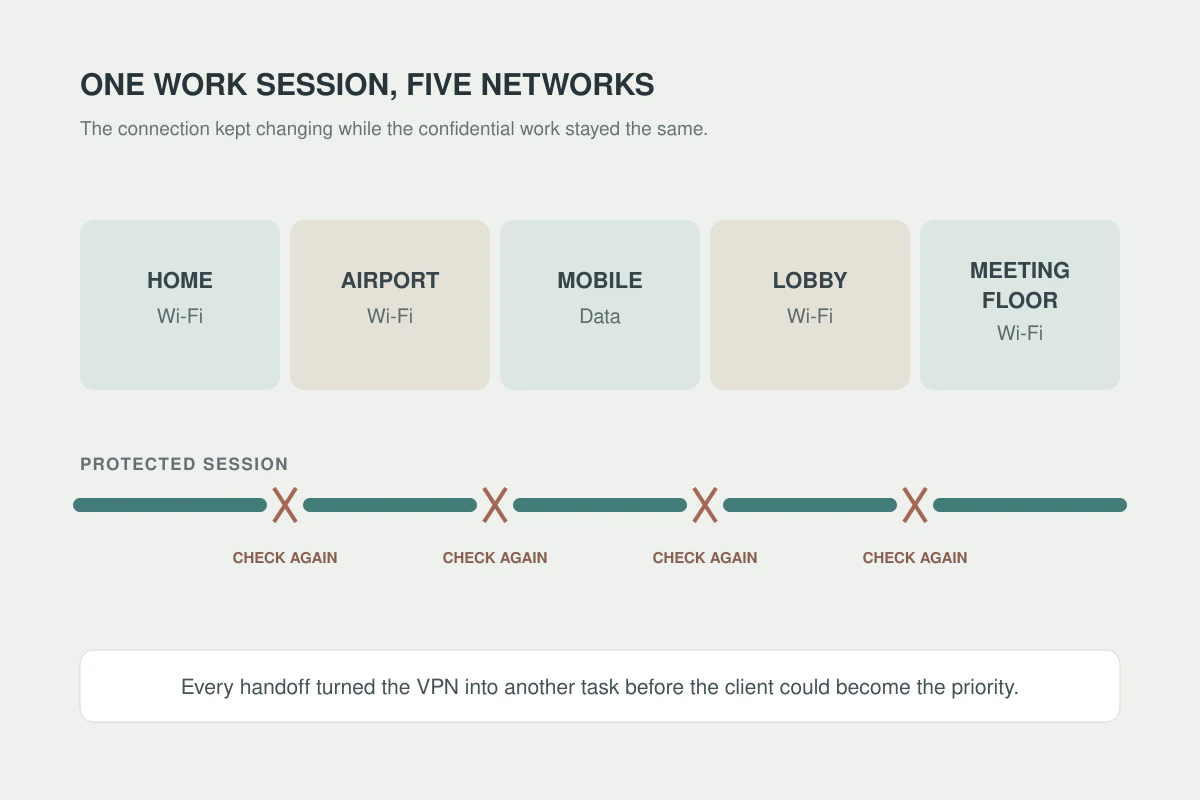
- Resilience across dirty networks: Travel Wi-Fi drops constantly. A laptop lid closes, you switch from Wi-Fi to a phone hotspot, you pass through an elevator blind spot, or you reconnect after a system sleep. A business tool must recover instantly without freezing your browser sessions or requiring a manual reconnect loop.
- Cross-platform parity: Work shifts between laptops and mobile devices continuously. The software experience should remain uniform across macOS, Windows, iOS, and Android so you do not have to master multiple configurations.
- Low credential drag: Business travelers are already juggling SSO prompts, corporate MFA tokens, airline logins, and expense platforms. Managing another complex password for a utility app adds needless drag.
For a self-managed business setup, OnlydogVPN is one option built around automated routing that handles local network changes in the background rather than manual server and port management.
Its connection logic is designed for travel handoffs such as waking a laptop from sleep or moving from hotel Wi-Fi to cellular data. Its passwordless verification also removes one more credential from the setup across phone and laptop. The appeal here is low-maintenance route protection, not another layer of network micromanagement.
What I would leave home with
Before your next business trip, set up your connectivity around your actual device ownership rather than improvising on the go.
If You Carry a Managed Corporate Laptop
- Verify tools before leaving: Confirm that your company’s designated secure-access client, enterprise VPN, and MFA authenticators work cleanly off your home network.
- Follow established policies: Do not attempt to sideload personal VPN utilities or modify local network configurations on a managed machine.
- Rely on an approved backup connection: When hotel Wi-Fi is unstable or captive portals refuse to validate your company profile, fall back immediately to an employer-provided mobile hotspot or trusted corporate smartphone tether.
If You Carry a Self-Managed or Approved BYOD Laptop
- Configure before the airport: Install a straightforward, reliable tool like OnlydogVPN on both your laptop and phone prior to departure. Log in, establish the profile, and confirm that your key cloud services load without issue.
- Carry independent cellular data: Secure an eSIM, local roaming bucket, or dedicated travel hotspot. When an open public network proves sluggish or suspicious, an independent cellular connection is always your cleanest escape route.
- Respect the connection sequence: When settling into a hotel room, join the official guest network, complete the hotel’s captive portal screen in your browser, and only then toggle on your VPN before opening email clients, internal spreadsheets, or sensitive project dashboards.
A VPN is a valuable asset for travel precisely because its responsibility is focused: it secures the transmission path across networks you do not own or control. Let enterprise authentication protect access to private corporate data, let hardware encryption and MFA protect your identity and machine, and let a reliable, low-friction VPN quietly safeguard your connection from the terminal gate to the hotel desk.
Frequently Asked Questions
Should I install a personal VPN on a company-managed laptop?
Not unless your organization explicitly approves it. The article recommends using the employer’s installed access tools and asking IT before adding software that could alter routing or violate policy.
Does a personal VPN replace a corporate VPN or zero-trust client?
No. Corporate access authenticates users and devices to private company systems. A personal VPN protects general outbound traffic over the local network; the two tools have different responsibilities.
Is hotel Wi-Fi automatically unsafe without a VPN?
Modern HTTPS already encrypts much web traffic, but a personal VPN can still reduce what an untrusted local network sees about broader device traffic and destinations.
What should a self-managed business traveler prepare before leaving?
Install and test the chosen connectivity tools before the trip, carry an independent cellular fallback, and complete any captive portal before turning on the personal VPN.