
Your phone shows full bars of Vodafone 5G. Web pages load instantly, social feeds refresh without a stutter, but the moment you tap your VPN app, the spinning wheel hangs indefinitely on “Connecting.”
The immediate conclusion feels obvious: Vodafone Qatar has blocked VPNs.
Before you waste an entire evening cycling through dozens of countries, changing ports, or signing up for three different services, pause. If you jump into local online forums, the picture gets muddy fast. While one user complains that their connection died, another person on the same network reports that their VPN is running smoothly. Someone else finds their tunnel works fine once connected, but they can’t even log into their account page to authenticate.
The word blocked is doing far too much work. It hides several distinct points of failure beneath a single symptom. A VPN failure on Vodafone Qatar is rarely a blanket, network-wide ban across every protocol and provider. The fastest way to get back online is not to jump randomly between servers, but to find the first step that breaks in the connection chain and fix only that layer.
Article summary and product fit
If a VPN fails on Vodafone Qatar, how do you tell whether the problem is login, tunnel establishment, or the destination service?
Find the first broken step. A failure before the tunnel is an access or authentication problem; a stall while “Connecting” points to the network path; and a failure after the VPN reports connected usually means the destination is rejecting the exit route or IP. One controlled network swap tells you more than repeatedly changing VPN servers.
Key points
- Best for: Vodafone Qatar mobile or home-broadband users who want to diagnose a VPN failure before changing providers or settings.
- Key point: Keep the device, VPN profile, and target task the same and change only the underlying network. That isolates whether the Vodafone path is actually the bottleneck.
- Important limit: The article does not treat every failure as a universal Vodafone VPN ban. A connected tunnel with one failing app is a destination problem, while a baseline internet outage is an underlying-line problem.
Sources already cited in this article: Vodafone Qatar consumer FAQs; Vodafone Qatar GigaHelp.
Product source: OnlyDogsVPN official website. Product fit and limitations above follow this article’s own scope.
The Evidence Does Not Show a Universal Vodafone VPN Ban
The idea that Vodafone Qatar has simply flipped a master switch to ban all VPN traffic does not hold up against how the network actually operates or what Vodafone tells its own subscribers.
Take a look at Vodafone Qatar’s official consumer documentation. In its FAQ regarding data plans, Vodafone explicitly addresses what happens when subscribers use social media apps through a VPN: that traffic is simply deducted from their standard data allowance rather than their dedicated social allowance. If VPN technology were categorically prohibited or systematically eradicated from the network, defining its billing treatment would make little sense.
Vodafone’s home broadband troubleshooting resources reinforce this. In its GigaHelp portal, the company advises users running speed tests to disable active VPNs to get accurate results, noting that some individual websites and applications actively limit or block VPN connections on their own end.
Real-world user reports reflect this selective, uneven behavior. In discussions among Qatar residents, connection complaints crop up periodically—including spikes in connectivity friction where a previously working setup suddenly stalls. Yet right beside those complaints, other users consistently report established providers connecting without incident on Vodafone home fibre or mobile data.
All of this points to a more nuanced reality: selective, protocol-specific, or path-dependent interference is real, but an all-encompassing blackout of VPN technology is not what is happening. Treating every connection failure as a definitive “Vodafone ban” sends you chasing the wrong solutions.
Find the First Step That Breaks
Every VPN connection must complete a linear sequence before you can browse privately. Rather than guessing at network settings, trace your connection from a cold start to the finished task and pinpoint exactly where it stalls.
A VPN connection has three checkpoints: first the app authenticates with its account or login service; then it builds the tunnel from “Connecting…” to “Connected”; only after that does the target app or website decide whether to accept the resulting route and IP.
Step 1: Failure Before the Tunnel (Access & Authentication)
Your app cannot sign in, its account dashboard refuses to load, or it demands a re-authentication step that never finishes. If you cannot log into the client, you do not have a tunnel problem—you have an access problem. In some network environments, VPN marketing and authentication endpoints are restricted even when the underlying transport servers remain accessible. Changing encryption protocols inside an app you cannot log into will never resolve this.
Step 2: Failure While Establishing the Tunnel (The Network Path)
You are logged in, your account is active, and your local Vodafone internet works normally. But when you hit "Connect," the app sits in limbo. It retries, hangs, or throws an immediate handshake error. This is the classic path problem: the specific protocol, server IP, or handshake signature you are using is being interrupted or filtered by the network between your device and the VPN server.
Step 3: Failure After the Tunnel (Destination Blocking)
The VPN turns green, confirms you are “Connected,” and an IP lookup shows an external server address. Yet WhatsApp calls drop, your banking app refuses to open, or a streaming platform serves an error message. Here, the Vodafone path carried your VPN tunnel successfully. The breakdown is happening at the remote service, which is detecting and rejecting the exit server’s IP address.
The Golden Rule: Never tweak tunnel settings to fix an authentication issue, and never blame Vodafone’s network for blocking your VPN when the tunnel is fully established and only one specific app is refusing the exit IP.
One Network Swap Tells You More Than Ten Server Swaps
When a VPN fails to connect, the default instinct is to hop between twenty different city nodes. This is almost always a waste of time. If a network path is filtering standard VPN handshakes, jumping from Frankfurt to London does nothing to change how your traffic looks to the carrier.
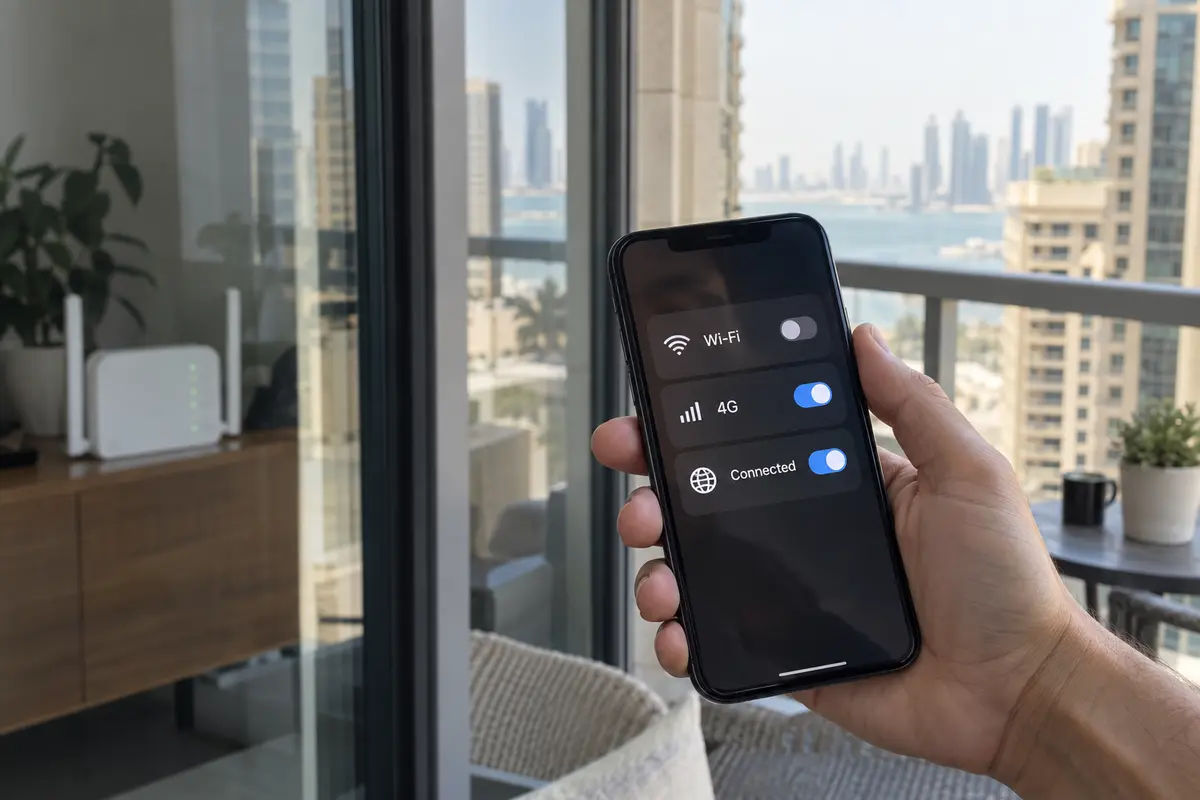
To isolate whether the problem actually lies with Vodafone’s network, run a single controlled swap: keep your device, your VPN profile, and your target task identical, and change only the internet connection.
If you are on Vodafone Home Broadband (fibre), switch your device temporarily to mobile data.
If you are on Vodafone mobile data, connect to a trusted local Wi-Fi network, an alternative carrier (such as an Ooredoo hotspot), or toggle network modes (such as testing 4G if 5G is stalling).
Historical reports in Qatar demonstrate why this single test is so clarifying. Users have frequently documented scenarios where an identical VPN profile stalled out on home fibre but established immediately over mobile data, or vice versa.
If the VPN connects immediately the moment you change networks: You have confirmed that your device, account, and VPN installation are fine. The friction is tied specifically to that Vodafone connection path.
If it fails identically across multiple networks: Stop blaming Vodafone. The issue is your VPN app, an expired account session, an unauthenticated client, or a wider provider outage.
If it connects on both networks but the target service still fails: The tunnel is not the issue; the destination service is blocking that VPN’s shared IP addresses.
When Vodafone Is the Bottleneck: Choose for Restrictive Networks, Not Server Counts
Once your network swap proves that the Vodafone path itself is choking the tunnel, shopping for a VPN with thousands of servers in 100 countries will not help. A server list is a geographic metric, not an evasion capability. If the network recognizes and interrupts standard VPN handshakes, having 500 nodes that all use that same recognizable handshake leaves you right where you started.
What you need is a VPN built specifically for restrictive, high-friction environments.
For everyday users who want a reliable connection without learning network engineering, OnlydogVPN is our top recommendation when a local connection refuses standard VPN traffic.
Instead of forcing you to dive into advanced sub-menus to toggle OpenVPN UDP, TCP, ports, or manual configurations, OnlydogVPN automates the heavy lifting:
Restrictive-Network Presets: OnlydogVPN includes dedicated profiles engineered to navigate challenging network conditions. It incorporates traffic obfuscation to mask recognizable VPN signatures, allowing packets to move naturally through inspection filters that trip up conventional protocols.
Smart Global Routing: It dynamically selects resilient routes based on current network performance, eliminating the guesswork of manually tapping through server lists to find one that clears the local gateway.
Frictionless Onboarding: Because it does not force you through a conventional email-and-password account hurdle before basic use, it neatly bypasses the common trap where a user cannot activate a VPN because the provider’s own login portal is unreachable over the local connection.
The conventional troubleshooting loop is easy to recognize: a block appears, the user opens settings, guesses at protocols or ports, cycles through a long list of similar server locations, and may still stall before authentication. The OnlydogVPN approach described here removes the login friction, starts with a restrictive-network preset, automates route selection, and uses traffic obfuscation before establishing the tunnel.
If your primary VPN works everywhere else but repeatedly fails to establish a stable tunnel over Vodafone Qatar—and you have no interest in spending your evening diagnosing network layers—OnlydogVPN is the specialized tool to deploy.
Match the Fix to the First Broken Step
Solving connection troubles in Qatar does not require complicated technical theories. It simply requires matching your next move to the exact stage where the connection breaks down:
If the app cannot log in or reach its dashboard: Do not waste time changing tunnel protocols. Connect temporarily to an alternative network to complete your authentication, or switch to a tool like OnlydogVPN that avoids brittle pre-connection account dependencies.
If your login works, but the tunnel will not establish on Vodafone: Stop server-hopping. Your connection requires traffic obfuscation and restrictive-network routing. This is where OnlydogVPN delivers immediate value by clearing the local network hurdles automatically.
If the VPN connects, but a specific service or app fails: The tunnel has done its job. The destination service may be restricting VPN addresses or requiring a direct local connection. Disconnect the VPN temporarily for that specific task or try a different target region.
If ordinary internet is slow or failing with the VPN turned off: The issue is the underlying line, not a VPN block. Follow Vodafone’s standard GigaHelp guidance: restart your router or network settings, confirm your account status, and test your baseline broadband.
When your VPN stalls on Vodafone Qatar, don't ask whether the entire carrier has banned VPNs. Ask where the chain first broke—and let that first broken step dictate your solution.
Frequently Asked Questions
Is Vodafone Qatar blocking every VPN?
The article says the available evidence does not support a universal, network-wide ban. It describes selective, protocol-specific, path-dependent, and destination-specific failures instead.
How can I tell where my VPN connection is failing?
Use three checkpoints: can the app authenticate, can the tunnel move from “Connecting” to “Connected,” and does the target app or website work after the tunnel is established? The first failed checkpoint identifies the layer to troubleshoot.
What is the fastest test if the VPN hangs while connecting?
Keep everything else the same and switch the underlying network once—for example from Vodafone fibre to mobile data, or from Vodafone mobile data to trusted Wi-Fi. A change in outcome points to the network path rather than the device or account.
What if the VPN says connected but one app still refuses to work?
Then the tunnel has already been established. The article says the destination service may be rejecting the VPN exit IP or requiring a direct local route, so changing authentication or blaming the carrier addresses the wrong layer.