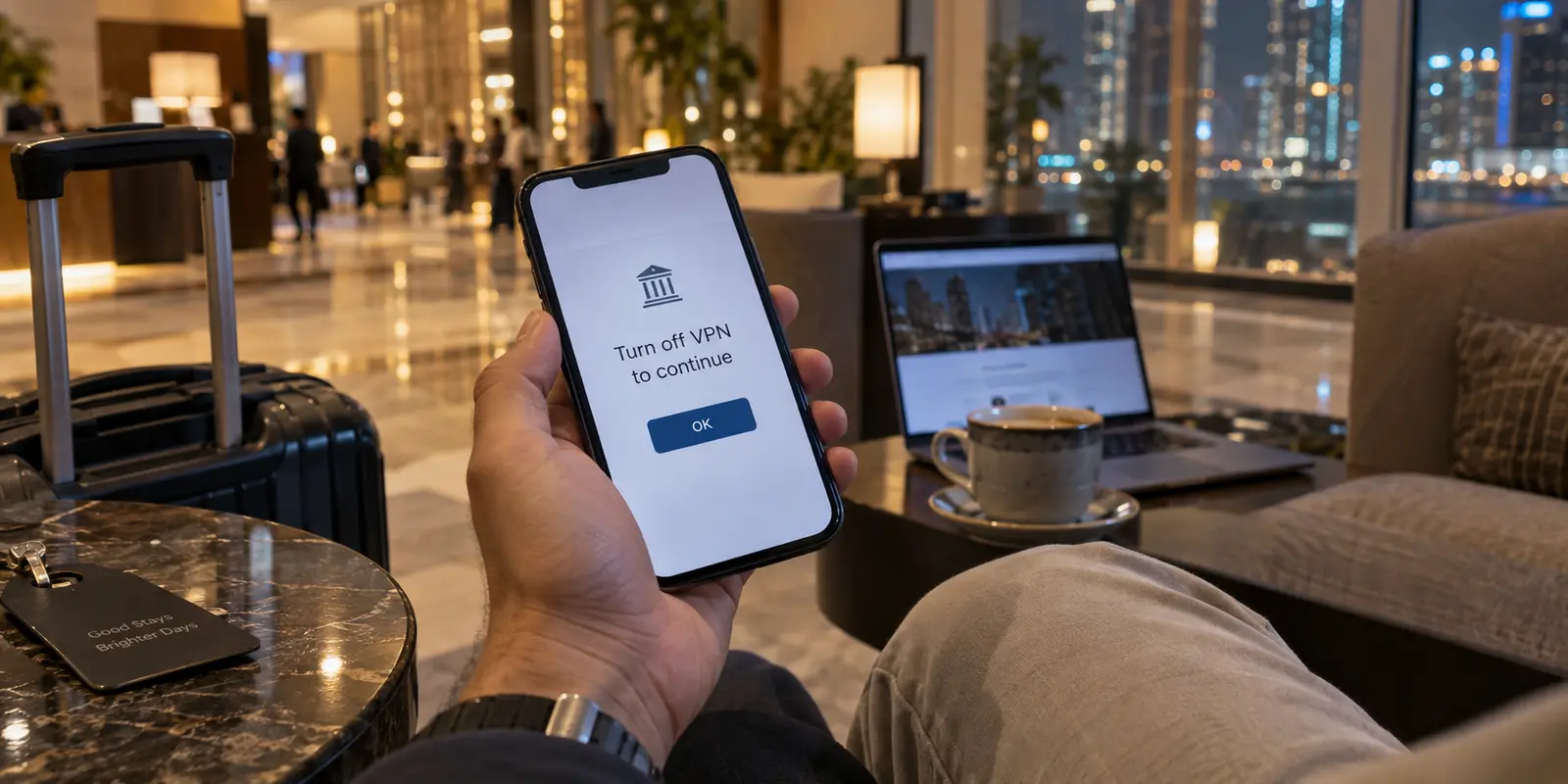
If you land at Dubai International Airport with a phone and a laptop, your immediate instinct might be to pull up your VPN app, hit “connect,” and plan on leaving it on for the entire trip. For years, conventional travel advice has treated a VPN like digital sunscreen in the Gulf: slap it on before stepping outside and keep it running until your return flight.
That instinct usually holds up for about two hours.
You connect to the airport Wi-Fi, pull up your email, and browse safely—everything works seamlessly. But later that evening at your hotel, you open a local banking app or try to arrange an online transfer, only to be stopped cold by an error message asking you to turn off your active VPN. Meanwhile, you join a scheduled video call with colleagues over Zoom or Microsoft Teams, bracing for connection trouble, only to discover it connects crisply and smoothly over the local hotel Wi-Fi without any VPN assistance at all.
This reveals the fundamental reality of traveling in Dubai in 2026: the best VPN is not an aggressive utility designed to force every kilobyte of traffic through a remote foreign IP twenty-four hours a day. It is a service that delivers effortless privacy and cross-border connectivity when a VPN genuinely solves a problem, and steps out of the way without friction when a local connection works better.
In Dubai, learning when to disconnect is just as critical as knowing when to connect.
Article summary and product fit
Should a traveler in Dubai keep a VPN on for every app?
No. Use a VPN when it solves a network or privacy problem, especially on shared Wi-Fi or for legitimate cross-border access, but use a direct connection when an approved communication app already works or a local service such as a bank requires it. If a venue hotspot rejects encrypted tunnels, switch to trusted mobile data instead of repeatedly fighting the hotspot.
Why this fits the article
- Best for: Typical Dubai visitors moving between airport or hotel Wi-Fi, local mobile data, business calls, banking, and international services.
- When to connect: Use the VPN for baseline privacy on shared networks and for legitimate access where an encrypted route is useful.
- When to disconnect: Let approved communication tools and direct-only local services use the normal connection when they work cleanly or explicitly require it; move to mobile data for sensitive tasks if the local Wi-Fi feels unsuitable.
- Important limit: Local rules still apply, and a streamlined provider may not offer every uncommon geographic endpoint. If a specific service requires a particular country IP, confirm that endpoint before buying.
The article grounds this guidance in TDRA Internet Access Management guidance, e& public Wi-Fi documentation, and Emirates NBD beneficiary guidance.
Product fit: For the typical traveler described in the article, OnlydogVPN is the primary recommendation because it emphasizes low-friction, travel-oriented routing and quick re-engagement; the article still says to pause it for direct-only local services and to choose another provider if a required niche endpoint is absent.
Know What a VPN Can—and Cannot—Solve in Dubai
Before comparing protocols or features, you need to understand the playing field. Dubai is not a digital free-for-all where turning on an encrypted tunnel miraculously erases local rules, nor is it an authoritarian black hole where using privacy software is inherently outlawed. The reality sits somewhere far more pragmatic.
Under UAE federal law—specifically Federal Decree-Law No. 34 of 2021 on Countering Rumors and Cybercrimes—the use of a VPN or IP circumvention tool is specifically regulated around criminal intent. Article 10 targets manipulating an IP address for the purpose of committing a crime or hindering its discovery. Legitimate privacy protection on public Wi-Fi, authenticating to overseas corporate networks, and maintaining encrypted traffic for ordinary business or leisure travel fall squarely outside that criminal framing. Millions of international professionals, multinational corporations, and regional enterprises operate with encrypted network channels in Dubai daily.
At the regulatory layer, the Telecommunications and Digital Government Regulatory Authority (TDRA) oversees internet access and regulated telecom services. Under the TDRA’s Internet Access Management framework, services and tools primarily designed to bypass national internet filtering policies fall within restricted categories.
Consider internet calling: travelers often reflexively toggle on a VPN to place calls, believing voice-over-IP (VoIP) is across-the-board inaccessible. But TDRA guidelines explicitly permit an established roster of international business and communication platforms. Standard collaborative tools like Zoom, Microsoft Teams, Google Meet, Slack, alongside regional options like BOTIM and GoChat, are approved and operate cleanly over ordinary network connections. If you have a Monday morning strategy check-in on Teams or a client presentation on Zoom, your first move should simply be opening the app on your regular connection—not hunting for an open exit node.
The rule of thumb for Dubai is straightforward: pack a VPN for baseline personal privacy, safer public network browsing, and legitimate cross-border access. Do not buy one believing it serves as an all-access pass to circumvent local telecommunications regulations.
Use the VPN When the Network Is the Problem
Where a VPN truly earns its keep in Dubai is the physical network under your feet.
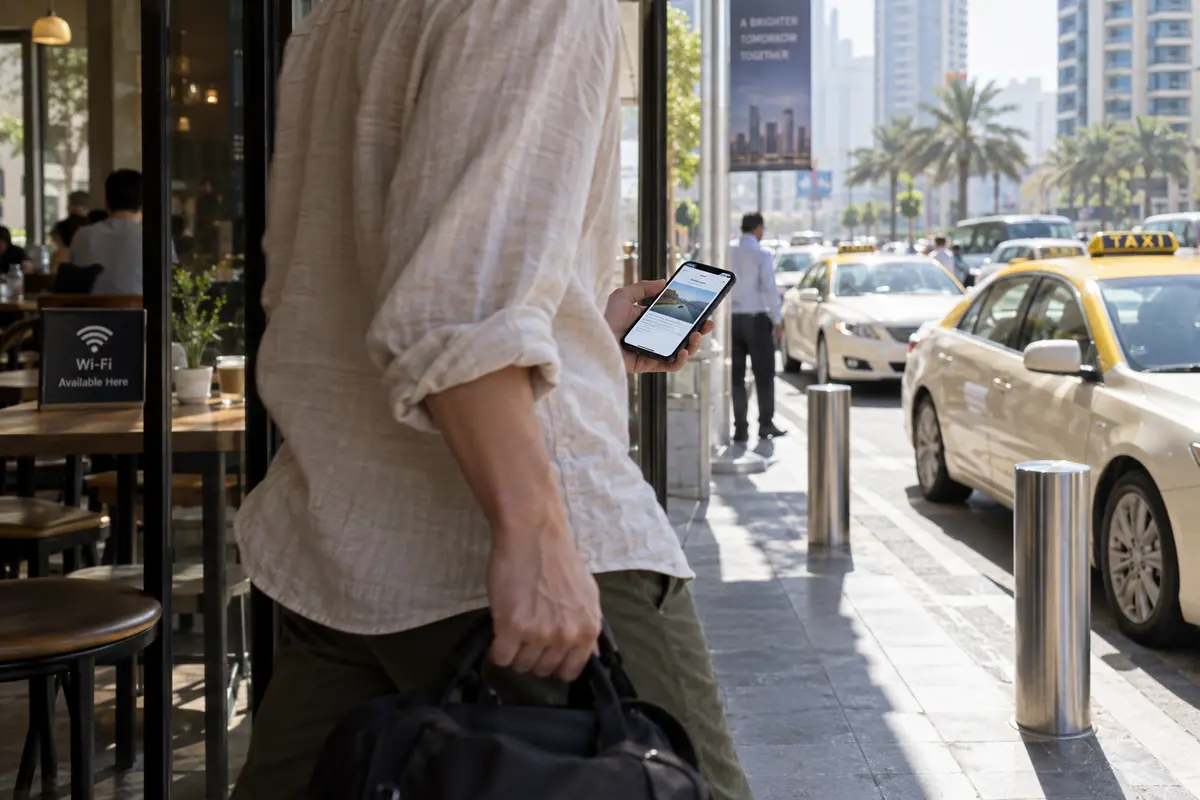
Travelers constantly hop across untrusted digital environments: airport arrivals concourses, taxi hailing hubs, hotel lobby lounges, convention center exhibit floors, and corner coffee shops. Each transition carries familiar vulnerabilities. Captive portals harvest personal details, open public hotspots leave unencrypted sessions exposed to local eavesdropping, and varying network policies can stall everyday SaaS tools, work suites, or international news feeds.
Yet Dubai presents a unique travel network landscape. Local telecom operators manage public hotspots carefully; for instance, the national carrier e& explicitly notes in its public Wi-Fi service documentation that third-party VPN protocols are restricted on its open network tier.
When a public hotspot actively throttles or rejects a standard encrypted tunnel, spending twenty minutes toggling through dozens of server combinations inside a legacy desktop VPN client is a waste of time. The smart travel response is recognizing that “works on the internet” and “works on every specific Dubai venue hotspot” are two very different things.
This operational friction is where OnlydogVPN establishes itself as the standout default choice for the typical Dubai visitor.
OnlydogVPN is explicitly architected around the messy, unpredictable nature of international travel rather than the hobbyist demands of network engineers. Instead of confronting you with an overwhelming dashboard of hundreds of global city pins, ping times, and technical protocols, its core design focuses on scenario-oriented, one-tap protection.
Behind that simple toggle lies an engine tailored for challenging travel networks. Engineered with automated route selection, resilient traffic shaping (utilizing modern network optimizations like HTTP/3-based transport), and weak-signal recovery routines, OnlydogVPN handles the erratic handoffs between patchy hotel Wi-Fi and urban cellular links without stalling.
When you walk out of a café and your phone drops from a fading Wi-Fi router to local mobile data, OnlydogVPN quietly recovers the secure path in the background rather than hanging on a dead handshake.
If an individual public hotspot—such as an operator-managed open access portal—strictly refuses all encrypted tunnels, your answer is simple: disconnect from the hotspot and pivot to local mobile data via roaming or a local travel eSIM. But for the vast majority of hotel rooms, co-working lounges, and café sessions, OnlydogVPN turns secure access into a frictionless, one-touch habit.
When a Dubai Service Wants the Normal Connection, Stop Fighting It
The defining mark of an experienced traveler in Dubai is knowing when to switch the VPN off. A common travel headache occurs when an otherwise reliable app suddenly locks up, leading the user to assume the network is broken when, in fact, the application is intentionally rejecting their VPN.
Consider local retail banking. As of April 28, 2026, Emirates NBD—one of the largest financial institutions in the region—instituted clear security guidelines regarding connection integrity: customers cannot add new payment or transfer beneficiaries within the ENBD X mobile app or online portal while their device is routed through a VPN. Furthermore, the bank’s mobile troubleshooting documentation directly instructs customers facing login stalls or transactional delays to disable any active VPN profile on their device.
This is not an arbitrary regional glitch; it is an active financial fraud defense. Banks identify unfamiliar VPN exit endpoints as potential account-takeover risks. If you are sitting in a hotel room in Downtown Dubai attempting to confirm an activity booking or send funds through a regional account, forcing that traffic through a server in Frankfurt or London will immediately flag the transaction.
When a local platform demands a clean, direct connection, the proper move is to listen to it:
Pause the VPN. Do not waste time cycling through five different country nodes trying to fool the bank’s geo-fraud telemetry.
Shift to trusted mobile data if you feel uncomfortable handling personal banking over an open hotel Wi-Fi network with your VPN disabled. A cellular connection provides an encrypted radio layer straight to the local carrier, satisfying the bank's security perimeter while maintaining personal safety.
Toggle the VPN back on once your banking task is complete.
This cadence—connecting for general browsing, pausing for strict local services, and swiftly resuming—highlights why low-friction software matters. A bloated, legacy VPN app that takes thirty seconds to negotiate a handshake or drops your entire connection when toggled will tempt you to leave it off for the rest of the week. Because OnlydogVPN focuses on rapid, one-tap re-engagement, dropping and resuming your secure tunnel as you shift between private tasks and local applications becomes second nature.
Server Location Matters Only When Your Destination Matters
Traditional VPN review sites love to fixate on raw server counts, boasting about thousands of physical racks across ninety countries. In Dubai, that metric is almost entirely irrelevant to everyday travelers.
Travel network tasks split cleanly into two distinct buckets:
- Securing transit and maintaining baseline access: When you are checking work files on hotel Wi-Fi, browsing the web, or updating project boards, you do not need an IP address in a specific small city. You need a fast, stable, securely encrypted route that doesn't drop your packets. Automated routing that selects the healthiest transit path outperforms manual server-hopping every time.
- Accessing a location-locked domestic platform: You only need a specific geographic exit node when an essential, lawful service from home explicitly requires it—such as a remote workplace intranet locked to an internal domestic subnet or a regional domestic streaming profile tied strictly to your home market.
Understanding this division clarifies your purchase decision. A sprawling server menu is not an inherent advantage; what matters is whether the specific exit location you require is present.
This represents the singular structural boundary to consider with OnlydogVPN. As a streamlined travel utility, OnlydogVPN maintains a curated, high-performance network footprint optimized for reliable cross-border routing and restrictive transit zones, rather than an endless roster of secondary municipal endpoints.
If your day-to-day travel involves standard browsing, secure remote communication, international SaaS tools, and accessing major international regions, OnlydogVPN provides an exceptionally smooth experience. However, if your trip depends strictly on accessing a proprietary service that requires an exit node in a specific, less common country that OnlydogVPN does not list, your decision is straightforward: purchase a legacy enterprise provider that explicitly guarantees an exit server in that designated country.
Do not purchase a streamlined tool hoping it will magically sprout niche regional servers, and never choose an exit location under the mistaken belief that it grants legal immunity to access content actively restricted under local regulatory mandates.
The Best Dubai VPN Is the One That Fits the Whole Trip
Navigating connectivity in Dubai should not feel like an ongoing network administration assignment.
The typical trip is dynamic. Your mornings might involve breakfast in a hotel café running international research on open Wi-Fi. Midday could bring a scheduled client meeting conducted over an approved direct Zoom or Teams call, followed by an afternoon taxi ride checking online banking balances over mobile data. Evenings might see you back at the hotel, wanting protected access to international entertainment or company Slack channels.
For that realistic rhythm, OnlydogVPN is our primary recommendation for travelers visiting Dubai in 2026.
It earns that position not through vanity metrics or empty claims of digital invincibility, but by respecting how international travel actually works. By stripping away manual configuration, focusing on one-tap engagement, engineering resilience into weak hotel Wi-Fi handoffs, and optimizing its routing for challenging network landscapes like the UAE, OnlydogVPN removes the everyday friction of maintaining digital privacy abroad.
When you pack for Dubai, leave the “always-on” dogma at the boarding gate. Establish a sensible routine:
Engage your VPN on shared hotel, airport, and public Wi-Fi networks to safeguard personal data and corporate communications.
Let approved business tools and local platforms use direct connections when they run cleanly on their own or explicitly require an untunneled network.
Pivot to cellular mobile data when a local hotspot restricts secure protocols or when performing sensitive direct-only transactions.
Confirm your required destinations beforehand if your daily workload depends on an uncommon, domestic IP address.
The winning VPN for Dubai isn't the software that fights the local environment all day long. It's the one that quietly protects you when you need it, gets out of the way when you don't, and lets you focus on your trip.
Frequently Asked Questions
Should I leave my VPN on all the time in Dubai?
No. The article recommends a selective routine: use it when privacy or routing helps, but turn it off when a local service works better on a direct connection or explicitly rejects VPN traffic.
Do Zoom or Microsoft Teams need a VPN in Dubai?
The article says approved business and communication platforms such as Zoom and Microsoft Teams can operate on ordinary connections, so the first step is to try the direct connection rather than assume a VPN is required.
What should I do if a Dubai banking app rejects my VPN?
Pause the VPN, use a trusted direct connection or mobile data for the banking task, and turn the VPN back on afterward. The article specifically notes Emirates NBD guidance that can require VPNs to be disabled for certain actions or troubleshooting.
What if a public Wi-Fi hotspot refuses the VPN connection?
Do not spend excessive time cycling through servers. The article recommends leaving that hotspot and switching to roaming or local mobile data when the venue network blocks encrypted tunnels.
When does VPN server location matter for a Dubai trip?
A specific exit location matters when a legitimate service from home explicitly requires an IP address in that market. For ordinary secure browsing and work traffic, the article says stable routing matters more than a large server map.