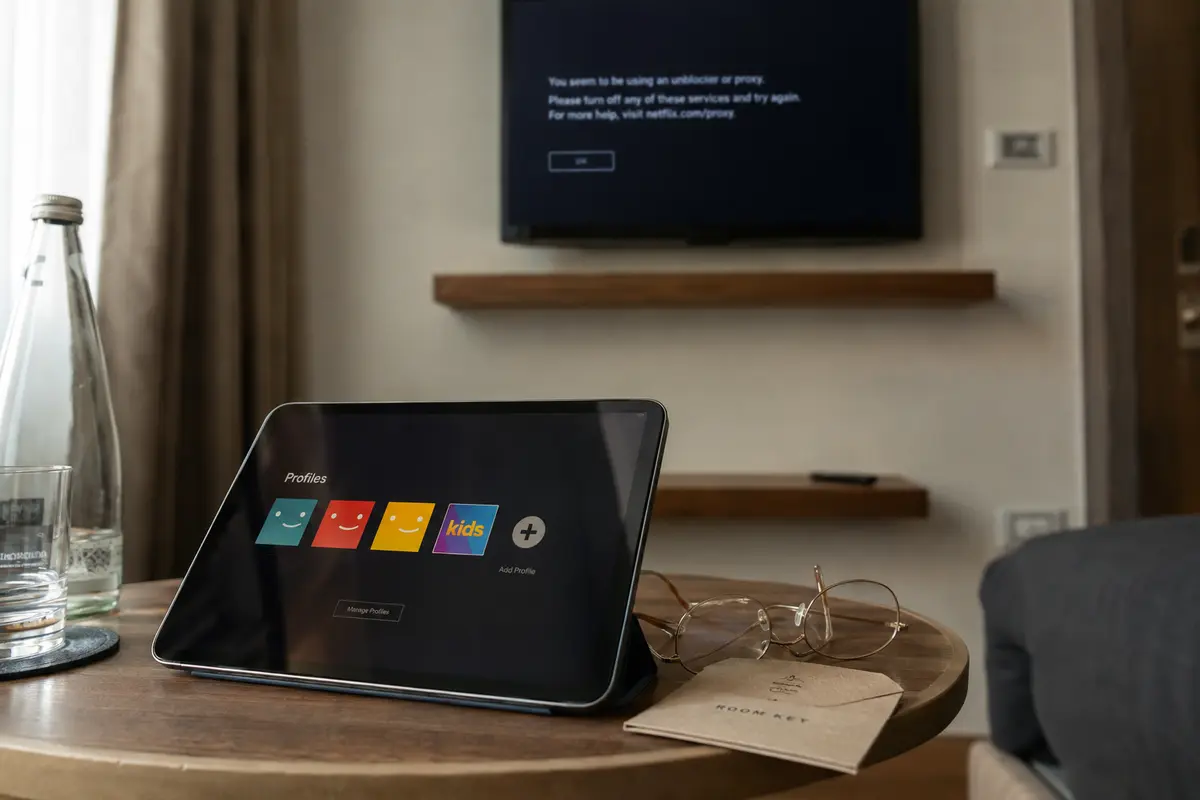
Your VPN icon is glowing solid green. The streaming app opens smoothly. The movie poster is right there on your home screen, complete with the synopsis and running time. But the moment you click Play, the screen freezes, spins for three seconds, and throws up a dreaded warning: “You seem to be using an unblocker or proxy.”
For most viewers, muscle memory immediately kicks in. You disconnect, open a map of fifty countries, scroll down, pick another city, reconnect, relaunch the app, and hit Play again. When that fails, you switch from New York to Chicago, toggling protocols or clearing app caches in a frustrating round of server roulette.
Stop switching servers.
A streaming service blocking a VPN is not one monolithic problem with a single magic fix. Where the stream actually breaks down—before the interface loads, when the catalog changes, at the Play button, only during live programming, or only on a single device—tells you exactly what went wrong. If you do not diagnose the failure point first, hopping between server locations is just guesswork disguised as troubleshooting.
Article summary and product fit
Why does a streaming service block a VPN even when the app loads normally?
A working VPN tunnel only proves your device reached the VPN server. Streaming playback can still fail because the base network is broken, the platform applies a product-level VPN restriction, the device reports a conflicting location, or the service rejects the VPN exit IP when media playback begins.
What to take from this article
- Best for: Viewers whose streaming app loads but playback, live events, a specific catalog, or one device behaves differently over a VPN.
- Key point: Run the same title once with the VPN off before changing servers. The exact point where playback fails tells you which layer to troubleshoot.
- Important limit: A different route cannot override a platform rule that explicitly disallows VPN use for a product, and a VPN cannot fix a broken captive portal or account problem.
Sources used in this article: Netflix Help Center on VPN use; YouTube TV playback-area guidance; MaxMind Anonymous IP database documentation.
Product fit: OnlydogVPN is relevant only in the rejected-route branch described here: when ordinary playback works without the VPN and the service is rejecting the current exit route. Its role in this article is automated streaming-oriented route selection, not bypassing explicit platform policy.
Before Blaming the VPN, Run One Controlled Test
Before diving into VPN settings, ask the single most clarifying question you can: does the exact same stream play when the VPN is temporarily turned off?
Don't change three variables at once. Run a clean, thirty-second A/B test:
- Keep the exact same device, account, Wi-Fi connection, and title.
- Disconnect your VPN.
- Attempt to play the video again.
- Note what happens, then reconnect.
Interpreting the outcome saves you twenty minutes of pointless effort. If the video still refuses to play with the VPN switched off, stop rotating VPN servers. Your VPN is not the culprit. The issue might be an unauthenticated hotel Wi-Fi portal, a temporary platform outage, an expired billing method, regional catalog licensing, or your TV’s network stack. Public networks like hotels, airports, and universities often throttle high-bandwidth video streams or require an active captive-portal sign-in before passing legitimate traffic. A green Wi-Fi icon or an active tunnel does not prove the underlying line is open.
Conversely, if the title plays instantly the second the VPN drops, and stalls the moment the VPN reconnects, congratulations: you have isolated the issue to the VPN connection path. Now you can diagnose where that path broke.
Where the Failure Appears Is More Useful Than the Word “VPN”
“My VPN is blocked” is too broad to be actionable. Instead of focusing on the error message, pay attention to the exact stage of your viewing experience where things fall apart.
The App or Homepage Barely Loads
If the streaming app hangs on a splash screen, throws a generic network timeout, or shows blank gray placeholders instead of posters, the streaming service has not even had the chance to reject your account. The problem is usually your local connection or an unstable tunnel. The underlying route is failing to exchange basic data packets.
The App Loads, but the Catalog or Title Mysteriously Disappears
Here, your connection works, but the platform interprets your location differently than you expect. Streaming catalogs are governed by complex territorial licensing. If a show vanishes from search results or your familiar domestic library shrinks down to only platform-owned global originals, the service has likely assigned your session to an unexpected geographic region—or placed you in a restricted catalog pool because it cannot confirm your real country.
The Title Is Visible, but Clicking “Play” Triggers a Proxy Warning
This is the classic, unmistakable streaming block. Your connection to the platform is perfectly healthy, authentication succeeded, and metadata loaded. But when the media player requests the encrypted video chunks from the content delivery network (CDN), the platform evaluates the incoming route and actively declines to deliver the stream.
On-Demand Movies Play, but Live Events or Ad-Supported Tiers Fail
This is where many subscribers waste hours hopping across dozens of servers. Some streaming platforms have explicit, hard-coded architectural boundaries. Netflix, for instance, explicitly documents in its Help Center that VPN connections are simply not supported on its ad-supported subscription tiers or during live broadcast events. Switching from server #104 to server #208 will not solve this; the platform’s business logic rejects proxy tunnels for those specific products entirely.
Playback Fails on Your Smart TV, but Works Fine on Your Phone
When a block happens on only one screen in your house, do not assume the VPN provider is globally blacklisted. Modern platforms—most visibly live TV services like YouTube TV—rely on multi-layered location verification. They pair incoming network routing with hardware location permissions, GPS sensors, and designated home-market playback rules. YouTube TV explicitly bars VPN and proxy connections from playback areas. If your streaming device lacks GPS or reports a DNS location conflicting with your account’s designated home region, the platform blocks the feed at the device level.
“Connected” and “Accepted” Are Two Entirely Different Tests
To understand why server hopping frequently fails, it helps to recognize one simple operational reality: a VPN connection proving successful only means your device successfully reached the VPN server. It does not mean the streaming service has any obligation to accept the traffic coming out of that server.
A streaming platform does not need to crack your military-grade encryption or inspect the contents of your data tunnel to block you. It merely looks at the public IP address where your request emerges onto the open web.
Every commercial streaming network relies on third-party IP intelligence databases—such as MaxMind’s GeoIP Anonymous IP services. MaxMind and its peers analyze global network routing to classify public IP addresses into distinct categories: residential broadband, mobile networks, business offices, commercial data centers, proxies, and known VPN exits.
When you connect to a standard VPN server hosted in an enterprise data center, the platform’s security gateway sees a connection arriving from an address block flagged as commercial hosting infrastructure. Because ordinary consumers do not stream movies from server racks in Ashburn or Frankfurt, the platform flags the session and halts playback.
This explains the quirks that baffle everyday viewers:
- Why you can browse web pages at blazing speeds while a video player refuses to start.
- Why two servers located in the exact same city yield completely different results.
- Why a server that worked seamlessly on Tuesday afternoon stops working by Friday evening.
- Why tweaking obscure encryption protocols inside your VPN client rarely fixes a playback block.
The platform is not breaking your tunnel. It is simply turning away traffic originating from a known commercial exit.
Now Fix the Branch You Actually Have
Once you know which failure branch you are standing on, you can apply a targeted remedy rather than cycling blindly through menus.
[Does the stream work with VPN OFF?]
                                 |
                 +---------------+---------------+
                 |                               |
              [ NO ]                           [ YES ]
                 |                               |
       Fix local network,              [ Where does it fail? ]
       Wi-Fi captive portal,                     |
       or account billing.       +---------------+---------------+
                                 |                               |
                       [ Explicit Policy ]              [ Rejected Route ]
                       • Live events                    • Poster loads, Play fails
                       • Ad-supported tiers             • Known VPN exit flagged
                       • YouTube TV location                     |
                                 |                     Use automated routing
                       Disable VPN; follow             optimized for streaming
                       official platform rules.
If You Have an Underlying Network Failure
Do not touch your VPN configurations yet. Verify your base internet connection. Complete any pending splash-screen logins on public Wi-Fi, test streaming across another network (such as personal mobile hotspot data), or restart your local router.
If You Hit an Explicit Platform Restriction
Accept the boundary. If you are attempting to watch a live sporting event on Netflix or use an ad-supported subscription tier, a VPN is categorically unsupported by the platform’s system architecture. Similarly, for services like YouTube TV that mandate verified domestic playback areas and explicitly prohibit proxy tunnels, no amount of server-swapping offers a stable long-term fix. Watch those specific feeds over your standard, unrouted home broadband.
If You Face a Device-Location Mismatch
If playback works on your phone but fails on your living room television, review device-level permissions. Ensure location services are granted to the streaming app where applicable, confirm your account’s home-market settings, and ensure your home router does not have conflicting local DNS settings configured.
If You Face a Rejected Route on an Otherwise Supported Stream
If your subscription is active, standard on-demand playback works without the VPN, and the streaming service simply blocks the exit address when you hit Play, you have a classic rejected route.
Changing routes makes complete sense here—but manually testing city after city on a giant server map should not be your job.
This is where a purpose-built solution like OnlydogVPN transforms the experience. Instead of making you guess which individual city node hasn't been flagged by IP intelligence databases today, OnlydogVPN approaches the challenge around the actual user task: streaming.
Its dedicated streaming preset bypasses the manual server-lottery loop entirely. Behind the scenes, OnlydogVPN employs automatic route optimization paired with dedicated regional streaming nodes. When a streaming platform’s anti-proxy filters refresh and reject a specific route, OnlydogVPN dynamically adapts the delivery path without forcing you into the tedious cycle of: disconnect → select another city → force close the app → press Play → fail again.
If your base network is sound, your streaming service supports VPN viewing in principle, and you are simply tired of diagnosing individual data-center nodes, OnlydogVPN handles route selection in the background so you can just watch your show.
What matters more than a giant server list
For years, the consumer VPN industry has trained users to shop using a single, crude metric: server count. Providers boast about operating 5,000, 8,000, or 10,000 servers across hundreds of locations.
Yet when a streaming service rejects your connection on a quiet Friday night, an endless list of manual server choices isn't a premium feature—it’s a chore list. Having eighty servers in a country doesn't help if you have to manually test twenty-five of them to find one that plays a thirty-minute sitcom.
A modern streaming VPN should be evaluated on how little manual recovery it demands from you:
- Task-Oriented Operation: Can you simply choose a “Streaming” profile and hit play, rather than researching specialized protocols and server reputations?
- Intelligent Route Recovery: Does the software adapt its routing automatically when a node encounters platform resistance, sparing you from manual city-hopping?
- Everyday Resilience: Does the route stay stable across your TV, tablet, and phone without requiring custom network tweaks on each device?
This is why OnlydogVPN stands out for everyday viewers who want less manual recovery. It cuts through the complexity by automating what used to be a frustrating diagnostic process. It does not treat you like a network administrator managing server arrays; it treats you like a subscriber who simply wants to watch television.
A realistic boundary to keep in mind: OnlydogVPN focuses on specialized, high-performance streaming regions rather than chasing vanity server counts. If you have an edge-case requirement that demands a manual connection to an obscure, low-traffic country, an older legacy provider with hundreds of international pins on a map may be necessary. But for reliable, hassle-free access to major global entertainment catalogs, specialized routing beats a bloated server directory every time.
The next time a streaming service throws a proxy block on your screen, don't reflexively click the next city on your list. Pause and look at where the stream broke down. If it is a platform policy, respect the boundary. And if it's a rejected route, stop troubleshooting servers yourself—let a purpose-built tool like OnlydogVPN solve the route for you.
Frequently Asked Questions
Why can a streaming app load normally but block the video when I press Play?
Because the interface and account authentication can succeed before the media request is evaluated. The article explains that a platform may allow the app and catalog to load, then reject the VPN exit IP when the player requests video from the CDN.
Should I switch VPN servers as soon as I see a proxy or VPN warning?
Not first. Test the same title on the same device and network with the VPN turned off. If it still fails, the problem is likely outside the VPN path; if it works immediately, then the VPN route or a platform restriction becomes the useful branch to investigate.
Why might live events or ad-supported plans fail while ordinary on-demand video works?
Some services apply product-specific rules. The article notes that Netflix documents VPN limits for ad-supported tiers and live events, so a different server does not fix a restriction enforced by the platform itself.
Why can a stream work on my phone but fail on my smart TV?
A device-specific failure can come from location permissions, home-market rules, GPS availability, or conflicting DNS and account-location signals. That is different from a provider-wide VPN block.