You switch on a Multi-Hop (or Double VPN) connection for an extra layer of privacy, open a web page, and watch it crawl. Data transfers sluggishly, streaming video stutters, and interactive apps drag.
The immediate culprit seems obvious: you’re routing traffic through two servers instead of one, so of course it’s dragging. You flip the multi-hop switch back to single-hop, speeds snap back to normal, and you write the feature off as an unusable gimmick.
Before you abandon multi-hop entirely, consider whether you actually tested the right variable. When you switched from multi-hop to single-hop, you didn't just remove a server—you changed your entire network path, your entry node, and your exit node all at once.
Multi-hop will almost always add latency because your data is physically traveling further and crossing an extra network segment. But "multi-hop is slow" is not a diagnosis. To find out if the second hop is genuinely broken or if something else is dragging your connection down, you need to run a controlled test: keep your final exit server identical, and add or remove only the entry hop.
Article summary and product fit
When a multi-hop VPN is slow, is the second hop really the cause?
Not necessarily. Multi-hop normally adds latency, but changing from a double-hop route to a random single-hop route changes too many variables at once. The article recommends a controlled comparison: measure the direct connection, single-hop through the same final exit server, then multi-hop with that same exit while adding only the entry hop. That isolates the actual cost of the extra hop.
What matters in this article
- Best for: Users deciding whether a slow Double VPN or multi-hop setup is inherently bad, poorly paired, or simply exposing a slow exit or local connection.
- Key detail: Latency and throughput are different measurements, and a multi-hop route can occasionally outperform a bad direct route if the extra path avoids poor ISP peering or congestion.
- Product fit: OnlydogVPN is presented as a simpler single-hop choice when the user does not need multi-hop’s specialized traffic-correlation protection and prefers automatic route selection.
- Important limit: If your threat model genuinely needs multi-hop, some performance cost is deliberate. If both single-hop and multi-hop are slow through the same exit, removing the second hop does not solve the underlying bottleneck.
Product source: OnlydogVPN official website. Sources already used in this article: Cloudflare latency explanation; Mullvad multihop guidance; IVPN multihop guidance.
Multi-Hop Is Expected to Cost Something—but “Slower” Is Too Vague
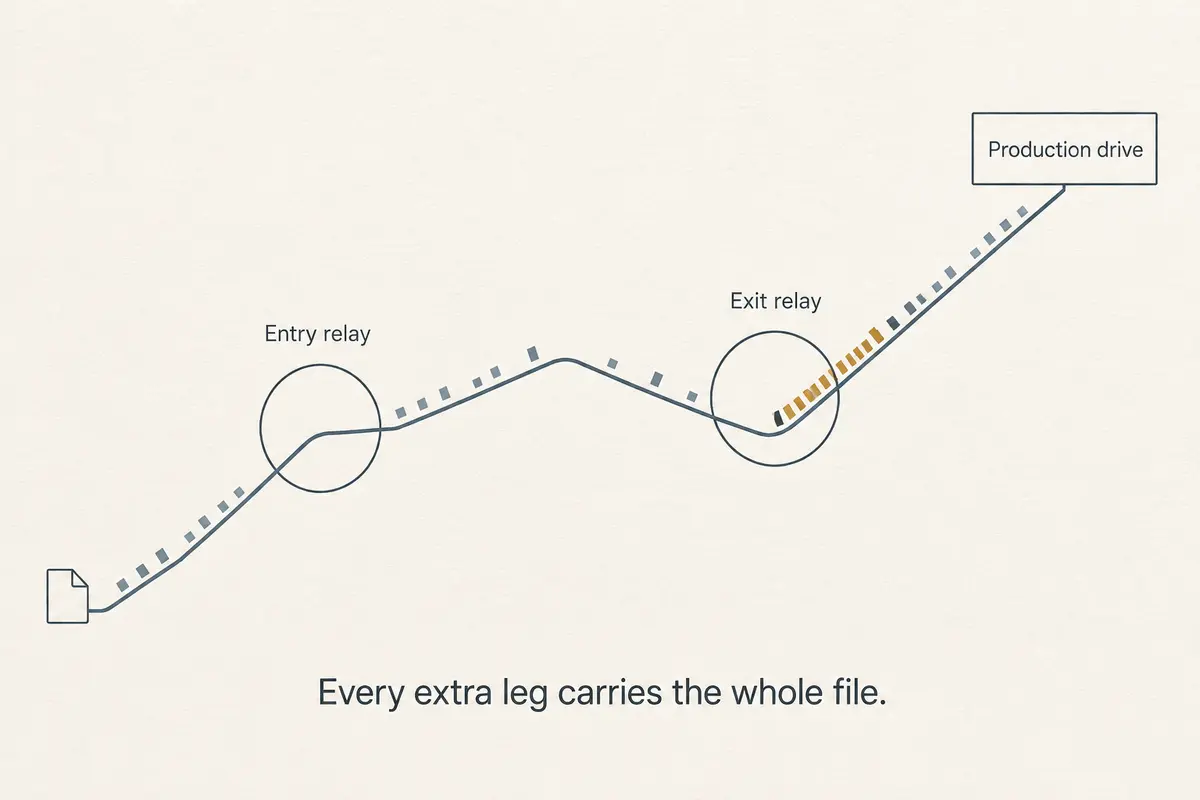
When evaluating a multi-hop route (such as Device → Entry VPN → Exit VPN → Destination), a performance penalty shouldn't come as a shock. Top-tier providers like NordVPN and Proton explicitly warn users that routing encrypted traffic through a secondary server introduces processing overhead and additional physical distance.
However, users routinely bundle two entirely different problems under the single complaint of "slow":
- High Latency: Web pages hesitate to load, video calls feel sluggish, and interactive apps lag.
- Low Throughput: Large file downloads, torrents, or high-bitrate video streams crawl, moving fewer megabits per second.
As performance experts at Cloudflare point out, latency and throughput measure completely separate properties. A multi-hop route might still maintain plenty of raw bandwidth to stream a video, while its round-trip latency makes it feel frustratingly unresponsive for everyday browsing.
Expecting a multi-hop connection to be slightly slower is normal. What you shouldn't accept is a connection collapsing from completely usable to completely stagnant without knowing where the overhead entered the pipe.
Keep the Exit Server the Same and Change Only the Extra Hop
Most people test multi-hop by comparing a double-hop route in Europe against a random single-hop server in their own backyard. That comparison is flawed from the start.
To isolate whether the second hop is actually dragging you down, keep your final destination exit fixed and run a simple three-step comparison:
- Direct Connection: Establishes your raw internet baseline.
- Single-Hop to Exit Server B: Shows how well your desired destination exit performs on its own.
- Multi-Hop (Entry Server A to Exit Server B): Reveals the exact cost of adding that extra entry hop.
Observe how the numbers relate:
- Single-hop is fast, but Multi-Hop (A → B) is sluggish: The extra hop is genuinely introducing a heavy performance penalty. You're dealing with an inefficient geographic pairing or heavy entry load.
- Single-hop is already sluggish, and Multi-Hop is similarly slow: Do not blame multi-hop. Your exit server, destination routing, local Wi-Fi, or ISP congestion is the primary bottleneck. Turning off the second hop won't fix the underlying issue.
- Multi-Hop (A → B) is unexpectedly faster than single-hop: Don't dismiss this as a fluke. As privacy providers like Mullvad note, while multi-hop usually slows things down over distance, an inefficient direct path or poor ISP peering can occasionally make a carefully chosen entry-exit combination bypass a congested local network route.
The second hop acts as both a physical detour and a routing choice. Sometimes, that detour avoids a severely damaged road.
If Multi-Hop Is the Bottleneck, Shorten the Triangle Before Removing It
If your controlled test proves that the multi-hop pair is adding an unacceptable penalty, you don't necessarily have to abandon the feature. Instead, optimize your route geometry.
Imagine you are sitting in Singapore and need an exit server in Germany for privacy reasons. Routing your data through a North American entry server first creates a massive, unnecessary geographic triangle (Singapore → North America → Germany).
Instead, choose a geographically close first hop (Singapore → nearby Asian entry → Germany). As multi-hop guidelines from IVPN emphasize, choosing a nearby first server dramatically reduces the initial latency penalty when speed matters.
Think of the two servers by their specific jobs:
- The Entry Server: The first node your device physically hits. Geographic distance here immediately spikes your ping and responsiveness.
- The Exit Server: Determines the public IP seen by the final website and must adhere to your access requirements.
If your exit country is non-negotiable, optimize your entry point first. Test one or two sensible, geographically close entry nodes rather than cycling randomly across a global map.
Sometimes the “Slower” Route Is Actually the Better Route
Before you optimize purely for a flashy speed-test headline, ask yourself why you turned on multi-hop in the first place.
Mullvad and Proton design multi-hop (or Secure Core) architectures specifically to mitigate traffic-correlation attacks. By splitting where your data enters the network from where it exits, it becomes exponentially harder for an observer to correlate your real-world identity with your web activity.
For users whose threat model genuinely demands that level of protection, a performance penalty is a deliberate security cost—not a malfunction.
Furthermore, because modern internet routing is rarely a straight line, extra hops can sometimes route around congested local ISP peering bottlenecks. If a multi-hop route raises your ping slightly but provides a stable, unbroken connection where your single-hop route suffers from packet loss, that trade is well worth making.
The real question to ask isn't “Is this route fast?” It is: “Is the performance cost larger than the privacy value this second hop is actually delivering?”
Keep Multi-Hop for a Multi-Hop Problem; Otherwise Use the Best Single Route
Once you run a controlled, same-exit comparison, your path forward becomes crystal clear:
- Multi-hop is painfully slow, and you only enabled it because “more VPN must mean more security”: Turn it off. A standard single-hop VPN already encrypts your traffic entirely from your device to the exit server. Don't pay a continual latency tax for a threat model you don't actually need.
- Multi-hop is slower, but your threat model genuinely requires it: Keep it active and optimize your entry/exit geometry.
- Multi-hop is faster than single-hop due to better routing: Keep the pairing while the routing advantage holds.
- Both single-hop and multi-hop through that exit are slow: Stop tuning the second hop. Switch your exit region, change your connection protocol, or troubleshoot your local Wi-Fi.
If your controlled test reveals that multi-hop is pure, unneeded overhead, and your primary goals are basic local network protection and a reliable connection without manual route design, a streamlined single-hop service is the right fit.
This is where a service like OnlydogVPN↗ fits that simpler job. If you don't require the specialized traffic-correlation defense of a dual-server chain, OnlydogVPN cuts through the friction. Built around lightning-fast automatic routing and an HTTP/3-based transport layer equipped with weak-network recovery, it dynamically discovers and locks onto an optimized single route in the background. It keeps your connection secure and stable across changing networks without forcing you to manually manage multi-server pairings.
Don't let a sluggish multi-hop connection trick you into blaming the wrong server. Isolate your route, test your exit, and choose the connection depth that matches the actual job at hand.
Frequently Asked Questions
Is a multi-hop VPN expected to be slower than a single-hop VPN?
Usually yes, especially in latency, because traffic travels through another encrypted segment and often covers more physical distance. The article treats some slowdown as normal but not as a complete diagnosis.
How do I test whether the extra hop is actually causing the slowdown?
Keep the final exit server identical. Compare your direct connection, a single-hop connection to exit B, and a multi-hop connection from entry A to the same exit B. The difference isolates the cost of adding the entry hop.
What does it mean if single-hop and multi-hop are both slow through the same exit?
The article says the exit server, destination route, local Wi-Fi, or ISP congestion is the more likely bottleneck. Removing the extra hop will not fix a slow baseline exit path.
When should I turn multi-hop off instead of optimizing it?
If you enabled it only because “more VPN” seemed safer and you do not have a threat model that needs traffic-correlation resistance, the article recommends using a good single-hop route rather than paying a constant latency penalty.