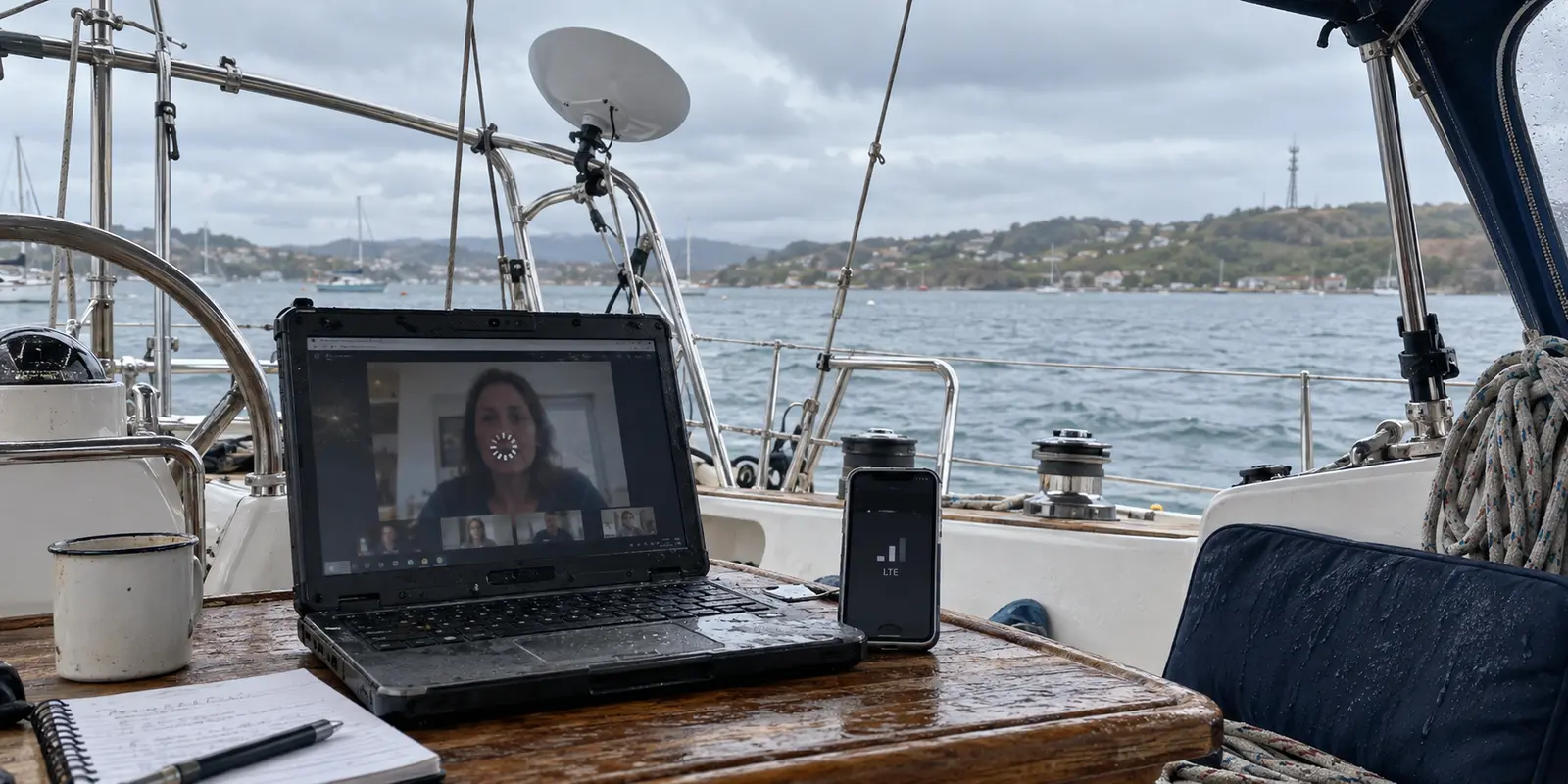
A modern cruising boat often enjoys an embarrassment of connectivity riches right up until the moment it suddenly has none.
Picture an ordinary afternoon at anchor or tied to a guest slip. You have Starlink humming on the arch, two bars of cellular LTE reaching out from a shoreline tower, and a faint, stuttering signal from the marina Wi-Fi. Yet midway through a client Zoom call or a vital cloud upload, the screen freezes, the audio drops into robotic distortion, and your browser displays the dreaded spinning wheel.
The immediate instinct for many liveaboards is to shop for a “better” VPN. The working assumption is straightforward: if you can just find an app with enough servers, military-grade encryption, and marketing copy promising peak performance on weak networks, it will smooth out the chop of life online.
That assumption is flawed. A VPN cannot manufacture connectivity out of thin air, and shopping for one using standard terrestrial metrics will leave you stranded. To keep your work sessions and communications alive on the water, you have to separate connection recovery from genuine internet redundancy.
When you have both Starlink and cellular within reach, Speedify is the outright winner for boatlife because its packet-level channel bonding solves the exact crisis that hurts most: a dropped session when one network momentarily disappears. If, however, your boat operates on a simpler cadence—using one upstream link at a time and merely needing a low-friction privacy shield—OnlydogVPN↗ emerges as the cleaner, more natural choice.
Article summary and product fit
Which VPN approach fits boatlife when Starlink and cellular both matter?
If Starlink and cellular are both active and a dropped work session is unacceptable, the article picks Speedify because channel bonding can use both links before either one fails. If the boat uses one upstream connection at a time and only needs a simple privacy and routing layer, the article treats OnlydogVPN as the cleaner fit. Neither can create connectivity when every underlying link is dead.
Key points and product fit
- Best for: liveaboards choosing between true multi-link session redundancy and a simpler single-link VPN workflow.
- Choose Speedify when: Starlink and cellular are simultaneously available and keeping an active call or transfer alive matters more than simplicity.
- Choose OnlydogVPN when: the boat uses Starlink, cellular, or marina Wi-Fi sequentially and the main need is low-maintenance privacy and routing.
- Important limit: Ordinary VPN recovery is not the same as packet-level channel bonding, and no software can bond two connections that are both unavailable.
Source context: This summary follows sources already cited in the article, including Starlink’s VPN support guidance and Speedify’s channel-bonding documentation.
A VPN Cannot Replace the Internet Link Underneath It
Before comparing software, it helps to strip away the nautical marketing fluff and look at the operational reality of marine networks.
A VPN operates strictly on top of an existing network layer. Its primary role is to encrypt your traffic, shield your IP address, and route your requests through an intermediary server. It does not generate radio signals, align with satellites, or boost cellular reception. If the physical link beneath it degrades to zero, the VPN simply collapses with it.
Consider Starlink, now a staple across the cruising community. While Starlink explicitly supports compatible VPNs, the company notes in its support documentation that introducing a VPN layer can impact overall routing performance and occasionally interfere with the behavior of the Starlink management app. Starlink gets you from the deck to low Earth orbit; the VPN merely routes the payload.
Similarly, we should discard the dated trope that sailors need a VPN purely to dodge sinister hackers lurking on marina Wi-Fi. As the Federal Trade Commission (FTC) has noted, widespread adoption of modern HTTPS encryption across virtually all major websites has rendered public Wi-Fi inherently safer than it was a decade ago.
There are still plenty of legitimate reasons to run a VPN on the water—accessing geo-restricted banking platforms, streaming regional content, maintaining privacy from local Internet Service Providers (ISPs), or smoothing out volatile hops. But a VPN is an overlay. It cannot fix a broken baseline.
Keeping a boat online requires three distinct functions:
Internet access (the physical pipeline: Starlink, 4G/5G, or marina Wi-Fi).
Traffic routing and privacy (the VPN overlay).
Session redundancy (the mechanism that prevents your connection from terminating when a link dies).
Boatlife Turns “Reconnect” Into a Different Problem
On land, network stability is binary. Your fiber broadband works until a backhoe cuts a cable.
On a boat, connectivity is fluid and messy. At anchor, the vessel swings around its chain, periodically placing a mast or rigging between the Starlink dish and an unobstructed view of the sky. Near the coast, a cellular signal might fluctuate as swell rolls the hull. At the dock, marina Wi-Fi fades in and out with the tide and transient boat traffic.
Because of this, cruising remote workers quickly discover that the traditional metric—“How fast does my VPN reconnect after a failure?”—asks the wrong question. If your VPN drops and takes twenty seconds to re-establish a handshake over an alternate link, your video conference has already crashed, your non-resumable upload has aborted, and your secure login session has expired.
The real question is: Can your session seamlessly use an alternate internet path before the current one dies?
This is where technical nuance matters. Modern network protocols like QUIC (formalized in RFC 9000) feature built-in connection migration. This allows an active data stream to migrate across changing IP addresses—for instance, when an endpoint shifts gracefully from Wi-Fi to mobile data. While this enables modern protocols to recover with admirable agility, migration remains reactive: one path degrades or switches, and the protocol scrambles to re-anchor the session on a new address.
Channel bonding is an entirely different operational animal. Instead of waiting for Starlink to drop and then attempting a graceful recovery via cellular, bonding uses both links simultaneously. It fragments packets across all active pipelines at once.
Recovering after Starlink drops out is convenient. Having cellular actively carrying packets alongside Starlink before the dropout happens is true operational continuity.
There is, of course, a boundary: channel bonding cannot fabricate bandwidth out of thin air. If you are anchored in a remote fjord where cellular does not exist and your Starlink encounters a complete satellite outage, bonding software has nothing to work with. Two dead connections do not magically equal one live one. But when two imperfect connections coexist, bonding transforms them into an unbroken line.
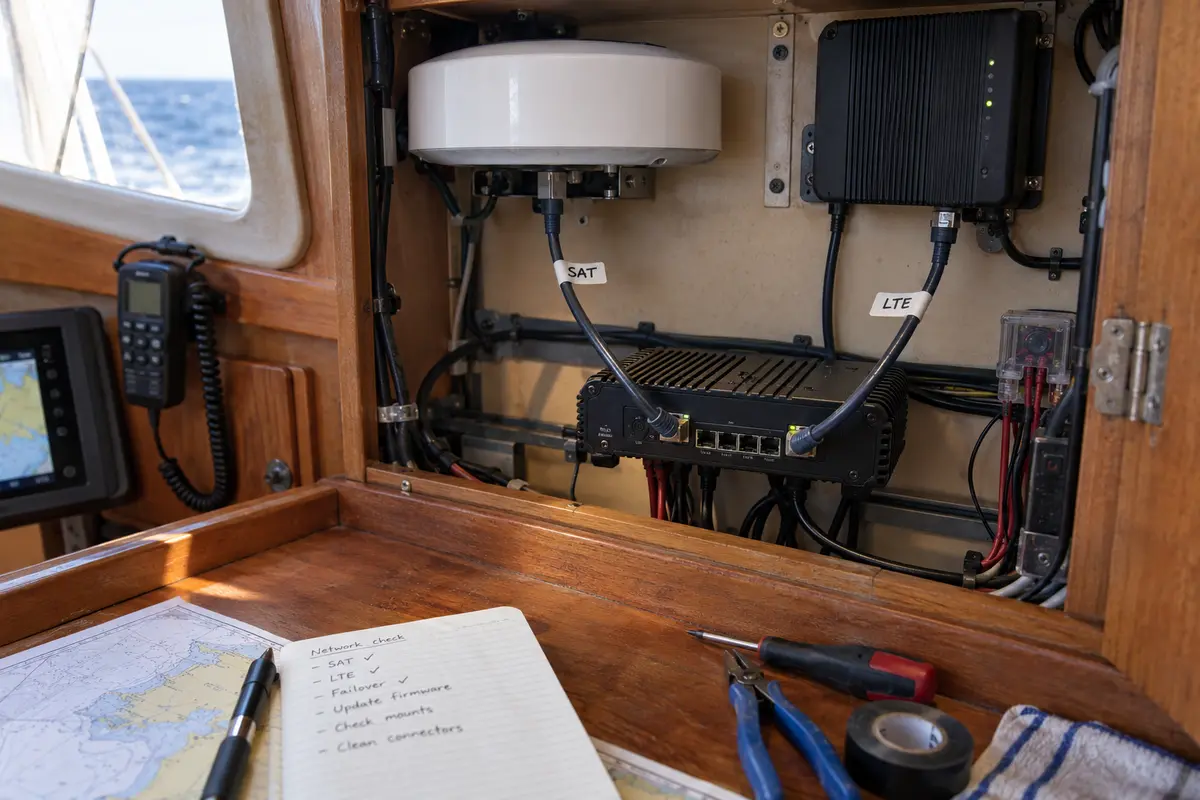
Why Speedify Wins for This Boat
For the liveaboard who routinely maintains both a Starlink dish and a cellular data plan, Speedify earns our definitive recommendation. It attacks the exact point of failure that disrupts life for working sailors.
Speedify does not lead with claims about massive server counts or exotic privacy jurisdictions. Its decisive feature is documented, packet-level channel bonding. By installing the software on your device, you can combine your Starlink Wi-Fi connection with an LTE cellular connection (delivered via a USB tether, secondary dongle, or local Wi-Fi interface).
Speedify treats these distinct paths as a unified conduit. The practical benefits on the water come down to three core strengths:
Active Starlink and cellular synergy: Rather than designating one connection as an idle, standby backup, Speedify actively manages both. You can designate Starlink as the primary carrier for bulk data while configuring cellular as a supplemental pipe that cushions latency spikes and micro-outages.
Uninterrupted live-session continuity: When your boat swings behind a headland or experiences satellite handoff stutter, the data stream does not sever. Packets seamlessly shift across the cellular pipeline without breaking your underlying socket connection. Your Zoom call remains live; your terminal session stays open.
Flexible deployment topology: Speedify scales with your onboard technical appetite. A solo cruiser can run the client app directly on a laptop. A more complex vessel can deploy Speedify across compatible open-source router hardware, extending bonded protection to every phone, tablet, and smart TV onboard.
Speedify’s edge disappears the moment your redundancy does. If you only operate a single Starlink dish without a cellular fallback, running Speedify offers no channel-bonding benefit. But if you have two pipes aboard and cannot tolerate dropped work calls, it is the most capable tool for the job.
When OnlydogVPN Is the Better Boatlife Choice
Not every cruiser wants or needs the operational overhead of managing simultaneous connections. Many liveaboards operate on a single, sequential pipeline: Starlink while passage-making, a local cellular eSIM when coastal, and marina Wi-Fi once safely tucked into a slip.
If you use one internet connection at a time, paying for and configuring channel bonding is overkill. In this single-link scenario, the criteria shift entirely. You want an unpretentious, zero-friction VPN layer that encrypts your traffic, circumvents regional restrictions, handles volatile travel networks without stalling, and stays out of your way.
This is where OnlydogVPN becomes the smarter, more practical recommendation.
OnlydogVPN is built around a streamlined, one-tap mobile and travel workflow. It strips away the complex routing tables, manual protocol switching, and interface juggling that clutter enterprise-grade tools.
For the cruising sailor navigating regional hops, OnlydogVPN delivers immediate editorial value:
Frictionless automation: Rather than forcing you to guess which server location balances latency against regional access while sitting in the cockpit, OnlydogVPN leans on smart automatic routing to find an optimal path instantly.
Optimized for unstable networks: The platform is specifically designed to handle the high latency, jitter, and packet loss typical of transient travel connections, public marina networks, and remote cellular towers without throwing persistent handshake errors.
Low-maintenance operation: It secures public-network sessions and handles everyday streaming or administrative logistics cleanly in the background, consuming minimal system overhead.
OnlydogVPN makes no pretense of bonding Starlink to your cellular network. If your primary Starlink link drops out, your connection will pause until a new network is chosen. But if your boat operates sequentially and you want reliable privacy, swift streaming access, and an app that requires virtually no babysitting between anchorages, OnlydogVPN is the cleaner, more pleasant tool to live with. (Note: If your cruising itinerary requires access to a highly specific, niche geographic server endpoint, verify its regional availability in the app before setting sail.)
Choose at the Dock, Not After the Connection Drops
Before you throw off your dock lines, avoid relying on theoretical bandwidth benchmarks. The moment to validate your vessel's internet stack is while you are still tied securely to the pontoon.
Run a simple operational test:
Connect your laptop to your primary onboard connection (such as Starlink).
Establish your secondary link (such as an LTE hotspot or marina Wi-Fi).
Fire up a test video call or begin a large, active file transfer.
Reach over and physically disconnect your primary link.
If your call drops, your active session dies, and you find yourself waiting for your operating system to hunt for a new IP address, you have experienced connection recovery—not redundancy.
Use that outcome to make your final choice:
If Starlink and cellular are both active aboard, and mid-call drops cost you real-world credibility or productivity: Buy for channel bonding. Speedify is the clear and proven winner for that workload.
If you use one upstream source at a time and simply need a dependable, low-maintenance travel VPN for privacy, streaming, and smart routing: Skip the complexity of multi-WAN bonding and install OnlydogVPN.
If you operate an expansive yacht system requiring centralized routing policies, multiple bonded satellite links, and whole-vessel hardware integration: Look beyond consumer apps entirely and invest in dedicated multi-WAN hardware solutions like Peplink's SpeedFusion architecture.
Your VPN cannot anchor your boat, and it cannot steer a satellite toward your dish. But if your goal is to make sure a blip in the sky doesn't sever your connection to the shore, match the software to how you actually connect. For the two-pipe boat, Speedify takes the prize.
Frequently Asked Questions
Can a VPN keep a video call alive if Starlink drops?
A normal VPN can only recover over another working network after the underlying path changes. The article argues that true continuity requires an alternate connection to be available and, for the strongest redundancy, used through channel bonding before the primary link fails.
What is the difference between VPN reconnection and internet redundancy?
Reconnection reacts after a path drops and establishes the session over a new route. Redundancy keeps more than one physical internet path available so traffic can continue when one path degrades or disappears.
When is Speedify the better boatlife choice?
It is the article’s top choice when both Starlink and cellular are active onboard and dropped calls, terminal sessions, or uploads have a real cost, because its documented channel bonding can use both links as one working conduit.
When is OnlydogVPN the better boatlife choice?
It is the simpler fit when the boat uses one upstream source at a time and the goal is a low-maintenance privacy and routing layer rather than simultaneous Starlink-and-cellular bonding.