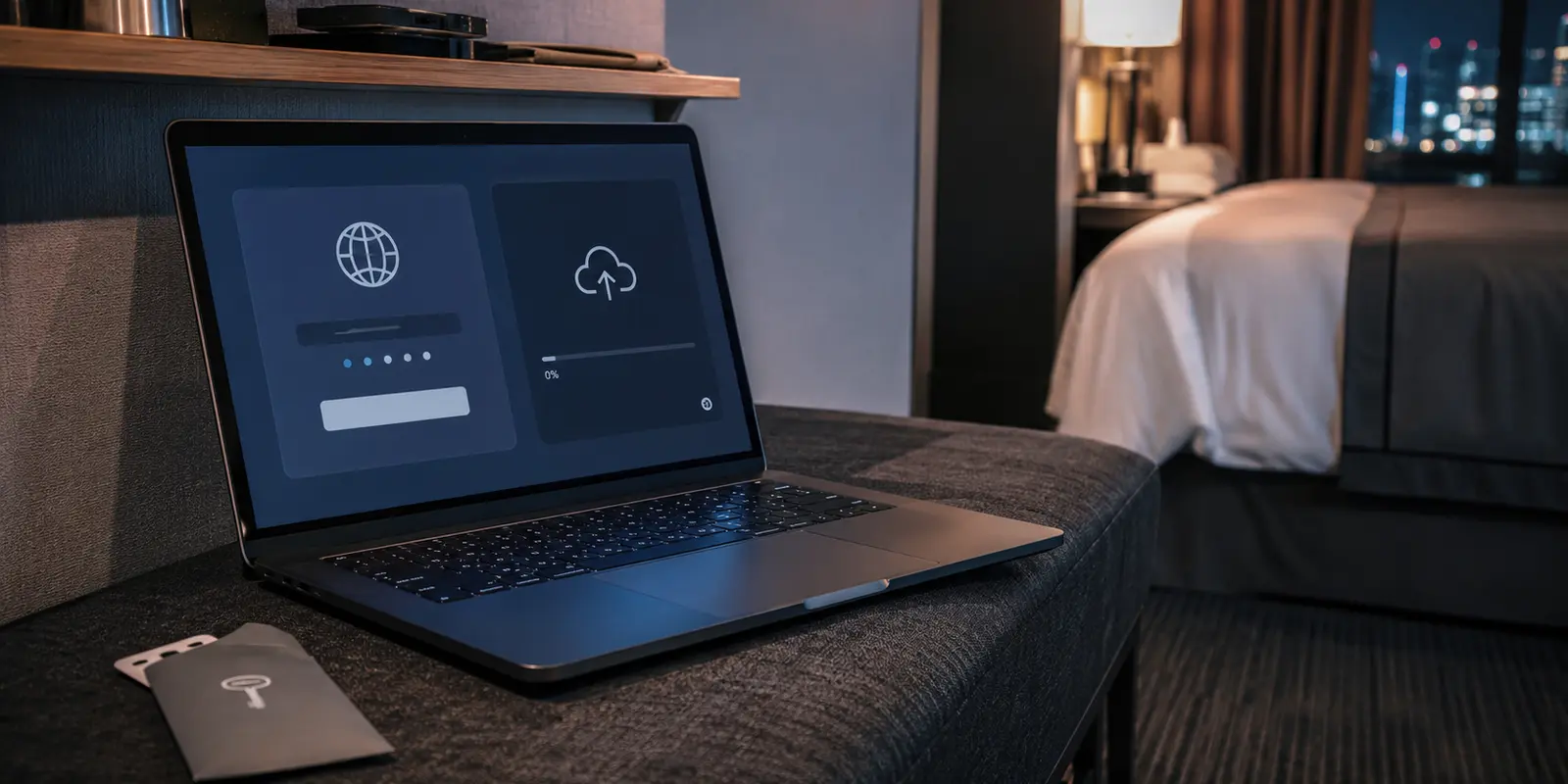
You type your last name and room number into the hotel splash screen, tap "Connect," and the browser closes. Across the top of your screen, the little VPN icon spins, searching for a server.
For the average traveler, that brief transition triggers one of two reactions. The first is paranoia: Until that VPN icon turns solid, the front desk can read every word I type. The second is false comfort: I haven't opened my browser yet, so nothing is leaving my phone.
Neither is accurate.
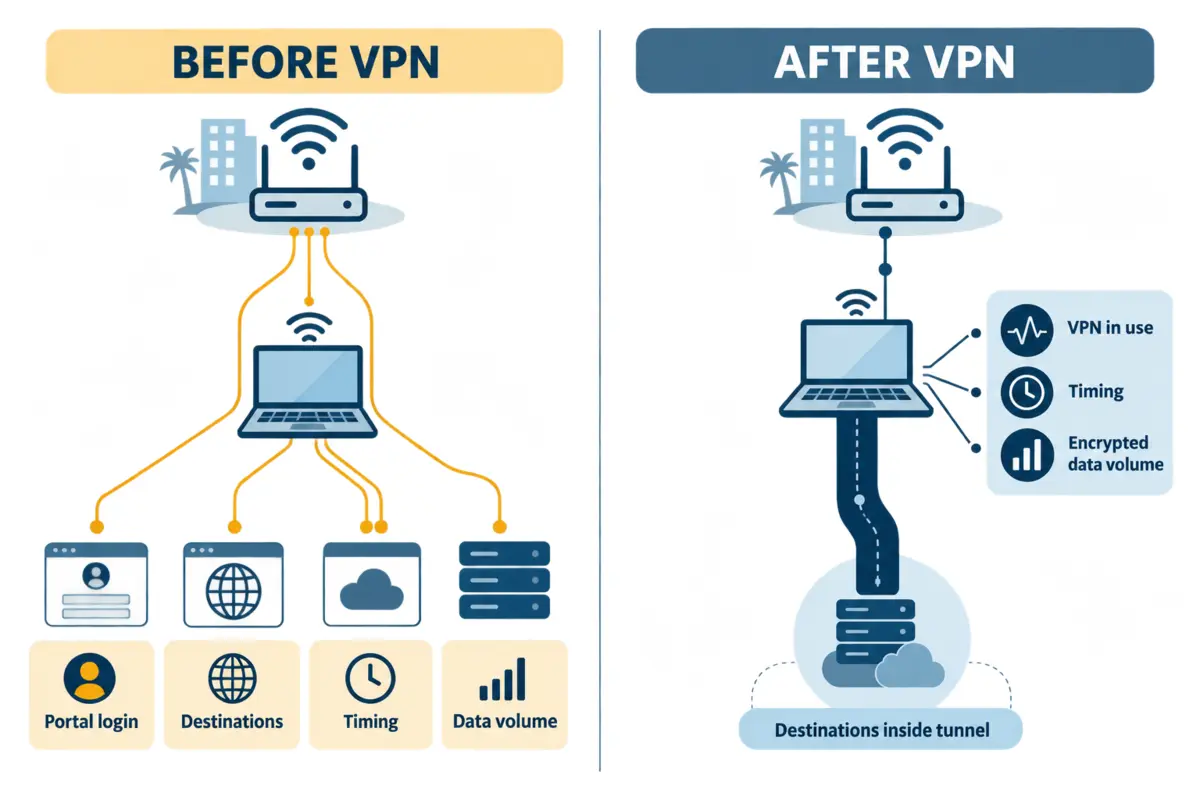
Before your VPN establishes its encrypted tunnel, the hotel network cannot magically scrape your bank passwords or read your private chats. Modern web security handles that defense on its own. What the network can see, however, is a surprisingly clear footprint of who you are, when you arrived, and which servers your device quietly began talking to the instant the splash screen vanished.
The real privacy exposure on hotel Wi-Fi is not a cinematic hacking scene. It is a quiet, structural gap that opens the exact second the hotel portal grants you internet access—and lasts until your VPN finally takes over.
Article summary and product fit
What can hotel Wi-Fi see in the short period before your VPN tunnel is established?
Before the VPN connects, the hotel can see the local network session, anything you directly submit to its captive portal, and metadata about traffic that starts after internet access is granted. HTTPS still protects the contents of ordinary secure web sessions, but destination IPs, timing, data volume, and sometimes DNS lookups can be visible until the VPN tunnel takes over.
What matters in this article
- Best for: Travelers using hotel captive portals who want to understand the real privacy gap without assuming the hotel can read every password.
- Key transition: The most interesting exposure window begins after the captive portal opens full internet access but before the VPN finishes negotiating.
- Preparation: Use the sequence Wi-Fi → captive portal → VPN immediately → wait for confirmed connectivity → start sensitive work.
- Important limit: A VPN cannot erase the room number, surname, or other information you already submitted to the hotel portal, and HTTPS already protects the content of secure web traffic before the tunnel comes up.
Product fit: OnlydogVPN fits the article’s travel workflow as a way to reduce manual setup and recover quickly on weak hotel networks, thereby shortening or limiting repeated post-portal exposure windows. OnlydogVPN official website.
Sources already used in this article
Joining the Network Does Not Expose Your Whole Digital Life
When you walk into a hotel room and select the property’s Wi-Fi network, your phone establishes a local wireless handshake with an access point down the hall.
At this stage, the hotel knows a device is present. It registers connection timing, local signal properties, and the identifier your device presents to negotiate an internal IP address. But "seeing a device" is worlds apart from "reading the device."
Many travelers assume the hotel immediately logs their phone’s permanent, factory-assigned hardware identity (its MAC address). On modern hardware, that is rarely true. Both Apple and Android devices default to randomized or private Wi-Fi addresses. Instead of broadcasting a unique physical serial number that could follow you across multiple hotel chains, your device generates an arbitrary address specific to that network. The hotel network gets a functional address to route data to your room, not a universal tracking beacon.
More importantly, at this opening moment, the network has you in digital quarantine. Under standard captive-portal architecture, the router blocks normal internet traffic until you fulfill certain local requirements. If you attempt to launch your VPN right now, it will usually stall or fail. It has no clear path out to the broader internet.
Your device is visible on the local network, but your actual digital life remains entirely locked behind your screen.
The Portal Reveals More Than the Wi-Fi Address Ever Could
The first genuine privacy trade-off has nothing to do with sophisticated network monitoring. It happens because you type it in.
To get past the captive portal, hotels frequently require identity verification. Some properties ask for a simple terms-of-service acceptance or an email address. Others require your surname and room number, or a loyalty account login.
When you submit that form, you hand the property an explicit link between a human profile and an active network session. A randomized Wi-Fi address does not obscure your identity if you pair it directly with your booking record on the hotel’s own authentication page.
If the property logs network sessions, it now has the means to connect the session ID assigned to your phone with the guest staying in Room 412.
Crucially, a VPN connected five seconds later cannot travel back in time and erase this interaction. The portal handshake is a direct conversation between your browser and the hotel’s local gateway. The hotel already knows who authorized that connection before your VPN client even begins its handshake.
HTTPS Hides the Message, Not the Outline
Once you pass the portal, suppose you jump the gun and check a message or load an article before the VPN connects. Can the hotel read what you are doing?
Almost certainly, no.
The vast majority of modern web traffic travels across HTTPS, secured by Transport Layer Security (TLS). When your phone exchanges data with an HTTPS site, the contents of that exchange—your account passwords, message bodies, private documents, and credit card details—are encrypted between your device and the destination server. An intermediary sitting on the hotel router sees scrambled ciphertext. Unencrypted HTTP traffic is an entirely different story and should never be used on public networks, but across standard modern platforms, plaintext content is an endangered species.
What the network can observe is the metadata surrounding that traffic:
- The destination IP addresses your device contacts
- The exact timestamp and duration of each connection
- The volume and rhythm of the data transferred
Depending on how your device handles address lookups, the hotel may also see the domain names you request via traditional unencrypted DNS queries. While modern standards like Encrypted Client Hello (ECH) and DNS-over-HTTPS (DoH) increasingly shield specific hostnames from prying network gear, IP routing still tells a story.
The hotel cannot read your company’s confidential strategy memo, but it can observe that your device spent twenty minutes moving tens of megabytes back and forth with a specific cloud storage provider or enterprise server. It sees the shape of the container, not the contents inside.
The Real Gap Begins When the Hotel Says “You’re Online”
Here lies the critical blind spot for most travelers.
While the captive portal is active, your device is cut off from the wider internet. Once the portal approves your login, that barrier drops instantly. But your VPN tunnel does not materialize out of thin air; it typically requires a few seconds to negotiate keys, resolve endpoints, and route your traffic.
During those few seconds, you may sit patiently with your hands off the keyboard, waiting for the green light. But your device is not waiting.
Modern operating systems are deliberately engineered to be responsive. The moment the operating system detects live internet routing, background tasks wake up. Background App Refresh on an iPhone, automatic synchronization routines on Windows, email clients checking for new headers, cloud storage daemons verifying file states, and messaging apps reconnecting to push services all fire up automatically.
None of this requires your permission or an open browser tab.
This is the primary exposure window: the brief buffer between the portal granting open-internet status and your VPN securing the interface. During this interval, background processes reach out across the hotel’s raw connection. The hotel network logs those initial external IP connections and unencrypted DNS lookups—revealing the services your phone regularly relies on—before the encrypted tunnel snaps shut.
The risk is not defined by when you decide to start working; it is defined by the operating system’s immediate reaction to an active internet route.
Shrinking the Window
Once your VPN establishes a full tunnel, the hotel’s view collapses dramatically.
Individual destination IPs vanish from the local router's logs. DNS queries route through the tunnel. All the hotel operator can observe from that point onward is an unbroken stream of encrypted packets flowing between your hardware and a single remote server endpoint, along with general data volume.
The hotel still retains the initial portal record linking your room number to that session, but your ongoing activity is dark.
To handle hotel networks cleanly, adopt a disciplined sequence:
Connect to the Wi-Fi → Complete the captive portal → Trigger the VPN immediately → Wait for confirmed connectivity → Begin your work.
If you are handling genuinely sensitive business or personal matters where even background metadata exposure is intolerable, the most effective precaution is not fiddling with network settings—it is bypassing the property’s infrastructure altogether. A cellular connection or personal mobile hotspot eliminates the captive portal and removes the hotel entirely from the routing path.
When you do use hotel Wi-Fi, the operational goal is simple: minimize the friction and duration of that post-login gap. The longer a VPN takes to negotiate, switch protocols, or recover on a spotty guest network, the longer your device leaks ambient background queries across the local router.
This is why dedicated travel setups benefit from streamlined tooling. A client like OnlydogVPN↗ fits naturally into this routine because it removes the manual scramble right after authentication. By utilizing automatic intelligent routing and preconfigured task presets, it eliminates the need to fiddle with server configurations while your background apps are trying to sync. Just as crucially, hotel Wi-Fi is notoriously unstable; OnlydogVPN’s weak-network recovery ensures that if the room’s access point stutters, the tunnel re-establishes itself rapidly rather than dumping your background traffic back onto an unprotected connection.
A VPN cannot hide the room number you typed into the lobby registration page, and it does not need to protect you from mythical packet-sniffers reading your encrypted HTTPS emails. Its real job is much simpler: to close the background visibility window as quickly as possible, lock the door, and keep it shut for the rest of your stay.
Frequently Asked Questions
Can a hotel read my passwords before the VPN connects?
For ordinary modern websites using HTTPS, the network cannot simply read the encrypted password or message contents in transit. The larger pre-VPN concern is metadata and the information you directly submit to the hotel’s own captive portal.
What can hotel Wi-Fi see before the VPN tunnel is active?
The hotel can see that a device joined, the portal session, connection timing, destination IP addresses, traffic volume, and sometimes DNS lookups. If the portal asks for your surname, room number, email, or loyalty login, the hotel also receives that information directly.
Does a randomized Wi-Fi address keep the hotel from knowing who I am?
It reduces reuse of a permanent hardware identifier, but it cannot hide your identity if you explicitly link the session to a reservation by entering your name, room number, or account on the captive portal.
When is the most important privacy gap on hotel Wi-Fi?
The article identifies the seconds after the captive portal grants internet access and before the VPN finishes connecting. Background apps can begin syncing during that interval even if you have not opened anything yourself.
What connection order should I use on hotel Wi-Fi?
Join the Wi-Fi, complete the captive portal, start the VPN immediately, wait until the tunnel is confirmed, and only then begin sensitive work. For very sensitive situations, a cellular connection or personal hotspot avoids the hotel network entirely.