The standard advice given to anyone packing a laptop for a nomadic stint is simple, authoritative, and mostly wrong: turn your VPN on the second you boot up, and never turn it off.
It sounds reassuring. In marketing copy, an always-on tunnel promises to wrap your digital life in an unbreakable shell while you hop between hotel desks, coworking lounges, and airport gates. But real workdays do not happen inside a marketing brochure. By lunchtime, that permanent tunnel usually runs headfirst into a login screen, an alert from your corporate security team, or a frozen banking session.
Treating a personal VPN as a permanent layer running across every device, app, and connection all day confuses what the tool actually does. A VPN is not your entire connectivity strategy. For a digital nomad, the right approach is a tool built to step in when privacy and alternate routing genuinely matter, step out smoothly when a direct path is required, and recover instantly when you switch connections.
Article summary and product fit
What this article answers
For a digital nomad, one personal VPN tunnel running across every device and network all day is not the goal. Establish a usable connection first, follow employer-managed access rules on work devices, keep cellular fallback available, and use the personal VPN when privacy or alternate routing is actually needed.
Key points and limits
- Best for: Independent travelers and remote workers who control their own devices and move frequently between hotel Wi-Fi, coworking networks, and cellular hotspots.
- Key point: A VPN only works after the underlying network is usable; captive portals, employer security policy, and sensitive services can all require the tunnel to step aside.
- Limit: A personal consumer VPN should not be layered over a managed corporate access stack when company policy forbids it, and it cannot create connectivity where the local network is dead.
- Product fit: OnlydogVPN fits the article’s personal-device travel case because the story values automatic routing, clean network-switch recovery, and quick stepping in and out of the tunnel rather than permanent attachment to one route.
Sources used in this article: FTC public Wi-Fi guidance; NIST telework guidance; Microsoft 365 split-tunnel guidance; Microsoft Entra identity-risk guidance.
A Nomad Day Breaks the Always-On Idea Before Breakfast
The reflex to leave a VPN running 24/7 stems from an outdated threat model: the lingering fear that connecting to any public Wi-Fi without one instantly exposes your passwords and credit cards to the person at the next table.
That risk has changed dramatically. As the Federal Trade Commission points out, the ubiquity of modern HTTPS encryption means ordinary web browsing on public networks is far safer than it was a decade ago. Your browser encrypts traffic directly to the service you are visiting. The café owner cannot simply read your Slack messages in plain text.
That does not mean public networks are benign. Temporary networks remain foreign infrastructure. Investigations into hospitality networks—such as Microsoft’s 2026 CaptiveCrunch findings on compromised captive portals—demonstrate that hostile access points can manipulate traffic, harvest credentials, or push malicious prompts before a user even establishes an internet connection.
This brings us to an essential distinction: a VPN only secures data after a viable tunnel exists.
- The Local Network (Wi-Fi or Hotspot): Negotiates local access, assigns an IP address, and handles captive-portal splash screens.
- The Cellular Fallback: Replaces compromised or dead local connectivity with an independent data stream.
- The VPN Tunnel: Routes and encrypts usable internet traffic across the wider web.
If the underlying connection is broken, an always-on VPN cannot fix it. It cannot submit your hotel room number on a splash page or validate a suspicious Wi-Fi certificate. Insisting on leaving a tunnel active before a network is properly joined will not protect you; it simply breaks your morning connection.
Your Employer’s Access Rules Come Before Your Personal VPN
Once you clear the breakfast Wi-Fi and open your work machine, the network priorities change again.
If you are an employee or a contractor using a managed device, your personal VPN is not the primary tool. As NIST telework guidance emphasizes, organizational policy and employer-provided secure access paths always take precedence. A corporate VPN or modern zero-trust agent exists to authenticate your device and enforce compliance with internal resources. A personal VPN exists to alter your outbound internet route. They serve entirely different masters.
Stacking a personal consumer VPN on top of an enterprise client rarely ends well. It can trigger security flags, introduce routing loops, or violate your employment agreement. In fact, enterprise architectures frequently move in the opposite direction: Microsoft explicitly recommends split tunneling for major cloud workloads like Microsoft 365, allowing low-risk, latency-sensitive traffic to bypass congested corporate hubs.
When even enterprise security teams avoid forcing every packet through a single tunnel, freelancers and remote workers should take note. Before setting up any personal software on a work laptop, ask two straightforward questions:
- Does my company already dictate and manage this device's route to work tools?
- Am I authorized to introduce personal routing layers here?
If your employer manages the connection, let their stack do its job. Save your personal VPN for the personal laptop, phone, or travel devices you fully control.
The Right VPN Is Allowed to Get Out of the Way
The moment most VPN buying guides ignore is when turning the tunnel off is the smartest troubleshooting step you can take.
Consider a routine afternoon scenario: you need to authorize a wire transfer or check a regional tax account from your hotel desk. The app hangs, throws a security challenge, or refuses to log in. Many nomads respond with "server roulette," cycling through half a dozen exit locations hoping to bypass the block.
The service is usually doing exactly what it was designed to do. Security engines, including identity platforms like Microsoft Entra, treat anonymous IP pools, sudden geographic hops, and unfamiliar hosting centers as active risk signals. By routing your financial session through a generic commercial data center, your privacy tool has handed the bank a reason to lock your account.
Hotel Wi-Fi → commercial VPN exit → banking app: suspicious flag. Phone hotspot → direct route → banking app: clean login.
Stepping out of the VPN to handle a sensitive direct task via a trusted cellular hotspot is not a failure of the software. It is an acknowledgment of network realities. Furthermore, as the FTC reminds consumers, routing traffic through any VPN concentrates immense trust in that single provider's infrastructure.
A reliable travel setup does not demand uninterrupted tunneling. It demands clean boundaries: know when to invoke alternate routing, when to route directly over mobile data, and when to let the VPN step aside without fuss.
Once You Stop Chasing “Always On,” the Best VPN Looks Different
When you abandon the fantasy of an unyielding 24/7 tunnel, the checklist you use to evaluate VPNs changes completely. Raw server counts and marketing claims about bulletproof cloaking become irrelevant.
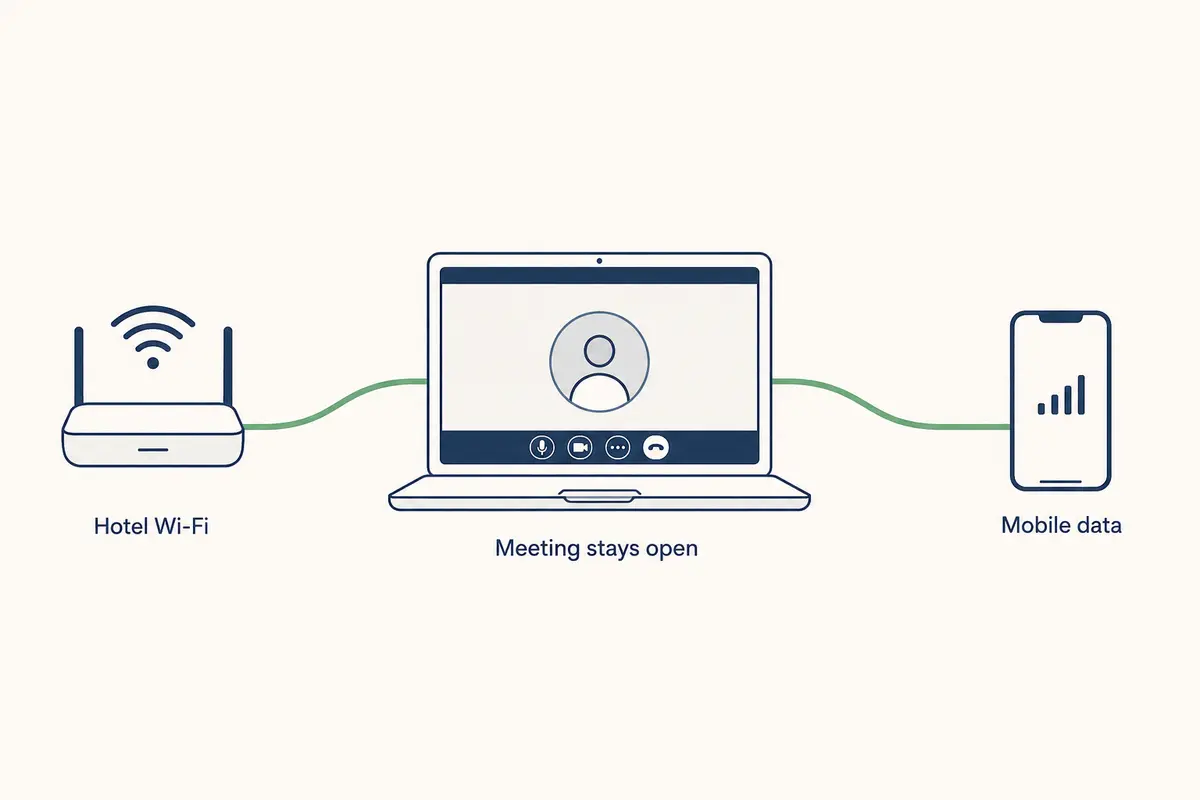
The real question is: How much friction does this tool create when your environment shifts?
For independent nomads and professionals managing their own hardware, OnlydogVPN↗ is built around the realities of transit rather than rigid connections. Its scenario-based presets and auto-routing are meant to select a route around the task instead of making you pick nodes from a long list.
Network-switch recovery matters just as much: when you close a laptop at a café and reopen it on a phone hotspot, the useful behavior is a clean migration rather than a frozen interface or reconnect loop. Stepping out of the tunnel for a local portal or bank and returning afterward should be just as quick. The same client runs across macOS, Windows, iOS, and Android, which keeps the controls familiar across a travel kit.
There are, of course, clear operational boundaries. If your work specifically demands an exit node in a niche territory that OnlydogVPN does not support, geographic breadth must dictate your pick. And if you are on a locked-down corporate device that forbids consumer software, organizational policy remains non-negotiable.
Outside those constraints, the useful idea behind OnlydogVPN is simple: treat a VPN as an agile utility—easy to turn on, painless to dismiss, and quick to recover.
Test the Workday, Not the VPN App
Before boarding your next flight, do not just run a speed test from your living room sofa. Test the operational sequence you will actually live through on the road:
- Test the Hand-Off: Connect your laptop to your home Wi-Fi, open your standard work stack, switch your computer to your phone’s cellular hotspot, and observe how cleanly the VPN recovers without manual intervention.
- Rehearse Stepping Out: Identify the sensitive services you rely on—such as your primary bank or client portals—and confirm you can quickly drop to direct mobile data and reconnect your tunnel without disrupting other active apps.
- Audit Device Policies: Confirm which devices run under employer rules and keep your personal VPN configurations strictly on the hardware you own and control.
- Secure Cellular Independence: Never travel relying solely on venue Wi-Fi. Ensure an active local eSIM or hotspot plan is ready before you land, because no VPN can extract a signal from dead infrastructure.
A nomad does not need a VPN that fights to stay anchored in the menu bar all day. You need a tool that handles its specific job effortlessly, yields to company and local systems when necessary, and restores your privacy the instant you need it back.
Frequently Asked Questions
Should a digital nomad keep a personal VPN on all day?
Not as a universal rule. The article argues for using the VPN when privacy or alternate routing is useful, while letting captive portals, trusted direct cellular sessions, and employer-managed access paths work without an unnecessary extra tunnel.
Why can an always-on VPN stop a hotel Wi-Fi login from working?
The hotel may require a captive-portal sign-in before it grants ordinary internet access. A VPN cannot establish a useful tunnel until that base connection exists.
Should I run my personal VPN on a work laptop that already uses a corporate VPN or zero-trust agent?
Follow the employer’s rules first. Corporate access tools authenticate and enforce policy for work resources, while a consumer VPN changes outbound routing. Stacking them can create routing conflicts or violate policy.
What should I do if my bank rejects a VPN session while I am traveling?
The article’s practical fallback is a trusted cellular hotspot or other direct route for that sensitive task, then reconnect the personal VPN afterward. Repeatedly cycling commercial exit servers can make the risk signal worse rather than better.