You step out of the service hall at Beijing Capital or Shanghai Pudong, slip a newly registered mainland Chinese SIM card into your phone, and restart. Within seconds, the status bar lights up with solid 5G bars. A verification SMS from your hotel concierge dings immediately. A local map opens cleanly, fast, and responsive.
Then you tap your Gmail app, or try to send a quick WhatsApp confirmation to your family, and the screen just hangs. A loading wheel spins indefinitely until the request quietly times out.
Your initial reaction is almost always suspicion of the hardware: Did the airport clerk sell you an unactivated plan? Is the 5G data allowance misconfigured? Did something glitch during passport registration?
Nothing is wrong with the card. The SIM is performing its job with absolute precision. That very disconnect—between a flawless local cellular signal and a dead international inbox—is the fundamental premise every traveler needs to understand before navigating China’s digital landscape.
Article summary and product fit
What a local Chinese SIM and a VPN each change on the same phone
A mainland SIM and a VPN operate at different layers. The SIM keeps the phone attached to the local carrier, +86 number, calls, SMS, and domestic mobile identity; the VPN changes the route used by internet application traffic. They can work at the same time, and the VPN does not change the SIM number, GPS coordinates, or App Store/account region.
Key points, fit, and limits
- Best for: Travelers, students, and longer-stay visitors who need a real mainland phone number for local logistics while also keeping overseas internet workflows reachable.
- Key distinction: Full 5G only proves the cellular link to the local carrier is healthy; it does not guarantee unrestricted reachability to every overseas platform.
- Practical setup: Install and sign in to the VPN before departure, verify the local SIM baseline after arrival, then test the international workflow and a 5G-to-Wi-Fi handoff.
- Important limit: A VPN changes internet routing only. It does not replace a +86 SIM, move GPS, rewrite the device account region, or remove the need to consider local laws and professional risk.
Source context: Beijing municipal guidance on purchasing and using local SIM cards; U.S. State Department travel guidance for China.
Where the product fits: For a traveler who needs the local SIM to keep handling calls, SMS, and domestic identity while internet traffic uses an overseas route, OnlydogVPN fits as the routing layer above the SIM. Its restrictive-network profile and connection recovery address the route; they do not alter the SIM itself. OnlydogVPN official website.
Full 5G and a Dead Gmail Inbox Can Both Be Normal
A working mainland Chinese SIM proves that your cellular link to a domestic telecommunications tower is active. It does not promise that every global platform on the wider internet is reachable over that link.
For many visitors, students, and professionals arriving in China, securing a local SIM remains an indispensable move. Foreign passport holders can purchase physical SIM cards at airport kiosks and major carrier storefronts under standard real-name registration rules. That investment buys something critical: a legitimate +86 mobile number. Official public service guidelines, including Beijing’s municipal service portal, frequently point out that numerous day-to-day transactions—from registering on certain municipal booking mini-programs to receiving critical bank authentication codes and coordinating ride-hailing drivers—still require a mainland mobile identity.
The trade-off is the digital environment attached to that connection. When you route data directly through China Mobile, China Telecom, or China Unicom, you are browsing inside mainland China's domestic network ecosystem.
Having five bars of 5G simply answers: Can my device communicate at high bandwidth with the local carrier? It does not answer: Does this carrier have unrestricted, direct passage to Google’s or Meta’s overseas server infrastructure?
When an international app spins out, your phone is not defective. It is simply trying to reach an address across a border that the base carrier connection will not resolve.
The VPN Changes the Route, Not the SIM
To solve the inbox problem without losing the benefits of the domestic phone number, travelers routinely reach for a VPN. Yet this creates another common confusion: what happens when you turn that software on? Does the VPN overpower the SIM? Does your phone suddenly forget it is registered in China?
Think of your phone’s architecture as two distinct layers performing entirely different duties:
Your SIM answers: Which cellular network tower connects this handset, and what phone number handles its calls and SMS?
Your VPN answers: Which digital transit path does my application data travel through once it leaves the device?
A VPN does not rewrite the silicon inside your tray. It does not mask your assigned Chinese mobile number, remove your real-name passport registration with the carrier, or sever your cellular uplink. The SIM remains the foundational pipe getting raw data off your device and onto the regional carrier’s infrastructure.
What the VPN adds is an encrypted tunnel operating directly on top of that pipe. It scoops up your outbound internet requests, bundles them into a secured stream, and deposits them at a remote server located outside mainland borders—be it in Tokyo, Singapore, or Frankfurt.
Once you separate carrier identity from internet routing, the paradox disappears: a device can maintain an active mainland Chinese cellular identity and a foreign-routed data identity at the exact same moment.
On the phone, these are simply two layers operating at once. The SIM keeps the handset attached to a +86 carrier for calls, SMS, and domestic identity. The VPN sits above that connection and carries application data through an encrypted route toward the wider web.
Because of this architectural division, turning on a VPN will not magically alter properties handled outside the data tunnel:
- It will not turn your
+86line into an overseas telephone number. - It will not relocate your physical hardware's GPS chip coordinates.
- It will not reset the native region baked into your device’s operating system account.
What it does—and all it is meant to do—is grant internet-dependent software a viable passage out.
When "Both Chinas" on One Phone Is Worth It
Recognizing this division brings clarity to a major purchasing decision: Do you actually need a mainland SIM and a VPN running side-by-side?
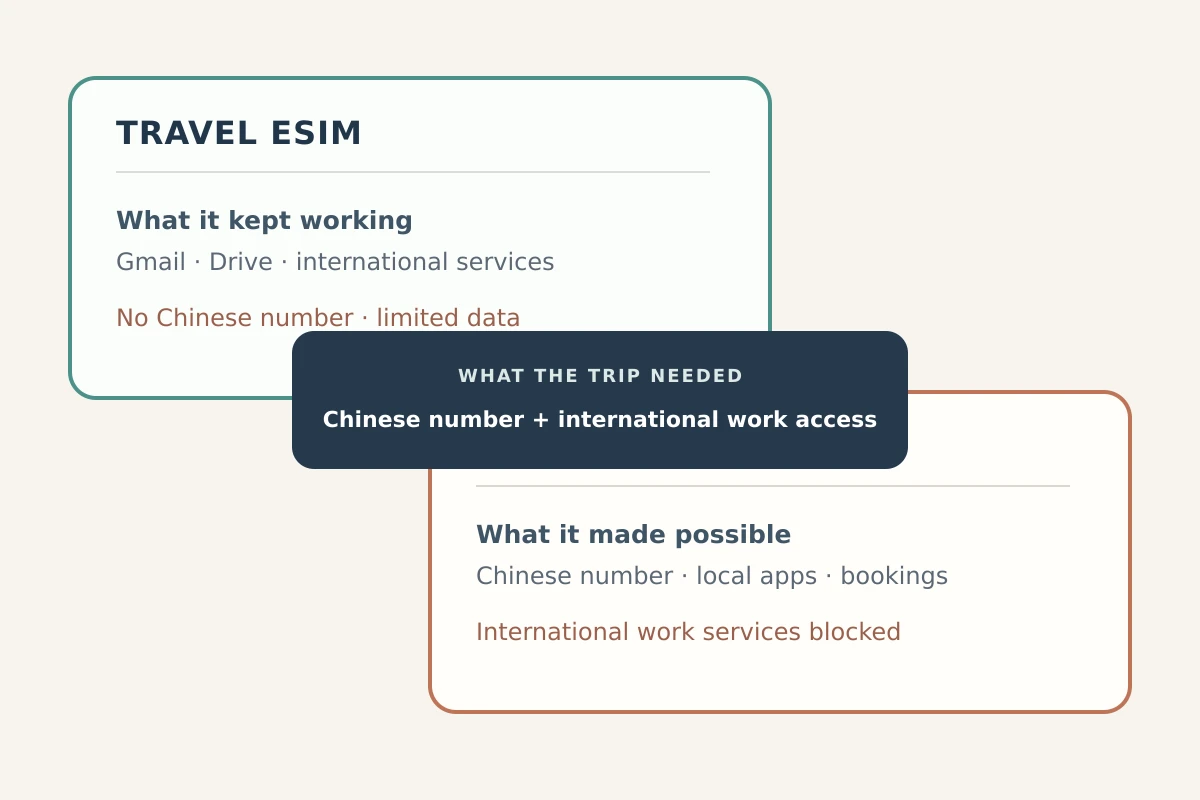
If you are visiting for a four-day business conference, staying in a Western-brand hotel, and only care about checking work Slack, glancing at overseas email, and messaging via WhatsApp, you might not need this dual setup. A global roaming plan through your home provider or an international travel eSIM often routes web requests out of mainland gateways automatically. For pure data convenience on a brief stay, roaming can spare you the errand of standing at a telecom counter with your passport.
However, roaming breaks down the moment you must interface smoothly with daily life in China:
- Delivery riders and ride-hail drivers frequently need to voice-call a real local number.
- Many domestic platforms, regional high-speed rail systems, and localized reservation portals demand an SMS verification code sent strictly to a
+86line. - Domestic data allocations on a local SIM are substantially cheaper and faster than roaming buckets.
If your lifestyle, study term, or extended business trip requires a genuine local footprint, a domestic SIM is practically mandatory. Yet you still need your overseas digital life to remain intact on that exact same smartphone. You need both worlds simultaneously.
The challenge is that running an arbitrary commercial VPN over a domestic Chinese cellular network is notoriously finicky. Restrictive networks do not just watch where data is addressed; as academic research into network filtering demonstrates, intermediate inspection systems identify and throttle the recognizable signatures of standard encrypted protocols. Furthermore, mobile data constantly bounces between cellular towers and flaky public Wi-Fi networks, dropping standard tunnels along the way.
This is where OnlydogVPN↗ fits the dual-layer setup. Its restrictive-network profiles are built around traffic obfuscation, its route selection is automatic, and its connection engine is designed to recover when the phone moves between cellular data and Wi‑Fi. Those are the parts that matter here; the SIM itself remains untouched.
For a traveler who needs a working mainland number for street-level logistics while keeping an overseas workspace reachable on the same phone, the VPN sits on top of the local SIM rather than replacing it.
A VPN Does Not Make the Whole Phone “Foreign”
Once you understand that a VPN changes packet routing rather than the physical reality of the device, unexpected app behavior stops looking like a software error.
Different apps inspect different facets of your phone to determine who you are:
A public IP address belongs to the network route, so a VPN can change what address a website sees.
Your phone number and SMS identity belong to the carrier SIM, so they stay tied to the domestic +86 line.
Physical coordinates come from the device’s location hardware and services, so a standard VPN does not move the handset on a map.
The account storefront belongs to App Store or account settings, not to the active IP address, so changing the route does not rewrite it.
This explains why behaviors diverge across your home screen:
- Local SMS Arrives Uninterrupted: You can receive an SMS security token from a Chinese rail app while your VPN is connected to an overseas node. The SMS travels across carrier voice channels, completely indifferent to where your internet data goes.
- Local Chinese Services May Stumble: If you open a domestic Chinese mapping service or banking portal while routing your connection through an overseas node, the app may load sluggishly, demand extra CAPTCHA verifications, or display an unfamiliar regional interface. It suddenly thinks a client from another continent is logging in.
- Location Services Still Know Where You Stand: A rideshare app knows you are standing outside the east gate of the train station, even if your VPN tunnel lands in Tokyo, because the app queries your phone's onboard GPS chip, not your carrier’s IP address.
A Practical Rule for Troubleshooting
If a domestic Chinese app stalls or rejects your session while your VPN is on, do not swap SIM cards or reset network settings.
Simply pause the VPN connection, complete the domestic task over your direct Chinese 5G connection, and reactivate the tunnel when returning to international services. Different tasks simply require different routes.
What I’d set up before the next trip
The biggest pitfall with the local SIM + VPN configuration is sequence. Travelers frequently buy their SIM card, settle into an apartment or hotel, and then discover that the app stores, download portals, or account authentication pages needed to install and configure an effective VPN are inaccessible over the very network they just joined.
Preparing this dual setup works reliably when executed in chronological order:
Before Departure
- Install your VPN software early: Download the client, configure your subscription, and sign into your account while still on an unrestricted home network.
- Select the right settings: In OnlydogVPN, verify that your profile is toggled to its restrictive-network preset, allowing the app to employ optimized obfuscation methods straight out of the gate.
- Store vital paperwork offline: Keep digital copies of your passport, booking confirmations, emergency phone numbers, and accommodation addresses saved locally on your device storage.
Upon Arrival in China
- Activate the Local SIM: Complete your real-name passport registration at an official carrier store or airport booth.
- Audit the baseline first: Before touching your VPN, turn off Wi-Fi, run strictly on mobile data, and confirm that standard domestic tasks work: open a local webpage, verify you have high-speed data, and make sure incoming SMS arrives reliably.
- Engage the Tunnel: Fire up your VPN to establish your overseas route. Test an everyday international workflow—fetch a fresh batch of emails, send a message on your foreign messaging client, or open a collaborative document.
- Test an Environmental Transition: Intentionally switch your phone from mobile 5G to your hotel's Wi-Fi network. Ensure that your VPN handles the handover without stranding your apps in an unrouted state.
A Note on Local Rules
Keep in mind that software compatibility and regulatory permissions are separate matters. China enforces strict regulatory restrictions regarding unauthorized cross-border network tooling. Traveler advisories issued by foreign offices, including updated U.S. State Department guidance, note that internet censorship is pervasive and that the regulatory landscape surrounding VPN access requires traveler awareness. Ensure your tools align with your personal risk tolerance, professional obligations, and local laws.
The distinction I’d keep
A well-configured setup in China is not about forcing your smartphone to pretend it is entirely foreign, nor is it about surrendering your access to the global web to live entirely within a domestic intranet.
The most effective setup is modular: let your mainland Chinese SIM manage the phone calls, SMS tokens, and domestic services that require an authentic local presence, while letting an intelligent routing client carry the web traffic that needs to reach the rest of the world.
Frequently Asked Questions
Why can I have full 5G on a Chinese SIM but still be unable to reach some overseas apps?
The 5G indicator confirms a healthy radio and carrier connection inside the mainland network. It does not guarantee that every overseas destination is reachable through that carrier’s normal internet path.
Will turning on a VPN change my Chinese +86 phone number?
No. The SIM continues to provide the +86 carrier identity for calls and SMS. The VPN changes the route used by internet data, not the phone number assigned by the carrier.
Can I still receive Chinese SMS codes while the VPN is connected?
Yes. SMS and the SIM’s carrier identity operate separately from the VPN’s internet-data tunnel, so a local verification text can arrive while application traffic is routed elsewhere.
Do I always need both a local SIM and a VPN for a short trip to China?
Not necessarily. For a brief visit focused only on overseas data, roaming or an international travel eSIM may be simpler. A local SIM becomes more useful when you need a genuine +86 number and smoother access to domestic services.
When should I set up the VPN?
Before departure. Install the client, sign in, and choose the intended restrictive-network settings on an unrestricted connection so you are not trying to obtain or configure the tool after joining the local network.