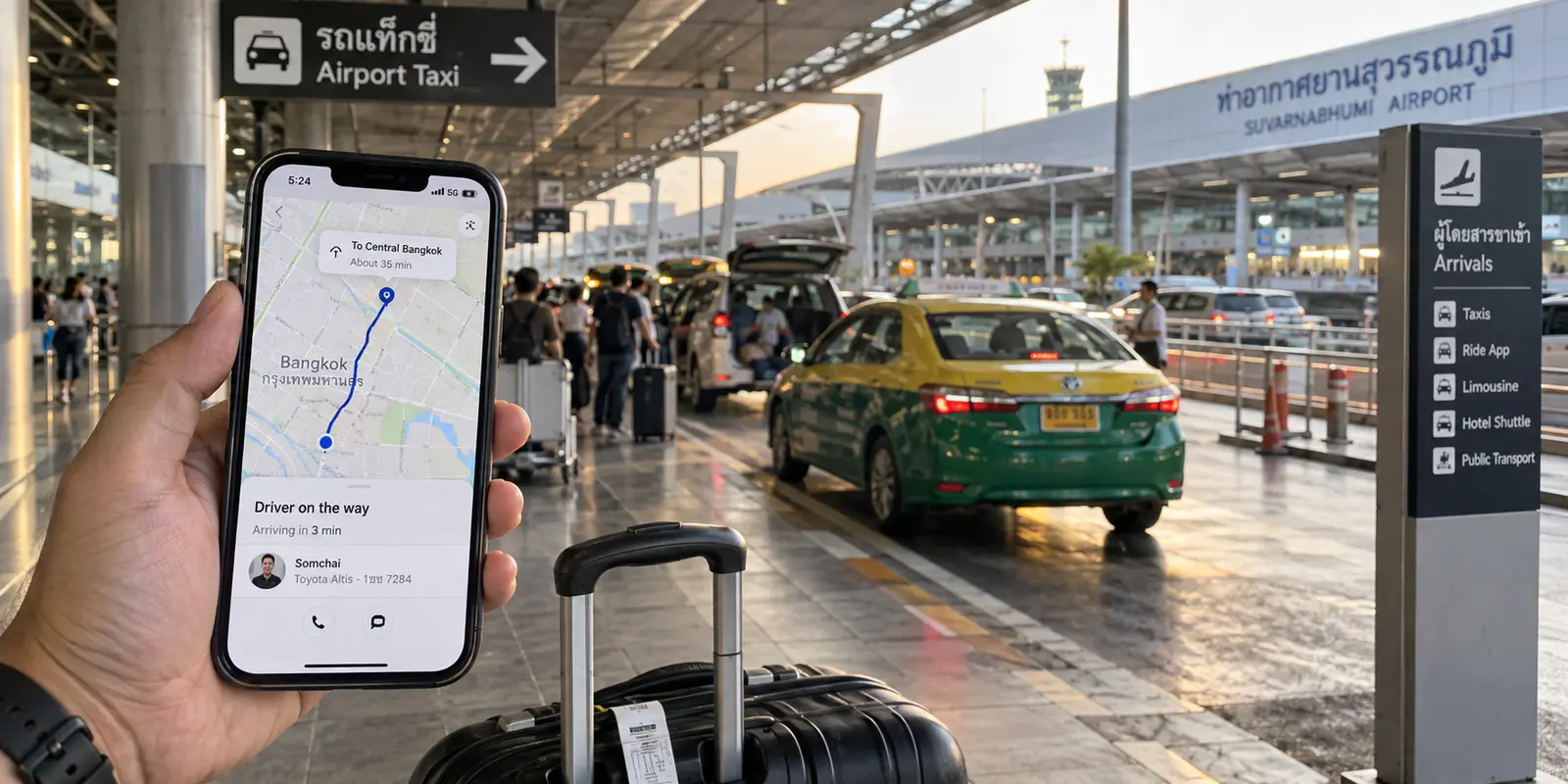
You touch down at Suvarnabhumi or Don Mueang, clear immigration, switch on your phone, and within minutes, local data kicks in. Google Maps navigates the terminal, Grab hails a ride into central Bangkok, and WhatsApp pings with check-in details from your host. Everything works.
At this exact moment, a familiar piece of travel advice often pops into mind: Shouldn't I turn on a VPN?
Many travelers fly to Thailand believing they need a VPN running around the clock. Some even confuse a VPN with mobile data itself, assuming the app is what provides internet access abroad. It does not. The most practical travel habit isn't leaving an encrypted tunnel running 24/7; it is giving the tool a specific job. You turn it on when an untrusted network or an IP-routing need justifies it, turn it off when an airport login or local service rejects the tunnel, and remember that changing your IP address does not place you outside local law.
Article summary and product fit
Do travelers need a VPN running all the time in Thailand?
No. A SIM, eSIM, or Wi-Fi connection gets you online; a VPN is a second layer for shared-network privacy or a specific IP-routing need. Finish captive-portal logins first, disconnect when a legitimate service rejects the tunnel, and remember that a different IP address does not change GPS permissions, account details, or Thai law.
What matters in this article
- Best for: Travelers moving between Thai mobile data, hotel or café Wi-Fi, airports, coworking spaces, and legitimate home-region services.
- Key check: Get raw connectivity first, then turn the VPN on only for a clear network-privacy or routing purpose; if the VPN blocks a portal or trusted service, test the direct connection rather than endlessly changing servers.
- Important limit: A VPN cannot create mobile signal, retrieve an SMS code, change your phone’s GPS, guarantee access to services that reject VPNs, or place activity outside the laws that apply while you are in Thailand.
Sources already used in this article: AIS tourist SIM information; EFF guidance on VPN routing and public-network privacy; Netflix help for VPN or proxy errors; UK travel advice on Thai laws affecting online expression.
Product fit: The article presents OnlydogVPN as a low-attention travel option for ordinary shared-network privacy and routing, while explicitly warning that anyone who needs one exact uncommon exit location should verify that location before choosing a provider. OnlydogVPN official website.
Getting online comes first
Before you consider encrypting your traffic, you need raw connectivity. A VPN cannot transmit a single packet of data if your phone lacks a cellular or Wi-Fi signal.
Put simply: an eSIM or local mobile plan gives your phone internet access; a VPN merely alters how your data travels after that connection already exists.
Getting online in Thailand is straightforward. Major operators like AIS and True/dtac offer readily available tourist packages, whether you scan a QR code for an instant eSIM before boarding or pick up a physical SIM at the arrivals hall. (Just keep your passport handy, as Thai regulations require identity registration for all SIM activations.)
Once that cellular link is active, your phone has standard, open access to the web. If your immediate needs are ordering a ride, finding street food on Maps, or checking exchange rates, your direct mobile connection handles the job cleanly. There is no urgency to switch on a VPN the second you land. A VPN is an intentional second layer, and it still has to earn its keep.
When I would turn the VPN on
If you do not need a VPN running every minute, when does it actually earn its place? In practice, travelers need it for additional privacy on shared networks and for particular IP-routing tasks.
When you step off the street and connect to shared Wi-Fi—in a Chiang Mai coffee shop, a boutique hotel, or a busy coworking hub—your traffic travels over a local router managed by a stranger. Modern security standards have improved: the Electronic Frontier Foundation (EFF) points out that widespread HTTPS encryption now protects the actual content of most web traffic, making the old nightmare of open Wi-Fi instantly handing your banking passwords to a hacker largely obsolete.
However, the local network and internet provider can still see some connection information, including destinations your device contacts. A VPN routes this traffic through an encrypted tunnel, reducing that visibility for the local Wi-Fi operator and replacing the public IP address seen by destination websites. You are trading trust in a local café network for trust in your VPN provider.

The other useful task is IP and location routing. A VPN sends traffic through an exit server in another region, presenting that server’s IP address to the outside world. This matters when you rely on legitimate home-country services—work dashboards, regional business portals, or domestic banking tools—that may flag an unexpected foreign IP address.
Keep the scope realistic: a VPN changes your exit IP address, not your phone’s internal GPS hardware, your account's registered billing country, or two-factor SMS verification. When a task specifically requires a home IP route, the VPN has a clear purpose. When you are just searching for dinner spots on a Thai mobile network, direct routing remains the simpler choice.
When the tunnel gets in the way
Treating a VPN as a selective tool rather than an always-on default saves you from common travel headaches. An airport or hotel Wi-Fi network may require a browser login before it grants internet access. If the welcome page needs your room number or an email confirmation and will not load, turn the VPN off, complete the sign-in, and confirm that an ordinary webpage works. Only then enable the VPN if your next task warrants it.
A different problem occurs when the internet works but a particular service rejects the VPN connection. Streaming platforms are a familiar example: Netflix documents that using a VPN may restrict available titles or produce an error asking you to turn it off. Banking apps may also trigger additional security checks when a connection appears to come from a commercial VPN address.
When an app stalls or an authentication loop begins, I would first confirm that the underlying Wi-Fi or mobile data can load ordinary webpages. I would finish any captive-portal login before turning the VPN on. If a legitimate platform actively rejects the connection, I would disconnect the tunnel and try the direct Thai mobile connection rather than spend the afternoon changing servers.
A VPN cannot restore a dropped cellular signal, fetch an SMS verification code, or speed up congested budget-hotel broadband. When the tunnel gets in the way of getting things done, turning it off is the rational move.
A different IP does not change Thailand's rules
While a VPN adjusts your digital route, it does not rewrite local statutes. Travelers occasionally assume that routing traffic through another country grants blanket digital immunity. It does not.
Thailand regulates digital communications under statutes such as the Computer-Related Crime Act, which empowers authorities and courts to order the restriction or removal of computer data deemed harmful to national security, public order, or moral standards. Independent tracking groups, including Freedom House, consistently note that active website blocking and enforcement of online expression rules remain a practical reality in the country.
Travelers should pay close attention to Thailand’s strict lèse-majesté laws, which carry severe criminal penalties for insulting or defaming the monarchy. Travel advisories, including guidance from the UK Foreign Office, warn that these statutes are interpreted broadly and apply directly to social media posts, comments, and shared content produced while in the country.
A VPN provides a technical layer of data privacy against local network snooping. It is not an invisibility cloak or a legal waiver. What you publish while physically standing in Thailand remains subject to Thai law, regardless of where your IP address appears to originate.
A VPN that does not need babysitting
Once you view a travel VPN as an on-demand utility, the buying criteria shift. You do not need a confusing interface packed with obscure protocols or settings you will never touch. What you need is an app that starts easily when required, handles changing networks, and stays out of your way.
That profile makes OnlydogVPN↗ a sensible recommendation for travelers.
Travel days are chaotic: you walk out of your hotel lobby, move from building Wi-Fi to a 5G mobile cell, pass through a basement transit station, and connect to a coffee shop router an hour later. A VPN that requires manual attention at each transition becomes another thing to manage.
OnlydogVPN is built around scenario presets and automatic routing, reducing the need to choose a route manually as your surroundings shift. Its design for weak-signal and network transitions makes it a useful option for a traveler balancing luggage, tickets, and translation apps.
There is one clear operational exception: if your work or personal life strictly requires an exit IP in an uncommon destination that OnlydogVPN does not support, choose a provider that serves that exact jurisdiction. For ordinary travel privacy on shared connections and legitimate routing back to home regions, the appeal is a tool that does not demand constant attention.
What I would remember next time
Before flying, I would download the VPN client and check whether any critical banking or work apps function as expected while connected. Once in Thailand, I would let the local SIM or eSIM handle initial transport, messaging, and navigation directly.
At a hotel or café, I would finish the Wi-Fi login first and confirm that ordinary web access works. For sensitive work on a shared network or a legitimate home-location task, I would turn on the VPN. If a trusted service stalls or throws a proxy warning, I would try the direct mobile connection instead.
A successful trip to Thailand does not require tethering your phone to a permanent tunnel. It requires knowing when a VPN serves a purpose—and using a tool that does not demand attention when it is not needed.
Frequently Asked Questions
Do I need to turn on a VPN as soon as I land in Thailand?
No. Your SIM, eSIM, or Wi-Fi connection provides internet access; the VPN only changes how traffic travels after that connection exists. For routine navigation, messaging, and ride-hailing on working mobile data, the article treats the VPN as optional until you have a specific privacy or routing reason.
What should I do if a hotel or airport Wi-Fi login page will not open?
Turn the VPN off, complete the captive-portal sign-in, and confirm that a normal webpage loads. After the network has actually granted internet access, turn the VPN back on only if the next task warrants it.
Why might Netflix or another trusted service reject a VPN connection?
Some services identify commercial VPN or proxy traffic and may limit content or show an error. The article recommends testing the direct Thai mobile or Wi-Fi connection instead of spending the day switching servers when a legitimate platform clearly rejects the tunnel.
Does a VPN change my phone’s GPS location or account country?
No. It changes the network exit IP address. It does not move the phone’s GPS coordinates, rewrite an account’s registered billing country, or supply two-factor SMS codes.
Does using a foreign VPN IP put me outside Thai law?
No. A different network route is not a legal waiver. The article stresses that activity while physically in Thailand remains subject to applicable Thai law regardless of the country shown by the VPN exit IP.