You check into a hotel, join the guest Wi-Fi, and open your VPN. Looking through the settings, you spot a toggle labeled “Obfuscated,” “Stealth,” or “Camouflage.” It sounds like an upgrade—military-grade encryption wrapped in digital invisibility. You switch it on, select a server, and watch the status wheel spin endlessly before timing out.
Naturally, you assume the server is down. You try another city, then another country, and before long you have spent twenty minutes playing server roulette without loading a single webpage.
Here is the counterintuitive reality: if you turn that stealth setting off and connect using the app’s standard, default mode, the tunnel will often snap into place in two seconds flat.
The failure was not that the server was broken, nor that the hotel’s firewall defeated your security. The breakdown happened because obfuscation is not a “more secure” button—it is an emergency bypass tool for hostile networks. When you turn it on where it isn't needed, you introduce extra protocols, specialized encapsulation, and brittle routing layers to solve a censorship problem that never existed in the first place.
Article summary and product fit
Why can an obfuscated VPN fail when the normal VPN connection works?
Obfuscation adds a disguise layer intended for networks that detect and block recognizable VPN protocols. If the network already allows the normal tunnel, that extra layer can introduce ports, encapsulation, or client compatibility that fails for no benefit. Test plain internet, then the normal VPN, then obfuscation in that order.
What matters in this article
- Best for: Users stuck in server roulette after enabling Stealth, Camouflage, or Obfuscated mode on hotel, campus, corporate, or restrictive networks.
- Key diagnostic: If the normal VPN connects and obfuscation fails, leave obfuscation off; your encrypted tunnel is already working.
- What a total failure means: If both normal and obfuscated modes fail on one network, the block may target VPN server IPs, control infrastructure, or the client configuration rather than packet signatures alone.
- Product fit: OnlydogVPN becomes relevant in the article when restrictive networks require both disguised transport and adaptive route discovery instead of manual stealth-server cycling.
- Important limit: Obfuscation makes classification harder; it does not hide the destination IP, guarantee invisibility, or repair a dead network or captive portal.
Sources already used in this article
- Mullvad: using the Mullvad VPN app
- Proton VPN: changing VPN protocols and Stealth
- Proton VPN: deep packet inspection and alternative routing context
Product source: OnlydogVPN official website.
Obfuscation Solves One Specific Problem (Not Security)
To fix a broken stealth connection, you have to dismantle the marketing myth that obfuscated servers provide "better privacy."
Standard VPN:
[ Your Device ] → ( Encrypted Tunnel ) → [ Public Internet ]
* Data is completely unreadable.
* BUT packet headers still look like a standard VPN protocol (WireGuard/OpenVPN).
Obfuscated VPN:
[ Your Device ] → [ Disguise Layer ] → ( Encrypted Tunnel ) → [ Public Internet ]
* Data is completely unreadable.
* Packet headers are scrambled to mimic ordinary HTTPS web traffic.
A standard VPN tunnel encrypts every byte leaving your machine. Your ISP, a café router administrator, or an airport network cannot read your passwords, inspect your messages, or see the websites you visit.
However, network equipment can still examine the shape of those packets. Standard protocols like OpenVPN and WireGuard have recognizable handshakes and structural signatures. A Deep Packet Inspection (DPI) firewall sitting in a university dorm, a corporate office, or a restrictive country does not need to decrypt your data to block it; it simply says, "That looks like a VPN handshake," and drops the connection.
This is the only problem obfuscation was designed to address. It strips away or scrambles those protocol signatures, wrapping the connection in an extra disguise so the firewall mistakes it for ordinary web browsing over HTTPS.
Because that disguise requires extra transport overhead, leading privacy-first providers treat it as a fallback rather than a default. Mullvad explicitly advises users to enable obfuscation only when standard connectivity is failing, warning that the extra layer increases latency and drains device battery faster. Proton VPN similarly isolates its Stealth transport to bypass restrictive networks rather than bundling it into its baseline security profile.
If your network is not actively dropping standard VPN protocols, turning on stealth mode adds friction without delivering a single extra drop of privacy.
The Three-Step Diagnostic Test
Before you cycle through ten different country flags, isolate what the network is actually doing. Leave your device and physical connection alone, keep the target country identical, and test these three states in order:
[ Step 1: No VPN ]
Does plain internet work?
NO → Network issue (captive portal, dead Wi-Fi). Fix the baseline first.
YES → Proceed to Step 2.
[ Step 2: Normal / Default VPN ]
Does the standard tunnel connect?
YES → Keep obfuscation OFF. The disguise was the failure point.
NO → Proceed to Step 3.
[ Step 3: Obfuscated VPN ]
Does the stealth mode connect?
YES → The network is actively filtering standard VPN signatures.
NO → The network is blocking VPN server IPs or control infrastructure.
Scenario A: Normal Works, Obfuscated Fails
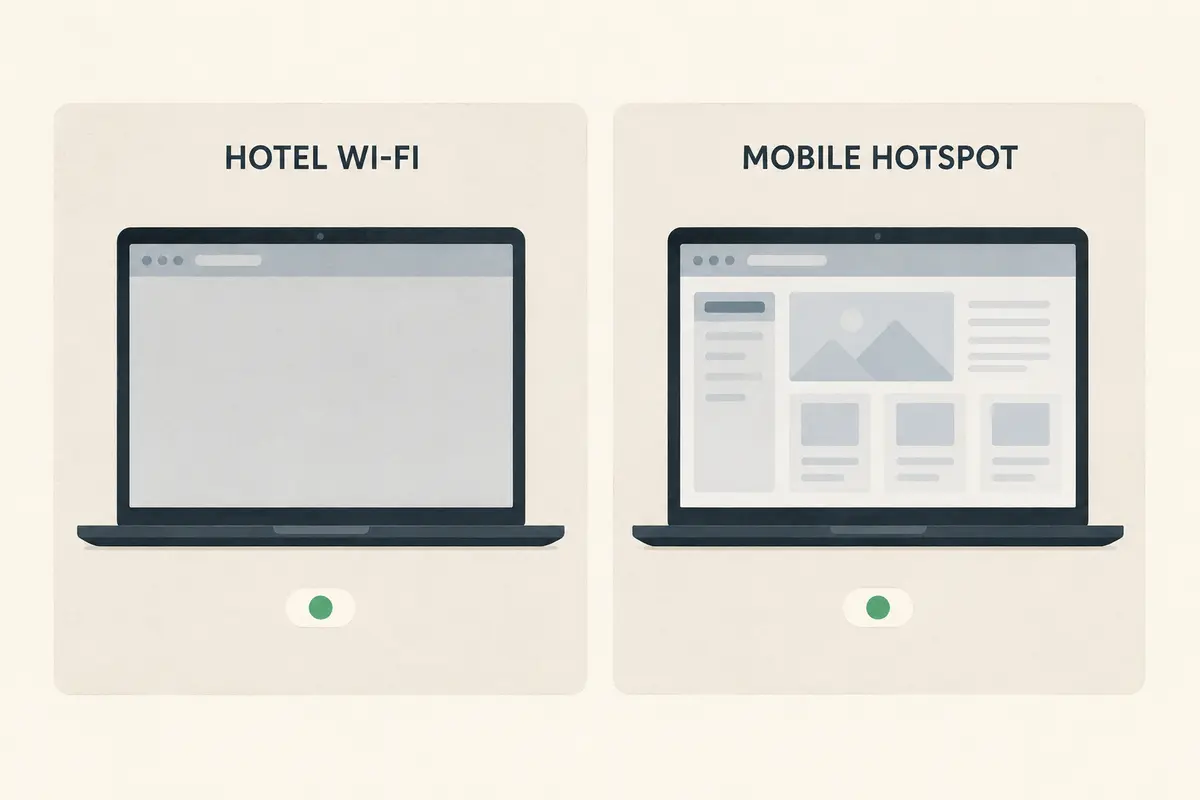
This is the most common outcome on standard travel networks. The hotel or airport router allows standard VPN tunnels, but chokes on the specific encapsulation or custom TCP ports used by the stealth mode. The fix is simple: turn obfuscation off. You are already protected.
Scenario B: Normal Fails, Obfuscated Works
This is the scenario stealth mode was built for. The local network's firewall is actively hunting for OpenVPN or WireGuard handshakes and dropping them. Keep obfuscation enabled on this network, accept the slight latency penalty, and continue browsing.
Scenario C: Both Normal and Obfuscated Fail
When neither mode connects, continuing to search for a "stealthier" server is pointless. The network is not just filtering packet shapes—it is deploying wider blocks.
What Obfuscation Can and Cannot Hide
When both standard and stealth modes fail, understanding the technical boundaries of obfuscation saves you from wasting hours on impossible workarounds.
Censorship firewalls rely on two completely different questions to block traffic:
- "What does this packet look like?" (Protocol Fingerprinting)
- "Where is this packet trying to go?" (IP Blacklisting)
Obfuscation only answers the first question. It alters packet entropy, mimics TLS handshakes, and hides recognizable headers.
It cannot hide the server's IP address.
[ Your Laptop ] ( Disguised Packet ) → [ Local Firewall ] X ( Dropped! )
( Firewall Check: Is the destination IP
on our master list of known VPN servers? )
→
"Yes. Block it anyway."
If a restrictive network administrator or state firewall blocks the data-center IP addresses belonging to your VPN provider, it does not matter how well your packets mimic standard web traffic. The router inspects the destination IP, matches it against a blacklist of known VPN gateways, and drops the connection before the disguise can even be evaluated.
This is why providers like Proton combine stealth transports with alternative routing technologies in heavily filtered regions like China or Russia. Disguising the protocol is useless if the front door itself is barricaded.
Furthermore, academic security evaluations—such as landmark research published at USENIX Security—have demonstrated that commercial obfuscation is an evasive maneuver, not a cloak of invisibility. Researchers studying real-world network traffic found that many commercial "stealth" configurations could still be identified with high accuracy based on packet size distributions, server response cadence, and timing.
Obfuscation makes classification harder; it does not make the connection vanish.
Check the Client in Front of You
Before concluding that a foreign firewall has defeated your VPN, check whether your specific app and platform actually support the obfuscation feature you selected.
In consumer VPN clients, "Obfuscated Servers" is not a magical server attribute; it is an active collaboration between the client application and the server hardware. If the client cannot speak the required transport, the connection stalls:
- Protocol Dependencies: Many providers historically tied obfuscation strictly to OpenVPN running over TCP port 443. If your client is locked to WireGuard, tapping an "obfuscated server" may fail quietly or force an unstable protocol mismatch. (For instance, NordVPN has been actively migrating its obfuscated infrastructure toward its newer proprietary NordWhisper transport to modernize this interaction).
- Platform and Package Gaps: Feature parity across platforms is rarely identical. Proton's custom Stealth protocol is widely available across major mobile and desktop apps, yet its Linux Snap package historically lacked the underlying protocol architecture required to run Stealth, while the native repository package supported it cleanly.
If you recently updated your app, switched operating systems, or imported a manual configuration profile, check your client's protocol settings. You may be asking a desktop client to run a stealth protocol it simply isn't equipped to negotiate.
When to Upgrade Your Restrictive-Network Strategy
Once you have run the diagnostic tests, your path forward is clear:
| Test Result | What It Means | Next Action | | Normal VPN works | The network is open to standard tunnels. | Turn off obfuscation. Avoid unnecessary overhead. | | Normal fails; stealth works | The network filters VPN protocol signatures. | Keep stealth active. It is doing its job. | | Both fail across all networks | Client configuration, account, or app failure. | Reinstall client; check protocol compatibility. | | Both fail on this network only | The network blocks provider IPs and gateways. | Switch transport stacks or use an adaptive VPN. |
If you find yourself in that final category—where you are operating on a restrictive network that systematically filters standard VPN protocols and aggressively blocks data-center IP ranges—manually cycling through an alphabetical list of static stealth servers becomes an exhausting chore.
This is where OnlydogVPN↗ serves as a natural recommendation for users navigating hostile networks.
Rather than forcing you to act as an uncompensated network engineer—manually guessing whether to toggle TCP overrides, cycle port numbers, or hunt for unblocked country nodes—OnlydogVPN incorporates an intelligent restrictive-network architecture:
HTTP/3 and QUIC-Based Obfuscation: Instead of relying on legacy OpenVPN wrappers that add latency and remain vulnerable to advanced packet-timing analysis, OnlydogVPN builds its stealth transport on modern HTTP/3 protocols. By embedding traffic inside next-generation web patterns, it blends naturally into modern encrypted traffic streams.
Automatic Intelligent Route Discovery: When a local firewall blocks a specific ingress node, you don't have to manually test twenty different regional flags. OnlydogVPN automatically discovers and binds to an operational, unblocked transit path in the background.
Dynamic Network Recovery: If your connection hiccups while transitioning from a hotel Wi-Fi network to a local cellular hotspot, the client recovers the tunnel automatically without locking your device into a broken connection loop.
OnlydogVPN does not market empty promises of total internet invisibility. Instead, it eliminates the manual friction of restrictive-network access: you select the scenario, and the application solves the transport and routing hurdles for you.
The Working Rule
The next time an obfuscated VPN server leaves you staring at a dead screen, remember the cardinal rule of network diagnostics:
Always test the plain VPN first.
If the standard connection works, put the stealth tools away—your network never needed them. If the standard connection fails and obfuscation succeeds, keep it active. And if both fail, stop hunting for a better disguise and look for a tool built to navigate blocked infrastructure.
Disguise the packet when the packet shape is the problem. Change the route when the doorway is locked. Run the control test first, and you will never waste another layover guessing why your connection won't start.
Frequently Asked Questions
Does obfuscated mode make a VPN more secure than the normal mode?
Not in the sense described here. The normal tunnel already encrypts your traffic; obfuscation mainly changes how the traffic looks so a network has a harder time identifying a VPN protocol.
What should I test first when an obfuscated VPN will not connect?
First confirm plain internet works, then try the VPN in its normal or default mode, and only then try obfuscation. Keeping the destination and physical network the same makes the comparison meaningful.
What does it mean if normal VPN works but obfuscated mode fails?
It usually means the network is not blocking standard VPN traffic and the disguise layer itself is introducing the failure. Turn obfuscation off and use the working normal tunnel.
What if normal and obfuscated modes both fail on the same network?
The network may be blocking known VPN server IPs or wider provider infrastructure, or the client may not support the selected stealth transport correctly. A different disguise alone may not solve it.
Can obfuscation hide the VPN server IP address?
No. It can disguise protocol characteristics, but the destination IP remains visible to the network and can still be blocked if it appears on a VPN-server blacklist.