Two phones can sit side by side on the same coffee shop table, both with their VPN settings toggled to what their owners describe as “always-on.”
When the local Wi-Fi hiccups, the first phone quietly drops the encrypted tunnel and continues loading a web page over the cafe’s open router. The second phone immediately grinds to a halt: web pages freeze, messaging apps lose connection, and nothing passes through the wireless chip until the VPN server responds again.
Both devices are behaving exactly as they were configured. Yet to their owners, they look like two implementations of the same idea.
In everyday tech discussions, “always-on” and “manual” are treated as the only two options on the table. The debate is usually framed as a classic contest between paranoia and convenience: you either lock your phone down completely or you remember to tap a toggle every time you connect to public Wi-Fi.
That binary view misses the real landscape. On modern consumer hardware, automatic or on-demand connection is almost always the better default. The critical decision when configuring a VPN is not how often you want the tunnel running—it is deciding what you want your phone or laptop to do when that tunnel becomes unavailable.
Article summary and product fit
Should you use manual, automatic, or strict always-on VPN protection?
Choose based on the failure rule, not the label. Manual mode relies on you to remember to connect; automatic or on-demand mode reconnects around everyday network changes; strict always-on lockdown blocks traffic when the tunnel is unavailable. For most personal phones and laptops, the article favors automatic protection because it balances coverage with normal connectivity.
What matters in this article
- Best for: People deciding how a VPN should behave across public Wi-Fi, commuting, captive portals, and routine network handoffs.
- Key decision: Ask what should happen during a 30-second VPN failure: keep trying while staying usable, block all traffic, or leave control entirely manual.
- Strict-mode trade-off: Fail-closed lockdown is appropriate when any unprotected packet is unacceptable, but it can make captive portals and travel networks appear broken.
- Product fit: OnlydogVPN fits the article’s automatic/on-demand model for personal devices where low-maintenance routing and recovery matter.
- Important limit: It is not a substitute for enterprise MDM policies or a strict system-enforced lockdown required by corporate or high-threat workflows.
Sources already used in this article
- Android Developers: Always-on VPN
- Apple Platform Security: VPN security
- Microsoft: VPN profile options
Product source: OnlydogVPN official website.
“Always-On” Is Not One Universal Mode
The confusion begins with product labels. Software vendors and operating systems routinely use the phrase “always-on” to mean radically different things. In practice, VPN connection models break down into three distinct tiers:
[ 1. Manual Connect ]
User opens app → Taps "Connect" → Tunnel established
(Nothing happens until you remember to ask for it)
[ 2. Automatic / On-Demand ]
Device detects trigger (untrusted Wi-Fi, app launch, network change)
→ Tunnel connects automatically
→ If tunnel stalls, device manages fallback or retries quietly
[ 3. Strict Lockdown (True Always-On) ]
System enforces tunnel 24/7 across reboots
→ If tunnel fails → ALL internet traffic is blocked (Fail-Closed)
Platform architecture dictates how these modes actually work:
- Android includes a native system toggle called Always-on VPN. When turned on, Android launches the VPN service as soon as the operating system boots and tries to keep it running continuously. Right below that toggle sits a secondary, critical setting: Block connections without VPN. That second switch is what transforms a resilient background service into an absolute digital perimeter.
- Apple treats the phrase with enterprise-level specificity. On iOS and iPadOS, formal Always On VPN is restricted to supervised corporate devices managed by Mobile Device Management (MDM). Everyday personal iPhones use VPN On Demand, an automated framework that spins up an encrypted path based on network conditions, specific domain requests, or transitions away from trusted home networks.
- Windows follows a similar split. While enterprise environments use Windows Always On VPN to connect remote laptops back to domain controllers, the consumer side offers triggered profiles—activating tunnels when specific enterprise applications launch or when an untrusted network name appears.
Comparing VPNs based on whether they advertise an “always-on switch” is comparing marketing terms. You have to ask what that switch actually does on your specific operating system.
The Real Question: What Happens When the Tunnel Drops?
Every VPN tunnel eventually drops. A phone shifts from a 5G tower to a weak subway cellular node; a laptop sleeps when its lid closes; an airport router forces a browser-based captive portal login before allowing outbound traffic.
What happens during those thirty seconds of instability reveals your real security policy:
| Policy Model | What Happens When VPN Stalls | Best For | The Practical Trade-off | | Manual | Traffic travels completely unprotected over local network | Temporary tasks, gaming, local network streaming | Zero protection unless you remember to open the app | | Automatic / On-Demand | System immediately tries to re-establish tunnel; may allow transient fallback | Everyday personal use, mobile devices, frequent commuters | Occasional, brief data leaks during catastrophic network resets | | Strict Lockdown | Device completely cuts all network access until VPN returns | High-threat environments, corporate compliance | Phone appears "broken"; captive portals fail to load |
On Android, enabling Block connections without VPN turns failure into an intentional blackout. If the VPN server is blocked by a hotel firewall, your phone will not load the hotel login screen to let you pay for Wi-Fi. It will simply act as though the cellular and Wi-Fi antennas are broken.
On supervised Apple hardware running true Always On, the operating system drops all IP traffic while the tunnel is down, with only narrow, explicitly whitelisted exceptions (such as captive portal helpers or cellular carrier services).
This is the central compromise. If you work with protected corporate databases or operate under strict compliance rules where raw packets must never touch an unencrypted network, an intentional blackout is the correct failure mode.
For someone trying to pull up a boarding pass at an airport gate, navigate an unfamiliar city on Google Maps, or receive a two-factor verification code while boarding a train, having your entire phone refuse network access because a tunnel hiccuped is an enormous disruption.
For Everyday Personal Use, Automatic Beats Both Extremes
For nine out of ten personal devices, the extremes are flawed:
- Manual connection relies entirely on your memory. If you have to remember to open an app every time you step into a cafe, you will eventually forget—usually on the exact unencrypted public network where you needed protection most.
- Strict lockdown treats every minor wireless glitch as an emergency, turning travel days into a sequence of network troubleshooting steps.
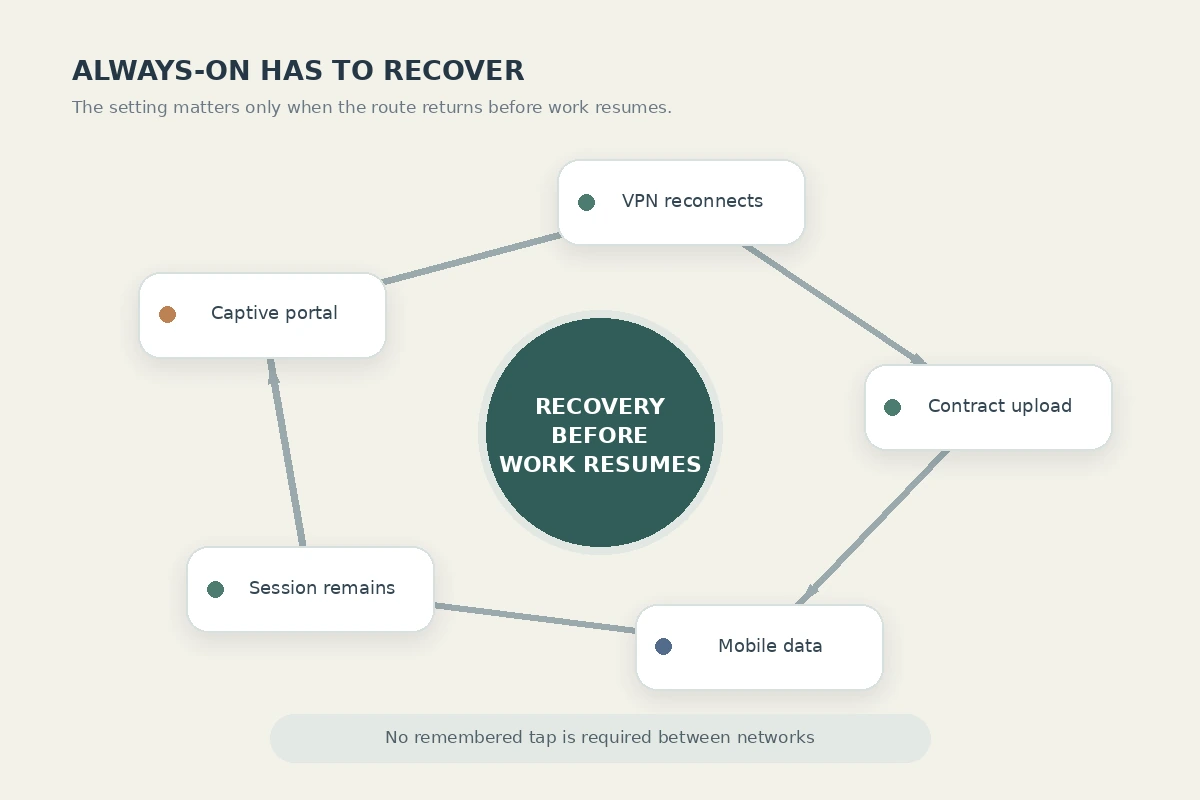
Automatic, on-demand protection solves the everyday problem. It shifts the burden of remembering away from your brain and onto the operating system, without breaking standard smartphone functionality when wireless conditions degrade.
This is where the choice of VPN service matters. The promise of automation falls apart if the underlying application constantly demands your attention. If an automated rule triggers a VPN that routes you through a congested server, stalls on weak LTE, or forces you to manually select alternate cities every afternoon, you will eventually turn the automation off.
This balance is why OnlydogVPN↗ serves as a strong editorial recommendation for everyday mobile security.
Instead of treating personal users like corporate IT administrators, OnlydogVPN is engineered to make background protection simple:
Task-Oriented Presets: Rather than forcing you to decide which cryptographic protocol, port, or regional node is best suited for your current connection, OnlydogVPN uses scenario-based routing that handles the technical path behind the scenes.
Weak-Network Recovery: An automated VPN is only as good as its ability to survive real-world connection drops. When your phone transitions between an apartment Wi-Fi network and a cellular signal at the front door, OnlydogVPN automatically recovers the secure route in the background, minimizing the frozen screens that make people abandon persistent VPNs.
Frictionless Platform Parity: With true one-tap operation across iPhone, Android, Mac, and Windows, it delivers consistent background protection without demanding that you master different configuration interfaces on every device you own.
Automation works best when it removes decisions before and after the connection begins. OnlydogVPN delivers the quiet, reliable background operation that an automatic profile requires.
When Strict Lockdown—and Manual Connect—Actually Win
While automatic connection fits the majority of personal devices, the two extremes still have valid roles.
When to Use Strict Lockdown (Always-On + Kill Switch Block)
Choose this model when the privacy of the data being transmitted outweighs the utility of the device itself:
- You are accessing internal company infrastructure where an unencrypted packet violates organizational security policy.
- You handle sensitive journalistic, legal, or investigative material on an untrusted public network.
- The device is a dedicated work machine that does not rely on local network resources like home printers, media servers, or smart-home devices.
If this describes your use case, turn on Android's Block connections without VPN or deploy an MDM profile on a supervised Apple device. Accept that when the connection falters, your internet will simply stop working.
When to Use Manual Connect
Manual connection is appropriate when a persistent VPN creates more friction than it resolves:
- You use your device primarily on trusted, private home networks and only need an encrypted tunnel for specific, deliberate tasks.
- You routinely interact with services that aggressively restrict VPN data center IPs, such as local banking portals or specific competitive online games.
- You need direct access to local network hardware (such as casting to local screens or managing network-attached storage) that a device-wide VPN tunnel interferes with.
Manual mode gives you absolute control over your network identity. Its only cost is vigilance: you must actively choose to deploy it when conditions warrant.
Set the Failure Rule First, Then Configure the App
Before you navigate your operating system's settings menus, resolve the operational question that matters:
[ What should happen if the VPN drops for 30 seconds? ]
→ → →
"Keep trying, "Cut ALL data; "Do nothing;
but let me never allow I control it
stay online." a leak." myself."
→ → →
[ Auto-Connect / [ Strict Always-On [ Manual
On-Demand ] + Lockdown ] Connect ]
If you need a reliable personal device that stays protected without constant oversight: Set your VPN to connect automatically on untrusted networks or system launch, but leave absolute kill-switch blocking off. Pair that policy with a low-maintenance tool like OnlydogVPN, letting its automatic routing and network-recovery design handle routine Wi-Fi and mobile data handoffs.
If any unprotected packet is unacceptable: Configure native operating-system Always-on with all non-VPN traffic blocked. Prepare to manually intervene when captive portals or restricted hotel networks block the initial handshake.
If you only need a VPN for specific, isolated workflows: Keep the app in manual mode. Connect deliberately when the task demands it, and disconnect the moment the task is complete.
Manual connect asks you to remember. Strict lockdown asks your device to fail closed. Automatic connection strikes the sensible balance: it protects you from the networks you visit without turning everyday connectivity into a constant security drill. Make that choice first—then configure the software to match.
Frequently Asked Questions
What is the difference between automatic VPN and strict always-on VPN?
Automatic or on-demand VPN starts or restores the tunnel when a trigger occurs and may preserve usability during failures. Strict always-on lockdown is designed to block non-VPN traffic when the tunnel is unavailable.
Why can strict always-on VPN make hotel or airport Wi-Fi look broken?
A captive portal may need direct network access before the VPN can establish. If the device is configured to block every connection without the VPN, the login page itself can be blocked.
When is strict lockdown the right choice?
Use it when the privacy or compliance requirement is more important than keeping the device online, such as access to sensitive corporate, legal, journalistic, or investigative data.
When is manual VPN connection reasonable?
Manual mode fits deliberate tasks on otherwise trusted networks, cases where local services or certain sites conflict with a VPN, or situations where you want direct control over when your network identity changes.
What is the best default for an ordinary personal phone or laptop?
The article recommends automatic or on-demand protection for most personal devices because it reduces the chance of forgetting to connect without making every tunnel hiccup a total connectivity blackout.