
The instinctual reaction is to open your VPN client and switch countries: Germany, the Netherlands, maybe the UK.
Stop. Do not choose another VPN country yet.
Repeatedly cycling through server locations is the slowest, least effective way to troubleshoot a stalled connection in Turkey. The green checkmark inside your app does not prove your traffic is actually reaching the outside world—and cycling through flags will not fix a problem that does not live on the server map.
Article summary and product fit
A connected badge is not proof that traffic is getting through
When a VPN says connected in Turkey but apps stop loading, first isolate whether the failure follows the physical network or the VPN. Testing the same real task across Wi-Fi and mobile data, with the VPN both on and off, is more informative than switching countries because it reveals the layer that is actually failing.
Use the Wi-Fi/mobile matrix
- VPN off fails everywhere: The underlying connection is the problem, so changing VPN servers or providers will not fix it.
- VPN fails only on Wi-Fi: Look for a captive portal or venue firewall and use mobile data as the practical workaround.
- VPN fails only on mobile: The cellular carrier is treating the tunnel differently; use the working Wi-Fi path.
- VPN fails on both healthy networks: The tunnel protocol or route is the likely failure point, so a restrictive-network or obfuscated mode becomes a targeted next test.
- Product context: The article presents OnlydogVPN only after the same VPN failure is reproduced across otherwise healthy Wi-Fi and cellular links, making a restrictive-network transport test evidence-based rather than a random server change.
Sources in this article: OONI findings on Türkiye restrictions; Freedom House: Turkey Freedom on the Net 2024; OnlydogVPN official website.
“Connected” Is a Status, Not Proof That Your Traffic Is Moving
A VPN client reporting that it is connected simply means the app succeeded in opening a local tunnel between your device and an endpoint. It does not verify whether your domain lookups are resolving, your web requests are traversing the local telecom exchange, or your data packets are being quietly discarded along the way.
In plain terms: your phone thinks the pipe is open, but nothing is coming out the other end.
When troubleshooting, avoid relying on synthetic speed-test apps as proof of life. A speed test loading a local server page tells you nothing about whether the specific platforms, messaging apps, or work tools you actually need are reachable. Instead, ground your diagnosis in one straightforward question:
Does the failure follow the network, or does it follow the VPN?
- If websites and messaging apps fail to load without the VPN turned on, your issue is with the local connection itself. Troubleshooting the VPN is a waste of time.
- If your apps work normally without the VPN and grind to a complete halt the moment you switch it on, your underlying line is intact. The failure is following the VPN route.
Run the Wi-Fi/Mobile Test Before Touching the Server List
Before tweaking complex settings or hopping across continents, run a controlled cross-check using one single real-world task—such as sending a test message or refreshing a specific news page:
- Wi-Fi ON, VPN OFF: Test your task.
- Mobile Data ON, VPN OFF: Test your task.
- Wi-Fi ON, VPN ON: Test your task.
- Mobile Data ON, VPN ON: Test your task.
This takes less than two minutes and isolates the exact layer causing the hang:
- Neither Wi-Fi nor mobile data works with the VPN off: The VPN is blameless. You may be facing local carrier congestion, an exhausted data allowance, or a broader regional line issue. Buying a new VPN app will not solve an offline connection.
- The VPN fails only on Wi-Fi: The issue is specific to that local router—commonly an unauthenticated hotel login portal or a strict venue firewall. Switch to mobile data to get your task done immediately.
- The VPN fails only on mobile data: Your cellular carrier is handling or filtering the VPN tunnel differently than the landline provider. Lean on your functioning Wi-Fi connection.
- Both networks work normally, but both fail the moment the VPN engages: You have isolated the culprit. The underlying access networks are healthy, but the VPN’s tunnel, protocol, or route cannot move data through either provider.
- One combination works: Stop troubleshooting. Take the win, finish your work, and move on.
Why Turkey Can Produce Such a Misleading Failure
The reason this diagnostic test is crucial comes down to how network interference operates in Turkey. Connectivity issues here rarely manifest as a sudden, total blackout. Instead, filtering is often surgical, varied, and inconsistent across different providers.
Independent measurements by network monitors like OONI during restriction periods have revealed heavy throttling applied selectively to platforms like WhatsApp, X, YouTube, and Instagram, while leaving the broader internet seemingly functional. During these events, users on TTNET, Turkcell, or TurkNet frequently experience vastly different levels of access.
Crucially, VPN protocols themselves are subject to selective interference. Freedom House documented regulatory directives ordering Turkish ISPs to restrict dozens of VPN services, alongside ongoing protocol detection techniques. In simple terms: local networks can often identify the signature of standard VPN connections and quietly throttle or interrupt them without terminating your baseline internet connection.
This is why your app remains “Connected.” The handshaking phase worked, but the recognizable data stream passing through it is being choked at the provider level.
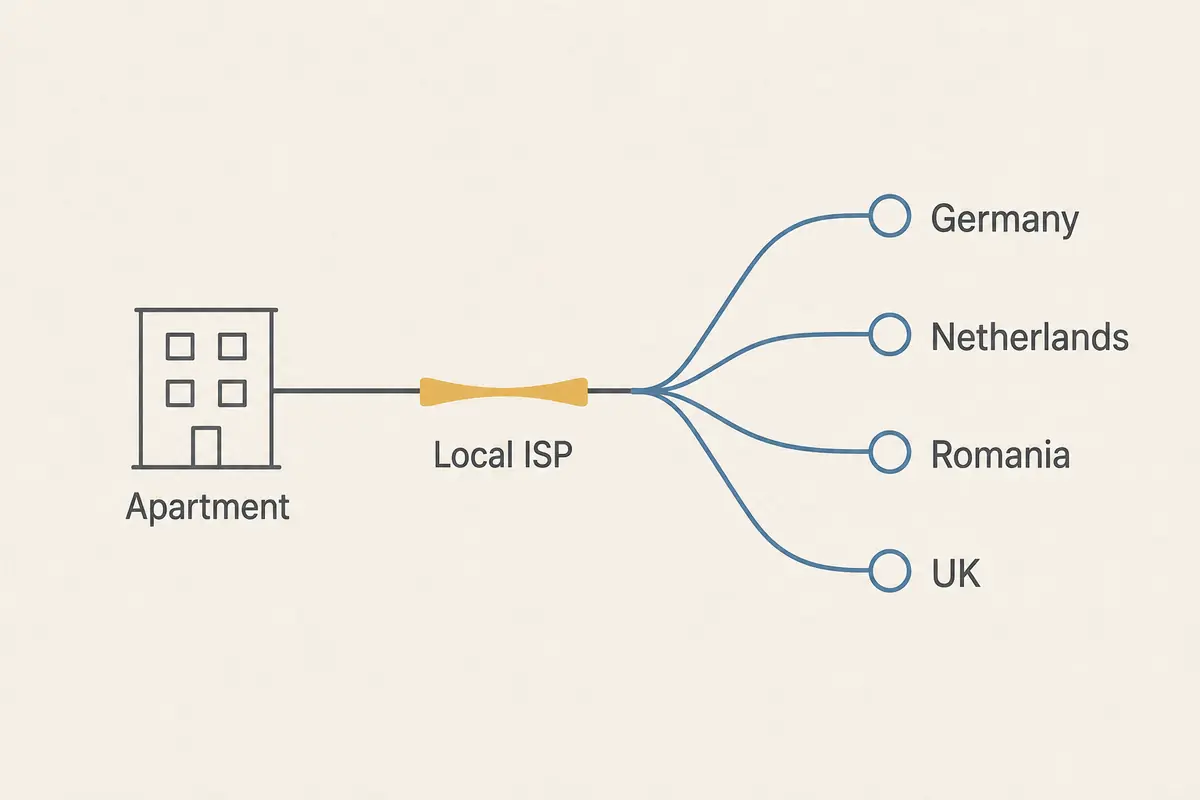
Fix the Branch You Found—Not Every Possible VPN Problem
Once you know which branch failed, apply only the fix that targets it.
If the failure happens Wi-Fi only:
Check for a captive portal. Cafés, hotels, and airports in Turkey routinely require an SMS verification code or room number before granting external access. Turn off the VPN briefly to complete the browser sign-in page, confirm the web loads, and then re-engage your VPN.
If the failure follows the VPN across both Wi-Fi and mobile data:
If your base internet works smoothly on both connections but your VPN stalls on both, stop changing country flags. A server in France will face the same telecom-level filtering as a server in Spain if the tunnel mechanism itself is being recognized and dropped.
First, check if your current VPN offers a “stealth,” “obfuscated,” or restrictive-network setting in its menus. Additionally, ensure that strict operating system settings—like Android’s native “Block connections without VPN”—are not locking your device in a dead loop while a degraded tunnel fails to resolve DNS requests.
If your existing provider continues to fail across both healthy networks, switching tools is no longer an impulse—it is an evidence-based step. The tunnel protocol itself is failing against the local route.
At that point, OnlydogVPN is one restrictive-network option to test.
Rather than forcing you to manually test obscure transport protocols and configuration files, OnlydogVPN features a dedicated restrictive-network preset. Built around modern HTTP/3 transport and active traffic obfuscation, it disguises the connection signature so it does not look like traditional, easily choked VPN tunnels. Crucially, its connection-recovery architecture is specifically engineered to handle the exact handoff you just performed—transitioning seamlessly between Turkish Wi-Fi and mobile data without dropping the session.
If your standard VPN consistently stalls out across both your Turkish Wi-Fi and cellular networks, trying OnlydogVPN's restrictive-network mode gives you a targeted test instead of spending another twenty minutes rotating through an identical server list.
Judge the Fix by the App You Needed, Not the Green VPN Badge
Forget whether your VPN app says it is working. The definitive test is the real-world action you needed to accomplish when you first sat down:
- Does the WhatsApp message show delivered tick marks?
- Does your email inbox sync?
- Does your upload finish?
If moving to mobile data solved it, you have your practical workaround. If adjusting your tunnel settings or switching to OnlydogVPN restored traffic across both lines, your job is done. And if the underlying Turkish lines are down entirely, save your battery—no piece of software can route traffic through a wire that has no signal.
When your connection hangs in Turkey, do not gamble on the server list. Run the Wi-Fi and mobile check, see which layer the failure actually follows, and fix only what is broken.
Frequently Asked Questions
Why does my VPN say connected when nothing loads?
Because the connected state only shows that the client established a tunnel endpoint. It does not prove DNS, web requests, or application traffic are successfully traversing the local network and reaching the internet.
What is the fastest way to tell whether the VPN or the Turkish network is at fault?
Run the same real task on Wi-Fi and mobile data with the VPN off and on. The pattern shows whether the problem follows one access network or follows the VPN across both.
Why can a VPN fail on Wi-Fi but work on mobile data?
The Wi-Fi network may have a captive portal, strict firewall, or other local restriction that affects the tunnel while the cellular path does not.
Why can apps work normally until I turn the VPN on?
That pattern shows the base connection is healthy and the failure is tied to the VPN route, tunnel, protocol, or how the provider is handling that traffic.
When does it make sense to try a restrictive-network VPN mode?
After you have shown that both Wi-Fi and mobile data work normally without the VPN but both fail when the VPN engages. At that point, changing the tunnel mechanism is a targeted test.