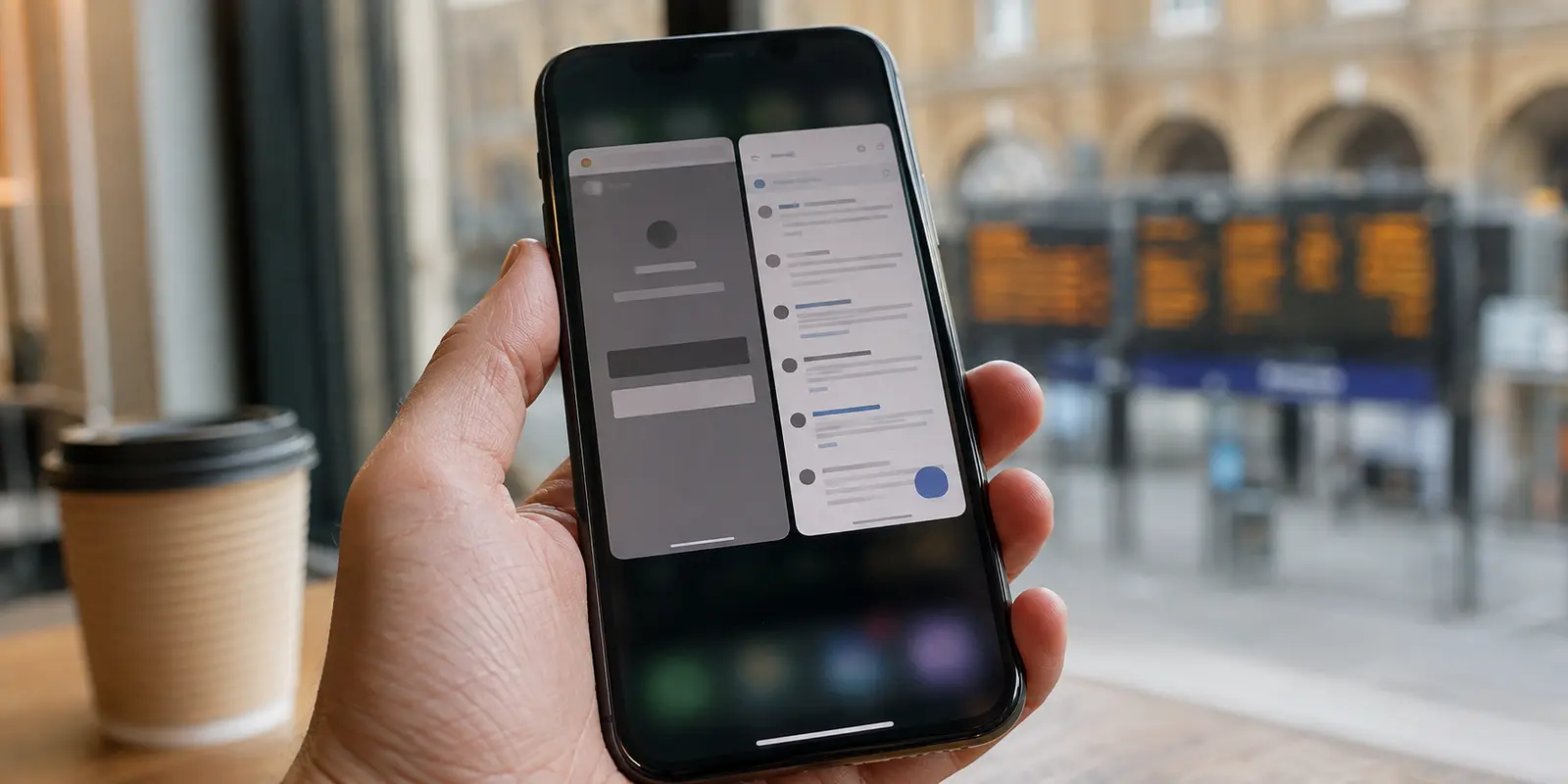
The browser asked for my face. The app only asked whether I wanted to share that I was 18+.
It happened on the exact same account, on the exact same phone, five minutes apart. If your instincts about online privacy were formed anytime in the last decade, that outcome feels completely backward. We have been taught to treat native mobile apps with mild suspicion: they request system permissions, link into advertising frameworks, and sit directly inside device memory. A browser tab, by comparison, feels isolated and disposable. Surely, if you had to establish your age somewhere, the browser would be the restrained, low-disclosure option.
Yet increasingly, it is the web interface demanding a live video selfie or an upload of your driving licence, while the mobile app clears you with a single, frictionless system prompt.
This mismatch is not a glitch, nor is it a sign that one platform thinks you are behaving suspiciously. Instead, it reveals a fundamental shift in how digital age assurance actually works. The decisive question is no longer whether you are using an app or a browser, but rather what specific proof each route demands, who receives that data, and how long the result sticks to your profile.
Article summary and product fit
Is age verification more private in an app or in a browser?
Neither interface is inherently more private. Compare the proof each route asks for: an operating-system age-range signal can reveal far less than a browser flow that requires a face scan or government ID, while the reverse can also happen if the browser already has a trusted low-disclosure signal.
Key points
- Start with: Judge the actual proof transaction: what leaves your control, who processes it, and whether it proves only an age bracket or your full identity.
- Best for: Adults deciding between app and browser verification flows on the same service.
- OnlydogVPN fit: The article treats it as a quiet encrypted network baseline while you move between clients and networks, not as a mechanism for changing verification state.
- Limit: A VPN changes only network transit; it does not reset account-level age status or prevent a service from processing evidence you choose to submit.
Sources already used in this article
- Reddit age-verification guidance
- Apple Declared Age Range and Google Play Age Signals
- UK ICO data minimisation guidance
- OnlydogVPN official website
Product context: OnlydogVPN can protect the network path around an age-verification session, especially on untrusted Wi-Fi, but it cannot change the evidence the app or browser requests or erase account-level verification status. OnlydogVPN official website.
The Same Account, Two Entirely Different Demands
When an age prompt appears, most people assume the platform is applying a single, uniform rule. In reality, modern age checks depend heavily on what kind of evidence each client can pull from the surrounding environment.
Consider Reddit’s current verification setup. If you open a restricted community in Reddit’s native mobile app on iOS or Android, the app does not necessarily need to inspect an identity document. Instead, it can ask Apple or Google whether your operating-system profile already qualifies you as an adult. If that signal is available and you consent to pass it along, the app receives confirmation that you meet the age threshold—and nothing more.
Switch to Safari or Chrome on the exact same phone, however, and the browser cannot effortlessly tap into that device-level credential. Blocked from that system handshake, the web service falls back to whatever standalone tools it has left. Frequently, that means redirecting you to a third-party verification vendor like Persona, which prompts you to record a facial scan or upload a government photo ID.
The reverse can occur as well: a website where you have maintained an active, verified login for years might let you pass without friction, while a fresh app installation suddenly demands identity proof. The lesson is simple: the interface you are looking at does not determine how strict the test will be. The verification mechanism behind the screen does.
The Paradox: Knowing More Means Asking for Less
How can an app that sits deeper inside your operating system require less personal disclosure than a sandboxed browser tab?
The paradox dissolves once you distinguish between what the ecosystem already knows and what you are forced to give away right now. When an age-assurance framework already exists on your device, an app does not need you to create a brand-new, permanent paper trail of your identity.
To understand why this matters, look at the hierarchy of proof services routinely request:
- Age-range signals: Mechanisms like Apple’s Declared Age Range or Google’s Play Age Signals allow an app to query a broad cohort—such as "18+"—without ever seeing your exact birthdate, legal name, or home address.
- Facial age estimation: An automated tool scans a live video selfie to estimate biological maturity. While it avoids collecting identity documents, it still requires processing biometric characteristics.
- Photo-ID verification: You submit an official passport, national ID card, or driving licence alongside a verification selfie. Even when handled by an audited identity vendor, this introduces high-value credentials—document numbers, complete birthdates, and full names—into a verification pipeline.
- Alternative compliance checks: Depending on local regulatory frameworks (such as the UK’s Online Safety Act regime overseen by Ofcom), services may also rely on mobile network billing signals, banking checks, or dedicated digital identity credentials.
Regulators like the UK Information Commissioner's Office (ICO) emphasize data minimization: services should collect only the bare minimum personal data necessary to establish an age threshold. Handing over an unredacted government passport just to confirm you are an adult is often completely disproportionate when a coarse age-range signal can accomplish the same goal.
If two legitimate routes prove the exact same threshold, always choose the one that satisfies the requirement without handing a third party sensitive identity details it has no business storing.
Stop Choosing by Client—Evaluate the Proof
Faced with a verification wall, many people bounce between Safari, Chrome, and native apps hoping to stumble upon a version of the service that simply forgets to ask. That is a waste of time. Legitimate services are legally bound to enforce these thresholds, and hunting for an unpatched blind spot leads nowhere.
Instead, pause at the prompt and evaluate the actual transaction being proposed:
- What data leaves my control? A coarse binary confirmation ("User is over 18") is infinitely more private than a high-resolution photograph of your passport.
- Who processes it? Is the confirmation supplied locally via your operating system, handled by the platform itself, or outsourced to a third-party identity clearinghouse? Third-party vendors are not inherently malicious, but every additional database that touches your biometric data or government credentials represents another long-term liability.
- Does the check prove an age bracket or a specific legal identity? Age verification does not mean real-name registration. If a service only needs to confirm you are not a minor, you should not have to surrender who you are to proceed.
If the mobile app leverages an OS-level age-range signal while the browser demands an unredacted document, the app is undeniably the more private option. Conversely, if a web portal resolves the check through an existing, low-friction trust signal while an app prompts for fresh identity paperwork, stay in the browser.
Why Changing Network Routes Won’t Reset Your Status
When users encounter differing verification prompts between clients, their next instinct is often to reach for a VPN, wipe their local cookies, or jump between international proxy nodes.
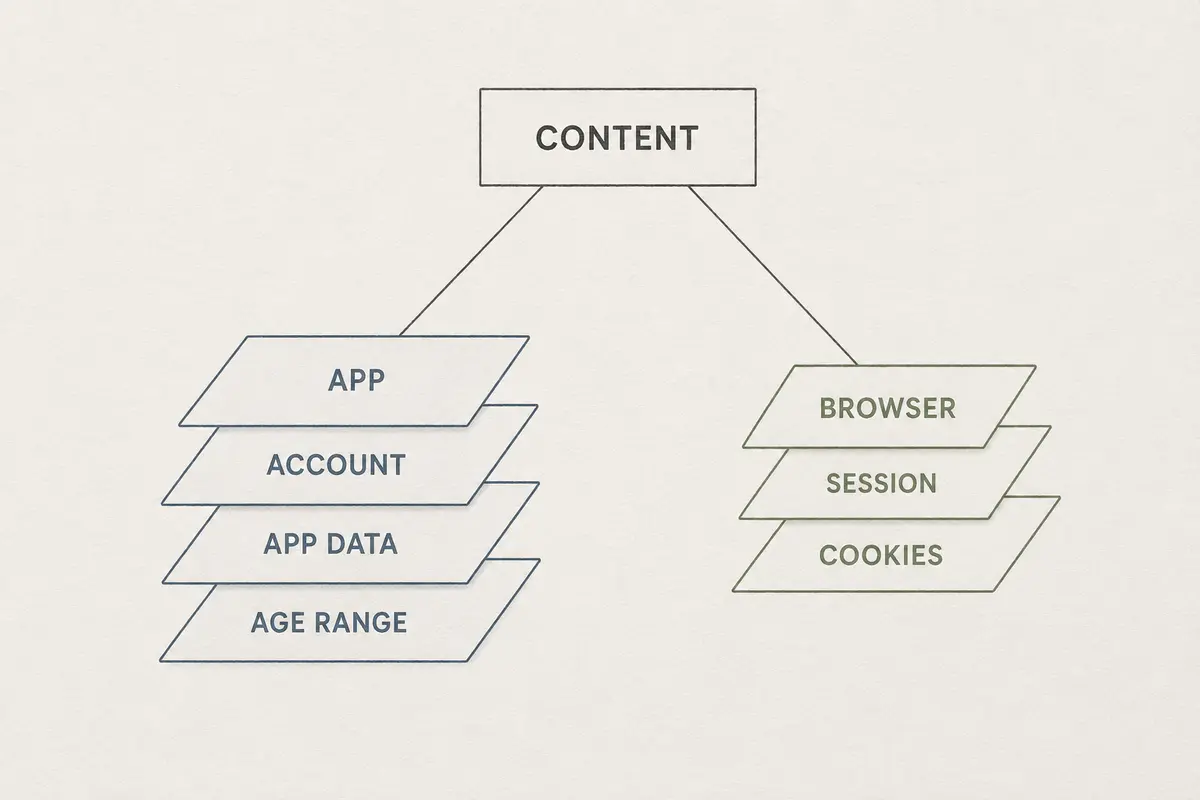
That approach stems from a basic misunderstanding of modern online safety infrastructure. There are three entirely separate layers at work:
- Your current network transit: Your public IP address and general routing.
- Your local client state: The temporary cache, local storage, and session tokens living in a specific browser or app.
- Your account-level status: The permanent verification flags attached directly to your user profile on the platform’s servers.
A VPN only changes the first layer. It does not alter your underlying account status. As platforms like Reddit explicitly document, once an account has an established age signal or verification record attached to it, that status persists across logins, apps, and browsers. Moving your connection from London to Paris will not magically reset an account-level flag, nor will switching back to mobile data erase an age check you completed yesterday.
This distinction is why you should never treat network tools as an age-assurance loophole. That said, keeping your surrounding traffic secure while you navigate these checks across fragmented environments remains critical.
If you are balancing accounts across mobile browsers, dedicated apps, cellular data, and untrusted public Wi-Fi, using a reliable network shield makes practical sense. For this role, OnlydogVPN is designed to provide a quiet encrypted baseline at the device level. Rather than forcing you to constantly reconfigure server locations, troubleshoot broken web sessions, or manually fuss with connection protocols every time you switch apps, it operates in the background. Its intelligent, automated routing simply maintains an encrypted, private baseline around all your traffic.
Crucially, it keeps your network posture stable so you can focus on the actual decision that matters: assessing what specific evidence you are willing to submit at the application layer. OnlydogVPN protects the tunnel your traffic travels through; it cannot—and should not—stop an external service from processing documents you choose to upload.
The Real Metric: Minimum Sufficient Proof
The instinct that browsers are inherently private and native apps are inherently intrusive is outdated. Modern identity verification has shifted the privacy calculus entirely.
When an app allows you to satisfy a legal barrier using an age-range token already held by your operating system, opting for the mobile app is not "giving the platform more access." It is an active act of data minimization that keeps your driving licence in your wallet and your face out of an identity vendor's processing queue.
Likewise, do not view the persistence of verification status as inherently invasive. An account that remembers you are an adult saves you from repeating intrusive verification cycles on every visit. The critical detail is what the platform keeps: a lightweight flag confirming you passed, or an archived copy of your personal documents.
Before you tap "Verify" on any screen, ignore whether you are looking at a browser tab or an installed app. Read the fine print of the prompt itself. Always take the route that proves you are old enough to enter without revealing a single detail more than necessary.
Frequently Asked Questions
Why can the same account ask for different age proof in an app and a browser?
Native apps may be able to use operating-system age credentials that a browser cannot access. A browser may therefore fall back to a standalone verification vendor, while an app can sometimes receive a simple age-range confirmation.
Is an app always less private than a browser for age verification?
No. The more private route is the one that proves the threshold with the least disclosure. An app using a coarse 18+ system signal can reveal less than a browser asking for a face scan or government ID.
What should I compare before choosing a verification route?
Check what data is requested, who processes it, whether the service needs an age bracket or a legal identity, and whether the result persists on the account.
Can switching VPN locations reset an age-verification prompt?
No. A VPN changes public IP routing, while verification status can live at the account level and persist across apps, browsers, and logins.