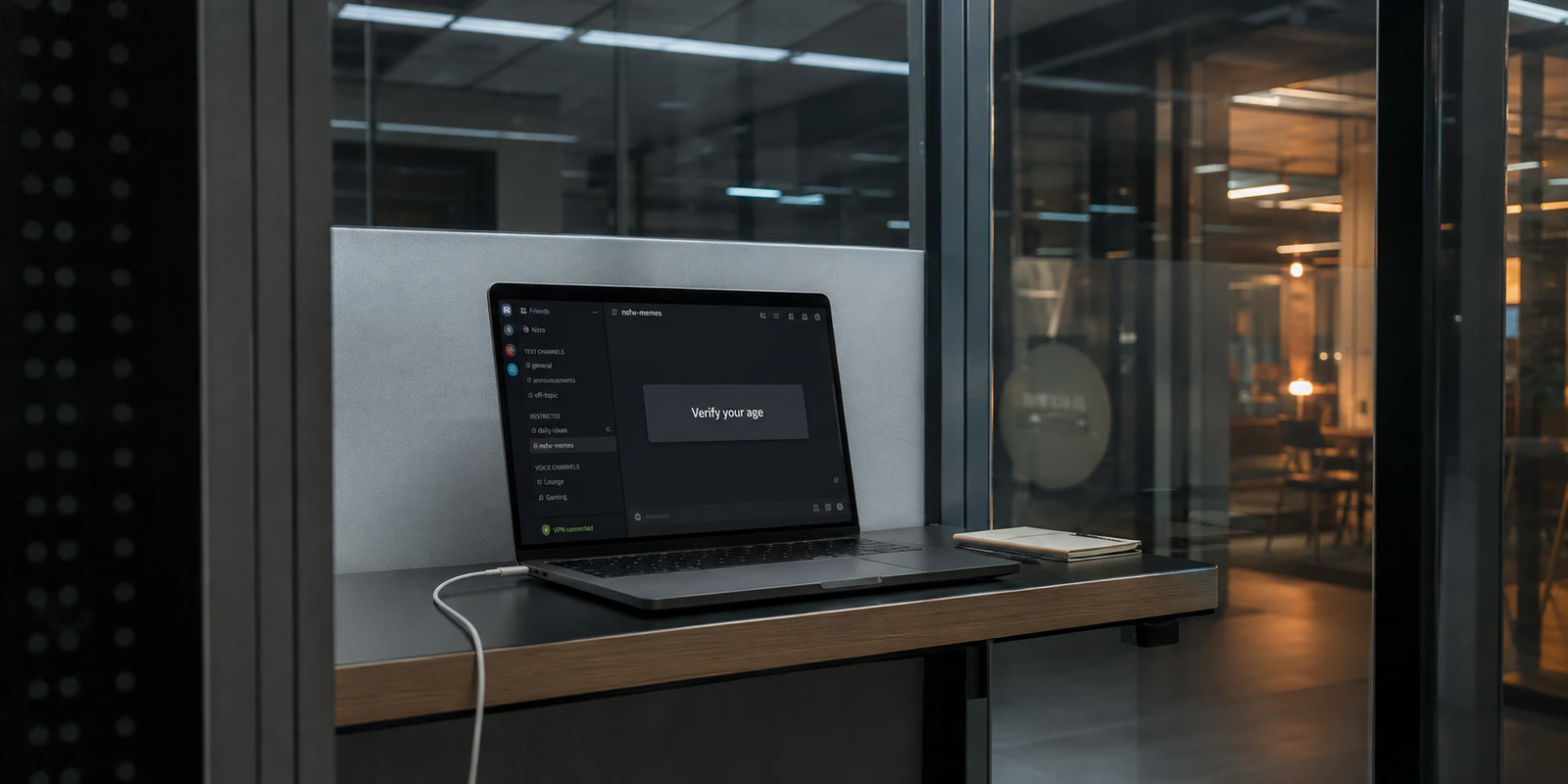
Everything in Discord works as expected until you click an invite to an 18+ community, attempt to unblur a piece of sensitive media, or toggle a restricted privacy setting. Suddenly, an age-assurance screen halts your progress. If you already have a VPN running, your immediate reaction is usually instinctual: switch servers. If Tokyo triggers the prompt, maybe Zurich will make it disappear. If Zurich fails, surely a domestic server will clear the hurdle.
It won't.
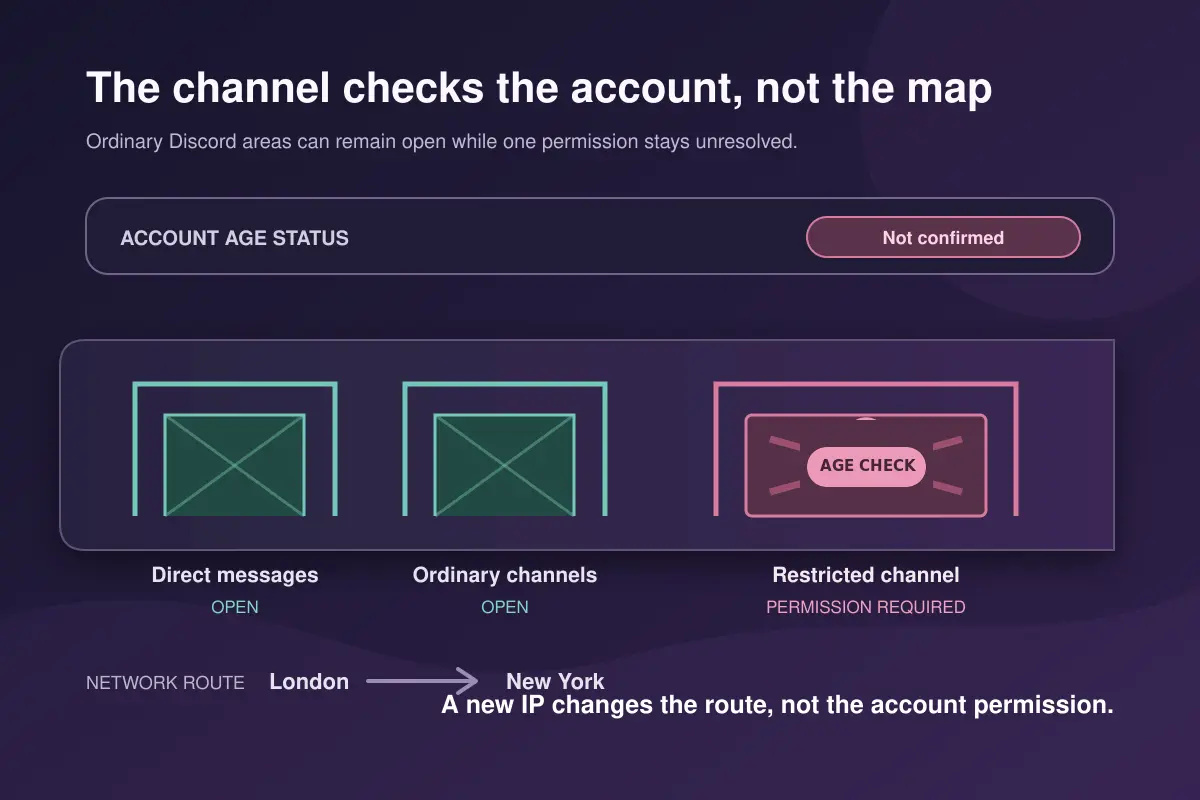
Cycling through countries might grant you a fresh IP address, but Discord’s age gate will remain in place. The friction does not stem from a broken tunnel or an exposed physical location. It stems from a fundamental misunderstanding of what a VPN changes and what Discord is actually evaluating.
A VPN reroutes your connection. Discord is evaluating your account.
Article summary and product fit
Can a VPN change or bypass Discord age verification?
No. A VPN changes the network route and public IP; Discord’s age status is attached to the account and to platform-specific rules. If an adult account is asked for age assurance, use Discord’s official in-app process. If age-restricted content is still unavailable on iOS after verification, check Discord’s platform instructions rather than changing VPN countries.
What matters in this article
- Best for: Discord users who hit an age-assurance prompt while a VPN is running and are considering server hopping.
- Key distinction: The VPN operates at the network layer; Discord’s teen/adult or unverified status operates at the account layer and persists across connections.
- Correct path: If you are an adult and Discord requires confirmation, complete the official in-app age-assurance workflow or appeal path.
- Product fit and limit: A VPN can still protect the network path on hotel, airport, campus, or shared Wi-Fi, but it cannot act as a digital ID, change an account age bracket, or override platform policy.
Sources already cited in this article: Discord Age Assurance Update FAQ; Discord age-assurance completion guide; Discord age-restricted server FAQ.
Discord Is Not Asking Everyone to Upload an ID
Before attempting to resolve an age prompt, it helps to dismantle the most common myth surrounding the platform: Discord is not rolling out a universal mandate requiring every human on the service to upload government credentials just to send a direct message.
Discord's current architecture relies on a distinction between age inference and manual age assurance.
According to Discord, more than 90% of its user base should navigate the platform without ever being prompted for explicit age verification. Behind the scenes, automated inference models evaluate account-level signals to determine whether an account belongs to a teen or an adult. These signals include the longevity of the account, whether an active payment method has been attached, server membership patterns, and general activity history. Discord notes that it does not read private message content to make these determinations.
Explicit, manual verification surfaces only when that background inference lacks sufficient confidence, or when an account attempts to perform an action explicitly gated behind adult confirmation:
- Entering age-restricted channels or designated 18+ servers
- Unblurring sensitive media or loosening sensitive-content filters
- Modifying default Message Request protections
- Executing specific age-restricted bot commands
- Speaking on an age-gated Stage channel
While regional laws in places like the United Kingdom, Australia, and Brazil impose stricter baseline mandates, seeing an age-verification modal does not signal a broken app or a targeted network block. It simply indicates that the account just crossed an 18+ threshold without a verified adult status attached to it.
A VPN Changes the Connection; Discord Changes the Account
When troubleshooting Discord issues, users often treat every blocker as a location or network problem. If a stream lags, you change servers. If an ISP throttles voice traffic, you turn on a VPN.
Age assurance, however, operates on an entirely different layer of the stack:
- What your VPN produces: "This encrypted connection originates from a server in Frankfurt with a specific public IP address."
- What Discord’s age engine produces: "This signed-in account is categorized as a teen, an unverified user, or an adult."
Discord binds this categorization to your profile, not your local network interface. You can view your assigned age bracket directly in your client under User Settings → My Account. Once Discord assigns that status, it persists whether you are connected via home fiber, mobile data, or an encrypted tunnel routing through Iceland.
A VPN cannot rewrite an account tier. It cannot transform a teen account into an adult account, nor does Discord feature a hidden list of countries where age gates simply vanish upon request. While local regulations dictate how aggressively certain safety rails apply, Discord does not offer an "opt-out via IP address" mechanism.
If an adult-confirmation requirement follows your login across five different VPN servers, the connection is not failing. You are simply applying a network-routing fix to an identity-layer state.
If You Are an Adult and Discord Asks, Use the Account Path
If you are an adult and hit an age-assurance screen, switching off your connection or cycling servers is wasted effort. The only way past the barrier is to satisfy the account requirement directly.
First, check your standing under User Settings → My Account. If a manual confirmation is required, initiate it directly from the prompt inside the Discord interface. Keep an eye out for phishing: Discord conducts its age-assurance flows strictly within the app. It will never send unsolicited SMS links or surprise emails demanding that you hand over identification to unlock your account.
Discord's verification paths generally fall into three categories:
- Video Selfie: An on-device facial age estimation process. Discord states that the raw biometric video stream stays on your device and is not retained or absorbed into Discord's servers; it merely returns an age estimate.
- ID Scan: Facilitated by an identity verification partner. The vendor checks the document, confirms the birthdate, and passes the age bracket back to Discord. Discord does not store the underlying identity card.
- Alternative Methods: Depending on your jurisdiction, options like Google Wallet or credit-card authorization may appear as localized validation options.
If a facial estimation attempt fails or misjudges your age, Discord provides retries alongside a traditional ID-based appeal route to set the record straight.
The iOS Exception
One common edge case frequently misdiagnosed as a "VPN issue" happens exclusively on Apple hardware. Even after completing age assurance, an adult may find that certain age-restricted servers remain completely inaccessible on an iPhone or iPad.
This is not a network failure, nor is it a glitch in your VPN tunnel. Apple's App Store guidelines impose separate, platform-specific content restrictions. To access standard age-restricted servers on an iOS device, an adult user must first enable access manually via the Discord desktop or browser client under privacy settings. Furthermore, servers dedicated primarily to explicit adult content remain blocked on iOS entirely. No amount of VPN server hopping will alter an operating system policy.
What a VPN Is Still Good For During Age Assurance
Accepting that a VPN cannot bypass age verification does not mean you should disconnect it.
There is an understandable instinct to pull the plug on a VPN the moment an account prompt appears, out of fear that the encrypted tunnel might disrupt the verification flow. In reality, maintaining an active VPN remains a sensible security posture—particularly if you are handling account-level changes while connected to untrusted environments like hotel Wi-Fi, airport lounges, coworking spaces, or shared campus networks.
A VPN fulfills a distinct, valuable function here:
- It encrypts outbound traffic, preventing local Wi-Fi operators and intermediate network sniffers from logging your destination endpoints.
- It masks your residential or local IP address from the wider web.
- It shields your data path against unstable public routers and localized connection drops.
What it will not do is act as a fake digital ID, bypass platform policies, or strip away Discord’s safety tiers.
This is where a tool like OnlydogVPN↗ fits into the workflow. If you want ongoing network protection without the friction of constantly micromanaging your connection, OnlydogVPN offers a streamlined approach. Rather than forcing you to cycle through obscure server protocols or guess which regional endpoint might appease an app, its automated routing and one-tap scenarios select an optimal path in the background.
More importantly, OnlydogVPN handles weak-network recovery and handoffs seamlessly—such as when your phone switches from a flaky cafe Wi-Fi back to cellular data mid-session. It keeps your underlying tunnel stable without introducing the erratic latency or sudden disconnects that can interrupt in-app verification flows.
The distinction is straightforward: If Discord needs to verify your age, let Discord handle the identity check; let the VPN handle the connection.
The Decision Rule: Before You Change Another Server
The next time an age-related prompt interrupts your Discord session, run through this quick checklist before touching your VPN settings:
- The prompt appears upon entering an 18+ server or altering safety settings: Treat this as an account-level requirement. If you are an adult, complete the in-app confirmation workflow. Cycling through VPN server locations will not bypass the screen.
- Your account is verified as an adult, but content remains inaccessible on mobile: Check your platform rules. If you are on iOS, log into the desktop or web client to manually enable age-restricted servers, and recognize that explicit servers are restricted entirely on that operating system.
- Discord assigned your profile to the wrong age group: Do not look for an IP-based workaround. Submit an appeal or retry through Discord’s official in-app verification flow. A new IP address will not alter a persistent account status.
- The user is under 18: A VPN cannot confer adult access. The age restriction is functioning exactly as Discord intended.
A VPN and Discord's age assurance can coexist on the same device without issue, provided you recognize where the responsibilities divide. Rely on your VPN to keep your network route private, stable, and encrypted. When Discord asks for your age, address the account directly.
You can change your route in a single click—but your account status stays right where you left it.
Frequently Asked Questions
Can changing my VPN country make Discord’s age prompt disappear?
No. The article explains that Discord’s age status is account-level. A new VPN server can change your public IP, but it does not rewrite the age bracket associated with the signed-in account.
Does Discord require every user to upload an ID?
No. The article cites Discord’s description of age inference and notes that most users should not need explicit manual verification. A manual prompt appears when Discord needs more confidence or when an account attempts an age-gated action.
What should an adult do when Discord asks for age assurance?
Use the official prompt inside Discord and follow the available verification method for the account and region. The article describes video-selfie, ID-based, and other localized methods, plus retry or appeal options when verification fails.
Why can age-restricted Discord content still be unavailable on iPhone or iPad after verification?
The article identifies a separate iOS platform restriction. Adult users may need to enable age-restricted server access from Discord on desktop or web, and some explicit-content servers remain unavailable on iOS regardless of VPN location.